Home Blog Page 192

How to Change Word to PDF

0

PDFs are useful for sharing files so that everyone sees them in the same manner. Normally, you’ll produce documents in another program before converting them to PDF. This tutorial will show you how to change a Word document, with .doc, .docx extensions, to a PDF.

6 Steps to Convert Word to PDF

Follow these six steps to change Word to PDF:

Step 1: Save Your Work

Regardless of whether you are using Microsoft Word, Google Docs, or any other writing software, save your work into a .docx file.

If you are using Google Docs, for example, click the File tab on the upper right, scroll down to download, and it should open a tab that gives you a few options. Choose the first option, which says Microsoft Word (.docx).

Step 2: Open Your Downloads Folder

After that’s done, your file is most likely saved in your ‘Downloads’ folder. 

If this is work you have done online, depending on the browser you are using, a small icon may blink, indicating where your downloads are. Click the icon and click the folder option next to it, and not the file name itself. It should then bring you to the ‘Downloads’ folder straight away.

Step 3: Open a Trustworthy Converter

There are a lot of sites online and applications that allow you to convert your word to pdf. However, most documents you may have are sensitive or personal, and you wouldn’t want to just convert your file anywhere. 

Going to a website like PDF.io to convert your Word to PDF is a sure way for you to ensure that not only will your work be converted, but the data that is in it will also be protected. 

Furthermore, it gives you a selection of tools such as spitting, merging, compressing files, as well as gives you the option to convert other files to PDF such as JPG to PDF and Excel to PDF.

Step 4: Upload Your File 

Converters usually give you the option to upload the file into the converter or drag and drop it. PDF.io allows you to do the same. Since your Downloads Folder is already open, as mentioned in Step 2, simply drag your file into the converter instead of manually searching for it with the ‘Choose File’ button and uploading it there. 

Step 5: Wait for Tool to Convert Your File

Now just wait and let the magic happen. Your file should be converting within a short time span, if not seconds at this point, so you can use these few seconds as a breather. 

Step 6: Download Your File

And that’s it! Your Word file should now be a PDF file, and all you have to do is download it and use it as you please. 

What Is PDF?

The abbreviation PDF stands for “portable document format.” The format is used when you need to store files that can’t or shouldn’t be changed but still need to be distributed and/or printed. Almost everyone has a copy of Adobe Reader or another application that can view PDF files on their computer these days.

The International Organization for Standardization (ISO) presently maintains the PDF as an open standard. It can contain a variety of things, such as links, music, video, form fields, and clickable buttons. 

How Does PDF.io Work?

PDF.io automates the process of something you would manually do if you were to do it on your own such as converting, splitting, compressing, etc. We simplify the process of what would otherwise be a bit of a task for you. Furthermore, your information is safe with us. In fact, all file transfers are encrypted, and we erase your data after you’ve converted and downloaded it. 

Is This Tool Free?

While you can convert and do so much more with PDF.io while being secure, one of the best things about it is that you can do it all for free. We save you the hassle of what you need for your workload as well as any expenses you might incur just to do your work, such as converting a file. 

Is It Possible to Undo the Change?

Yes. Using the PDF to Word tool, you may restore the file’s original layout and file type. If you need to convert it from a PDF to a DOCX file, there’s no issue.

What Else can PDF.io Offer with PDF?

Most operating systems support PDF files, and the information cannot be changed, making it far more flexible than other file formats.

It’s also worth noting that they aren’t dead ends. Whenever you obtain a PDF, you can use our free PDF tools to convert it to a new file type or modify it further.

You can, for example:

  • Use an electronic signature to eSign PDF files.
  • Encrypt your files using a password to keep them safe
  • Text, pictures, and notes may also all be added to PDFs.

These are, of course, just examples. There’s a lot more you can find if you go to our main page.

pdf converter

Basics You Should Know About Bitcoin

0

In the world of internet marketing, the use of bitcoins has gained more popularity over the past few years. However, not many people are aware of its background, where it came from, or how it functions. This article aims to shed some light on this topic and educate potential users about the dynamics of the virtual currency system.

bitcoin Basics cryptocurrency

What is bitcoin  

Simply put, bitcoins is an alternative digital currency, not governed by any government or central board, which is transmitted from user to user within the peer-to Peer digital currency network without the necessity for traditional intermediaries such as banks and payment systems. The most popular service known as bitcoin is known as the bitcoin revolution wallet. The major characteristic of this service is that one needs to have a computer with an internet connection in order to participate in the transaction of bitcoins. Most users do not even know this, but they are actually using the very same technology behind the internet, the USB port, in order to access and transfer their bitcoins.

What makes bitcoin so unique is its deflationary nature. Unlike traditional currencies which are printed and released on a regular basis, bitcoins are issued in predetermined blocks. Once the block is mined, no more new blocks can be released for seven years. This feature makes bitcoins the best cryptosystem for the long-term preservation of value. It is also what attracts a lot of investors to the system.

How Bitcoin System Works

The way how the system works is pretty simple. There are only two main parts of the system, known as the miners and the nodes. The nodes work just like the regular computers in your home, but instead of downloading the entire database every time they need to perform a validating job, they only need to download the portion of the code that they need to process the new transactions. When these nodes receive a verified signature, they make an accurate decision, validating the validity of each and every verified transaction.

With such an efficient system, it may come as a surprise that there are many people who are still unfamiliar with it. One of the reasons why this is the case is the fact that it is difficult for ordinary people to get into the business of investing in this kind of currency. The difficulty level is the major reason why a lot of providers have not made full use of it. Another reason is the lack of good information about it online. Fortunately, the situation has changed now. There are now several guides available online which can help you learn everything you need to know about how the system works and get started with the process of using bitcoins.

No Service Charges

One of the best things about using bitcoins as a payment system is that you do not need to deal with international money exchanges or banks anymore. There is also no need to deal with brokers or third-party services that charge fees for their services. You are free to choose how you will use your virtual money – whether you will be buying cheap goods online or paying for high-quality products from big stores. The only thing you need to remember is that all transactions made with the use of bitcoins should be transparent and kept in a secure location.

An Open Source

As for the technological aspects of the system, one thing that makes the use of bitcoins more efficient than traditional payment systems is the fact that it is developed and run by its users themselves. Transactions between two peers are done through the system and this is the way it keeps the network running smoothly. It is open-source, meaning that anyone is free to create a fork of the software which they are allowed to sell to others for a fee. With such a system, the risk of attack on your personal data is practically zero because nobody knows what will happen if the developers decide to make an update to the software. Since nobody decides to hack the system, this effectively prevents cyber crimes and thefts.

Privacy Protection

Nakamoto also took great efforts to protect the privacy of the users. All information regarding transaction and mining is encrypted and it cannot be traced back to you. Even if someone got hold of such private information, he or she would have to break the encryption in order to be able to read them. The Nakamoto plan basically ensures that the bitcoin network will remain functional even after years of being operational.

What You Should Know Before Investing In Cryptocurrency

0

There is a good chance that you’ve heard of Bitcoin at some point or another. Over the past few years, digital currencies have grown immensely in popularity. More and more investors have opted to give up on traditional investments and invest in cryptocurrencies. This has proven to be a great alternative to stocks and bonds, but it is absolutely pertinent to familiarize yourself with the technology and basics associated with cryptocurrencies. Within this guide, you will get to know more about cryptocurrencies.

investing in cryptocurrency

What Is It?

First and foremost, you should know that cryptocurrency is nothing more than a digital asset. It is designed to work as an exchange and it utilized cryptography to protect and secure transactions. Many people like cryptocurrency, because of the privacy provided to the consumer. Bitcoin is the first. It was introduced to the public in 2009. Since then, a handful of other currencies have hit the market. While they’re all similar, they’re different in numerous ways.

The Blockchain

It is the blockchain technology that has helped to make cryptocurrency so enormously popularity. This technology acts like a constantly expanding list of records or blocks. In general, a single block will contain a hash pointer, timestamp and information regarding the transaction. In terms of Bitcoin and other cryptocurrencies, the blockchain is there to protect the user’s identity. The blockchain technology has become so popular that many banks have started to look into them. There is a possibility that financial institutes will implement this technology into their practices soon enough.

Mining

There are tons of people that are willing to put money into cryptocurrencies, such as Bitcoin and Ethereum. If you’re not willing to use your hard-earned money, you’ll want to consider mining for digital coins. In order to mine for Bitcoin or other currencies, you’ll need a pretty good computer and the right software. There is a good chance that you’ll wind up using a lot of bandwidth, so you’ll want to make sure that you’re using an unlimited plan. After you’ve gotten the right computer setup, you’ll need to download a miner.

Mining for coins can be tedious, but it is a great way to get digital currency, without needing to use physical money. Be sure to learn more about Ethereum, before mining.

Decentralized

Another thing to remember is that digital currencies are decentralized. This is another very reason that digital currencies have become so incredibly popular. This basically means that the platform is free of a central controller or issuing authority. You never have to worry about the central bank increasing or inflating the prices of the coin. Instead, it is basically designed to be valued based on supply and demand. As coins are removed from the mines, the price increases slowly.

Bitcoin Vs. Ethereum

While there are many different digital currencies out there, Bitcoin and Ethereum tend to be the most popular. In terms of mining, Ethereum is more user friendly. With Bitcoin, you’ll need to have a lot of capital and a much more powerful computer. With Ethereum, the algorithm was designed to make it accessible to everyone. Therefore, Ethereum definitely holds an edge over Bitcoin.

This article was a Guest contribution. If you would like to submit your guest post, please read our guidelines.

Will Underground Roadways Systems save cities from traffic nightmare

0

The bane of the traffic jam. And the go-to solution (i.e. building new roads or expanding lanes) often just causes more congestion. Busy cities constantly cope with traffic caused by a variety of issues: accidents, construction zones, weather, bottlenecks, lane blocks, and simple fluctuations in daily traffic levels. Waiting in traffic is most assuredly annoying. But it also has deeper ramifications for society.

There is an ever-present need to develop systems to deal with increased congestion. For everyday errands, drivers opt for small changes in their route, or leave a little earlier, or a little late. But more intrusive traffic congestion might cause individuals to make bigger decisions and change their job or living location. Economic conditions are impacted with increased travel times too, (e.g. goods not arriving, goods perishing, etc.)—all increasing the costs of these goods and services.

Above the Ground Solutions

Easing major thoroughfare congestion usually involves above ground solutions, at least in terms of still allowing the general population to commute with their own method of transportation. Underground solutions are not a new concept. Subways, trains, boats, etc. are all employed as ways to swiftly move people where they need to go, by shifting them down below. So, could roads be added to these below-ground options, letting cars weave beneath the ground via tunnels just as they do above it? Elon Musk, of Tesla fame, thinks so.

Avoid the Traffic by Going Under It

Mr. Musk has his hand in a variety of innovative transportation solutions. From heading Tesla and producing electric cars to space exploration with SpaceX, Musk has now turned to another vehicle conundrum: traffic jams. His initial undertaking: the congestion in Los Angeles. Recently, Mr. Musk revealed his concept at the TED2017 conference in Vancouver.


His concept is based on building tunnels beneath a city to form a roadway system. Cars would access this underground system via elevators. Imagine driving along and you see a traffic jam ahead. What are you to do? Up on your left is a parking spot that is actually an elevator. You pull your car onto it and it lowers you to a level below the ground. You enter a stream of vehicles that are swiftly moving along roads. You’re out of the melee above and on your way. Because the other cars below have exited the system from the surface (and vice versa), theoretically, congestion can be relieved. Returning to the main roadways above requires picking up another elevator point of entry.

boring company underground roadways


Lofty Visions or Realistic Endeavor?

The notion of a mirrored roadway system below the surface appears to be a terrific way to reduce traffic congestion. To those who embrace anything technology, it is lauded as a grand vision. To the other side, it is quite the logistical construction nightmare. But his proponents tout the fact that Mr. Musk has already been behind several science-fiction inspired gadgetry. His critics remind us that he has also spent billions of dollars in capital while underestimating production schedules (and failing to deliver on time).

Last year China came up with a bizarre transportation idea of a straddling bus which travels above the existing road. Now the guardian reports that this project has been scrapped since then.

china straddling bus

Skate Below the Surface

The vision for the roads includes a magnetic feature. Cars leaving the surface would be lowered, with roads coming and going every which way. These roads would be within tunnels drilled on a variety of levels, to accommodate the ability for many cars to escape jams above. The car would also remain on the contraption it drove onto. This skate of sorts would zoom (up to 130 miles per hour) along the magnetic rail to its destination.

At the conference, flying cars were also a topic of discussion. But Mr. Musk cautioned against pursuing air transportation. He feels that attempting to ease traffic jams by lifting people up causes more issues than it solves. When you have flying vehicles, you still have pedestrians below. And those individuals are unlikely to feel very safe with so much activity going on above them. Although, one could offer his same futuristic plan and see it as an above ground magnetic levitation highway. This method would seem to be a cheaper option too.

This year, the city of Dubai got a test run of what they call Autonomous Air Taxi AAT. The two-seater electric drone is another promising idea for the urban transportation problem. The city authorities have an ambitious target to make autonomous transport account for quarter of the city transport by 2030.

But Does This Really Address the Real Problem?

Commuters quickly realize that after a road has had lane expansion, everything quickly fills up again. More space leads to more traffic, so all that added space now suddenly has a bunch of cars on it. The fancy term for this phenomenon is “induced demand.” Basically, when drivers encounter less traffic on roads, magically, they keep going on these same roads, and others join in too. That is why, even if a multi-layer maze of tunnels could be built below the surface, drivers might find themselves in the same traffic congestion below as on the surface. Congestion was predicted decades ago. It might simply be unsolvable.

This article was a Guest contribution. If you would like to submit your guest post, please read our guidelines.

Can Modern Internet Technology Make Traditional Processes Like Background Checks Faster?

0

It’s been over two decades since the dot-com bubble, a period that saw the exponential growth of an exciting technology: The Internet. It would go on to fundamentally transform our world in unimagined ways, facilitating almost all facets of life, from businesses to entertainment to transport and more. 

background check services

The world of hiring has also been impacted by this technology. Up until the mid-90s, posting a job meant finding many news outlets to post an ad, just as interviews could only be conducted in person. But during this lockdown, not only were interviews held online but entire business operations. 

Background checks have seen a radical shift from traditional processes. Thanks to the internet, they are faster, more reliable, and robust. Here are some of the ways modern internet technology has made screening checks faster. 

  • Streamlining Criminal History Checks

Here’s how police checks worked before. Employers had to submit paper applications to police stations. Then the police would manually pull out the record of the applicant to report on their criminal history. The process was extremely slow, taking weeks to complete. Moreover, it was inefficient. By changing locations, it was very easy for people to stay two steps ahead of the crime. 

But with the internet came online police checks like those that can be obtained from the Australian national character check website: https://www.australiannationalcharactercheck.com.au. In less than 15 years after its inception in 2004, the number of employers making use of them has quadrupled to about 5.5 million. The results are available in about 1 to 3 business days. But more importantly, with a centralized database, it’s easier to pull out the criminal record of anybody. 

With a more efficient criminal history check, employers can ensure that they hire the right people that will preserve a safe work environment. 

Credit History Checks Made Faster

Credit history checks weren’t a thing in the past. But because of the ease of access, it is becoming more and more common for employers to delve into applicant credit histories before making an offer. After obtaining consent from the prospective employee, they contact customer credit agencies like Experian and Equifax through online platforms. The results are available in no time. 

Employers make use of credit history checks to obtain insight into the current financial situation of potential hires. This way, they can identify financially-stressed applicants and ensure they do not actively work with money, as there is an increased risk of theft. 

A New Flavor: Social Media Checks

About 7 in 10 employers check the social media presence of applicants as part of their hiring process. Most people active on social media display their true selves on the internet. For HR managers, hiring a person who’s known to pass on racial slurs on the internet will cause internal tension. If this information becomes public, it could damage the reputation of the company and even result in million-dollar lawsuits

Social media checks are giving strong insight into the ‘true’ behaviors of applicants. In a world where competition is fiercer, social media checks are, indeed, making the screening process more robust. 

Conclusion

The internet has made background checks more efficient. With shorter processing times and greater robustness, employers can gain even better insight into applicants. And with new technologies like machine learning and artificial intelligence, the future of background checks is even brighter. 

Advanced Security Measures: Why and How to Delete Mail Attachments

0

Malicious email attachments are some of the most popular tools thugs use to steal data and install malware on computers. Thus, learning how to delete mail on Mac and other devices is critical for winning the war against malicious attachments. Guard yourself against these tricks by learning how to detect and avoid them. So, remain with this post to discover more about identifying and deleting them.

email attachment security tips

What are Mail Attachments?

Just as the name goes, they are attachments containing phishing malware. Their senders use them as bait that tricks unsuspecting users into clicking on malicious links or download malware. When they unsuspectingly fall into their trap, they can install malware that destroys and steals your data. Some of these attachments let attackers control your devices and enter your networks.

Moreover, these attachments take various forms. For instance, they can be text files, videos, or images hackers have laced with dangerous malware. They exploit weaknesses and loopholes in your system to perform their malicious activities. Some senders are smart enough to spice up their dangerous emails to look like valuable content that can prompt you to act.

Dangers of Malicious Mail Attachments: Why You Should Delete Them 

So, why should you delete these attachments? Here are their dangers and the reasons for deleting them immediately.

They Can Corrupt Your Hard Drive

These dangerous attachments can corrupt your computer’s hard drive unless you delete them immediately. Thus, the corruption can allow them to delete your files, deactivate your PC, and corrupt your information.

They Can Hijack Your Data

Some infected attachments contain ransomware. This malware form can hijack your precious data and demand you pay a ransom before you regain them. It locks you out of your information systems until you pay the stated amount. 

They Can Spy On Your Activities and Share Your Data

Some malicious email attachments also contain spyware. This malware category spies on all your activities and share your data, exposing them to loss and other dangers. The spyware collects information and sends it to dubious websites. Also, this malware’s activities on your computer can damage it.

They Steal Your Personal Information 

Lastly, the digital poison these attachments contain can steal your private information. They let their malicious senders access your sensitive data and passwords.

Identifying Malicious Mail Attachments

Fortunately, detecting these fraudulent email attachments isn’t rocket science. Here are easy ways of identifying them.

Strange Senders

First, all the emails come from strangers. However, some of them are smart enough to impersonate your contacts. They could even hijack their email accounts and use them to send you messages. This way, you could easily assume it’s one of your contacts.

Sudden Requests

These mails also carry abrupt and suspicious requests. Most of these requests revolve around money or action requests for logging in to a specific website with your sensitive details. Think twice before acting if you notice them.

Strange File Names

They also have strange file names. Moreover, some of them have serious spelling and grammar errors. So, suspect such attachments whenever you see them.

Attachments with Extensions

Some of these attachments contain extension files that deploy themselves once you download or click on them. Be careful with them because they usually contain malicious codes that could install malware on your devices.

Attached ZIP Folders

These dangerous attachments also contain zipped folders (everybody heard about a zip bomb). The problem is that you can’t scan such folders before downloading them. Therefore, it’s wise to delete them immediately because they could install malware on your machine before scanning them.

How to Delete Mail Attachments

So, how can you delete these attachments? Below are simple and effective ways of deleting them from your computer.

First, you should send your machine to sleep mode if you accidentally clicked on a malicious email attachment. Don’t shut down your machine since you could worsen the infection. It’s also advisable to contact a malware expert to remove the threat unless you have advanced IT experience. 

Second, you can thoroughly scan your computer using an updated anti-malware app. This way, you will be better positioned to detect and remove any infection before using your computer again.

How to Protect Yourself against Malicious Mail Attachments

Lastly, we look at practical ways of protecting your system against malicious email attachments. Below are some effective measures to take.

  • Educate your team about these attachments’ dangers and how to avoid them. 
  • Never click on suspicious email attachments.
  • Delete all suspicious mail attachments.
  • Sandbox all such attachments and deliver their contents minus the suspect attachments.
  • Instantly convert them into safe formats to neutralize all malicious codes.
  • Use end-to-end and server-based email anti-malware scanners.

There you have it. We hope the information in this discussion will fortify your guard against these malicious emails. 

Top 12 Sites to Get High Quality Free Design Templates

The field of designing is something people will never get to stop innovating. There will be always something new and exciting coming up from top designers around the world. The material design by Google was one of the biggest UI advancement we have ever seen in the recent times. Creating something which gives out positive vibes to everyone who uses it is a great feeling. We, both as a designer and end users, sometimes requires inspiration or design templates to get started. You can look at the great works by designers around the world, absorb and start working on your personal project. If possible, under license, you could reuse the same design templates for your project as well. There are a ton of websites where people post their design templates and share it with the world. Today, I have here is the top 15 sites from which you will get high-quality free design templates, hundreds of high-quality images, mockups for iOS and Android apps and more.

High-Quality Free Design Templates

free design templates

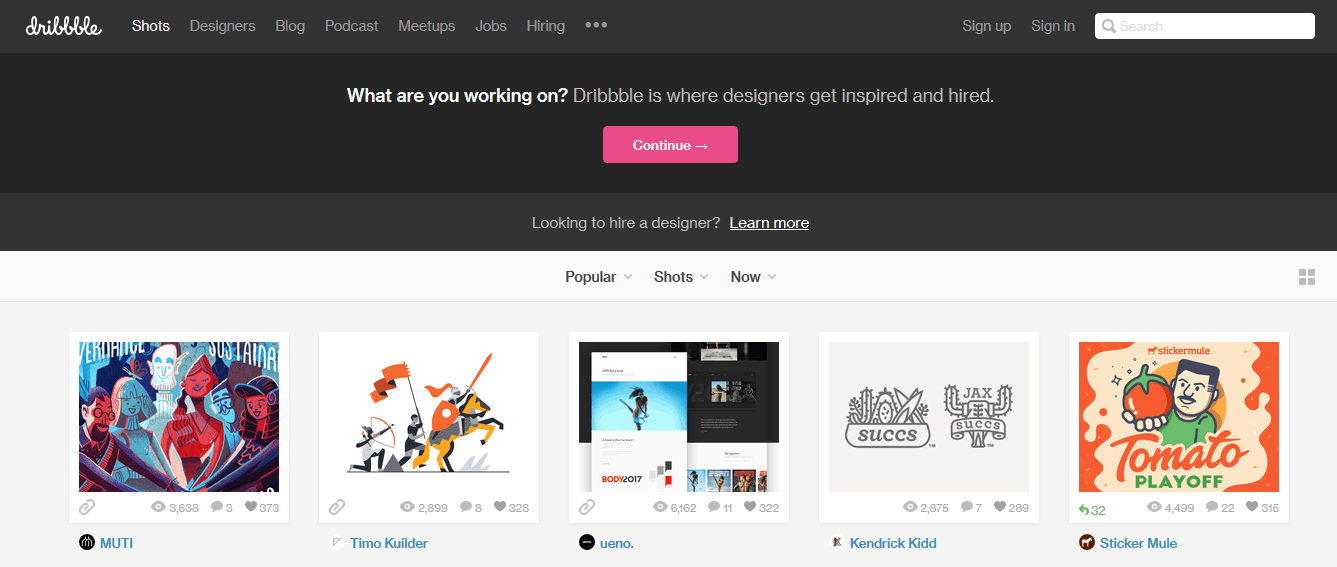
Dribbble

Starting off the list with my personal favorite, Dribbble. Dribble is where you can find one of the largest collections of design templates and mockups online. The platform has one of the biggest community of designers in different fields like; web designers, graphic designers, illustrators, icon artists, typographers, logo designers etc.

free design templates

I remember the first time I landed up on Dribbble was in search for design inspiration for my personal android application development. For the artist in you, Dribbble also acts as a platform for job hunters to get their dream jobs. The community does organize meetups and release podcasts.

DBF

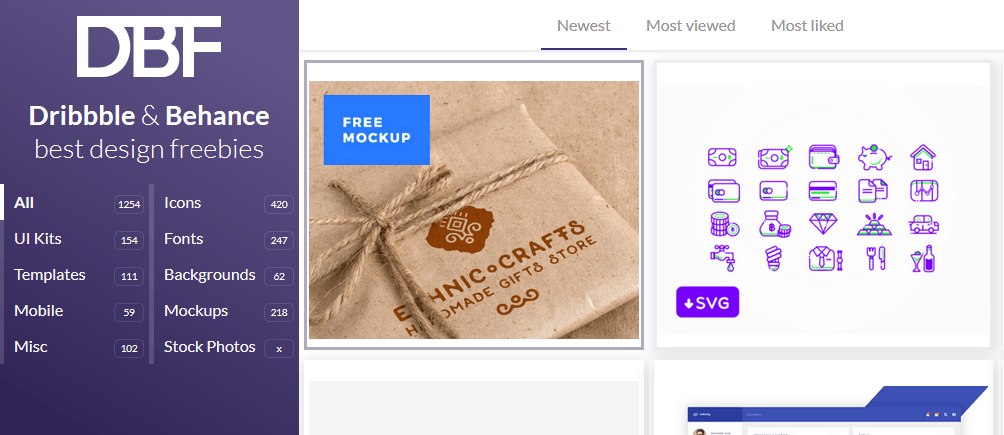
Think of a site where you can get free design templates, listed and organized in one place, from top sites like Dribbble and Behance. Dbf, Dribbble, and Behance is such a platform where you will get the best of Dribbble and Behance.

free design templates

The site has UI Kits, Templates, Mobile, Misc, Icons, Fonts, Backgrounds, Mockups and Stock photos. The total freebies are 1254, as of when I am writing this post. Everything is listed and organized beautifully with filters like; Newest, Most viewed and most liked.

Freebbble

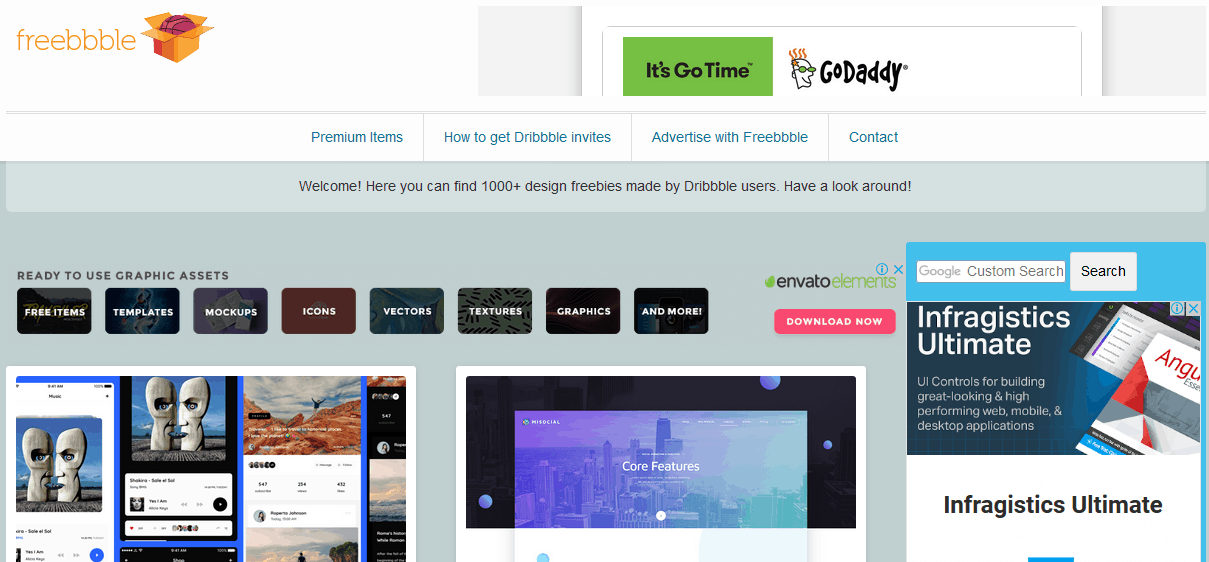
Unlike DBF, Freebbble showcase only free design templates from Dribbble users. You can find more than 1000 free templates on this site. The categories available are; free items, templates, mock-ups, icons, vectors, textures, graphics and more.

free design templates

The items are categorized using different types of licenses as well. You can browse by type or by license. The browse by the license is a great thing especially if you are planning to reuse the same template for your work.

Fribbble

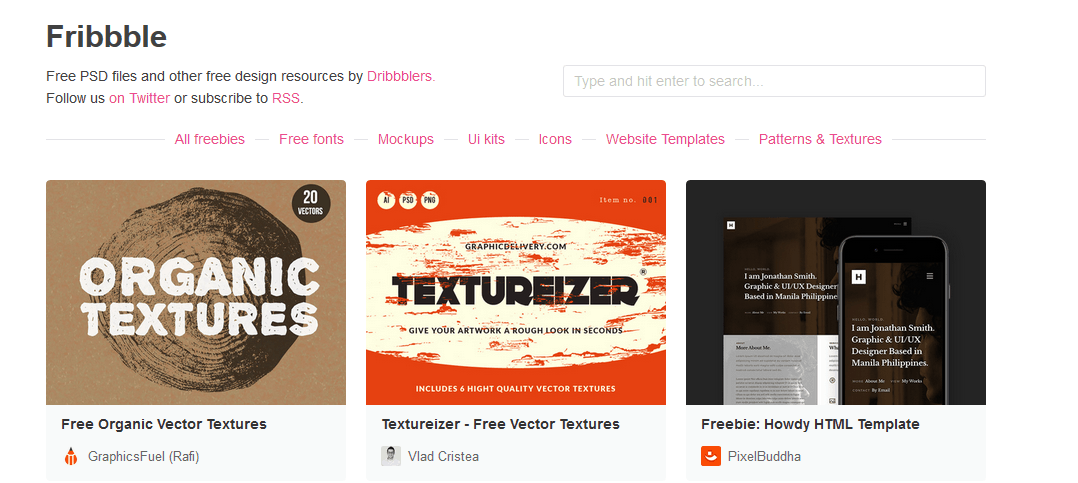
Fribbble is also a platform which offers a collection of free design templates and other graphics related files from Dribbblers. This platform also shares the PSD files. The Fribbble site looks simple compared to the rest of the ones on the top.

free design templates

The resources are categorically organized and there is a search option also available. The site doesn’t host any resources directly instead, there is an option to “view of dribbble” and you will be redirected to the dribbble page of the same.

Freebiesbug

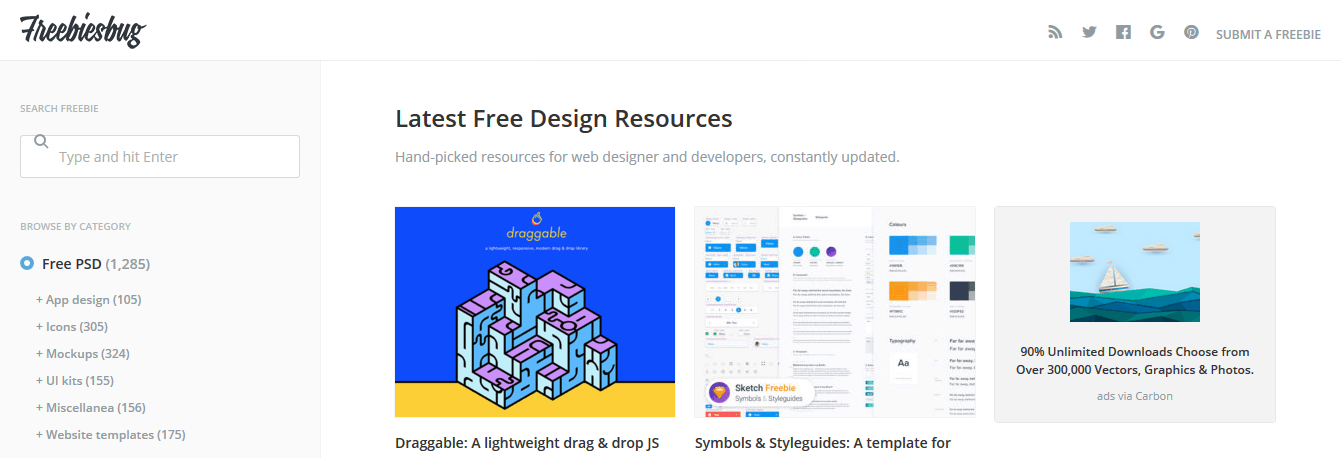
Like the name says, Freebiesbug is a site where you can find a wide variety of designer-friendly resources to view and download. The site is mature in looks and resources are neatly organized. There are more than 1200 PSDs available.

free design templates

The other categories include; illustrator freebies, sketch freebies, free fonts etc. I loved the category named ‘code stuff’. In that, they have projects based on JavaScripts, HTML website templates, HTML UI kits etc.

Pixeden

So far, we have been talking about sites which host free design templates from Dribbble. Pixeden is something different, it is independent of other sites and they have some genuine contents created just for the developers. The print section has; brochures, flyers, business cards, under the web section; e-mail templates, WordPress theme templates, HTML wireframe, under icons; mobile, e-commerce, social etc.

free design templates

The best part about Pixeden is that most of the content is free. You can apply the filter to the existing list of resources and get only the free contents. If you liked some premium contents, don’t worry! All their premium contents can be unlocked by a fee as low as $6/month. How cool is that?

Graphic Burger

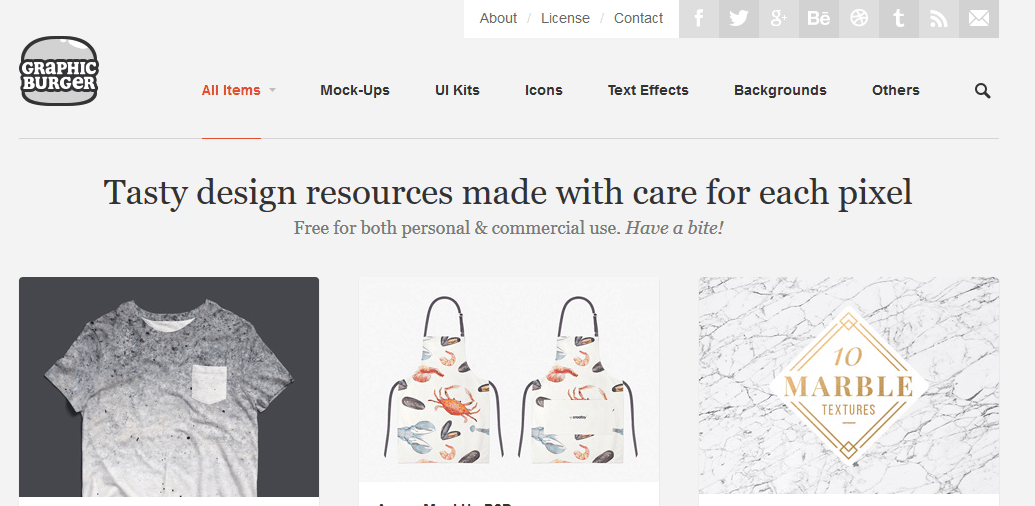
If you are burger fan like me then, you are definitely going to love the Graphic Burger also. This online community of graphics content creators is a tasty feast for the people who want to take a bite. Mainly mockups, but the site also features; UI Kits, Icons, Text Effects, Background etc.

free design templates

There are so many mockup PSDs freely available especially, of clothing and phone cases related. Everything in Graphic Burger is free for both personal and commercial use.

Marvel

Don’t have the right tools/newbie in designing? Marvel is an online tool which will help you create amazing design templates and share it with the community of professionals. You can also take a look at the free design templates that other people have created. The platform’s design tool is very simple and has some awesome feature you should check out. Creating templates is very easy, you can even upload your existing works to Marvel. The prototyping stage is where you showcase your work in front of the community. There is even an option to collaborate with other user and work on your project.

free design templates

The free version of Marvel is free forever for one user and is limited to 2 projects. Once you get started, you can switch to Pro which is $12/month with unlimited project hosting capability. For up to 4 users, you can opt for Company package, which is $56/month. There is also enterprise package available, price on the request basis.

365 Psd

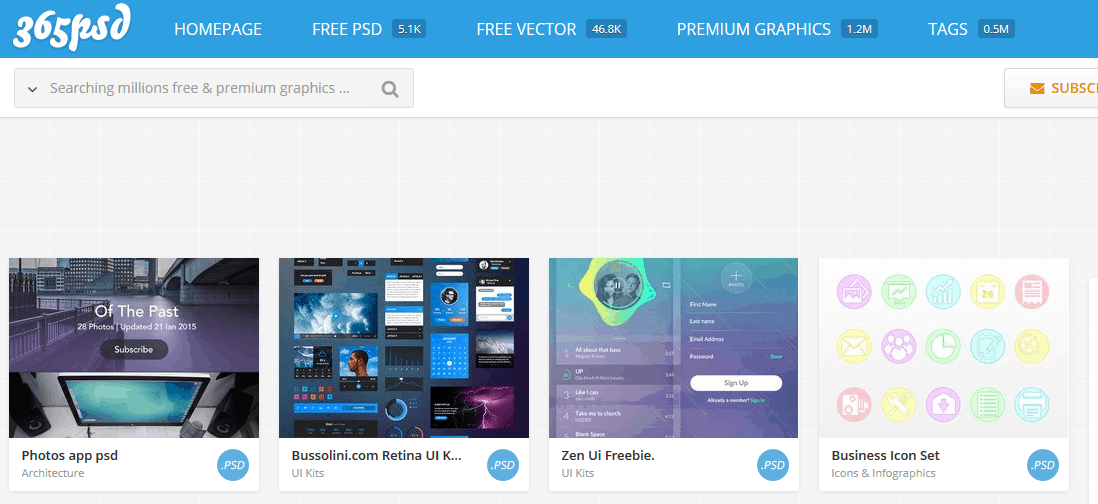
With one of the largest collection of both premium and free design templates, 365 PSD is a platform which I cannot ignore in this list. Like the name says, new free PSD files are updated every day, 365 days a year.

free design templates

There are more than 5.1K free PSD, 46K free vector to download. If you are ready to pay the premium, there are more than 1.2 million premium resources available in this platform. Click on a template you like, see the preview, there is a button to download and you are ready to go.

UI Space

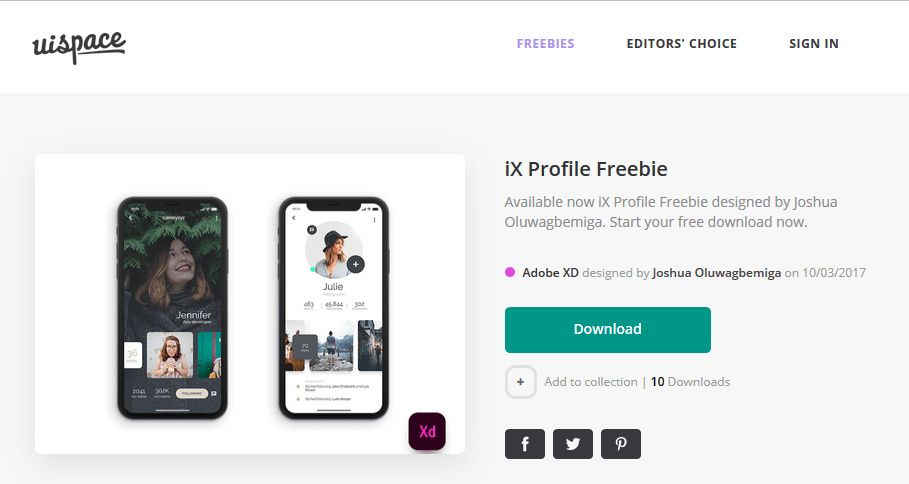
UI Space is also a very simple site which provides free design templates to the graphic developers. There are thousands of freebies to choose from; PSDs, Sketch, Fonts, AI, and mockups. There is no relation of whatsoever with the dribbble and UI Space is a completely independent platform.

free design templates

There is no option to search but, you can view items by category. I liked the look and feel of the site, simple and minimal in terms of design. There is an option to create an account and sign in. If you are signed in, you can add templates to your custom collection to see it later.

Placeit

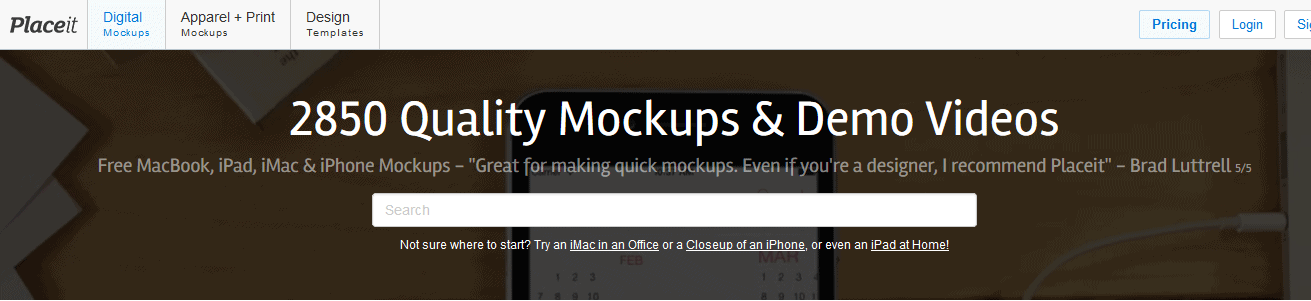
With more than 2850 mockups and demo videos, Placeit is another platform which is helping thousands of designers across the globe with their collection of free design templates. Rather than having only templates, they also have demo videos, slideshow presentations that you can refer to your personal work.

free design templates

If you are looking for free smartphone mockups, Placeit is one of the best sites to visit. There are more than 1400 mockups for iPhone alone, 576+ for iPad, 343+ for Android, even smartwatch mockups are available. The advanced filter on the left pane will help you narrow down your search to what exactly you are looking, in terms of template types, tags, and devices. For eg; if you are looking for “iPhone X Mockup being held while at a Garden”, PlaceIt got you covered for you.

Tethr

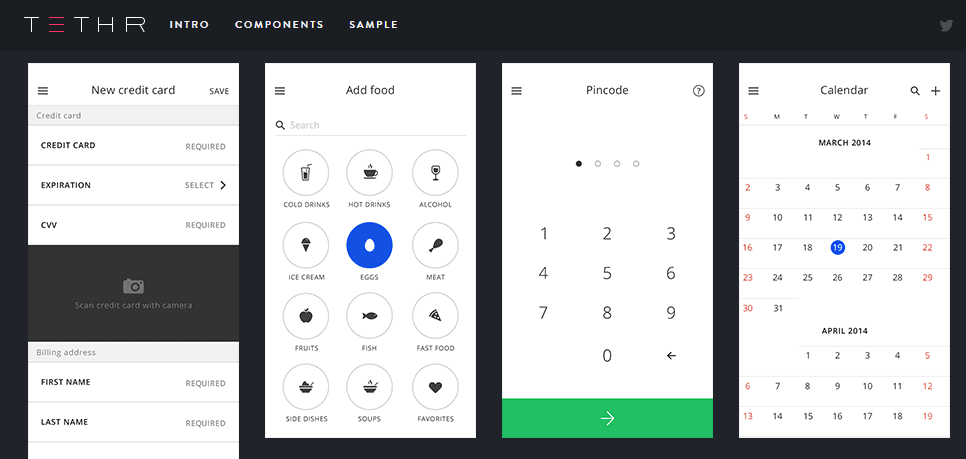
Most of the designers feature apple products and iOS to make their design portfolio. There are thousands of iOS design kits available but, Tethr is one of the most beautiful among them. The best part is, Tethr is now available for Photoshop, Sketch and Craft library.

free design templates

The website currently is allowing people to download $80 work library files for free. Even the design kit is free to download. All the design elements follow the latest flat iOS interface. You can simply drag and drop elements to create iPhones mockups at ease. You can build screen mockups for e-commerce, messages, multimedia, navigation and social networking related apps.