Home Blog Page 191

10 Master’s Degrees That Can Help Land You a Tech Job

0

When you are looking to land a job in the tech sphere, it helps to have the correct qualifications. As a result, it might be a smart idea to return to college in order to give yourself the leg up that you need. The tricky part might be knowing which qualifications can be more suitable than others. The good news is that you are in the right place as this guide has been especially created in order to lay out ten different master’s degrees that you can pursue that can help you to land a tech job, as well as the average starting salary for graduates. If you are interested in learning more, then it is definitely recommended to read this guide which has been created for you below. Take a look now to get the full overview. 

Master’s in Business Administration 

Average Starting Graduate Salary: $100,000 per year 

As the name suggests, the much-vaunted MBA, the likes of which has skyrocketed in popularity recently as a result of people looking to retrain during the disruption of the coronavirus pandemic, is one of the most sought after degrees due to the ways that it teaches people all they need to know about how to run a modern business. While this could be applied to any business, these are particularly useful skills when moving within the fast-paced tech industry. 

Master’s in Computer Science 

Average Starting Graduate Salary: $101,00 per year

If you are looking to have a comprehensive understanding of how technology works in the modern-day and age, then it is a truly great idea to pursue a master’s in computer science. There are so many online options that you can choose from today. Whether it’s database management, cloud computing, machine learning, and AI — which has changed today’s world — or other topics entirely, a master’s in computer science can set you up with the tools you need in order to land the top jobs. 

Master’s in Data Science 

Average Starting Graduate Salary: $130,000 

Data has become one of the most important resources in the world due to the many use cases that it can provide across a whole variety of industries. It’s worth becoming acquainted with the possibilities available in data science if you want to make sure that you land a tech job. An even better idea is to take an especially dedicated course. If you are interested in learning more, then why don’t you online master degree programs in data science today?

Master’s in Bioinformatics 

Average Starting Graduate Salary: $85,000 

Bioinformatics combines both biological knowledge with the possibilities found in computer science and, more specifically, programming. This means that if you are someone who wants to work within the health-tech field and to get paid rather well in the process, taking a master’s in bioinformatics might be one of the best choices that you can make. 

Master’s in Marketing 

Average Starting Graduate Salary: $68,000 

No matter what product you might be involved in creating, the tech industry needs people with the marketing expertise in order to be able to make sure that the power of a product is communicated in the right way. With a master’s in marketing, you would be armed with the tools to bring and communicate the vision of a company in an accurate way. 

Master’s in Healthcare 

Average Starting Graduate Salary: $115,000 

The tech industry has a lot of applications in healthcare, meaning that you can always study for a master’s in healthcare while having one eye on a tech-minded career. This means that you could think about launching your own product as well as whether you could have a position in product development within a large tech firm. Simply put, the sky is the limit when you have a master’s in healthcare. 

Master’s in Engineering 

Average Starting Graduate Salary: $110,000 

Just like a master’s in healthcare, there are a lot of non-tech roles out there for people who have a master’s in engineering, but the skills that you learn in such a degree are definitely applicable to the world of technology, especially when it comes to testing, developing, and designing products while making sure that they are fit for purpose. 

Master’s in Technology Management 

Average Starting Graduate Salary: $120,000 

A technology management degree is an incredibly useful one because it not just allows you to learn about the types of technologies that could shape the world today but blends that within a business framework, giving you the combination of skills that could definitely come in handy when finally applying for a variety of tech-based roles. 

Master’s in Information Technology 

Average Starting Graduate Salary: $87,500

The IT sector is constantly growing, especially given the multifaceted challenges that are facing the business world today. This means that if you have a master’s in information technology, you will be more than likely to be able to land a high-paying job with relative ease. 

Master’s in Robotics 

Average Starting Graduate Salary: $115,000 

Robotics is such an exciting and ever-growing field, with the full potential of these types of applications still left thrillingly unexplored. By studying robotics in a master’s degree, you will quite literally be understanding the technologies that will have the potential to change the future. 

Conclusion 

It has been the aim of this guide to give you the essential overview when it comes to the types of master’s degrees that can have a direct influence on your aspiring tech career. It goes without saying that this list is just a small taster of the types of degrees that can help you in your future endeavors, whether or not they are very specialized or they give you the broad skills to work within such an industry. It always helps to do some of your own independent learning to see which degree could be the best option for you. Good luck on your search to find the tech role of your dreams. 

How And Why Crop Videos Online

0

Do you need to crop your videos for your edits or to fit them once they are uploaded? There are several ways you can get your video cropped online. But among the many, what should you pick? 

Cropping Vs. Zooming Vs. Trimming

People often interchange cropping, zooming, and trimming. However, they are different from each other. 

  • Cropping is the process of changing the size of a video by adjusting the edges. 
  • Zooming is adjusting the scale of clips and images by zooming in or out to display the essential details. 
  • Trimming is removing a part of the beginning or end of a video clip to better fit a storyboard or achieve an appropriate video size.

Why Should You Crop Videos?

Cropping is a regular occurrence to video editors. However, if you don’t normally work with creating video content, then you might wonder why cropping is needed. Here are some of the reasons why video cropping exists:

  1. To Fit The Size Format Of A Platform

When your videos don’t have the right size format for a platform you want to use it with, you’ll see blocks on the sides that are not pleasing to you and your audience. Or, the platform may automatically cut sides of the video screen and miss important elements and mess with perspectives. By cropping videos, you’ll fit your videos into the right size formats. 

Here are some aspect ratios on popular social media sites:

  • YouTube Shorts: 9:16
  • Pinterest: 1:1; 2:3, 4:5; 9:16
  • LinkedIn: 1:2.4 to 2.4:1
  • Instagram Stories: 9:16
  • Instagram Feed: 1.91:1 to 4:5
  • Facebook: Generally 1.91:1 to 1:1
  1. To Focus On The Subject

If you want to focus the video on one element, you can crop the frame by highlighting your subject. This way, you can effectively remove distractions that can snatch the viewers’ attention. It’s also a technique that most editors use when the video clips are limited and need focused shots on their main object.

  1. To Remove Unwanted Objects

Sometimes, there are mistakes during the filming process of the video. There are unwanted objects captured that can cause issues or confusion for the viewers or simply don’t go with the story. Cropping the video is one of the easiest ways to remove these while avoiding long hours of work for re-filming.

  1. To Highlight Important Parts

In films, important scenes or objects need to be featured in the video to give the viewers a clue or hint of the next scenes. Highlighting important parts is critical to keep the audience’s interest and make the story flow better.

How To Crop Videos Online

Most online video cropping sites have a simple interface that is easy to use and navigate through. Here are the basic steps you can follow when cropping your videos online:

  1. Choose the video you want to crop. Make sure you have the right videos saved in a separate folder or space ready for cropping to avoid wasting time. It’s also a good practice to rename these videos so you can easily identify them. For example: “Crop 1_Video Name.”
  2. Upload the video on the website. Some websites don’t accept all file formats, so if your file doesn’t belong to the correct format, you can also use an online video file converter.
  3. Click on the cropping icon. You can hover your mouse around the tools available, look for the word “crop” or similar.
  4. Choose your cropping size. Especially if you’re planning to use it on a specific social media site with required aspect ratios. You can also customize your cropping size. However, it’s best to go back to the platform you’re going to upload the video to have a guide with the size.
  5. You can adjust the video by toggling what subjects you want to highlight with the cropped video. You can move the video and fit them into the frame. You can also zoom in on the clips if you want to focus on an object.
  6. Click on the cropping icon again once you’re done fixing the size and position of your video. Double-check the video to check for any mistakes because redoing the edits will eat up your time.

Advantages Of Cropping Video Online

Like any other tools and technique in video editing, cropping offers benefits that you can use in your projects. Remember to use it correctly to get the best output. Here are some of the advantages of video cropping online:

  1. Avoid Lags

When you edit many video clips, you’ll encounter lagging problems due to the large file size, and every effect or edit you add can cause more lag time. So, cropping the video online will save you lots of time in edits due to minutes and hours of your desktop loading while you’re cropping the video in your software.

  1. Easy To Use

Many online video cropping sites are easy to use. You just have to upload your video and crop them the way you want to with its simple and easy interface.

  1. Convenient

Online video cropping sites are convenient, especially if you need to crop videos right away. You don’t have to worry about purchasing video editing software. You’ll head to the sites and crop the video immediately.

Conclusion

Having an alternative way to edit videos is a great help when editing videos. It doesn’t only save you time, but also saves you money.

Epson L380 All-in-One Ink Tank Printer Review

0

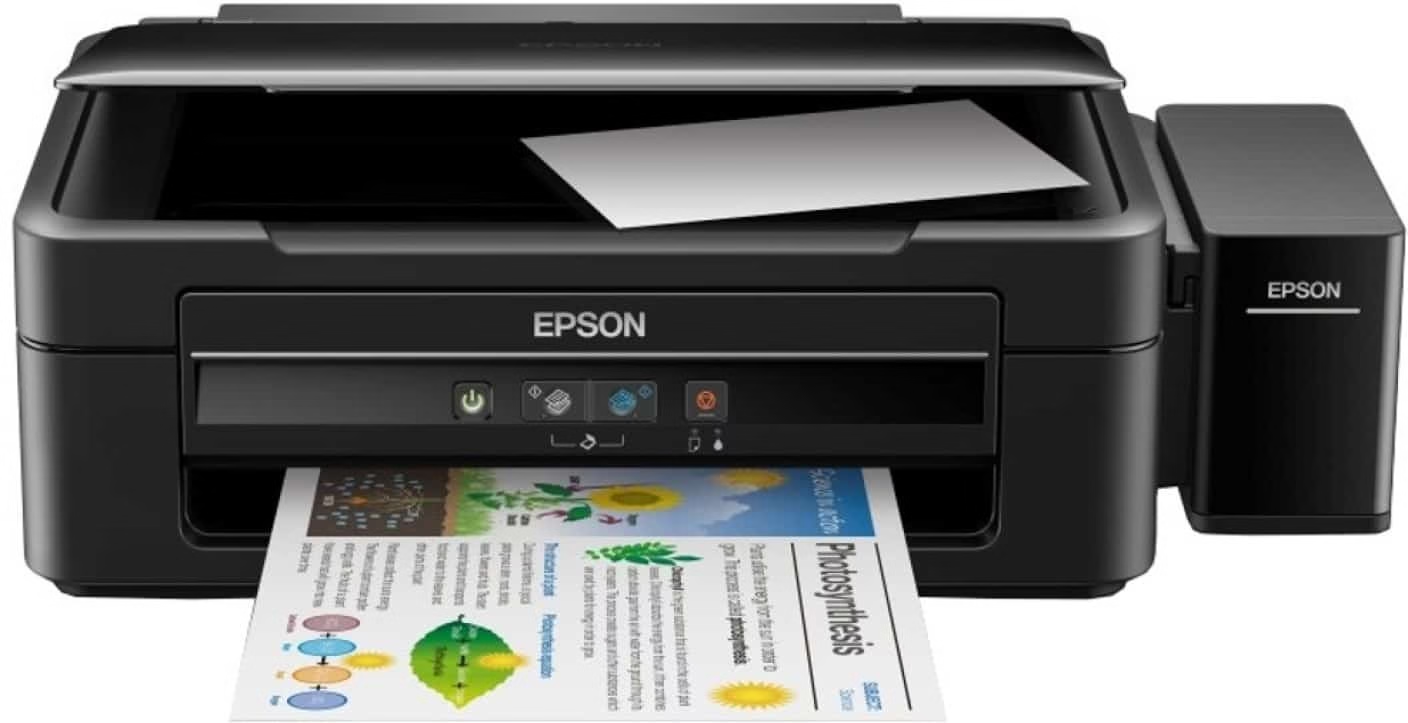
Epson launches Epson L380 All-In-One Ink Tank Printer, a perfect solution for all your printing and scanning requirements. Epson L380 is a good choice to consider for use at both home and small businesses.

No matter how much technologically advanced we are getting ahead, at times we may have to depend on physical paper printouts to convey our ideas or for official purposes. Finding a good printing solution from the plethora of options is a tedious task and I think I have found myself a good option. The Epson L380 is not only a printer but also offers an all-in-one solution right outside the box. I found this product very reasonably priced at the same time efficient and has a sleek design to it. I have used this product for more than a week; tested the printing and scanning efficiency, tried out the different options on the software that it comes with and I am ready for a full review.

For those looking for high-quality color label printing, Epson ColorWorks Printers offer an excellent solution, delivering professional-grade results for businesses needing vibrant, durable labels.

Let’s get started.

Epson L380 Printer Review

Epson L380 Unboxing – What’s in the box

  • Epson L380 All-In-One Ink Tank Printer
  • Cables
  • User Manual
  • Software DVD
  • CMYB – 4 Color bottles

Epson L380 Printer – Setting Up

Setting up Epson L380 printer is simple and pretty straight forward task. Though everything was there on the user manual, I looked up online, YouTube videos, to set up the printer.

  • Place the printer on a table or flat surface.
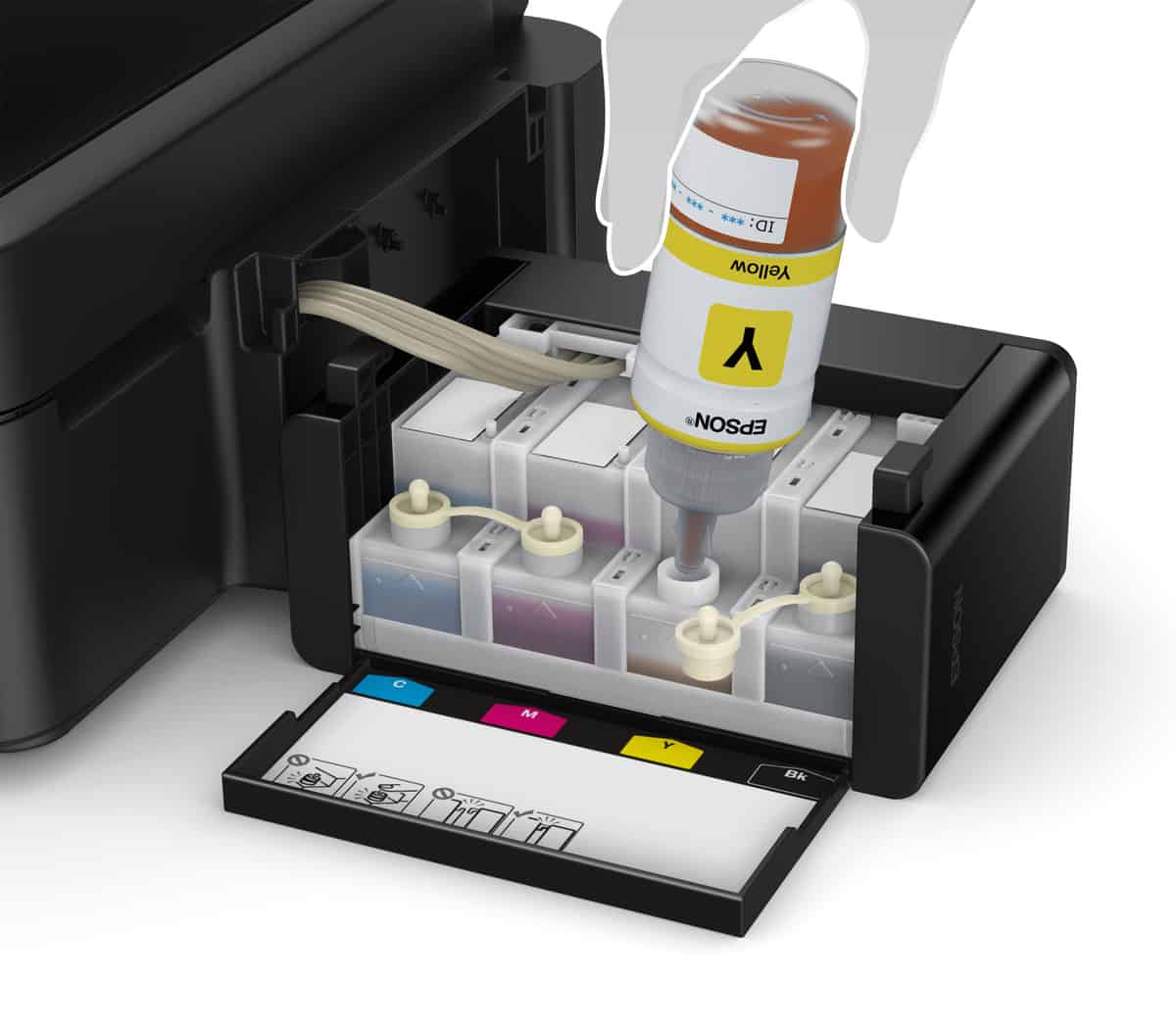
  • Pop open the ink tank, on the right side, and fill the colors. It’s highly unlikely that you mess up this part, there is color codes on the tank. Fill as per the instructions.
  • Connect the printer power adaptor to the wall plug and then, connect the printer to the computer using the cable provided.
  • On the first start, push the red button continuously until both the green and red lights start blinking. Now leave the printer for charging approximately 30 mins or when the lights stop blinking you may start using the printer.
  • Next step is to install the printer software in PC for the seamless printer connection.

Epson L380 Printer – Design and Technical Specs

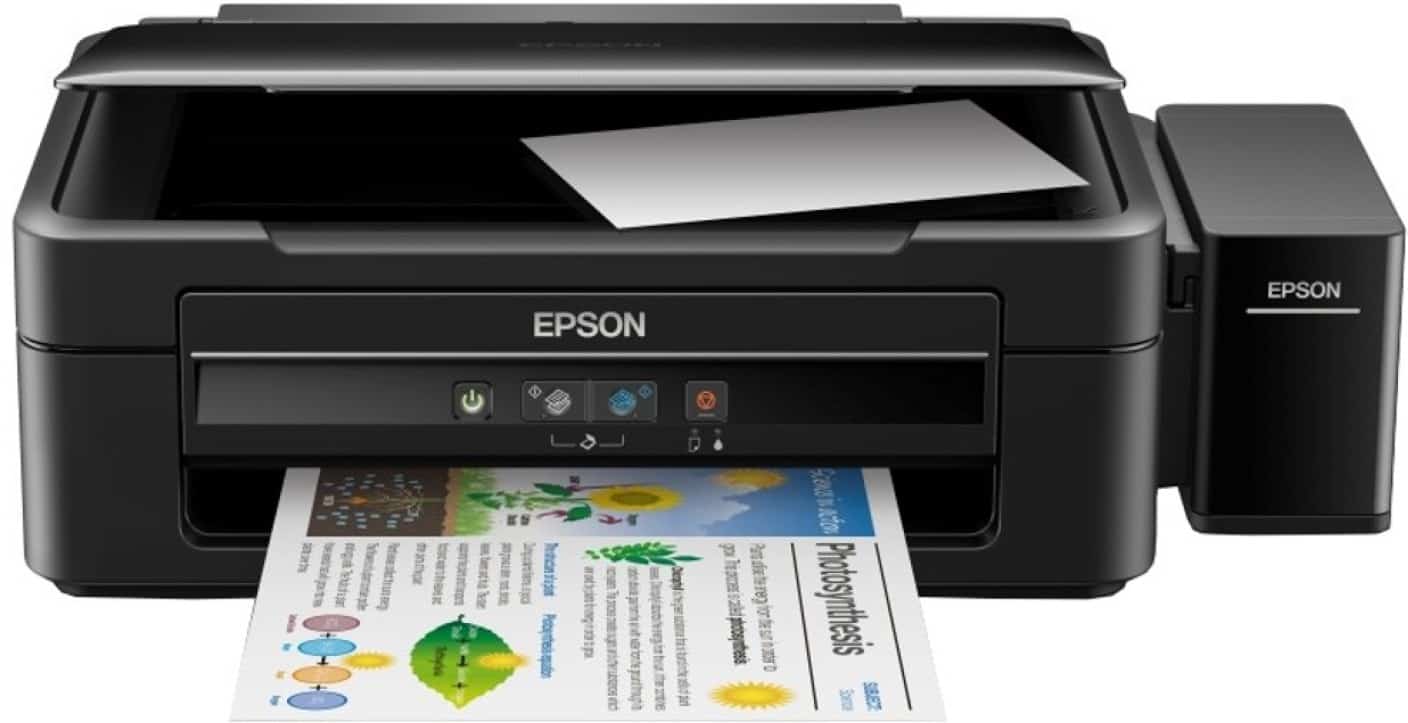
The shiny looking sleek design of the product is something which definitely made an impression on me. The printer weights 4.4Kg, 482mm long (including the ink tank on the side), 300mm wide and 145mm tall.

On the front, we have 4 buttons; the power switch, b/w copy, color copy, cancel button. There are two LED lights below cancel button; which shows the printing and ink status. On the back, there is a port for the power cable and on the side, there is a USB port for connecting to the computer.

Let’s talk about Tech Specs, the Epson L380 Printer uses the on-demand ink jet method for printing. The maximum print resolution is 5760*1440 dpi. On paper, the printer offers a printing speed for A4(Draft) 33ppm for B/W and 15ppm for color prints. In case of photo draft, it may take up to 27 sec per photo. For copying, the maximum supports up to 20 copies at a time and size of the paper is A4.

The Epson L380 machine also supports scanning of documents at an optical resolution of 600*1200 dpi. The maximum document size is up to 216*297mm. The scan speed is 11 sec for B/W document and 28 sec for the color document.

The paper tray can handle up to 100 sheets and the output tray can handle up to 30 sheets. With the enclosed ink bottles; you can take up to 4500 black and white printouts.

Epson L380 Printer – Printing, Scanning and Xerox Speed Tests

I have done printing, Scanning and Xerox speed tests for the review and here is how it go;

The black and white print, full page text, took 20 seconds to print. A full page color print including a small picture took 1 mins 6 seconds.

Scanning a color image took 10 seconds for the preview and then another 20 seconds to completely scan it.

I tested the color Xerox speed of this printer by taking a color copy of my PAN card. It took 18 seconds(scan and to print) twice. Black and white Xerox took 13-15 seconds to scan and print.

Epson L380 Printer – To Conclude

Above are the test results for the printer. If you check, the color printing takes more time than what the official specs say. If you are a small business which takes a lot of color prints then, this is not the solution for you. There are no numerical buttons or proper display for the copier which I find very disappointing. But, again, you can take Xerox copy with ease. There was not that much noise coming out of the printer as compared to other inkjet printers.

A printing and scanning solution is really important for small business, shops etc. The Epson L380 All in one printer is a perfect solution to address all your basic printing, copying and scanning requirements. The product comes bundled with 2 bottles of high yield black ink bottles. The company offers 1 year or 30,000 prints, whichever comes first, warranty.

Overall, I am really happy with the functionalities and most importantly the high yield color bottles are something which is a highlight for me. Wish the printing speed could have been improved in terms of color printing. The scanning quality is very good and it is fast enough for my personal use.

5 Tech Tricks to Prep for a Worry-Free Vacation

0

One of the biggest worry homeowners have when going on vacation is the idea of leaving their home unattended. No matter how great of a neighborhood your house may be in, it can never be exempt from burglary or any unwanted break ins. There’s nothing worse than coming home from a wonderful vacation only to find that your house had been violated while you were gone. There are ways to prevent this from happening to you and your home. We’ve gathered 5 tech tricks and gadgets to help you protect your home and help you have that stress-free vacation you’ve been planning for. If you are planning to trip, do check our 10 Must Have Tech Travel Accessories

Keyless Door Locks

Regular door locks are some of the most accessible entryways for expert burglars to handle. They just don’t provide your home with enough protection, especially if it’s not protected from the inside. Keyless door locks immediately eliminate access from outsiders that would be using traditional picking techniques. There are many different types of keyless door locks. Many of them have numerical buttons that allow you to assign a specific access code. Some use a combination of keys and access codes in order to open. There are also door locks that require a biometric entry in order to open or even a smart phone pairing. Any of these will provide your doors with the extra security to protect your belongings inside.

Digital Doorman

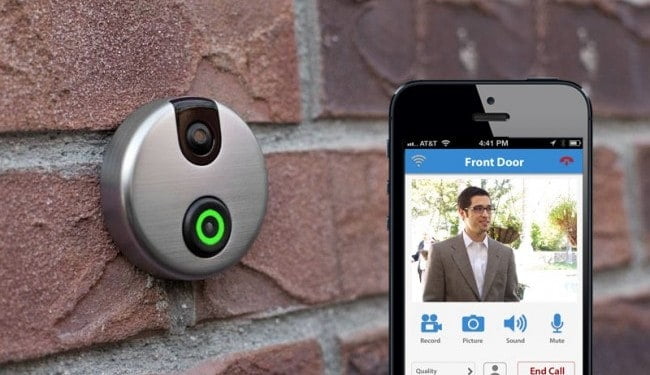
A digital doorman allows you to have access to see your front door area from anywhere and anytime using a live video feed. Most of the time, the ringing of the doorbell or an activated motion sensor will alert the digital doorman. It’ll then send a signal to your smart phone and allow you to see who is at your door. Most digital doorman systems are also equipped with a two-way intercom, so you can actually talk to whoever is trying to get access into your home. It’s also a good way to fake that you’re actually home even when you’re not. You can tell any stranger who’s checking to see if you’re home that you’ll be right down, and it’s a guarantee that they’ll leave before you know it.

Remote Garage Opener

Many homeowners rely on their garage door to get inside their homes. It’s no surprise then that professional burglars will also use this option if they are sure that the homeowner is not around. A remote garage opener system is usually equipped with video capability, so you can see what’s going on in your garage at any time. You can check other things as well such as temperature and whether it’s been accessed recently or not. You can also find other uses for a remote garage opener. If you somehow need someone to access your home while you’re not around, you can easily open the garage to do so. You can also monitor everything as it happens and make sure that your garage is completely closed afterwards. If you live in UK, you can try this Garage Door Company in Leicester

TCP Connected Bulbs

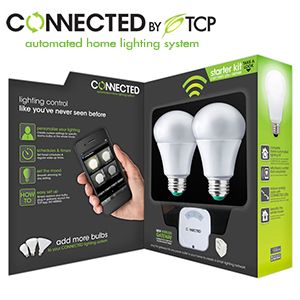
This is something that you can have throughout your home. TCP stands for Transmission Control Protocol, half of the communication system that transmits data over the Internet. There are light bulbs now that are manufactured with the capability of TCP connectivity, allowing you to have complete control of your lighting systems remotely. What this means for your home is that you can turn your lights on and off while you’re away at a distant location. Professional burglars tend to scout their targets and their locations before doing anything. When a burglar notices that your lights haven’t been on for a while, it gives them a signal that no one’s home. Having TCP connected bulbs eliminates this issue completely, especially since you can schedule the activity of your lights the way you like ahead of time.

Home Monitoring System

home monitoring systems

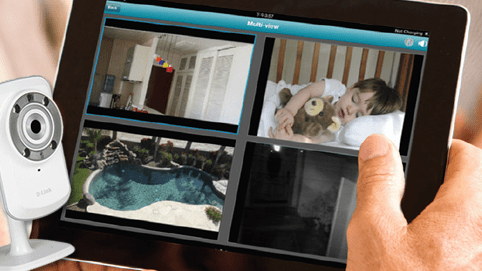
A complete home monitoring system might be pricey for some budgets, but it’s worth it. To have constant video access and feed on your home is the ideal amount of coverage that you can have for safety. If it can’t prevent burglars from entering your house, it will at least capture any event of a break in. The good news is, burglars are likely to avoid most homes that have a monitoring system. So just by having a camera setup on the exterior of your house, you’re already protecting it and preventing any burglar attacks. There are many home monitoring systems now that you can set up on your own without hiring a third party. You can set these up so that you can access the camera feed through your computer or your smartphone. It’s something that will give you that extra peace you’ll need while your away, ensuring that your home is safe along with everything else that you’ve worked hard for.

How US Companies Gamify User Experience.

0

Gamification is a relatively new term that means incorporating some elements of video games into non gaming environments. It helps increase user engagement and add excitement to situation that don’t necessary entertain people. 

Think of adverts. Many people loathe online adverts. But when it’s in the form of a game, it becomes entertaining. Online casinos are great in gamifying their services. Here’s how they do it.

The Best USA OnlineCasino Sites

The best USA online casinos mainly gamify incentives. When you register an account, you receive free spins to play a popular slot machine. This reward is meant to welcome new customers.

Another reward is a deposit-based bonus that matches your money 100% or 200%. If you deposit $100 at a site with a 100% offer, you get an extra $100 as a bonus. The best sites also give out bonuses to loyal customers, some we’ll mention shortly.

In case you’re wondering, slots.info has a comprehensive guide for the best USA online casino sites. To be clear, these are websites that welcome every new customer with a bonus. And they provide more rewards through free spins, loyalty points or cash prizes. 

Interactive Loyalty Programs

At the best US casinos, loyalty doesn’t go unnoticed. Instead, it’s rewarded through points, levels, charge bars, or kickbacks. Normally, the objective is to earn enough points to redeem into cash or level-up to qualify for free games.

But instead of giving out free games and bonuses randomly, casinos choose an interactive loyalty program. Loyalty points and levels are most popular reward systems. That’s because they are simple to understand.

Precisely, you could get a point for every $10 you spend on slots and table games. And you could level-up every time you accrue 150 points. Levels aside, another reward system is a booster bar that charges up every time you play. When it fills up, it bursts open to award you a bonus.
Weekly and Monthly Quests/Competitions

Quests are like tournaments—short online missions with an objective. Some casinos have individual quests. But many sites have competitions for everyone. 

So, you could join a Halloween quest to win the most money at a Halloween-themed slot. Or could join a Christmas competition to get the most gifts from Father Christmas—aka a game themed around the Holiday.

In many ways, quests make casino games more exciting—because you’re playing to compete or gain a social status. That said, competitions at betting websites attract lucrative cash prizes—up to $1 million.

Of course, you must finish at the top positions in a leader board. And usually, finishing in the top ten spots out of thousands of competitors is a challenge. Nonetheless, quests are great ways to engage with other players and win rewards. 

Trophies

Winning trophies often don’t carry a lot of money. But they can get you on the leader board, where your friends and thousands of casino players can notice your name. Or they are added to your avatar as a badge. 

Like quests and tournaments, trophies are earned by winning slots or card game competitions. An example is a slot competition that involves betting at least $10 every day. You can always quit. But if you wager money daily until you’re the last person standing, you get a trophy. 

The best trophy competitions also feature monetary prizes or chances to level up on VIP rankings. That way, the stakes are high and the competition becomes competitive. 

Social Shares

Social shares are easy and fun. When you win, you share a screenshot or a short clip of the moment you win something at a casino game. It could be a few dollars or life changing money. All the same, sharing your casino experiences is a quick way to get some likes and comments on Facebook, Twitter and Instagram. It’s great for casinos because it adds exposure. 

Nearly every casino has social share buttons for players to share anything about their casino adventures. In fact, some websites also pay their customers to share a casino’s links with friends. And if these people create accounts and wager real money, you could receive some cash.

Storylines in Slots

One of the best things to happen to online slots is introducing storylines. Games are no longer about fruits, bars and bells alone. You can watch as a story unfolds, pick a side and earn rewards based on your decisions.

Take the Game of Thrones slot as an example. You back one of the five main houses and lead them into victory. In the Good/Bad Girl slot, you choose one of the girls. And based on your decision, you can play alongside angels from heaven or hell.

Storylines add meaning to slots. They make a game more gripping and keep you hooked for long knowing that you have a mission to complete. Of course, not all slots with narratives are exciting to play. Some of them don’t even have narratives. So, before you choose a machine, choose one with a storyline you find intriguing.

For example, you can choose multi-player slots if you want a social experience but can’t find a machine with a great story. Or you could select a classic game like Magic 777 to feed your nostalgia of vintage one-man bandits.

Customized Mascots and Avatars

Nearly every online casino, these days, has a mascot—a dog, wolf, a super hero or fictional character that act as the official symbol of the business. Their goal is to welcome new players, award them bonuses or provide customer assistance. 

Some casinos also let you customize an avatar that represents your every move at the casino. You could create a profile inspired by Thor and have everyone you interact with address you as the Norse god. Or you could become Cleopatra or any other renowned figure.

Mascots and avatars add fun to casino gaming. On the one hand, mascots create a sense of warmth. On the other, avatars give you a chance to live in a make-believe world for the fun of it. 

7 Best SEO Plugins For WordPress To Boost Website Ranking

0

WordPress is one of the well known for being SEO friendly Content Management System to start a new blog or even a website. Millions of bloggers worldwide use WordPress as their blogging platform. It offers various plugins to make blogging easier and reliable. However, there is so much competition as there are millions of blogs around the web. A right SEO strategy can help you to stand above in the competitive world of blogging. There are tons of SEO Plugins for WordPress to make an SEO strategy for your website.

A proper SEO strategy is very important if you really want organic traffic from search engines like Google, Bing. A right SEO Plugin can help you out with a proper SEO strategy. SEO Plugins help you out with On-page SEO and makes your blog search engine friendly. Using only keyword research tools isn’t enough to make your website optimization easier. So let’s start with the best WordPress SEO Plugins. These plugins may not help you to get high search engine rankings, but they will improve your chances of SEO success for sure.

Best SEO Plugins For WordPress

To help you out with your On-page optimization, we are going to list 7 best SEO Plugins for WordPress. There are some free plugins as well as some premium plugins. You can choose the right plugin which suits your needs.

1. Yoast SEO

Yoast SEO for WordPress is one the most popular and most downloadable SEO Plugins. Currently, it has 3 million+ downloads and 12k+ 5-star reviews and it is a comprehensive solution for all you on-page SEO needs. This plugin may be the best start for you if you want to improve website SEO by optimizing your site and by creating better content. You can add SEO title, meta keywords, meta description in each post and page of your site.

This tool offers many features including page analysis tool, XML Sitemaps functionality, technical WordPress Search Engine Optimization, meta and link elements, RSS optimization, breadcrumbs, multi-site compatibility, social integration and much more. Moreover, you can import functionality for other WordPress SEO plugins. It also lets you edit your Robots.txt and .htaccess files.

2. Google XML Sitemaps

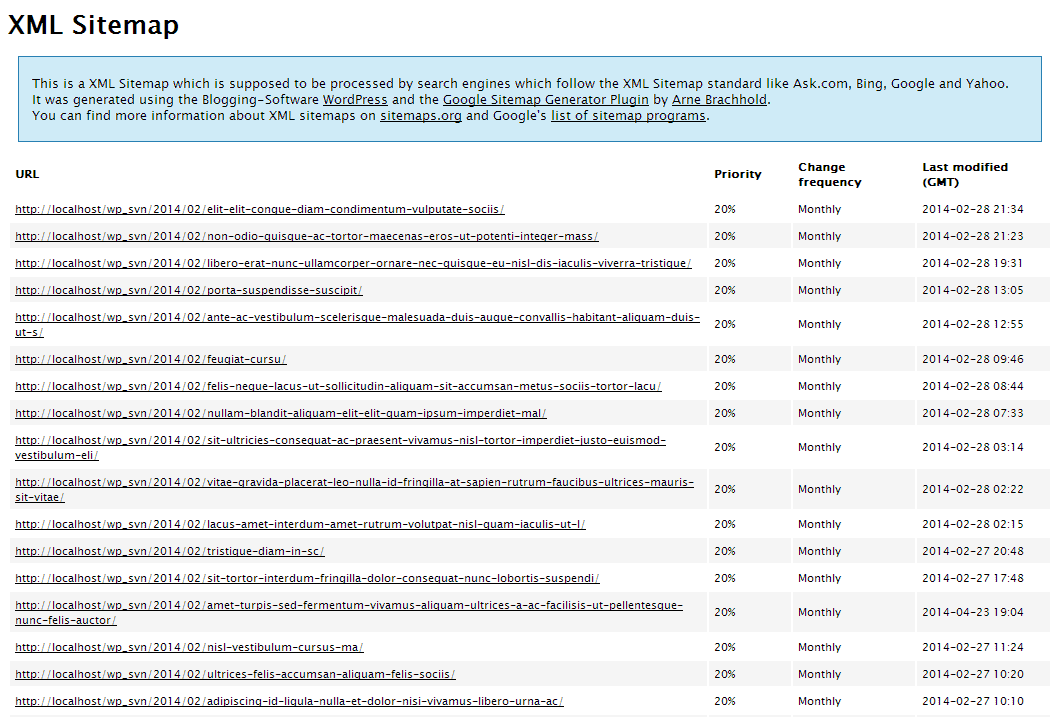
Google XML Sitemaps is another On-site SEO Plugin for your WordPress site. This tool can help you out to get your content get indexed in the major search engines like Google, Bing, Yahoo, Ask. It will generate a sitemap for your WordPress site automatically. Sitemap helps the search engines to index blogs in the search results. Once you create a sitemap for your site, you will never have to do anything else again. It will automatically add new post URL to the sitemap automatically.

However, this plugin is very useful and does everything right for you, all in easy to understand and efficient manner. It becomes easier for the crawlers to see the structure of your site more efficiently. The plugin has crossed 2 million downloads and has reviewed 5-star rating by more than 1800 customer. It is free for everyone and it also comes with various translations to translate the plugin in your own language.

3. All in One SEO Pack

All in One SEO Pack in another tool which gives you enough features to let you create an SEO friendly site using WordPress. Is is a beginner SEO plugin which everyone can use without any prior experience. It helps you to optimize your WordPress site for all the major search engines like Google, Bing. It is very simple to use. You just need to put right data in the right fields. That’s it!

This tool helped many webmasters and has been providing an easy to use solution to SEO-related challenges. It is packed with many features like automatic optimizer of titles for all search engines, XML Sitemap and Google Analytics support, automatic generation of META tags, ability to override any setting. Moreover, it also helps you avoid duplicate content which can have a negative impact on search engine rankings.

4. Broken Link Checker

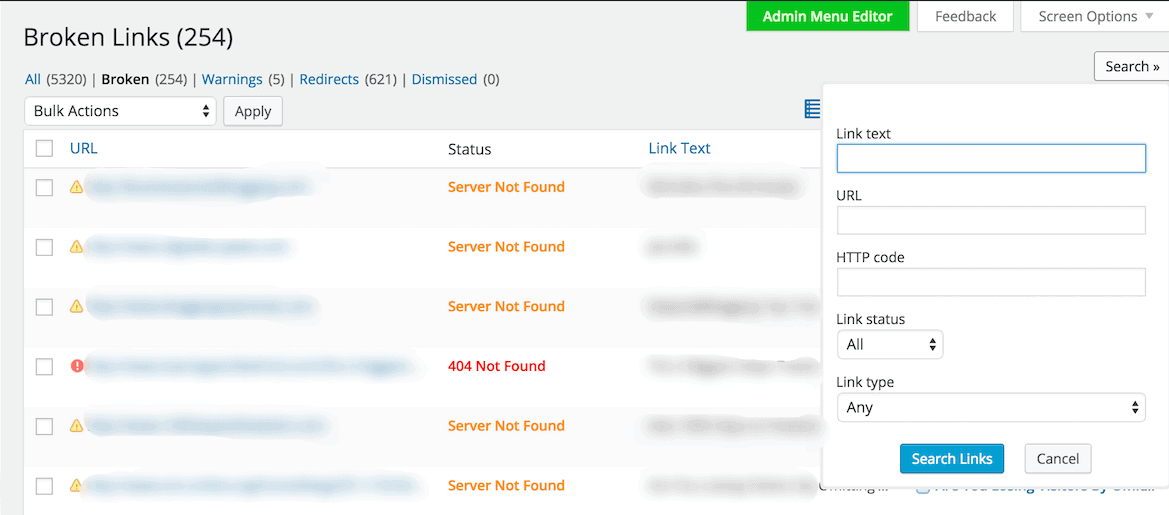
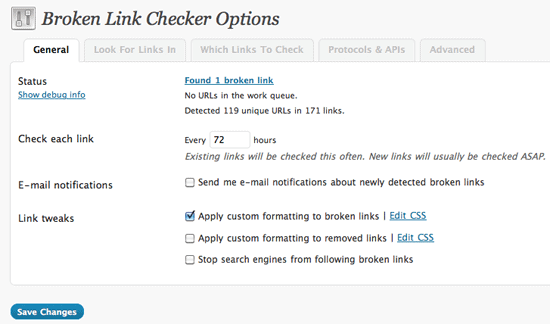
Broken Link Checker can help you to manage your on-site SEO. As the name indicates, this plugin will you to check the content for broken links and missing images. It also notifies you of any broken links and keeps a watchful eye on your website. Some of its other features include it detects any link that doesn’t work, has the ability to monitor links in posts, pages, comments, and even custom fields. Moreover, it has the option to give broken links a different appearance in the posts, prevent search engines from following broken links.

The broken links can have a negative impact on your rankings and user experience. However, you never have to worry about the consequences that could happen before you are able to remove or alter the broken links. Its option to prevent search engines to follow broken links on your site can do your job in an efficient way. It also comes with a translator to let you translate the plugin in your own language.

5. SEO Ultimate

SEO Ultimate is another widely used SEO plugin for WordPress sites. It has all the basic features that the best SEO plugin offers to optimize your site perfectly. It gives the users full control over meta titles, meta descriptions, auto-linking, open graph, 404 monitoring, rich snippets etc. With this tool, you will have full control over open graph title, image, and content type for each and every page, post, attachment, and custom post type object on your site.

SEO Ultimate has some other features like deeplink juggernaut, author highlighter, link mask generator, canonicalized, permalink tweaker, SEO ultimate widgets, plugin settings manager, meta robot tag editor and much more. It has crossed 200,000 downloads and has reviewed mostly 5-stars by the users.

6. Google Analytics by MonsterInsights

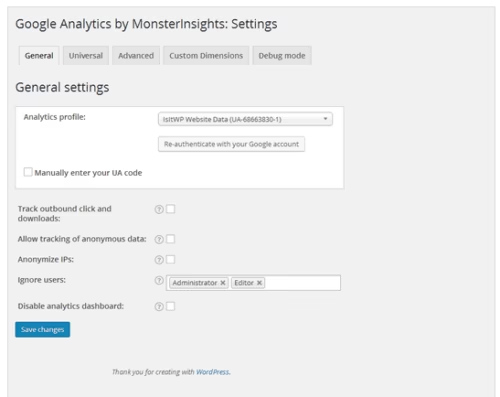
Google Analytics by MonsterInsights is a tool which helps you to add Google Analytics to your website. With Google Analytics, you can track top keywords of your website, visitors, and other similar SEO data. It is used by more than 1 million users on WordPress sites. It let you review your Analytics data right from your WordPress dashboard. Additionally, it gives the ability to use the asynchronous or universal tracking code, gives access to both interest and demographics report.

Moreover, it gives real-time stats and other features include Ads tracking, file download tracking, link tracking, e-commerce tracking, custom dimensions tracking, events tracking, author tracking, popular post tracking, and much more to get your site performance efficiently. It can be time-consuming to visit Google Analytics every time you need your site’s stats. This plugin is the key to success.

7. W3 Total Cache

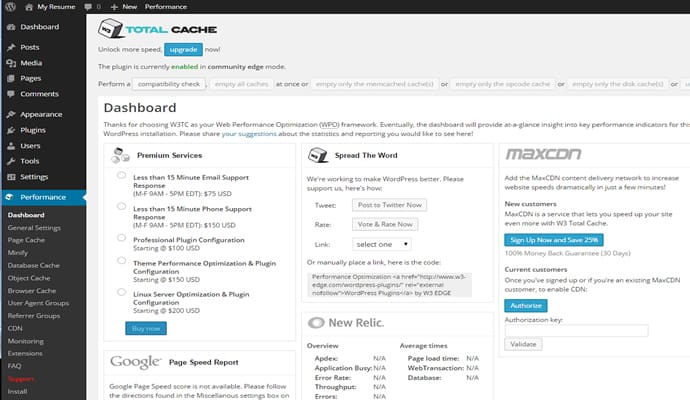
W3 Total Cache can help you out with the speed of your WordPress site. Do you know the speed of a site can affect the search engine ranking? Yes, it does badly. If your site speed is slow, the search engines may not consider your site in the Search Engine Page Results (SERPs). If you are facing slow speed problem of your WordPress site, then W3 Total Cache is the right solution for you. This SEO plugin will definitely help you to improve the speed of your site. Additionally, it is trusted by many big companies like Mashable.com, mattcutts.com, makeuseof.com and many other.

It has compatibility with shared hosting, virtual private and dedicated servers. It helps the WordPress site owners to reduce the page load time and let them increase the visitors on their site. Some of its other key features include transparent content delivery network management, mobile support, accelerated mobile pages support, secure socket layer support, caching of pages and posts in memory or on disk, caching of CSS and JavaScript in memory, on disk or on CDN and much more.

Conclusion

There are many SEO Plugins out there, but we have listed have some of the best and efficient plugins to skyrocket your on-site SEO. A good SEO plugin is equally important for a WordPress site as keyword research tools, and other SEO tools. Some themes offer in-built SEO functionality, but that is not a right solution. In case you change your theme, you will loose your SEO settings. So, it is recommended to use an SEO plugin your WordPres site. Keep trying and choose that plugin which suits your needs.

Let’s Enjoy Some of the Questions and Private VPN Review

0

PrivateVPN is a growing service that promises to be a tremendous privacy protection VPN, as the name indicates. Rather than providing a lengthy list of unique functionality, this VPN markets itself as a simple but high-performance product. PrivateVPN is a basic VPN that’s convenient for watching Netflix and torrenting. Though inexpensive, the VPN sometimes struggles from inconsistent speeds, and its privacy policy of zero logs is not guaranteed. Overall, PrivateVPN is a fantastic VPN for simple tasks. PrivateVPN is a standard VPN service that delivers best-in-class AES-256 authentication and mobile app for Windows, macOS, iOS, Android, and Amazon Fire TV. For this PrivateVPN evaluation, we have shared the review of private VPN here through our thorough testing process to determine why it stands out from other VPNs on the marketplace.

PrivateVPN apps are also quite user-friendly and bring a lot of flexibility to configure your settings without being overwhelmed by choices.

What About the Server Network and Speed of Private VPN?

PrivateVPN currently provides 150 + servers in 60 different countries and various server areas in several regions. While the cumulative number of servers is still comparatively small, it is evident that PrivateVPN is continuously expanding its capacity and will improve to develop in the future. PrivateVPN can also maintain fast speeds and stable connections equivalent to specific competitors with multiple servers, so the network size is not a matter of concern.

Private VPN for Torrenting

PrivateVPN is a torrent-friendly VPN that allows limitless sharing of P2P files. A proxy server is also available for particular servers. True to its name, PrivateVPN has a private information-friendly no-log approach. When you torrent, the strict security of PrivateVPN will make your activities confidential and protected. The VPN also enables unlimited bandwidth, so you wouldn’t have to stress performance fluctuations with massive downloads.

Is Private VPN Safe and Secure?

PrivateVPN has a lot to bring in terms of security and protection. When the VPN is activated, it covers your IP address and safeguards your data through encryption. A private VPN will keep you safe even if you’re linked to an unprotected wireless connection. PrivateVPN also safeguards your link with IPv6 leak protection, DNS safety and security, and an automated shut-down switch. A private VPN ensures that your data will remain completely safe even if the VPN link drops suddenly.

One of PrivateVPN ‘s main characteristics is that you don’t need to configure any privacy settings before linking to connect securely. While you have the flexibility to shift your privacy controls, the default settings provide excellent protection.

Pricing Details of Private VPN

PrivateVPN pricing structure is quite reasonable. Also, there are significant promotions on long term contracts, making the VPN much more affordable. PrivateVPN holds its costs down by providing a basic but high-performance service instead of growing into any specialty. All PrivateVPN subscription plans have the same advanced features and vary just in the duration of the plan. If you’d like to check out the product until you commit, PrivateVPN provides a 30-day money-back guarantee on all monthly subscriptions.

Exit mobile version