Home Blog Page 176

How to change the default search engine in Firefox – Simple and Easy Steps

The Mozilla Firefox was once the most preferred web browser till the Google Chrome started capturing the worldwide market. But still, nowadays Mozilla Firefox is still considered to be one of the most secure, fast and efficient web browsers, mostly among its old users. If you are using Firefox either on Windows PC or on a MacBook there are different ways where you can change the default search engine. Here is a complete guide on how to change the default search engine in Firefox.

One, you can change the default search engine from the settings of your Windows PC or MacBook. Second, you can change the default search engine from within the Firefox.


Here is the step by step guideline of How to change the default search engine in Firefox:


How to change the default search engine in Firefox:


Step one: Install Mozilla Firefox

Firefox is a free web browser. So, you can download it for free from the original website. Firefox is compatible with both Windows PC and in MacBook. After downloading Firefox from their original website, install it in your system.

how to change the default search engine in Firefox

Step two: Launch Mozilla Firefox

Once installed, launch the Mozilla Firefox web browser on your system.
Step three: Go to the Mozilla Firefox settings

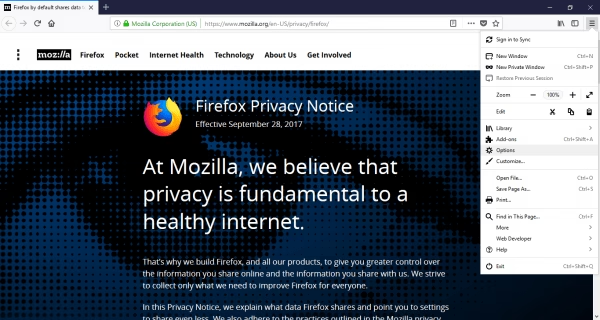
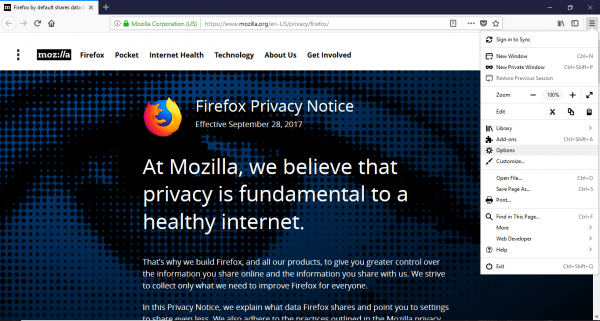
On the right-hand side of the upper corner, there is the menu option. It is a three-line icon. Click on it. A dropdown list appears. Look down. you will find Options. Click on it.
Step four: Go to the search option

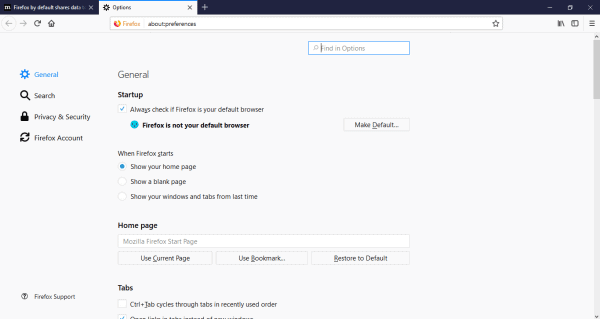
Once you opt inside the Options menu, you will see various settings of Firefox that you can control. On the left-hand sidebar, there are various settings options for Firefox such as General, Search, Privacy & Security, Firefox Account. Click on the Search option.
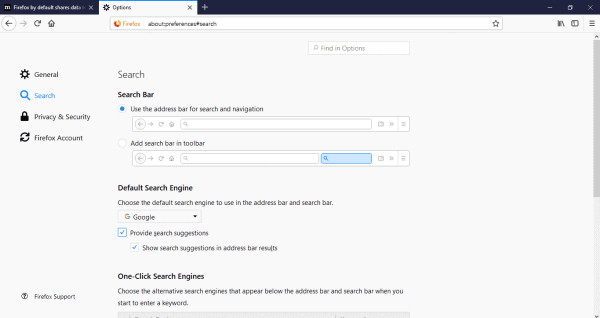
Step five: Select your desired Default Search Engine

When you open the Search option, the first will the preference to change the default search engine. Click on the option and you will see a dropdown list. From it, choose your desired search engine that you want to set as default.
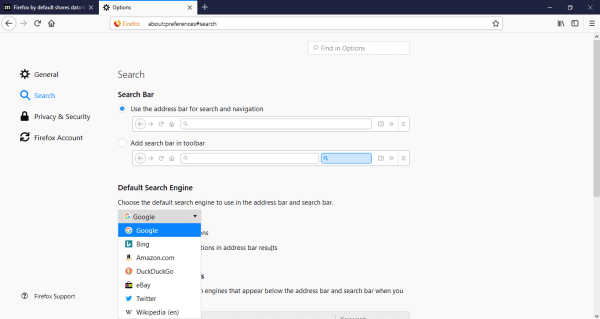
Note: For best result, it is better to choose Google as the default search engine. Also, there are two checkboxes below it. One is for providing search suggestion and the other is for showing search suggestions in address bar results. To get the maximum out from Mozilla Firefox it is recommended to select them both.


Now, to get the best results of web browsing from Mozilla Firefox it is recommended to make the default web browser on your PC or MacBook into Firefox. So the next time you want to browse any web page, the system will take you through the Mozilla Firefox.


Here is how to change the default search engine in Firefox in Windows 10.


Step one: Install Mozilla Firefox.

Like I said, it is a free software. Download the latest version from their official website. Install it on your system that can be either Windows PC or MacBook.
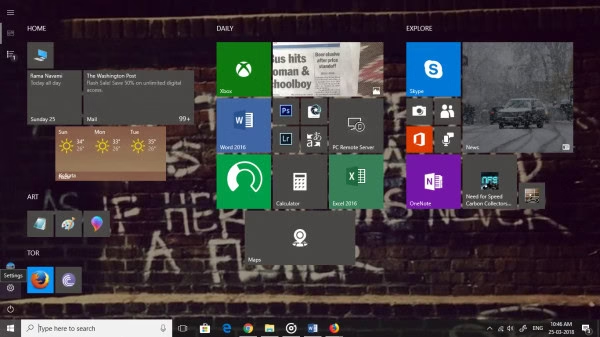
Step two: Select the Windows logo icon on your desktop.
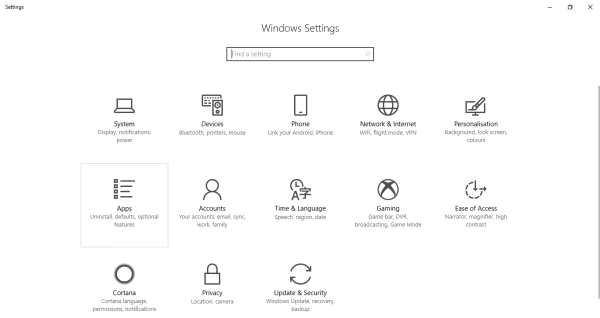
Step three: Go to settings of the system

On the bottom-left side of the screen, you will find the settings option. Click on it.
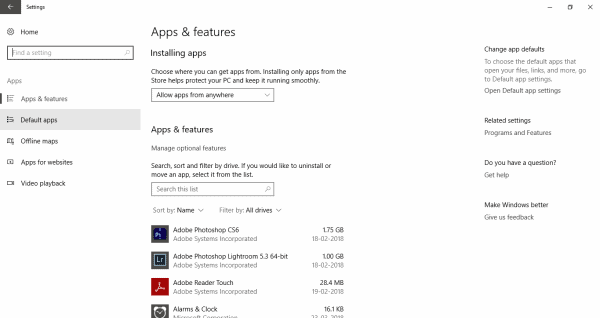
Step four: Go to the settings for the applications

You will be taken to the control center of your Windows system. There you will find the Apps & Features option. Click on it.
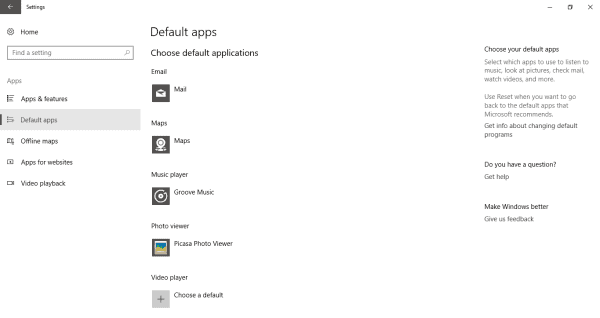
Step five: Go the default apps center

On the left-hand side of the sidebar, you will find five options under the App section. the second option from the top is the option where you can select the default apps for various formats. Select Default Apps.
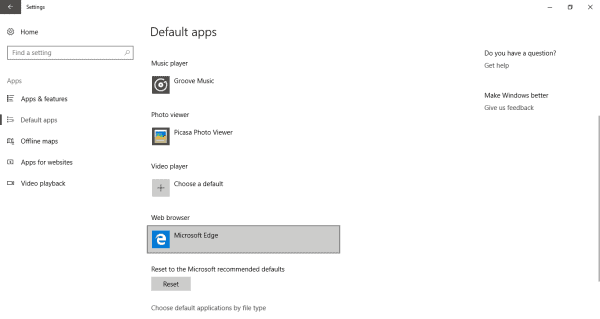
Step six: Scroll down to Web Browser option

Here you will be able to change the default apps for running various formats of data. From here you can choose the default apps for launching maps, mail, music, photo, video and lastly, web browser. Click on it.
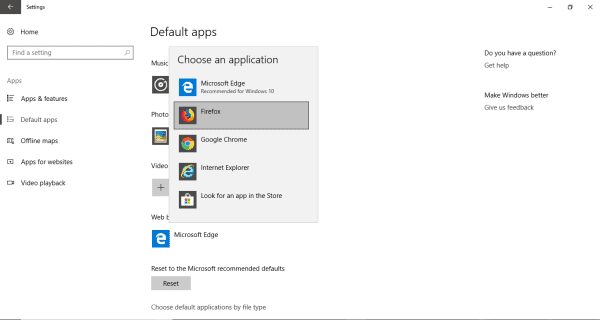
Step seven: Select Mozilla Firefox

You will see a dropdown list of all the installed applications that can open a web page. Generally, a PC has Mozilla Firefox, Opera, Google Chrome and Microsoft Edge for Windows and Safari for Macbook. If you have installed the Mozilla Firefox application before, you will see it on the list. Select it. Suppose, in future you want to again change default search engine then you can just follow the same steps and select the respected browser.

On the other hand, you can make Mozilla Firefox the default web browser from within the application.

Here are the steps on how to change the default search engine in Firefox from within the application.


Step one: Install Mozilla Firefox.
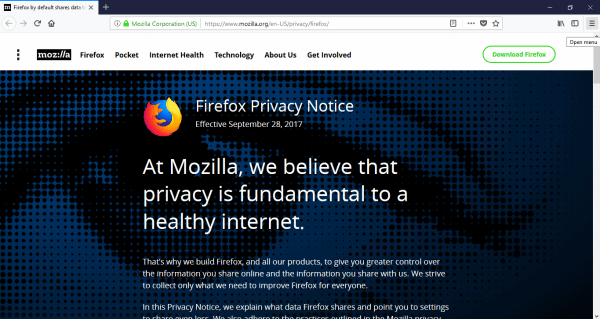
Step two: Launch the installed Mozilla Firefox on your system.


Step three: Go to the Menu option.

On the right-hand side, at the top, there is the Menu option. Click on it. You will see a dropdown list.
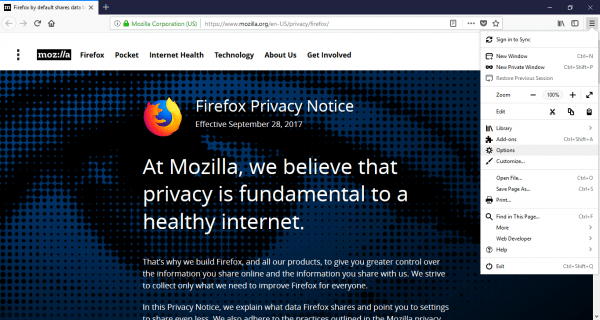
Step four: Go to the Options.

A little down on the list is the Options. Click on it.


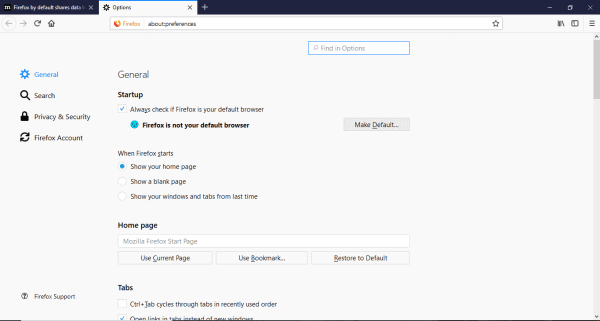
Step five: Change the default web browser into Mozilla Firefox.

When you enter the Options menu, the first thing you will notice is the General section. The first option lets you choose Mozilla Firefox as the default web browser for your system. If you have not chosen, then it will show that “Firefox is not your default browser”. Next to it is the option – ‘Make Default’. Click on it.

This were the steps to change default search engine in Firefox and is now made your Default Search engine for all web pages on your system.
Now the use of Mozilla Firefox is not only bounded within the Windows PC, the Apple MacBook or the Linux operating system. The Web browser can also be used in the latest Google-powered Android smartphones. It can be downloaded for free from the Google PlayStore as Firefox for Android. But Firefox is supported on a Windows PC.

Wrapping Up

Apart from various new and also the old search engines. Mozilla Firefox is still considered to be a very efficient and user-friendly web browser. Download it now and give it a try! These were some of the solutions on how to change the default search engine in Firefox. Please let us know if the solutions provided worked for you.


Wix Answers – A Complete Customer Support Solution For Your Business

For any business, it is often true that Customer is always right or the Customer is the King. In this competitive world, running a business takes a lot of effort and the main focus will, of course, be the customer base. That is why it is so important to keep your customers happy and all their matters answered and taken care of. Choosing the right help desk software for your company from the variety of options out there can be mind-boggling. The main purpose of the help desk is to assist customers with technical problems, provide support articles and thereby improve the quality of the product. This is achieved by managing all queries customers have, tracking them and finally resolving the problems. And the end result is Customer Satisfaction. Happy customers mean happy business.

When Wix, the company which has revolutionized the cloud-based web development, came up with its new product, Wix Answers, I was personally intrigued. Wix Answers is an all-in-one customer support solution for businesses of all sizes. Today, let’s have a comprehensive look at this brilliant product from the Wix team and see where it stands in terms of usability, credibility, reliability and product stability.

Wix Answers – An Overview

To have a brief idea, Wix Answers is one of the best customer support solutions available which is designed to support businesses of any size. The company has successfully tested it on 120+ million user base with over 9 languages. Though the main benefits of the product being its easy setup process, in a matter of minutes the solution will be up and running, there are some other aspects we are going to look at today.

Wix Answers – Hands-On

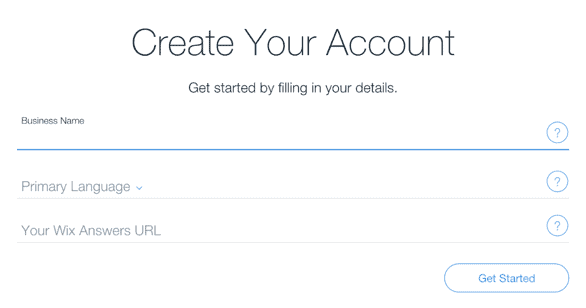
To test the features of the product I have created a test account and here is how things went. To get started, just click the sign-up button and enter a few details. Fill out your business name, select the language and select Wix Answers URL. Hit ‘Get started’ and you are on the dashboard of the system.

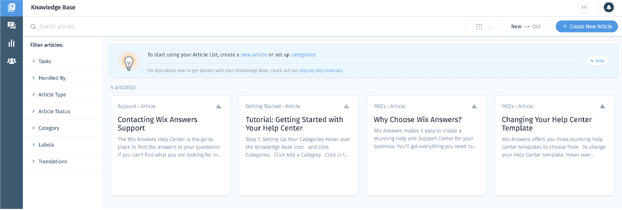
The simple dashboard has a left navigation panel which handles the important options like Articles, Tickets, Analytics and Team Permissions. Now, in layman terms, articles are nothing but the knowledge base, which means helpful articles that have to be displayed while the user is looking for information on how to resolve an issue. Tickets are the queries/service request raised by the customers about the company’s products and services. These queries are gathered from customer inputs from widgets on a website, Facebook, Email and Contact form. Analytics will help you have a bird’s eye view of the overall system performance. Team permissions handle the access of the team members to various functions such as adding or editing the articles and other elements.

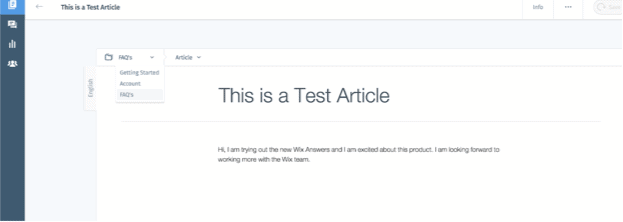
I tried creating an Article and it was pretty simple. You get to choose the category to which the article should go: Getting Started, Account and FAQ.

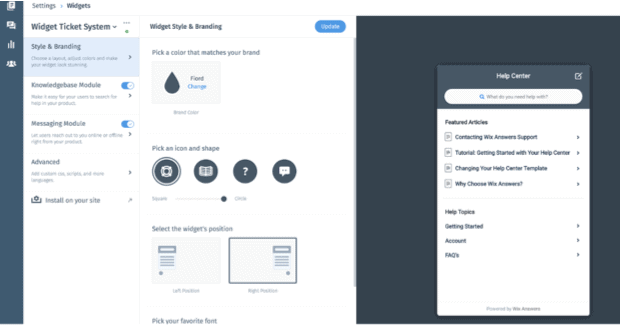
Next, I tried creating a widget for the website, this can be used by customers to create a ticket in the system. To my surprise, the process was smooth and the options that popped up seemed pretty straightforward and refine. Here is a screenshot.

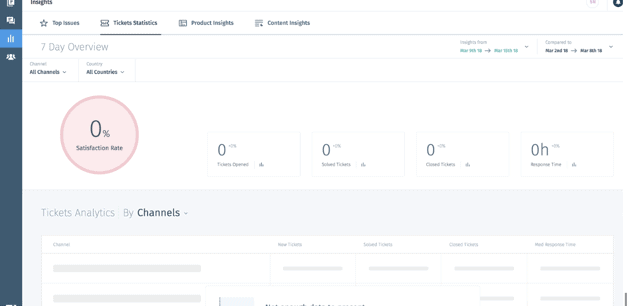
The insights tab shows the graphical representation of how the system/team is performing. This gives an overall idea and as an admin, you can check are the areas that need to be taken care of.

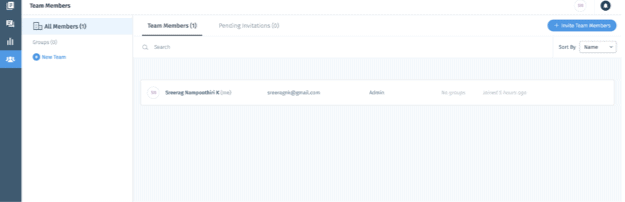
The team members folder will help you to manage your team, add team members and control their permissions. It is basically where you manage your team.

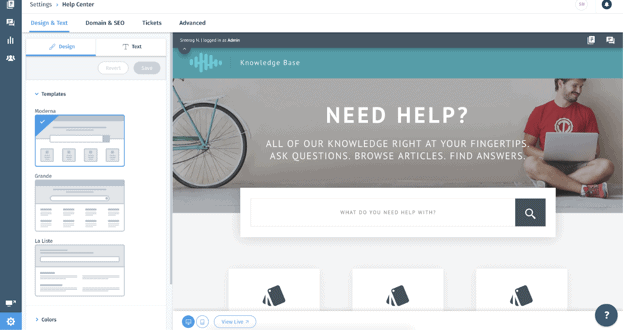
I was able to customize the ‘Help Center’ page and I found it very much user-friendly and intuitive.

It took me just 5 minutes to skim through the entire process flow. I bet, being one of the best customer support solutions, Wix Answers is not just about that. There are so many options which I have failed to notice or left out on purpose to keep this article short. There are various interactive help sessions available to assist you in case you get stuck somewhere.

Wix Answers – Key Features

Now that I have done my homework by exploring the product, I think I should be ready to tell you more. Being in the field of Information Technology, I do believe I have the right knowledge to understand the true potential of this product. I have worked in the customer support solutions development team and I know a thing or two about the workflow. Here are my observations:

How User-Friendly and Customizable Wix Answers is?

I would say the product has outperformed some of the products I have used in the past. There are, of course, pioneers in the field and Wix Answers will possibly take down those one day. The code-free customizable option is something which I really liked. There are many templates available to choose from, which is a big plus. There are no hidden options or tricky steps to do, everything is straightforward and presented well.

Organized Ticketing System

The Wix Answers ticketing system collects tickets from multiple channels and organizes them neatly. As I said, there are options to get tickets from Facebook, Contact Form, Widgets, and Email. This doesn’t mean compromising customers priorities. All customers have equal priority, no matter which system the ticket comes through, and will be treated efficiently.

Built-in Call Centre

No matter how advanced the technology is, I, as a customer, still love the traditional way of dialling in the customer support number. This is the personal and fastest way to get answers to your question. The Wix Answers tool comes with built-in phone support.

The tool intelligently queues up the phone calls and allocates them to the agents. The customers get an option to request a call-back as well.

The Insights

You can get additional information about the performance of your support team. The software constructs and coordinates different sections of the team’s performance, customer satisfaction and ticket response time and gives you a full insight of how the business is running.

To Conclude

If you haven’t heard, Wix Answers is a free customer service solution tool that includes such essentials as help desk, ticketing system, call centre and more. Wix Answers is a new tool on the market but it was tested by Wix during years. Yet, there is always room for improvement and more options will be incorporated. The versatility of Wix Answers and it features makes it a great fit for a wide range of businesses from small start-ups to enterprises as well as freelancers and many others. Overall it is a great customer support solution for anyone who wishes to provides their clients with additional information, fast and efficient support and in the end to have happy and satisfied customers.

How to Hack Someone’s WhatsApp with Spyier?

0

WhatsApp needs no introduction with the manner it has captured the imagination of all generations. But, with younger youngsters and teenagers the use of it to conveniently change messages, pictures, and multimedia, it has end up a magnet for miscreants.

Luring human beings into traps like forwarding indecent messages and sharing intimate details over WhatsApp isn’t extraordinary. And if your baby or partner is continuously glued to their phone checking WhatsApp messages day and night, it’s excessive time you observed out why!

Finding a WhatsApp hacking app online isn’t that big a deal with the multitude of smartphone undercover agent apps to be had. However selecting the proper app so one can provide you with get entry to all the required features without revealing your identity and compromising your non-public records would possibly get hard.

How to hack someone’s WhatsApp

It can get disturbing in case your child or partner hides matters from you. Snooping into their WhatsApp messages can come up with essential clues as to who they’re interacting with and why they’ve been heading off you. The best way to hack WhatsApp accounts is with the help of a reliable and efficient phone monitoring app like Spyier.  

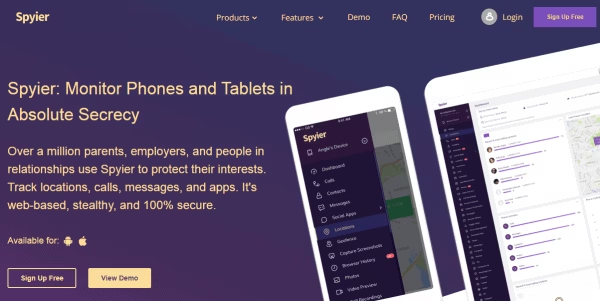
It lets you no longer simply check a goal smartphone’s WhatsApp messages, but additionally its name records, SMSs, contacts, GPS place, and much extra. And the nice element is, you don’t want to put in whatever on your smartphone to do it. The goal smartphone’s statistics may be regarded thru a web-based total dashboard to which you may log in the use of ANY internet-browser.

How to Hack WhatsApp Account Using Phone Number

Check this guide to hack a someone’s WhatsApp account can be completed with a cellphone wide variety or without it. With the method that you are going to analyze in this section, you will know about the endless opportunities that there are at the same time as hacking a WhatsApp account.

Here is this wonderful high-quality manner thru which you could study WhatsApp chats of someone:

Spyier- Hacking WhatsApp Was Never This Easy

Spyier is one of the maximum popular WhatsApp hacking apps within the world. Check this guide  to hack a someone’s WhatsApp account on both Android or iOS gadgets. Due to its cool designs and capabilities, It is used by hundreds of thousands of users globally. Spyier reviews are also great. This is not simply out of twist of fate. The features which are embedded into it makes it stand proud of the rest of the WhatsApp hacks to be had.

Here are some of the things that make it the best WhatsApp hack available:

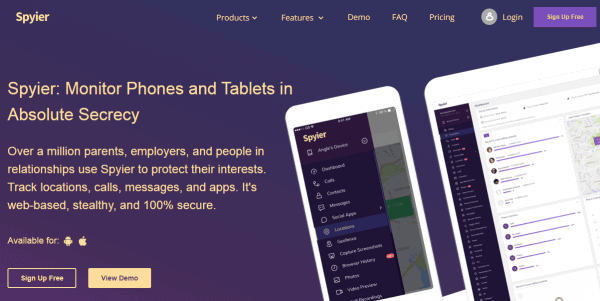
How does spyier work

Millions of Users Are Using Spyier

It is a user-oriented app that is designed keeping in mind the convenience for the end-user. What makes it so special is:

Web Interface:

When you are using Spyier, you won’t have to download any app on your system be it phone or PC. It will work through ANY web browser due to its dashboard interface. All the features are available here as single click tabs. You won’t have to waste hours trying to figure out how it works.

Data Security:

For Spyier, the safety of your data is a top priority. It employs world class security protocols to ensure your data is completely safe. In fact, none of your data is stored on Spyier’s servers. It is only viewable on your web browser and the other device.

No Root or Jailbreak Required:

You won’t have to root the target phone (if the person is using Android) or jailbreak it (if the person is using an iPhone). Since rooting or jailbreaking a phone compromises with its security, it makes sure that your privacy isn’t compromised.

Stealth WhatsApp Hacker:

You can hack a WhatsApp account with Spyier without getting caught and without the other person even getting suspicious. This is due to the special design of Spyier. You will learn about it in the next section. As you can see, it is next to impossible to find the same things in a single app. This is why it is the best in the business.

Hack WhatsApp Without Getting Caught

As stated earlier than, it lets you hack any WhatsApp account without even getting caught. That is due to the excessive stop era that is hired in Spyier. To begin with, in relation to hacking WhatsApp on an iPhone, it doesn’t want you to download any app on the opposite smartphone. In reality, you receiver even must contact the opposite telephone at all.

IPhone have the iCloud characteristic prebuilt on the device. Consequently, all you have to do is verify the iCloud credentials of the opposite man or woman, it takes care of the relaxation. When you’re going to hack WhatsApp on an Android cellphone, installing a phone undercover agent app at the target phone is mandatory whether you are using Spyier or some other undercover agent app.

Spyier is aware of this and that is why it has a unique Android undercover agent app which is a hundred% undetectable. You may need to get entry to the goal Android telephone as soon as to install it. After that, you by no means want to get entry to it once more (not even to uninstall it).

How to Use Spyier WhatsApp Hacker by Number

In order to use it to hack a WhatsApp account, you just have to follow these three steps:

Step 1: 

Sign up for it and get a subscription plan based on the target phone’s operating system- Android or iOS.

Step 2: 

Once you have signed up, you will be directed to the it’s configuration wizard. You just have to follow the instructions on the screen here.

a.) For Android phones, download and install the Spyier app on the target phone from the link mentioned in the setup wizard.

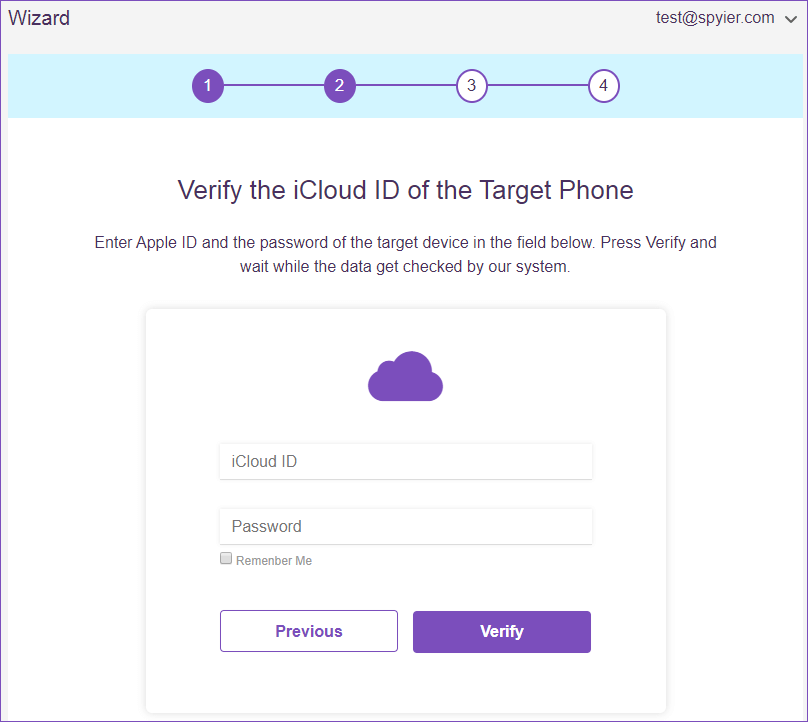
b.) For iOS devices, you just need to verify the iCloud credentials of the target iPhone. Give Spyier a short while to sync the data.

Step 3:

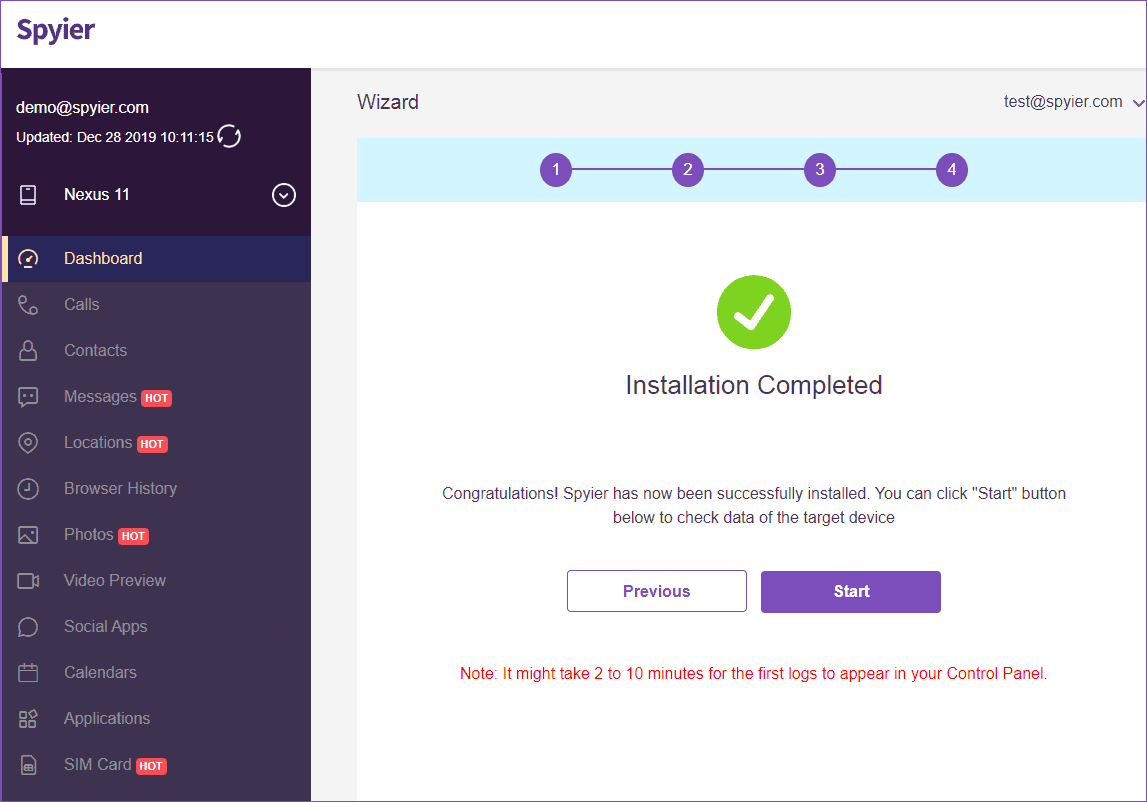
Click on ‘Start’ and you are ready to track the WhatsApp data of the other user. Once you click, you will be taken to your dashboard.

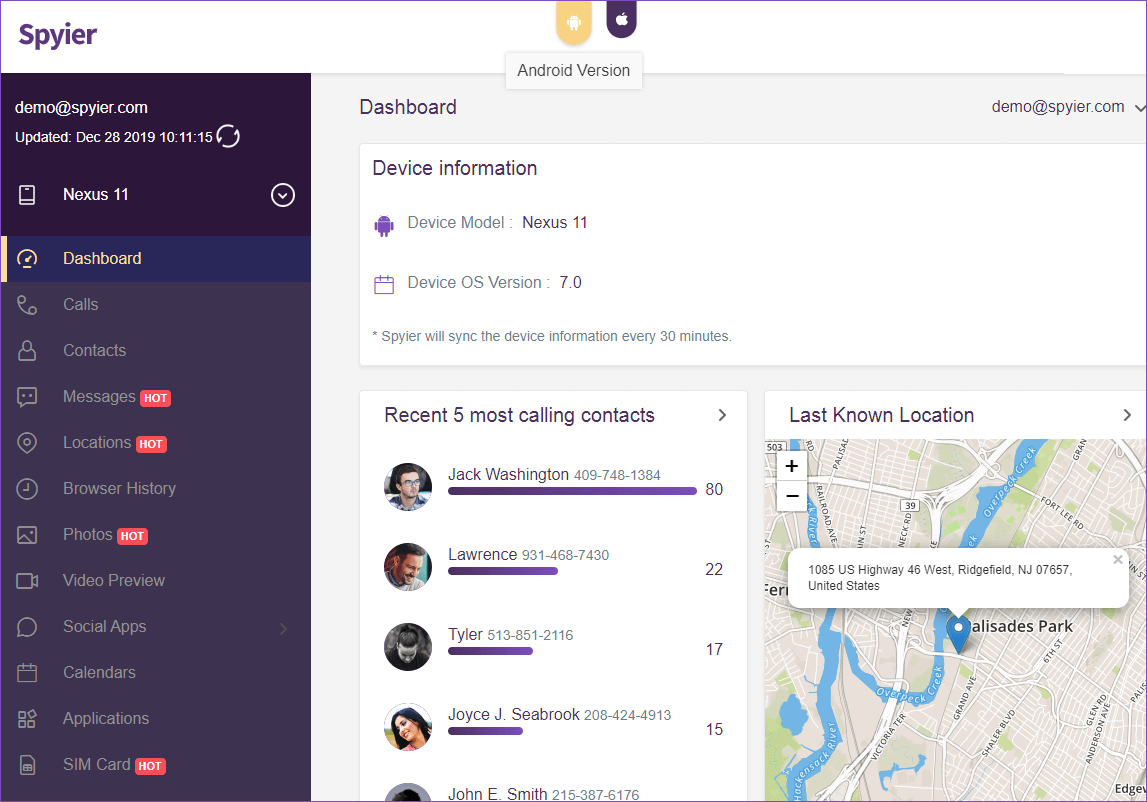
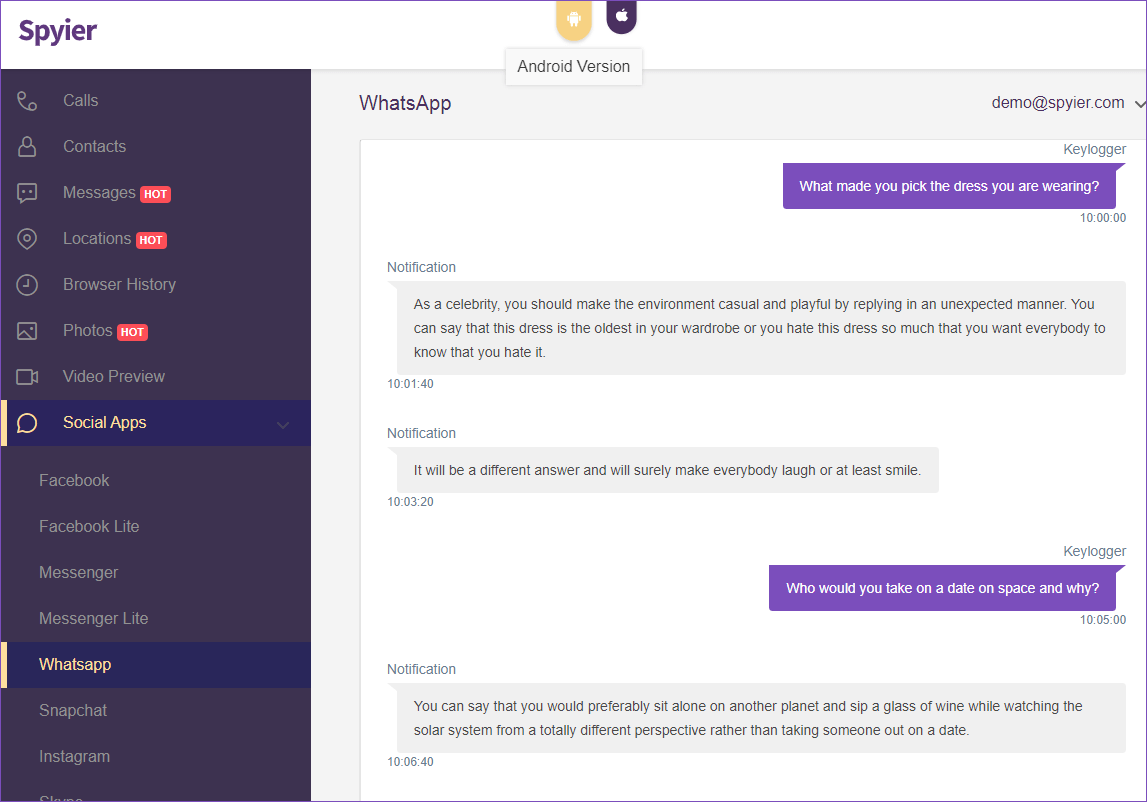
You can see all of Spyier’s features here on the dashboard. The WhatsApp spy is available under ‘Social Media Spy’ tab on the left.

WhatsApp Spy:

Spyier’s WhatsApp secret agent is a dedicated module that arranges all WhatsApp chats based totally on the sender/recipient together with different important details. You could even check the messages that the alternative consumer has deleted here.

Keylogger:

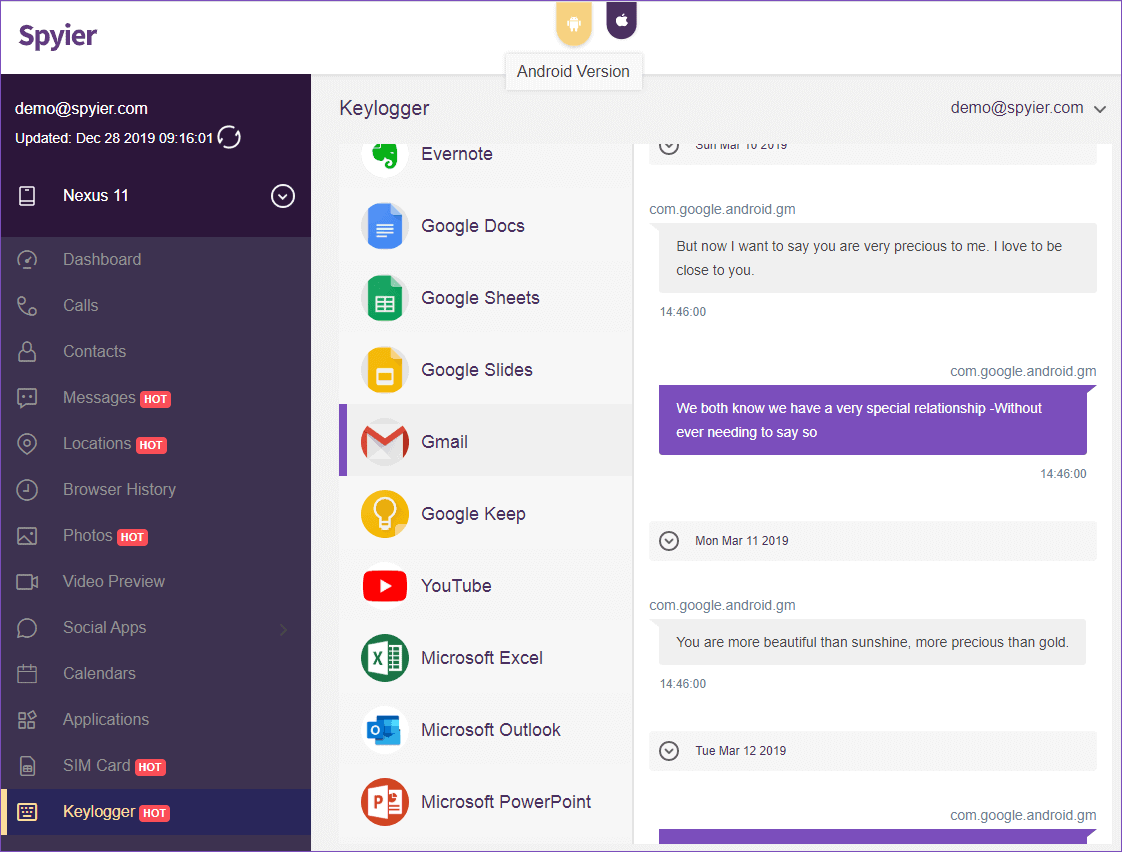
Keylogger feature is any other beneficial feature that shows you all the keystrokes which might be made with the aid of the person. those logs are arranged via the apps in which they may be made. So if you need to test the WhatsApp messages that the alternative consumer has typed, you may view it beneath this segment too.

Conclusion:

Identifying a way to hack a WhatsApp account isn’t difficult. The only component you want to make your thoughts about is whether you desire to apply to Spyier. They painted properly and could come up with any WhatsApp information.

22 Awesome Tools To Make Your Own Instructional Videos

0

If you are good in something and want to share your knowledge with the rest of the world, nothing can be better than creating your own instructional videos. Be it cookery, yoga, education or any other thing. It is difficult to have a one to one access to people physically. Therefore it is important to use a media which is easy, cheap and less time consuming. That one media field, which has all the three features in it, is the digital media. Youtube allows people to create and upload videos for the audience to see.

Through digital media, your content can be more targeted towards the relevant audience. For example people searching for educational videos will not land up seeing cookery videos. These can be more targeted and people will land up watching the right content. This reduces wastage. There are several  free video editing software which help us to create the right video . Before uploading something you need to make sure that it has undergone proper edits and cuts, and that the video quality is good plus the audio is clear. It should have a look good feel, else why would someone even open your video. There are certain things to be noted while making a video

  • Using slideshows: This is very important, especially if you are preparing something on educational stuff
  • Using images: Images will help in remembering things far clearer than listening to words.
  • Voice recording: It is better if the voice is recorded previously and played along with the video.
  • Software editor: Using appropriate software to edit the video.

There are hundreds of tools which help you make your own instructional videos. It is not possible for someone to go on trying each and every one of them. Besides most of them are technical and complex, only to be used by a software guy.Below I would provide you with a list of 22 most user-friendly tools which will satisfy your need of creating videos.

Tip! Checkout these cool templates for brochures free

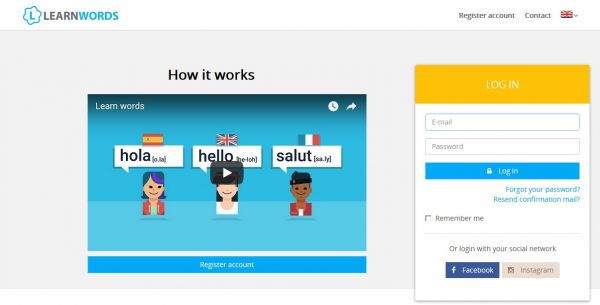
  1. LearnWorlds

This one is a user-friendly software which provides you with a variety of options to create and edit your video. It makes your video interactive with additional features like promoting and selling your online courses.

  1. Screencast-o-matic

This software allows you webcam recordings and screencast recordings. It also enables you to record your voice with a microphone. Screencast-o-matic provides you with free and fast screen recordings.

  1. Wirewax

This software provides you with a feature of ‘Automated hotspots’. Products, objects even people are identified through hotspots. It enables people to view 360° interactive videos.

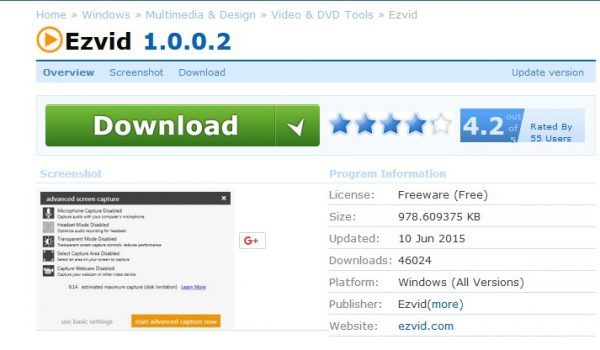
  1. Ezvid

It is a free software and has the ability to capture or record any software running on your computer. Some of the features provided by it are speed control, screen drawings, stamps, face cameras and YouTube upload.

  1. TouchCast

This software produces videos which are known as smart videos. Its editors provide you with a green screen which enables you to change or alter the background. Apart from this it comes with vApps which makes it special from others.

  1. Blueberry Flashback Express Recorder

It has a user-friendly interface and comes with a whole lot of features.  This software helps in capturing the screen at the same time while recording you from the webcam.

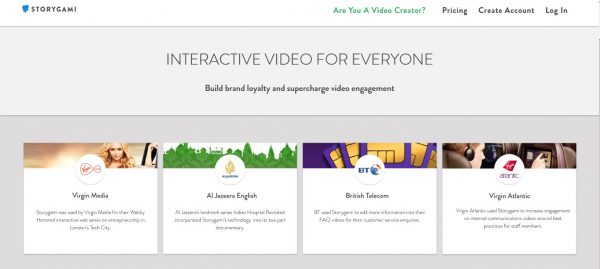
  1. Storygami

Storygami users can transform YouTube videos into interactive sessions known as folding stories. The interactive elements are named interactive cards and users can choose to use them or ignore.

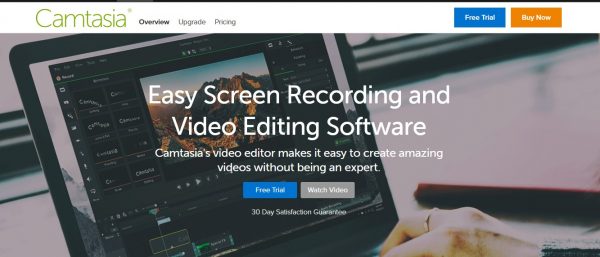
  1. Camtasia

It is a simple user-friendly interface with powerful editing interaction features such as animated backgrounds and special effects. Camtasia’s screen casting tools enables in making long videos.

  1. Powtoon

Powtoon is a great presentation maker which eases the task of making PPTs by its user-friendly nature. It has loads of templates to choose from. It helps in Landing page videos, Training Demos etc.

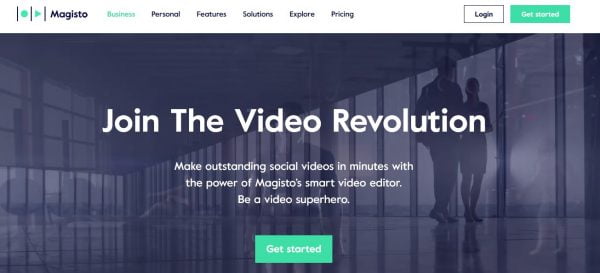
  1. Magisto

Magisto allows you to select photos from your album and then put a soundtrack in it. The App itself adds filter and special effects to the video. It transforms pictures into edited movies.

  1. Wideo

It is yet another presentation maker. It helps in creating stunning PPTs in a user-friendly manner. It helps in creating e-commerce presentations, Company guidelines and institutional explainers. You can also insert animations as per requirement.

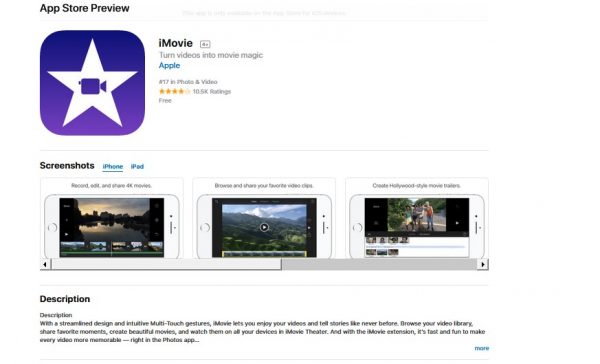
  1. iMovie App

It helps in creating videos in an easy manner. iMovie automatically inserts animation to your images, but you can also control it by manually adjusting your photos.

  1. Moovly

The Moovly software consists of a library which has a collection of objects and clips to create your content. It has an area where you can create your own content and customize it accordingly.

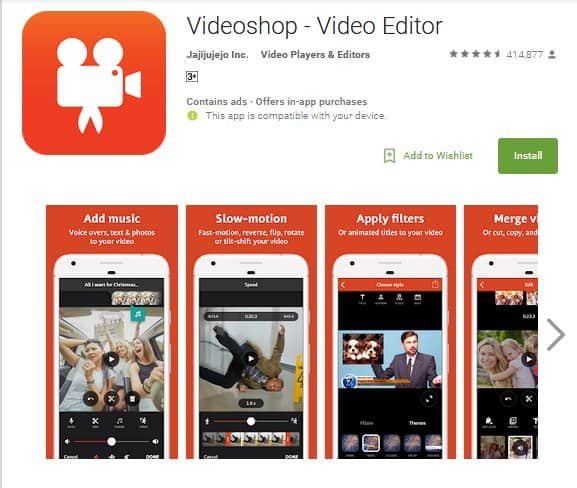
  1. Videoshop

It is an excellent tool with an affordable price which allows you to edit your videos and movies by providing you with a number of templates. It has options like motion, time lapse and stop motion.

  1. GoAnimate

With the GoAnimate software, one can create good quality animated videos and the characters can be customized as per need into hundreds of shades colors and varieties. This software also provides ready to use templates.

  1. Animoto

This is a video-editing app which is easy to use. Unlike some of the previous software, it cannot capture pictures or videos from within. It has got endless number of filters and special effects to choose from.

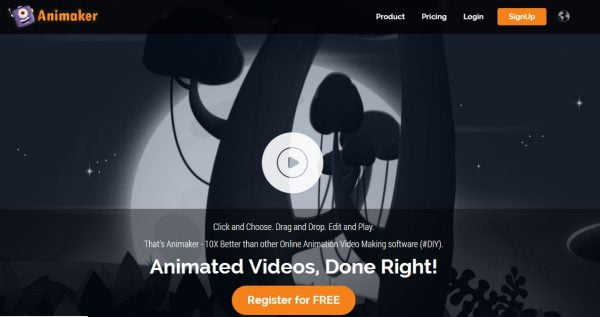
  1. Animaker

Using Animaker one can create a number of animated videos. Its library contains hundreds of avatars and each avatar has its own filter. It is an easy to use software.

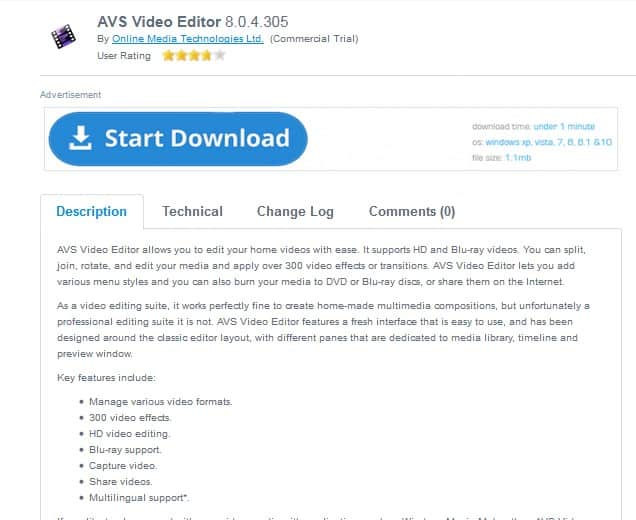
  1. AVS Video Editor

It is an easy to use free video edition software. Often used by professionals, it is rich in quality and gives your video a professional look.

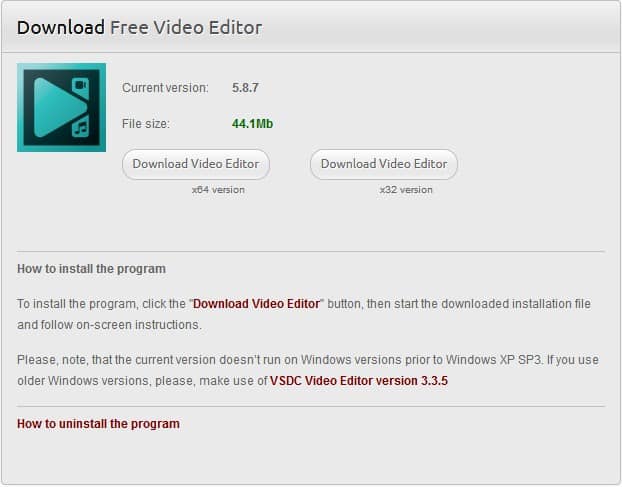
  1. VSDC Video Editor

It is again a free software providing you with a list of features and effects. It has options for beginners and advanced users.

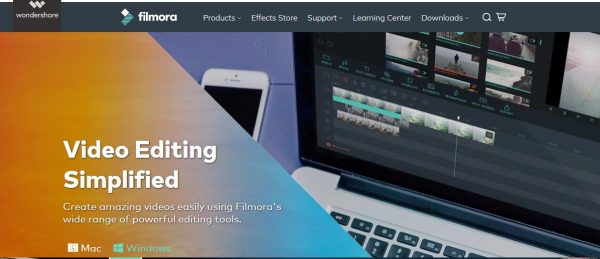
  1. Filmora

It is a more advanced and professional software with a much straightforward approach. One can get high quality videos from it without putting much effort behind.

  1. Hitfilm Express

It is a free software with the latest 3D enabled features. Uses green screen effect to change background.

  1. OpenShot

This advanced software provides an array of features like unlimited track and layers, curve based key frame animations, and 3D enabled styles and effects.

All these instructional videos will enable you to compile your video successfully and give it a professional look. They are absolutely user friendly and provide you with a whole lot of new features.

5 Facts That Will Change How You Use Twitter For Business

Since its conception in 2006, Twitter has proven itself to be an innovative and powerful social networking platform. Boasting over 330 million monthly active users, it’s no surprise that 65.8% of companies with 100+ employees use Twitter for marketing. Whether you already have a company Twitter account or are just starting out, we’ve compiled a list of Brand Watch’s most compelling Twitter statistics that will permanently change how you use Twitter to promote your business.

  1. After seeing your brand mentioned in a tweet, 54% of users will take action

Over half of the users surveyed by Twitter reported taking an action after seeing a brand mention on their feed. These actions include viewing the brand’s website, visiting the brand’s Twitter profile and searching Google to find out more about the company. This highlights the importance of collaboration with influencers, customers and other industry leaders. The more people you reach out to, the more people are likely to @mention your brand, leading to greater exposure and higher conversion rates.

  1. Tweets with images receive 18% more click throughs, 89% more likes, and 150% more retweets

Twitter users have spoken: If you really want to get your followers’ attention, your posts should include an image link. Not only do images attract three times the amount of retweets than any other type of content, but they also stand out on Twitter’s predominantly text-based interface. For maximum impact, your images should be colorful, eye-catching and (most importantly) consistent with your brand voice, like those on this small-business owner Lori Janeson Twitter page.

  1. Approximately 77% of Twitter users feel more positively about brands who respond to their tweets

Twitter isn’t just for marketing new products and announcing sales. It can also be an invaluable tool for creating and maintaining a rapport with your customers. Particularly during the holidays, the frequency of brand/customers conversations on Twitter increase, with shoppers tweeting brands to get info on product availability and specifications.

These conversations are a great way to cement sales, draw attention to seasonal products and show customers that you’re committed to meeting their needs, both pre- and post-purchase. With around 77% of users reporting that they feel more positively about brands who respond to their tweets, taking the time to answer a query could make the difference between whether a customer buys your product or heads right on over to your competitor.

  1. Companies using Twitter for customer service see a 19% liftin customer satisfaction

Sometimes, your Twitter followers will use your brand page as a way to air grievances or ask for assistance with a product or service. Although it might be tempting to try and sweep negative comments under the rug, this will instantly give your company a shady and unprofessional appearance. Additionally, research has shown that responding to complaints leads to overall higher customer satisfaction.

So, don’t ignore Twitter’s potential for managing customer relations. Instead, use it to showcase the integrity of your brand and let followers know that you’re eager to assist them with any issues, even if that means offering an occasional refund.

  1. The average Twitter user follows five businesses

Most people use Twitter to keep up with friends and celebrities, not be inundated by promotional posts from businesses. In fact, the average Twitter user only follows five businesses. This highlights the importance of making your posts count.

If you want to be one of the select few companies that a person follows, your tweets must offer value. Although special promotions and discount codes are a great way to attract and keep followers, you can also offer value in the form of funny images or interesting facts about your brand. The key is to keep things interesting avoid spamming followers with blatant self-promotion.

Twitter is a great platform for growing your business, but only if you know how to use it. By applying these five facts and the principles behind them to your Twitter marketing strategy, you can supercharge the way you use Twitter for business and boost your followers for good.

Best Folder Lock App for Android You Should Install Right Away

If you are reading this, then definitely you are of those who are looking for a solution to keep your personal sensitive files private and secured from the curious eyes all around. People use Android operating system extensively for a wide range of purposes. Nowadays, it serves as a great place to store things other than computer and hard disks. Mobile phones come with huge space of memory, so storage becomes no problem at all. Just like computer, the internal storage space of our mobile phones can be used to store personal things such as pics and videos. Our personal things are important to us and we can hide them from others. But nowadays many people around us are tech savvy so just hiding may not be enough to hide personal files. There are many applications free at play store that ensures additional security to hide your files from everyone around you. I would suggest, the app “Folder Lock” for I am using it on my Android phone and I have been highly benefited from it. This app will help you to password protect any folders or files that you wish to keep confidential. This is the best folder lock app that I have used till now and I highly recommend it to all my readers.

Folder Lock

Specifications, Performance and Security

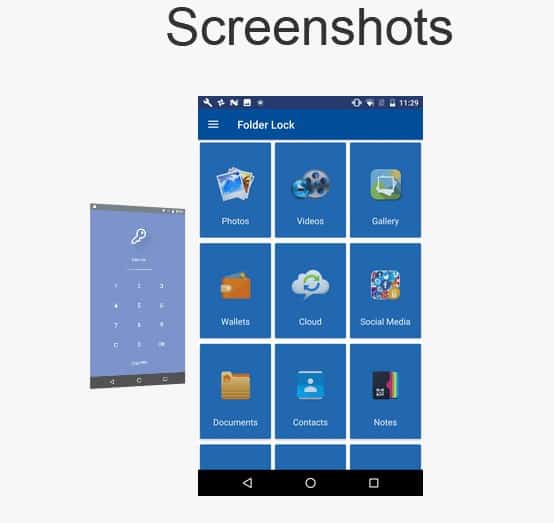
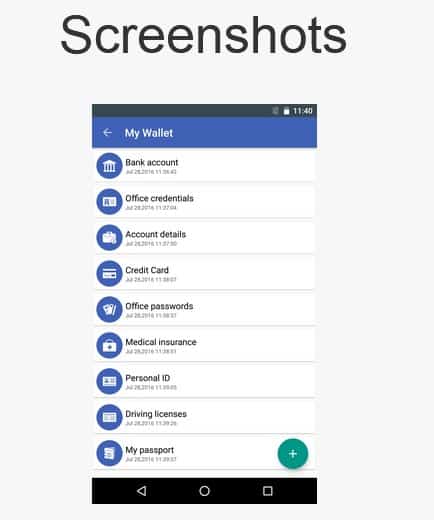
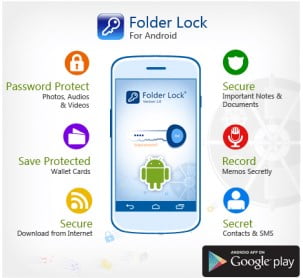
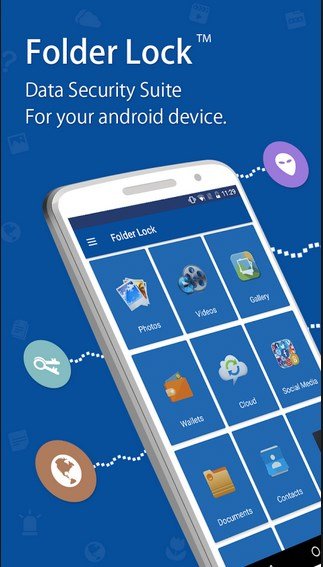
With Folder Lock app, you can password-protect your own files like music, pictures, videos, documentaries, contacts, audio recordings, e-wallet, notes, etc. You can also transfer files from Gallery, Camera. PC/Mac and Internet browser. It is an encryption software that you can truly trust to protect your files and data. This program uses the Advanced Encryption Standard 256-bit key which is the most trusted cipher. Folder Lock also offers extra security features, such as file shredding, password strength meter and stealth mode. The app comes with wide range of features including a clean and pleasant interface. Folder Lock protects your documents and contacts and this additional feature is generally not found in any other application. Folder lock also secures WI-FI File Transfer, Bluetooth and other. Folder Lock can lock access to files for quick, easy protection, and also keep them in encrypted lockers for serious protection.

For these reasons and many more, it wins the Top Ten Reviews Gold Award for best encryption software.

Folder Lock proved to be the fastest software in line-up at encrypting data and deciphering it. It takes few seconds to lock apps. It offers a great way to ensure your privacy even beyond encryption, because the files will not be visible to anyone. You can create a basic locker for backup. Then it is as simple as dragging and dropping files that you want to protect. You can upload the backup lockers to Folder Lock’s cloud, but it costs extra to use that service.

Folder Lock’s file shredding the important data is the best way to be sure your documents are permanently removed from your computer and cannot be recovered also. For even more privacy and security, you can use the software in stealth mode as mentioned earlier. It prevents any digital footsteps or record while you encrypt, decrypt and shred files.

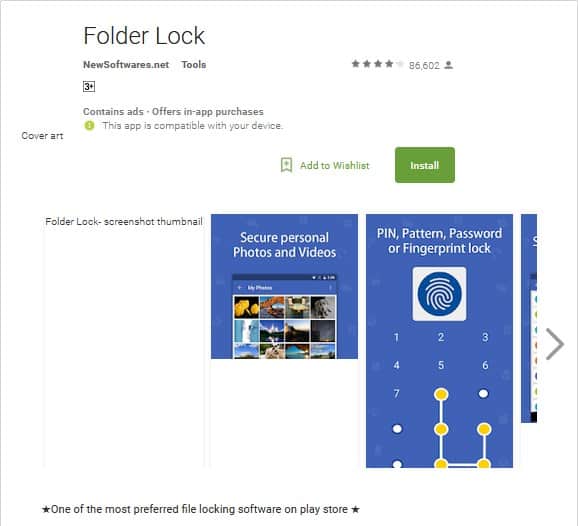
Folder Lock is one of the most preferred file-locking software on play store. Apart from the basic features like password-protect photos and videos, app lock, secret audio files, locking documents and notes, secure wallets, private contacts, cloud backup, data recovery and Wifi file transfer, other security features include:

  • stealth mode,
  • decoy mode,
  • panic switch,
  • browse and hack attempt monitoring

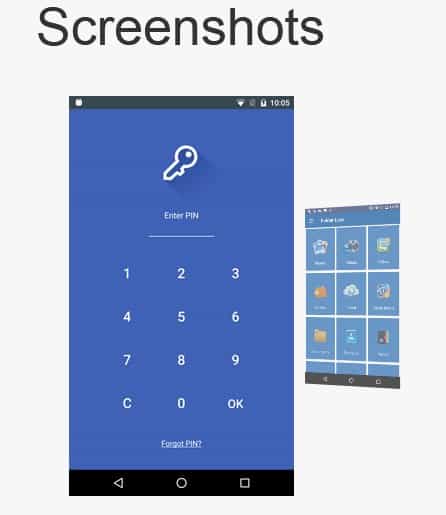
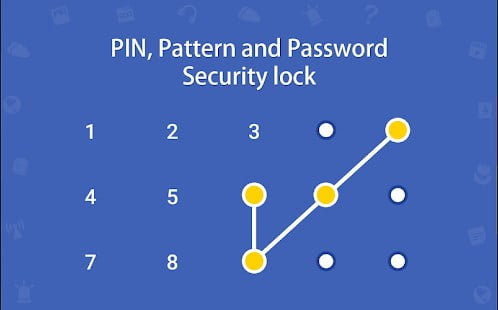
Decoy mode allows to create a fake profile to prevent users from accessing your real account. Panic switch helps to switch to another app immediately with just a shake. Folder Lock automatically takes the picture of trespasser with details of time of the hacking attempt. Password protection can be set by a PIN, pattern, or fingerprint method that only you would know, so that nobody else can break the password and access your personal files. It also offers a very fundamental browser which enables you to surf incognito.

Pros of Folder Lock

Obviously, my personal opinion states that it is a brilliant application for the required purposes mentioned. But like everything, this too with many advantages carries few disadvantages also. Here are listed only a few of its pros and cons.


  • Encrypted lockers protect files and folders.
  • Secure online backup.
  • Lock files and folders and keep them invisible.
  • File shredding.
  • Free space shredding.
  • Self-decrypting files.
  • Many useful bonus features like decoy mode, panic switch, secure browser and hack attempt monitoring.

Cons of Folder Lock

  • Product serial number stands in for master password by default.
  • Locked files are not encrypted.
  • Secure backup requires separate subscription.
  • Does not work for SD files.
  • Only hides. No encryption.

Folder Lock is a security benefit that protects anything by password that you wish for on your Android phone.

As you sign up and login in into the app, it will automatically recognize photos, videos, notes and such other files on your device. You can then categorize items or photos into group or a folder that you require to protect and keep it safe with a password. Unfortunately you cannot safeguard SD card files. Just those on your Android phone can be protected. The application is both anti-malware and anti-virus and can be installed from Google play store free of cost. The download size of the latest version 2.3.4 of the Folder Lock App is 16.42 MB.

Folder Lock is a great program. There are lots of free folder locking apps in the play store, but not many possess the multiple features and ease of use of this one. But, Folder Lock is an excellent folder protection app. I heartily recommend it.By this time, many of you are already convinced of its benefit and for those of you who do not believe me yet, then please just download and you would know why I have suggested this application to my readers.

Best Alternatives for Connenctify For Wifi Hotspot Sharing from PC

0

Everyone knows the most popular virtual internet sharing software, connenctify that allows you to share internet connection with any effort by just turning your computer into a WIFI router. Along with it a number of features like dispatch, file sharing is also offered! Here are the best alternatives for connectify which would be helpful to you immensely.

All our PC’s, Smartphone’s and other smart devices really look dumb when it does not have any sort of internet connection right? That is why we need some sort of software that has the capacity to share internet connection. Connectivity has evolved over the years but the biggest challenge about this software is the price tag!  The Lite version of connectivity is very much restricted and the best features are covered under the two premium versions of it, the Max and the Pro. The next problem regarding the features of connectivity is that it makes the whole thing very complex for users to use!

So here are the Best alternatives for connenctify that you can opt for!

  1. SeventhGate

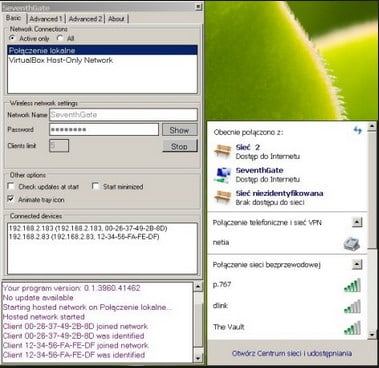
With the help of SeventhGate, you can effortlessly turn your pc into a full virtual WIFI router. In order to set up the hotspot, SeventhGate uses its own virtual wireless mini port inside your pc which makes it almost similar to real routers!  You can turn it off when it is not in use. It is very easy to use and just like connenctify it is ad free! It is free of cost and is compatible with Windows 7 and Windows 8.

  1. OSToto Hotspot

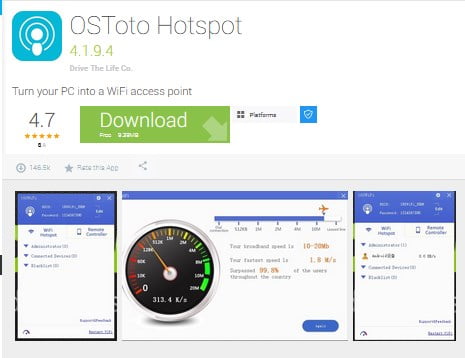
Being paid software earlier, 1600060 WIFI is now completely free to download with a new name OSToto hotspot! OSToto software does provide you with a very safe and secure platform that in a matter of seconds creates a virtual WIFI hotspot on your PC!  You can easily connect your Android or iOS devices with it. And the best feature is that it is ad free! You can download it for free and is available for Windows XP, Windows Vista and Windows 8 to the latest version of Windows 10. It even works for both 32 bit as well as 64-bit version!

  1. Maryfi

Maryfi is the best option for you if you are using Windows 7, but it runs on all the other versions! The interface of Maryfi is one of the best and it is very simple as well. You can easily connect your smartphones or tablets. The best feature of Maryfi is that it aids in sharing WIFI connection from your computer while the access point is safe and secured with a password. This password does contain a WPA2 encryption for more security! This software is also free and compatible with Windows Vista, Windows XP, Windows 8, Windows 7 and Windows 8.1.

  1. MyPublicWifi

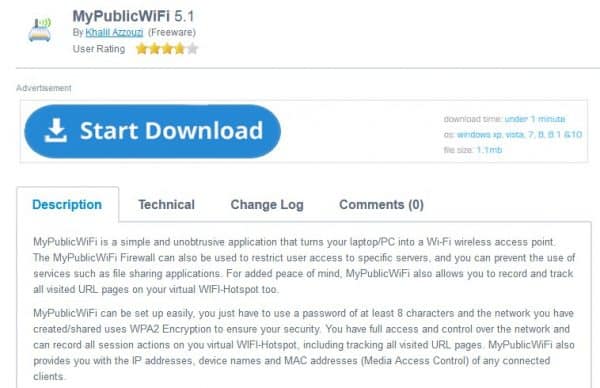
With the help of MyPublicWifi, you can instantly turn your computer or laptop into a virtual router in order to share internet connection with all devices that you use regularly!  This software is not just for personal usage! Yes, you can also create a temporary virtual network that actually isolates from LAN (Local Area Network) and it is generally used in case of hotel rooms or conference rooms and others. Even one can record and keep track of all the web pages that have been visited with the use of this software. This software comes at free of cost and is compatible with both Windows 7 as well as Windows 8 and in both 32 bit and 64-bit versions.

  1. Winhotspot

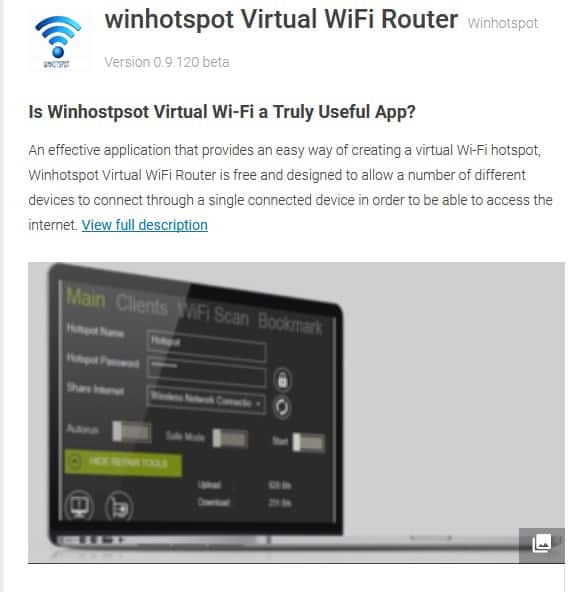
Do you have a Windows personal computer as well as an internet connection? You can turn your PC into a virtual router anytime and anywhere in no time!  Winhotspot comes with a built-in bandwidth meter that helps you to keep track of the usage of internet. Even you can check out the MAC addresses and the client P of all the devices that are connected to your virtual router under a separate tab that is placed on the platform of the hotspot. Winhotspot is absolutely free and it is compatible with Windows 8.1 Windows 8 and also Windows 7.

  1. MHotspot

MHotspot is such a popular name that when anyone is looking for a free virtual router, this name comes instantly into their minds! Within some minutes you can turn your computer into a virtual router and then you connect your devices to the internet connection of your PC. One of the many unique features of this software is that, while you are using it on a laptop, it makes your laptop just like a repeater that extends the network range of the WIFI. This is done by creating an additional WIFI network. You can connect up to 10 devices to your connection and you can view the Mac addresses and IP addresses of each of these devices. You can also keep a track of the internet usage. MHotspot is also free and it is compatible with Windows 8 and Windows 7.


Here are the best alternatives for connectify which you can choose from according to your convinience.

Exit mobile version