When advertising products and services online, businesses need to understand the dynamic nature of the World Wide Web. It is important to create Web pages that are versatile enough to be viewed on different devices. Therefore, responsive Web design, or RWD, has to be properly integrated into the creation or update of a site. RWD mostly focuses on optimizing pages for mobile devices running on operating systems that are completely different than those for desktop computers. Responsive pages are automatically scaled down to the appropriate screen resolution and aspect ratio based on the hardware that’s detected when a user visits a site.
Backward compatibility is also an important component of modern website development. It’s important for businesses to create content that could be viewed by older versions of Web browsers. In fact, some operating systems don’t allow users to upgrade beyond a certain edition of a browser. In a sense, such people are stuck with software that has become outdated in a fast-paced IT age.
Certain content on websites should also be backward compatible with some outdated versions of software that’s used to read files or play animations and other interfaces. For example, PDF readers are extremely useful in reading digital documents. Flash players allow website visitors to view motion pictures and other animated graphics. A website should ideally redirect visitors to official links that have free upgrades to important Web applications. Otherwise, businesses might lose some customers who are unable to view content because of some technical glitches with the Web browser.
Companies should realize that stale websites tend to get penalized by search engines. It is very important to update Web pages frequently with fresh content that includes posts, articles, images and videos. Updating a site is considered to be an effective organic search engine optimization technique that does not cost any money. This is a long-term strategy that should be applied by businesses operating high-quality websites for promotional and sale purposes.
Every year or two, a company’s website should be thoroughly audited by digital marketing specialists who understand search engine optimization. Complex algorithms on search engines change frequently, and they might upgrade or relegate the ranking of websites based on such automated code. SEO auditing analyzes all aspects of a website that gain points with search engine optimization ranking systems. Such services are quite affordable compared to thorough search engine optimization for a brand-new website. An IT guru such as Brent Franson and other businessmen are examples of search engine optimization specialists.
It’s important to realize that traditional SEO is not the same for mobile devices. Web pages that are optimized for smartphones and tablets might need to contain modified HTML and CSS code. Additionally, HTML meta tags for mobile pages usually contain much less content compared to tags that define pages for desktop browsers. A website should be thoroughly analyzed by a programmer who is fluent in Java, Objective-C, C++ and other scripts used for mobile development. Failing to upgrade a website to the proper mobile code could result in a loss of customers especially smartphone users. A company that relies heavily on doing business online should also invest enough money on reliable Web hosting services that minimize down time.
If you are currently managing a WordPress site that is reliant on a constant stream of relevant traffic, you will probably understand the need for a newsletter/email opt-in that is both reliable and packed with useful functions. One of the great things about the WordPress CMS is the readily available plugins that seem to have limitless possibilities. When it comes to newsletter plugins, you will be spoiled for choice, but therein lies the problem. There are simply so many of these plugins available that it’s difficult to separate the wheat from the chaff. Thankfully we have managed to find 4 of these bad boys that will do the job nicely and they’ll all add some serious value to your blogging platform.
Chimpy – MailChimp WP Plugin
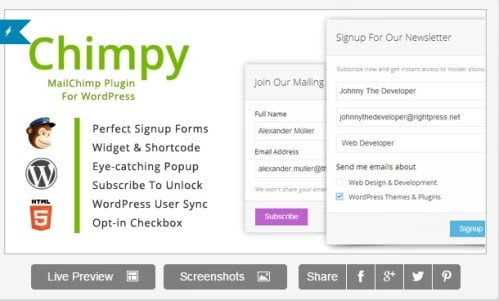
MailChimp should already be a name that most bloggers will be familiar with, so how about the WordPress plugin that bears a rather similar name? Well the good news is that Chimpy hasn’t lost any of MailChimp’s functionality along the way. You’ll be able to fully integrate your existing WP site with this plugin and you’ll also have more signup form options than ever before. You can use different forms for separate areas of your blog and they will all tie up nicely when you need to collect your required data.
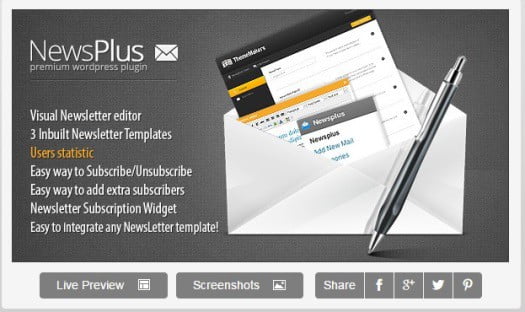
NewsPlus WP Newsletter Plugin
If you are all about keeping your readers in tune with your brand and latest releases, this is the plugin that you want! NewsPlus offers a very easy to use interface that will cut to the chase every time you have work to do. With a myriad of shortcuts that seem to make perfect sense, this plugin will bring you closer than ever to your current subscribers and help you to being more into the fold.
SendPress
This is probably the best newsletter plugin currently on the scene because it just does everything better than practically anything else. You can construct attractive and functional newsletters at will and send them out to bespoke email listings without breaking a sweat. SendPress alerts you whenever a follower unsubscribes and you’ll get a clear picture of how your marketing campaign is working out. You can use SendPress to compare various campaigns and use the fantastic metrics analyser to pick your best options.
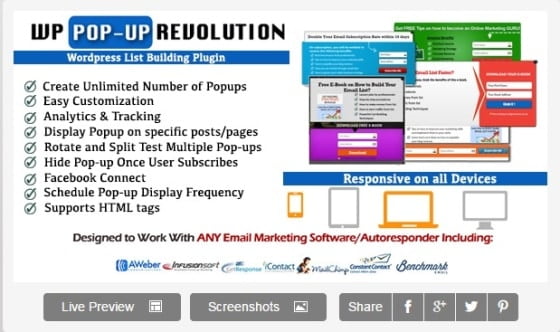
WP Popup Revolution-WordPress List Building Plugin
Our final WP newsletter plugin comes in the form of a popup that has some awesome themes amongst its number. Okay, not everyone likes a popup but we defy you to find at least a couple here that do not float your boat. According to stats, these will increase your subscription rate by a whopping 210% and who can ignore those figures? You’ll also get access to a variety of tracking and analytics plus Facebook Connect and a very cool popup scheduling feature.
4 of the Best?
Hey, according to the experts, these 4 are up there with the best of them. But there are still some very good newsletter plugins that we haven’t yet reviewed so why not do a little legwork of your own and eventually you will find the perfect newsletter option for your blog – Good Luck!
Website speed has quickly become a crucial advantage in an ever increasingly wired world. Your site’s speed has a marked effect on critical factors such as loyalty, bounce rates, and conversion rates. In addition, as of April 2010, the loading speed of your website has an impact on your Google ranking.
Today, people are increasingly impatient; blame it on the fast life or technological advancement that has made things so much easier. Many of your site visitors do not have the patience to put up with slow loading sites. One obvious reaction is that they will opt to move one to the next site they find. That is how websites finally start losing visitors.
Google made the decision to take into account loading time into account as a factor for ranking websites because it takes longer for spiders to parse your page. If people found slow loading websites via Google search engine, they are bound to stop utilizing Google as the preferred search engine. Moreover, sites with slow load times are not appealing from your users’ point of view.
A year ago I have already covered some site speed boosting tips on the blog and also here. So now I have summarized all the best practices in one post.
It is pertinent that you regularly check your site’s upload time. Numerous free tools available on the internet can help you with this. Once you have checked your site loading time, use the following 10 strategies to optimize its speed.
1. Choose a Reliable Web Host
Running an e-commerce website like yours, means you will add multimedia content, host large volumes of data, or even get uncontrollable web traffic spikes. To counteract the effects such factors are likely to have on your website, you need to choose a hosting service that offers you high performing servers. Your hosting service should also offer you good uptime and flexibility – allowing you to configure things as you like.
2. Choose a WordPress Theme Wisely
Badly coded WordPress themes or those with images everywhere add unnecessary weight to your web page and your website. Themes that are a few megabytes in size will add a few seconds to your page load time. To avoid this, choose designs that are optimized for mobile devices, tablets, and desktops. While Google’s search engine favors responsive designs, adaptive designs created for mobile phones help improve the mobile user’s experience significantly.
3. Deactivate Unnecessary Widgets and Plugins
Installing more plugins without proper research is likely to lead to performance issues; however, the number you install might not necessarily be the reason your website load time is slow. Some plugins are known to affect loading speeds because of bad coding, calls to external servers, or persistently updating WordPress databases. Consider installing a plugin to monitor how much load each plugin adds to your site, this way you will be able to decide which ones to remove and keep.
4. Optimizing Pictures
Large images can increase your page load time forcing your visitors to either wait or abandon your site altogether. To avoid such problems, consider resizing your images before uploading them to your website. Another way to get around the issue is to use WordPress plugins such as Smush.it or EWWW Image Optimizer (my favorites). These plugins automatically optimize your pictures as you load them to your site by converting the image files into formats that produce the smallest image sizes.
5. Use a Caching Plugin
Caching plugins store an HTML version of your website on the visitors’ systems and make the delivery of your site faster. Uploading and installing a caching plugin like W3 Total Cache or WP Super Cache on your WordPress website means that visitors do not have to wait for every element of the page to be loaded bit by bit. With caching, your entire site’s HTML assembly occurs before the visitor gets to your site, that means visitors see the content – not a white screen.
6. Add Script to Footer
Script is a client-side programming language executed and run by the user’s web browser and not on your web server. When placed at the top, browsers are likely to execute the script before moving on to the rest of the page, making load times slower. Using scripts to footer plugin moves scripts to the bottom, allowing your web server to render pages much faster. The script loads in the background making the overall load faster for your visitor and improving your Google speed score.
7. Use a Content Delivery Network (CDN)
Hosting media files on a Content Delivery Network is probably one of the best strategies of speeding up your website, and it can save around 60% bandwidth while halving the requests made by your site. CDNs host data across a network of servers all over the world. When a user visits your site from South Africa, they will be downloading files from a server that is closest to him or her. Since the bandwidth is spread across several servers, it reduces the load on a single server protecting your site from traffic spikes and DDoS attacks.
8. Add Lazy Load to the Images
Images make your content interesting; however, the more pictures you upload on your site, the longer the page upload time will be. Lazy loading images helps improve the page load time by loading those images that are visible to your reader. Lazy loading also helps in saving on bandwidth requiring fewer data to load your images for users who might not scroll all the way to the bottom of your web page.
9. Change PHP Requests to Static HTML
PHP is great for your website making it more efficient and reducing the number of times one has to enter the same information multiple times. However, if your page has to execute PHP queries every time it is loaded, it will add to your site load time. Replace PHP queries with static HTML to make your pages load faster.
10. Use CSS Sprite
A sprite is a large image file with all the individual images placed next to each other. With CSS, you have the capability of hiding the image apart for a particular section you require through a set of coordinates. Sprites help speed up your website since loading a big image is much faster and simpler than loading a set of small images.
Optimizing your website is no longer an optional task. With Google search engine placing so much value on speeding up web pages, it is critical for your website’s success (and your business) to have fast loading pages. 99% of optimizing your site is following the good practices I have explained above, taking advantage of CDNs and caching.
Google being the main internet search provider worldwide always emphasises its aim to make its search engine a great user experience. We see this regularly as part of their widely-feared algorithm updates like Penguin and Panda which are used by them to promote better web content. Perhaps through their experience of seeing people’s search behaviours and queries, they spotted an area that could be exploited commercially. A 2012 study found that Google earns $100million a day from AdWords so it is fair to say that they understand the commercial side of their business very well.
Google launched Helpouts in 2013 following attempts at solving the question and answer divide that they had noticed. This followed on from services called ‘Answers’, ‘Questions and Answers’, and ‘Knol’. Helpouts aims to match experts in specific areas with people who need the knowledge. Some helpouts are free but many require a fee. This infographic explores the area of Google Helpouts and examines the advantages, disadvantages and some interesting facts along the way.
Every day it seems like there is news of a new internet security breach where users passwords and data are compromised. Many companies rely on sending files by email to others that need to be confidential.
There are a few easy steps that users can follow in order to send files via email securely.
Enable Two-Factor Authentication With Email
The main method of cyber criminals stealing data is by acquiring users email addresses and passwords. Two-factor authentication is a mechanism which makes it much more difficult for hackers to get into your email accounts. With two-factor authentication email service providers will send a text message to your phone with a code that must be entered in addition to an email and password to log in.
Most major email providers have ways of setting up two-factor authentication. You can usually turn on this feature through the settings of your email account.
Password Protecting Files
Another step in ensuring files are sent safely by email is to password protect any attachments, by “zipping” files you are going to send you can place a password on the zipped file so that even if the files are intercepted they would need to have a password to unlock.
There are quite a few free utilities that make it easy to password protect zipped files including: 7zip and WinRar
Sending Large Files Securely by Email
Most email providers only allow for file attachments up to around 10mb in size. Today most files easily exceed this size, so you may need to use an online service to send these files.
There are quite a few large file sharing services and most incorporate security in the form of password protection and encryption. You can send large files online with services like: ShareFile.com and SecurelySend.com
Sharing Passwords via Email
It is amazing how many people go through the effort of password protecting files or services then send the corresponding password to other via email. When trying to send content securely think of the content as a lock and the password as a key, why would you potentially give cybercriminals everything they need to take your data? Instead you can send your passwords over another medium such as by text message. If you absolutely need to send your password over email make sure and at least encrypt it before sending.
Storing Documents in the Cloud
Another method of preventing your important documents from being intercepted through email is to store them on a cloud based service and share the corresponding folder with your intended recipients.
While many people argue that online services aren’t any more secure than traditional delivery methods, many vendors have proved that have security policies in place to properly protect your documents including: Box.com and Dropbox.com.
Many of these services offer free accounts that will allow you to easily upload your own files and share them with others.
Internet Common Sense
One of the best forms of preventing cyber criminals from compromising your data is to use common sense by changing your passwords frequently and not sharing anything on social media that you don’t want others to see.
Guest post by: Brandon Smith
Brandon is a .NET software engineer and enjoys spreading the word about internet security and best practices.
We have totally switched to computers and laptops since their introduction in our lives. We now are totally dependent on them even for the simplest tasks and other everyday functions. In the race of this digital world, the computers and laptops have their own existence and importance too. Laptops are the only devices after PCs which help you do your work or entertainment for which sometimes even fails even on tablets and phone.
Today, we are here with best laptops in India just for you. The list will serve the purpose of finding the best one among the vast list. We recommend you all to read specifications carefully on which laptops are categorized and reviewed the most.
The fast blazing performance and keyboard with excellent design is the main eye catching part of this laptop. Powered with latest generation Intel’s i7 processor with 8GB RAM makes it a perfect combo and delivers fast speed performance. Also, HP provides a nice gaming experience. Heavy graphics loading and nice viewing angle with experience is provided which were missed in the previous version of HP laptops. It also features a good design this time and is available in silver with thinner edges.
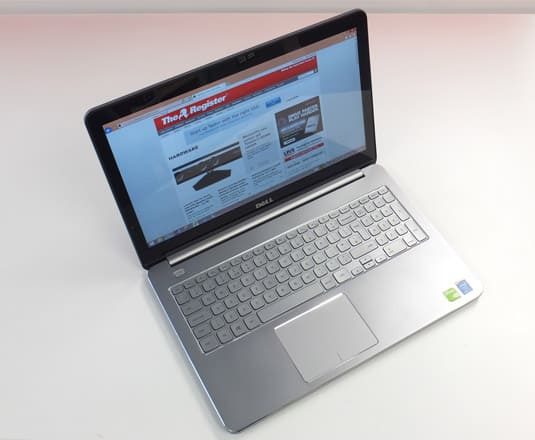
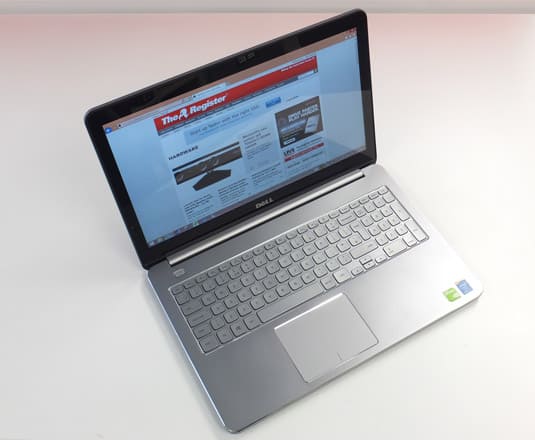
A nice battery life and stable performance makes this laptop to be one of the best laptops which are available in the market. Dell provides really a boost in battery life compared to its earlier series. Gaming and viewing experience is also good for this model. The Intel’s i7 processor in this laptop boosts its performance and 2GB graphics card gives you a great experience while gaming, viewing movies and much more.
Lenovo comes to you this time with a very new and attractive keyboard and remarkable performance in a surprisingly low price. Its black and red combination is another reason and point to be appreciated. The 1.5 watts JBL speakers is the another awesome feature and give you stereo-surround sound with a nice volume. In terms of performance, it is fast one with 16 GB RAM.
HP with a new concept in this pavilion laptop comes with good keyboard and comparatively more powerful graphics card. Second benefit for the users is slim design of the laptop. If one goes for the appearance, it offers a nice and shiny, glossy look but yes it is quite hard to maintain it. Fast processor and RAM clubs stability in the performance.
Apple presents this laptop with wonderful design of 325 x 227 x 17mm and weighs only 1.35 kg. This laptop is powered by 1.3 GHz dual-core 4th generation Intel i5 processor and uses X Mountain Li-Ion and gives an amazing battery backup of 12 hours. Also, it is equipped with in-built webcam and multi touch track-pad. It does not lack in graphics card which is amazing and gives the user best viewing and gaming experience of ever.
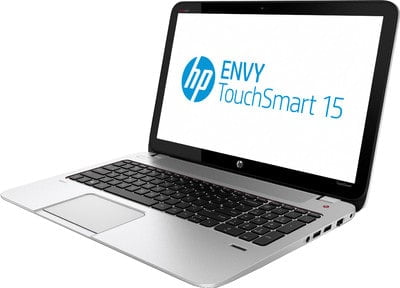
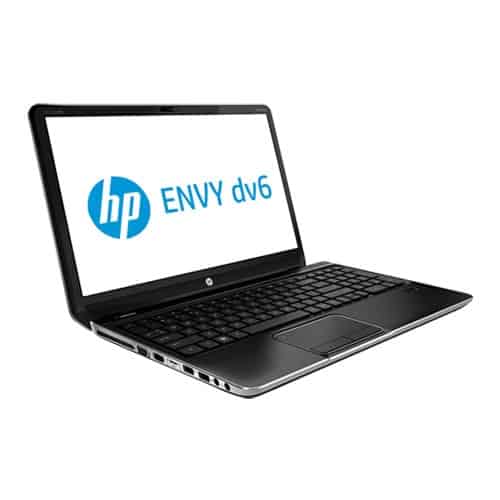
It offers better keyboard design, better build design and overall performance stability. The metal finish looks awesome. Envy contains most of the specification which are in their models of Envy. Although battery life for HP ENVY is only 3 hours but have Intel core i7 processor in their laptops. The viewing experience is also modified as the screen is made resistant to reflections. This will definitely add honor to the view.
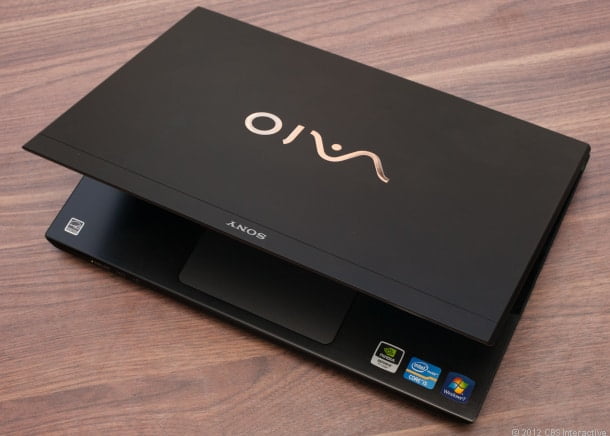
Sony VAIO S series succeeds in keeping its sleek and slim design with light-weight technology. After even a long use this series remains cool and silent. This uses high speed multi-core processor with graphics card. It also features Blue-ray drive even after its slim design. Full-HD display with a battery backup of around 4.30 hours is also available. This laptop features a nice glossy metallic touch design which looks really amazing and eye-catchy.
Specs
Microprocessor: 2.1GHz Intel Core i7-3612QM
Memory: 8GB
Video Graphics: Intel NVIDIA HD Graphics 4000 GeForce
Asus brought the VivoBook in market with touch screen feature in reasonable price. This can be considered to be an ultra-book. Although features are enabled in it but it has no shortcut keys for volume control, Wi-Fi etc. so far, it does not notice slowdown or any type of sluggishness in performance is noticed while loading. It has got fair display and yes too it applies to battery life as well, maybe these are not much, but is acceptable for a notebook under a reasonable price tag.
Specs
Microprocessor: 1.8GHz Intel Core i3
Memory: 4GB DDR3
Video Graphics: HD graphics Intel Core 4000
Display: 11.6 inches touch screen display with HD LED-backlit
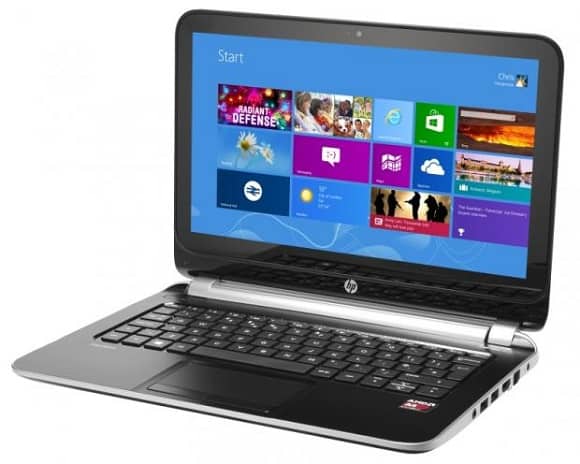
Nice compatibility for windows is shown by pavilion series. Touch Smart 11 is there to offer its users with Windows 8 along with a full touchscreen pad. This laptop is light in weight which adds worth to this deal. One may work for long hours with no problem and easy to handle device and its weight. It has got battery life of 4 hours which is perfect for gamers. Besides low performance and speed it provides you the full windows 8 experience under such a price tag. As of course budget is first so it’s a worth deal for a personal use.
Mind blowing speed and performance is shown by this laptop. The soft design gives you the premium feeling. It is also good on gaming part as it offers the users with a nice set of graphics card and gives its users an amazing, fast, and wonderful experience of gaming and viewing. After all these stuffs, its battery still works and lasts for long in order to fulfill your needs. The processor and RAM combination is even up to the mark.
These are the best laptops in India which will help you all in finding the best among all. All you need is to just go on through with the list and make sure to have all the benefits and discounts by the company for these laptops. One major point while shopping is considered as budget. So, choose the one which is compatible with your budget. Which laptop you own or which one you chose for buying?
Author Bio:
Sanjay Kumar Negi is an entrepreneur from India, who loves to write about tech, gadgets, science and much more.
With more than 85% of American adults having access to the Internet, and with 70% of adults making use of high-speed broadband in their homes, it’s easy to understand why people have almost become spoiled when it comes to expecting Internet access. High-speed broadband and Wi-Fi technology have almost gotten to the point where people are surprised when they can’t find a Wi-Fi signal to use, no matter where they are.
And there’s good reason for people to have that type of attitude–free public Wi-Fi options are plentiful and expanding continuously. You’ll find Wi-Fi available in many places where people congregate, such as government buildings, downtown areas, restaurants, and sports arenas. Often times, the Wi-Fi is free for anyone to use.
Municipal Wi-Fi Networks
The idea of cities setting up and offering free public Wi-Fi networks for their residents and visitors has been around for more than a decade. Yet such projects have had mixed results over the years.
Municipalities began setting up broadband Wi-Fi networks in large part as a public safety measure. Police and fire departments are using equipment that requires broadband data access, and some cities felt they could save money by building their own Wi-Fi networks, rather than paying fees to carry the data over existing cellular networks.
Early Municipal Network Failures
Because the Wi-Fi networking standard was originally designed as an indoor standard, it hasn’t always transitioned well to usage outdoors, which is where some cities expect it to work, such as when serving a downtown entertainment district with numerous outdoor cafes. As Wi-Fi technology became more in tune with outdoor usage, cities found that their networks became obsolete relatively quickly without a constant infusion of new infrastructure.
One of the more famous city-wide Wi-Fi networks, created by Google in the home of its corporate headquarters, Mountain View, Calif., experienced early success after its 2006 introduction. But inconsistent service several years later, brought on in part by out-of-date hardware, caused the Mountain View network to be taken off line. Google now is in the process of reintroducing public Wi-Fi to Mountain View.
Public Wi-Fi Successes
As you can see from the infographic included here, new municipal Wi-Fi networks are still being deployed. California and Michigan have the most large-scale public Wi-Fi access areas among states, but plans for new networks have been announced throughout the United States. Some of the recent announcements include:
Austin. Recently announced a new Wi-Fi network with free access for Time Warner Cable customers.
Kansas City. Recently announced plans to offer free Wi-Fi on some buses and at some bus stops.
New York City. Recently announced plans to provide public Wi-Fi in underground subway stations and using landline phone booths to house routers.
San Francisco. Recently announced free Wi-Fi in many public parks and recreation areas.
San Jose. Recently announced “wickedly fast” public Wi-Fi.
Because such municipal networks continually are being announced in various locations in the United States and elsewhere in the world, it will pay dividends for you to keep up with the latest announcements for your location. While free public Wi-Fi may not have quite enough speed or reliability to allow you to replace your personal in-home Wi-Fi network, it is great to have an idea of where you can access free Wi-Fi before you leave home for a night of entertainment.