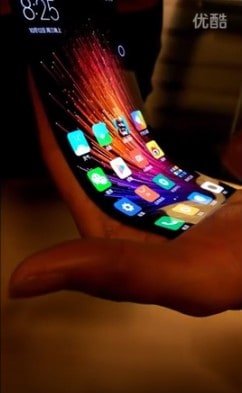
According to a report by The Verge, Chinese smartphone maker “Xiaomi” is now joining the race and is reportedly working on its own version of a bendable smartphone.
Such a device by Xiaomi made its public appearance over the internet through a 30-sec video that was posted last week. Though the video (courtesy of Gizmodo China) did not reveal the phone being bent but it rather displayed a bent screen being super responsive to touch.
Earlier this year, another Chinese company Lenovo became the first one to display two such futuristic ideas – a bendable tablet that becomes a phablet and a foldable smart phone that can be turned into a wearable device.
Such flexible, foldable and bendable smartphone displays are truly the future approaches.
Apart from Lenovo, Korean smartphone maker Samsung also has been working for years on its own foldable displays. Reportedly it is set to launch its first bendable smart phone in the year 2017.
And not to forget, even Apple has gone for patents suggesting that it’s all set to develop the iPhones with curved screens. Samsung plans to launch its curved display smartphones before Apple launches their OLED iPhone display next year.
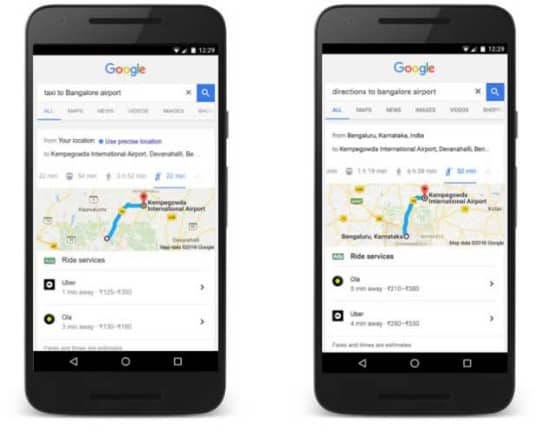
Good news for all those Ola and Uber fans. Google has now teamed up with both the cab service providers to make cab bookings even more hassle-free. Thus, you can now look out for directions and choose the taxi service directly within the mobile search browser or Google Search app. This feature is exclusively announced for the users in India in an attempt to make commuting more convenient.
Google describes that on the request for a specific information like Cab to Bangalore airport, more specifically Ola/ Uber to Bangalore airport, the application or browser directs the user to select a service & automatically opens the app to book your ride. And this just happens in one tap. In the case where the application isn’t installed on your device, Google Search displays the link to install the application.
Earlier this year, the feature was added to the latest version of Google Maps. It has been offering a section with the information regarding the cab service in addition to the existing “driving”, “public transport”, or “walking” tabs. Now with the further integrations, a user can ask Google for directions & book their rides directly from the Search App.
Sanket Gupta, Program Manager, Google said,
“Choosing the best transit option can be a task at times, our aim is to help users simplify their everyday travel. With this, users will be able to order, explore and make quick comparisons about the best-estimated taxi fare directly from the Google Search results on their smart phone.”
With Uber & Ola pricing showing in the search results, Google hopes to maintain it on the top of mobile searches & have a lot more to contribute to the smart phone population. The advantage being that you won’t have to open two separate applications one after the other to check which ride will be cheaper or quickly available before making that booking. Google Search can be the go-to option for clarifying all those doubts at one single place. And of course, you will still have to open the actual cab app for making the booking.
The feature works quite well on our Android device offering taxi service options from both the companies – Ola and Uber. It also mentions the estimated time of arrival along with the fare.
On examining the cab service feature using Siri on the iPhone 7, it asked us that what type of ride we are looking for & then listed out the available options. However, the iPhone 6 & iPhone 5s running on iOS 10 didn’t reveal the desired results in the Google search.
This festive season, we have a range of products that will prove to be the best gift items to surprise your friends and family. Light up their world with these unique Diwali presents and make them wonder at the things technology can do!
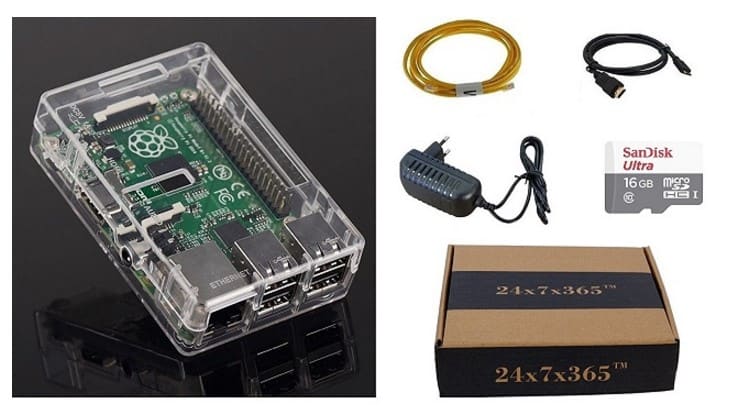
The Raspberry Pi Kit is an assembled and ready-to-use computer. It allows your loved ones to create their very own personal computer that functions as a torrent machine, an IoT hub or anything else they can think of. Gift this to your friends or family and encourage their innovative minds to perform efficiently!
Gift your girlfriend a pair of wireless headphones that will enhance her music-listening experience & all together take it to a different level. These might look a little bulky but they are super comfortable.
She can also fold the headphones and make them compact. This feature makes the headphones a perfect travel companion. Also, these headphones give out HD sound quality and support a 300mAh battery.
This is a super stylish pendant that also works as a tracker and allows the wearer to keep in touch with their family at all the times. Gift this one to your sister to ensure her safety.
But be careful as this device isn’t GPS enables but runs on Bluetooth connection to send out the alert updates through the mobile phone. The pendant also has a provision for taking selfies!
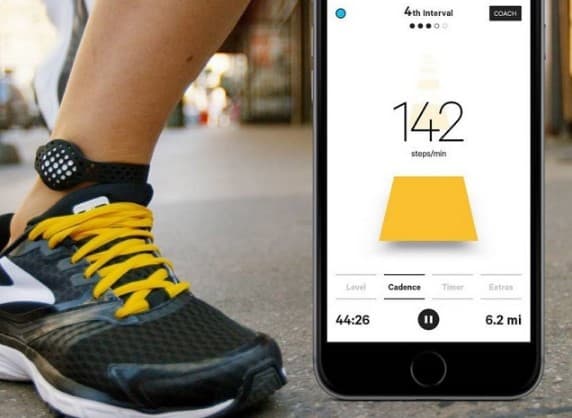
This analogous smart band is a fitness tracker and also your personal coach. The band supports more than twelve scientifically guided workouts. This Bluetooth enabled device allows you to connect to & compete with your friends.
The band is made up of Silicone and is also water resistant. This activity tracker has sport specific metrics and comes in two different sizes.
This is a projector that turns any room into the beautiful galaxy by projecting stars on the room walls and ceiling. It has a colourful mode enabled for when you are in a party mode. And the other is just a white light mode to transform your room into the perfect stargazing place. This projector also works as a rotational night lamp and is 100% kids friendly.
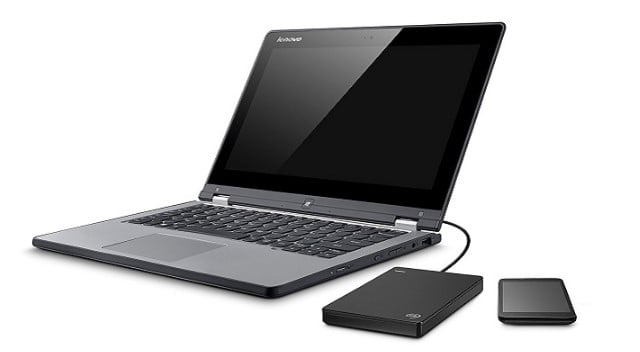
Gift your man some reliable Seagate storage for his favourite Game Of Throne series, e-book or for his high-end games collection. Gift him this 1-TB hard drive that even comes with a 200 GB of cloud storage & mobile device backup. How cool!
With this hard drive, all his photographs, movies and games will remain properly organised. And the companion desktop application will allow him to backup even the ones shared on social media networks. The 200 GB of free OneDrive space is available for two years included with the Backup Plus device.
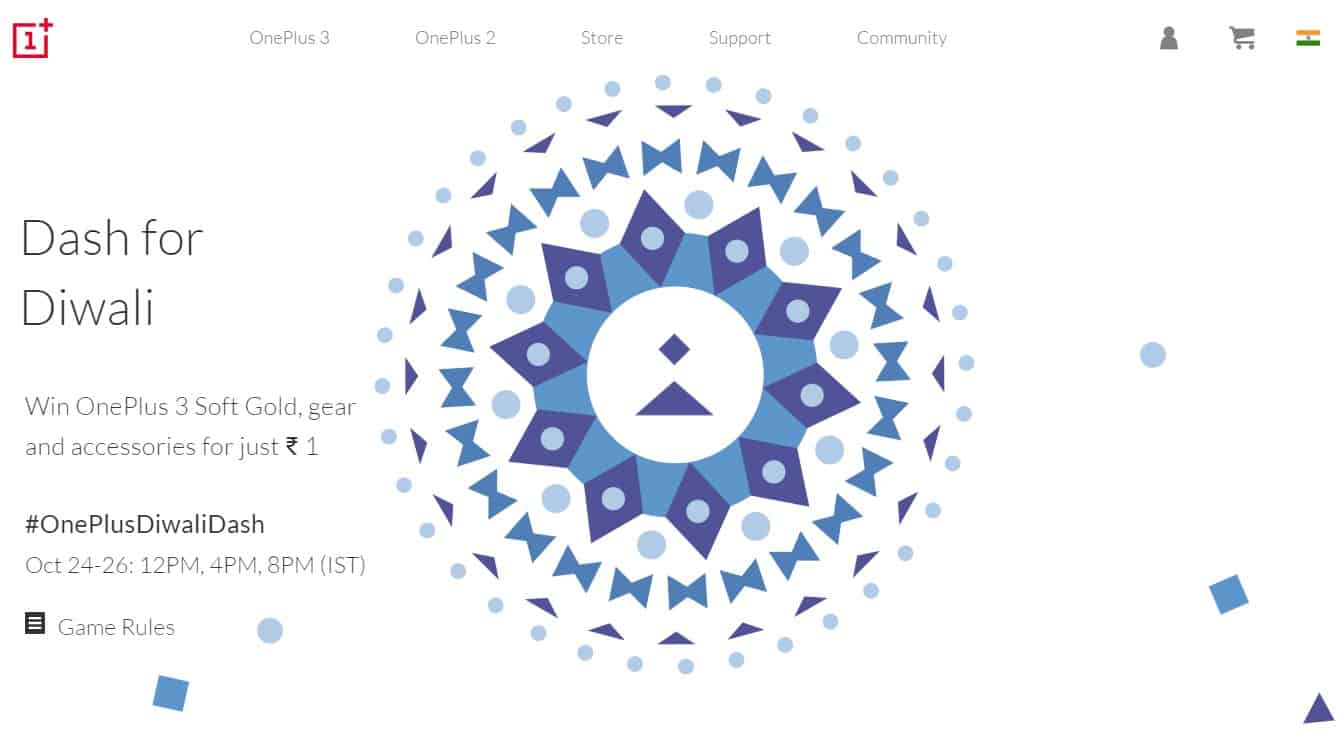
So now it’s time for OnePlus, the Chinese smartphone maker to also participate in the on-going festive season sales. OnePlus has announced its own “Diwali Dash Sale” which will be held from 24th to 26th October on its e-commerce web store. This sale will be carried out at on all three days at 12PM, 4PM and 8PM IST.
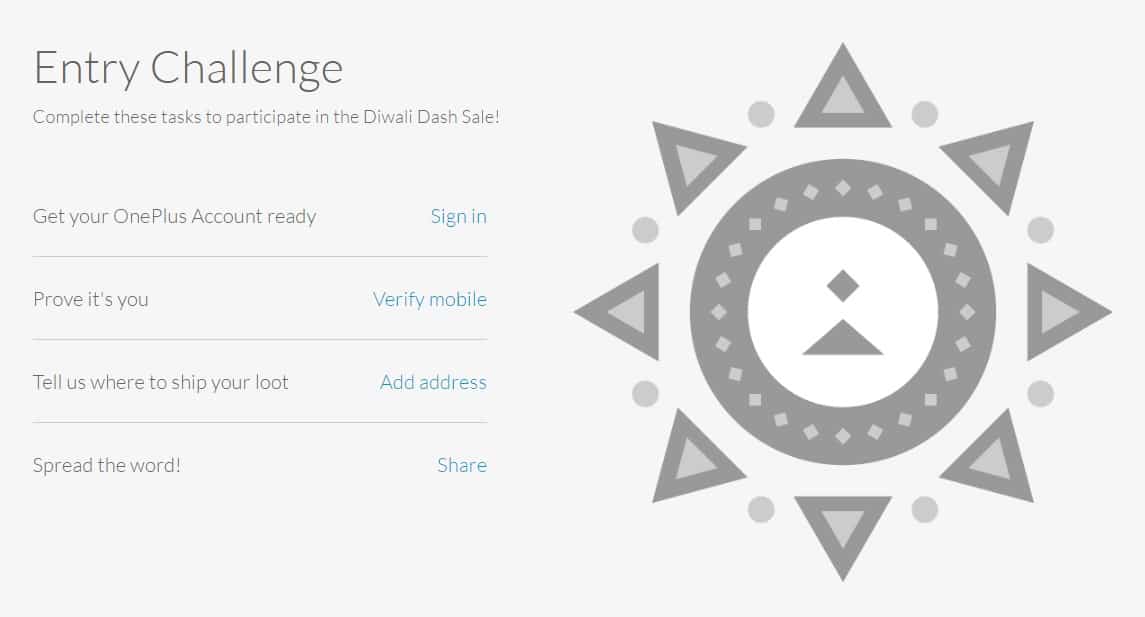
OnePlus is announcing on its website that the registered users can “win a OnePlus 3 – Soft Gold edition for as low as Re. 1*”. You will have to complete a four-step registration process to participate in the OnePlus Diwali Dash sale. Participation process involves the users to register their accounts for the Diwali sale on the OnePlus web store. You will then have to verify the mobile number, mention the shipment address and lastly you’ll have to share the event on at least one of your social media accounts using #OnePlusDiwaliDash.
OnePlus3 @ Re.1 – Diwali Dash Sale
This makes a selected number of registered users eligible to win an entrance ticket which will let them win a Mystery Box. This box contains products priced at Re. 1. And, according to the company, a batch of Re. 1 mystery boxes will be released via a lucky draw. This will keep continuing till all the Mystery boxes are over.
Users should make note that “one participant can draw only one box with one OnePlus account.”. You will have to make the payment of Re. 1 in order to see what’s there in the Mystery box. This payment has to be made within three hours of getting selected for the mystery box. After the mentioned time period, mystery boxes will expire.
Entry Challenge – Diwali Dash Sale
According to the OnePlus website,
“Your chances of drawing a Box depends on your Dash Level. Level up by registering your OnePlus devices, successfully inviting friends to sign up, or purchasing from the OnePlus Store (India).”
OFFERS FOR EXISTING USERS
The company is also providing their existing users with some additional benefits. All their users are entitled to get a Rs. 250 free coupon upon registering for the sale and entering their IMEI numbers. OnePlus is also hosting a contest for the users which again requires them to share about the same on their social media networks. The winner will stand a chance to acquire a special goodie bag.
*Products sold for Re. 1 will not be eligible for return policy.
There are chances that you might be very happy with your Android 6.0 Marshmallow experience. But there also are strong reasons to why you should make a switch. Android’s latest update is just upon us, and here is why you might be interested in Android 7.0 Nougat.
One of the main reasons here is the interface tweaks that keeps the Android experience fresh. There are a lot of improvements although some might sound quite similar to the Samsung and Sony phones but we have a list giving you those obvious reasons to upgrade.
IMPROVED NOTIFICATION SECTION
For most of the users, receiving notifications is really important. But for some of them, it can really be a pain. And here, Android Nougat does a great job. It fixes the painful experience by introducing a few updates to the notification section.
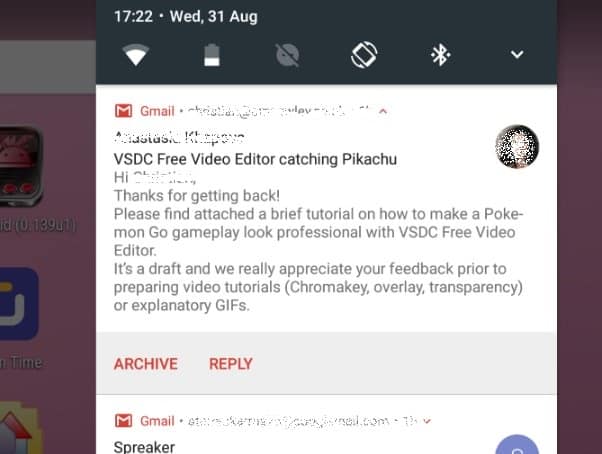
Probably the most notable change is the ability to quick reply to the message notifications. It’s such a simple idea that rather than going inside of the messaging app, all you need to do is just tap the Reply button & send your message directly. And this happens regardless of the screen you are on.
You can even designate priorities for your application, which prove useful for determining the sort of notifications that appear. It will also determine whether or not the notifications should appear on the lock screen.
MULTI-WINDOW MODE FOR INCREASED PRODUCTIVITY
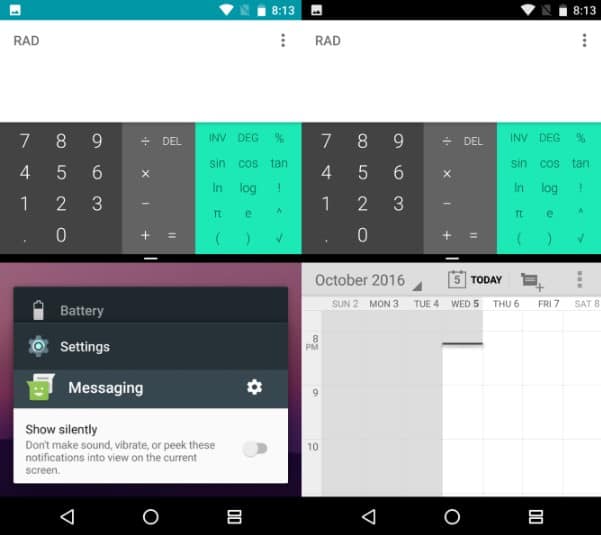
The all new multi-window feature allows you to run two apps simultaneously. But in fact, Samsung had already introduced its own multi-window feature way back in the year 2011.
A long tap of the Recent apps will split your display into two halves — your current app on the left side & the app switcher on the right side. This happens in the landscape mode. And it looks a bit like the Windows 8 snap feature.
What’s particularly impressive here about this feature is the ability to drag & drop images and text between the panes. However, this initially works in certain apps only and is expected to be widely approved.
QUICK MULTI-TASKING SWITCH
One of the most important aspects of the Android Nougat is its ability to quickly switch between the application. This is a new feature for Android 7.0 Nougat. For instance, you are using the Twitter application & want to quickly switch back to the Facebook application. If facebook was the last application that you used, double tap the Recents button and easily bring it up.
Though such a feature has been possible before for those running the custom ROMs or for those with certain manufacturer-specific software skins.
IMPROVED PERFORMANCE
Android 7.0 Nougat arrives with the faster gaming graphics, all thanks to the Vulkan Graphics API. These should guarantee in a better-rendered and smoother gaming experience.
Nougat also tweaks the Android Runtime compiler. This introduces Just in Time compilation in order for the devices to boot up instantly. This resolves the slow boot issues of Android Lollipop & Marshmallow. So it seems to be a genuine solution.
USER INTERFACE OF ANDROID NOUGAT
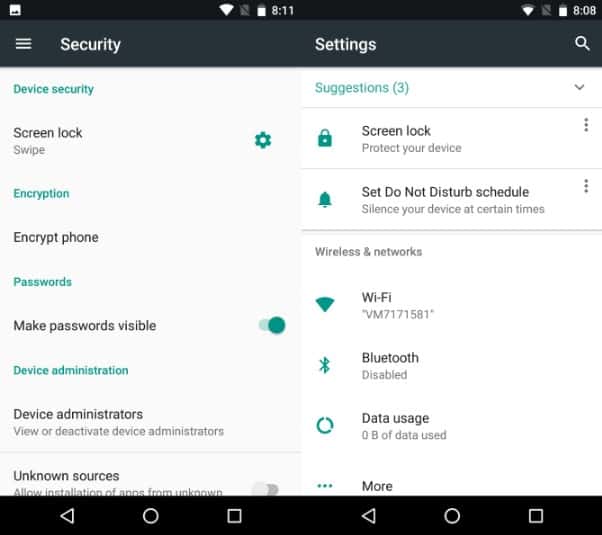
There have been various tweaks made to the visuals of Android Nougat’s user interface. Most of it is information-based. For instance, which Wi-Fi network you are connected to is displayed on the main Settings screen.
There’s also an introduction of the hamburger menu on the upper left. This should look familiar since it’s used in most of the Android apps. And it appears that this will eventually penetrate into every app on future Android versions.
Meanwhile, notifications take up the full width of the screen size. This makes it look cleaner and more functional.
DOZE MODE UPGRADATION
Doze mode is a big feature of the Android 6.0 Marshmallow saving your phone’s battery if it remained untouched for quite a while. With Android 7.0 Nougat, this has been intensified. Doze will now kick in any time the screen gets off. Whereas previously the phone had to be laid flat but now it can be in any orientation. This is an ideal situation for saving your phone’s battery power even if the phone is in your pocket. Smart!
But remember that such kinds of sleep modes can essentially delay your important notifications. Though you shouldn’t worry and you can set priorities for the same in the Settings.
SECURITY FEATURES
Protection is a growing concern for Androids hence its good to see new ideas being proposed to help users maintain their devices more effectively.
This can be found in and will prove useful to For anyone who is trying to trace the malware can find it at Settings > Apps.
Meanwhile, updating has been streamlined with the new seamless update feature where all future phones will be supportive of it. The Android OS update essentially installs to a secondary partition and it also happens in the background. Restart your phone and the Android switches the partitions. Therefore you will painlessly be introduced to the latest update.
Android 7.0 Nougat also introduces you to the granular controls over what records your installed applications can access. This means that rather than granting permissions to everything like before you can prevent an app from accessing your files. This is a really important addition. And apart from the granular control it also has a file-based encryption enabling protection of your files and folders from hackers,
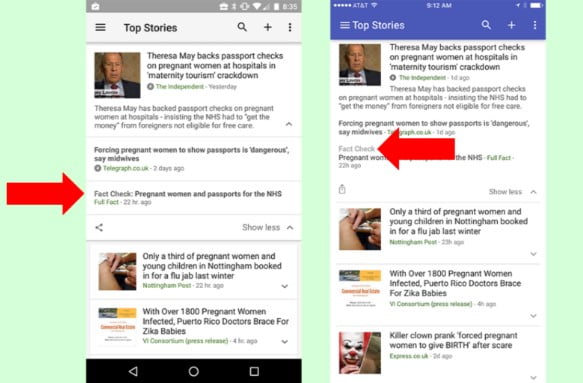
Google recently has introduced a new feature called as the “fact check” that will add a label next to the news stories in the search results that a person makes. This will help the readers to ensure fact-checking in comprehensive articles of the Google News. The Fact Check will appear with the other news organisations in the Google News. It will shine as light on its efforts to separate the facts from the fiction.
The Google News currently labels stories according to their kind of content and origin. Stories of the local origin are labelled as “Local Source.” Whereas the opinion articles have the “opinion” label. And all the Wikipedia stories are tagged as “Wikipedia”.
Richard Gingras, Google’s head of news, said in a blog post, “You’ll see the tagged articles in the expanded story box on news.google.com and in the Google News & Weather iOS and Android apps, starting with the US and the UK.”
In today’s information age, stories do spread quickly be it accurate or not. Especially the website that depends on clickbait for traffic, potentially fabricate the news articles or spread rumours. In this scenario, fact checking websites monitor the majority of the stories and verify their content & source authenticity. Hence, stories those are fact checked by the recognised fact checking networks will be tagged with the label in the Google News.
The fact checking networks supervise over 100 news publication websites to maintain their information accuracy. Fact checking is basically a collaborative effort and is also one of the greatest initiatives is the International Fact Checking Network.
The labels can be viewed in the expanded story window on the Google News pages. But this update first has been rolled out for the UK & US versions.
These labels will be marked on the web version of the website and also on the mobile apps for iOS & Android.
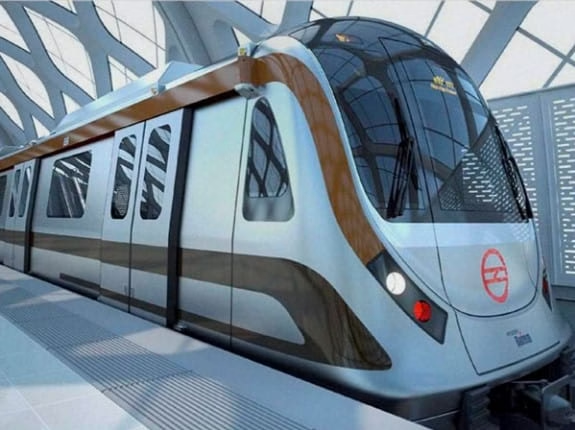
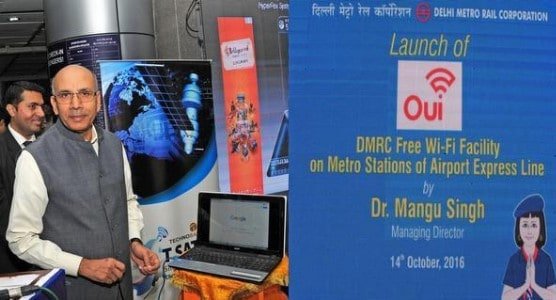
The Delhi Metro Rail Corporation (DMRC) inaugurated on Friday a free Wi-Fi service across all the six stations of the premium Airport Express line. The facility is launched at the Shivaji Stadium metro station. And to this, DMRC Managing Director Mangu Singh said that the stations on the Blue Line, stretching between Dwarka and Noida/ Vaishali, will be the next to equip with the free Wi-Fi service.
DMRC managing director Mangu Singh launching the free Wi-Fi facility at Shivaji Stadium Metro Station
A speed of 2 Mbps has been rolled out which may go as high as 50 Mbps. This is actually a great speed for public access and one can easily download a movie within minutes.
This service will be provided to all the commuters throughout the 22.7-km stretch of the Airport Express line (including all six stations). Mangu Singh inaugurated the free Wi-Fi facility which is named as “Oui DMRC Free Wi-Fi”. “Oui” is a French word meaning “yes.”
What all can be accessed with the free wi-fi facility?
Commuters will just have to search for the Wi-Fi connections on their smartphones & select the “Oui DMRC Free Wi-Fi” from those available. Once logged in, users can access all the popular internet apps like Facebook, email, and Google. They can also make video calls as well as watch the live streaming of cricket & football matches etc. And all this will be inside the station premises.
DMRC has tied up with Techno Sat Comm to bring up the free wi-fi facility. The company presently runs India’s first on-train Wi-Fi service on the Delhi-Howrah Rajdhani Express. Techno Sat Comm has been awarded a 10-year contract by the DMRC in this regard. They also plan to extend the free wi-fi facility across other corridors of the metro network.
Amit Mohan, Assistant Vice President of the Software and Mobile App, Techno Sat Comm, told IANS:
“We have entered an alliance with DMRC to provide internet connectivity across their whole rail network. It is likely to complete by sometime next year.”
Earlier this year, a limited WiFi facility has also been launched on the DMRC’s Yellow Line. The metro stations include Rajiv Chowk, Kashmere Gate, Central Secretariat and Hauz Khas. This move is in association with the Rail Tel Corporation.