Home Blog Page 156

Visualising Time: A Project Management How-To Using Google Sheets

0

The idea is everything in executing any task. It simply means to visualize the outcomes of a specific task and then executing it after careful planning. The third part is of managing all the possible outcomes of the project so that every task is completed accordingly.

According to Google’s new update, deep keyword research has become a very effective way to increase your website ranking in just a couple of days here’s a powerful tool that helped many experts to increase their organic keywords known as SEM Scoop.

Here, in this article, we will provide you a brief knowledge about the visualization time required for the management of the project and how it can be made easier and faster using different types of software such as Google Sheets.

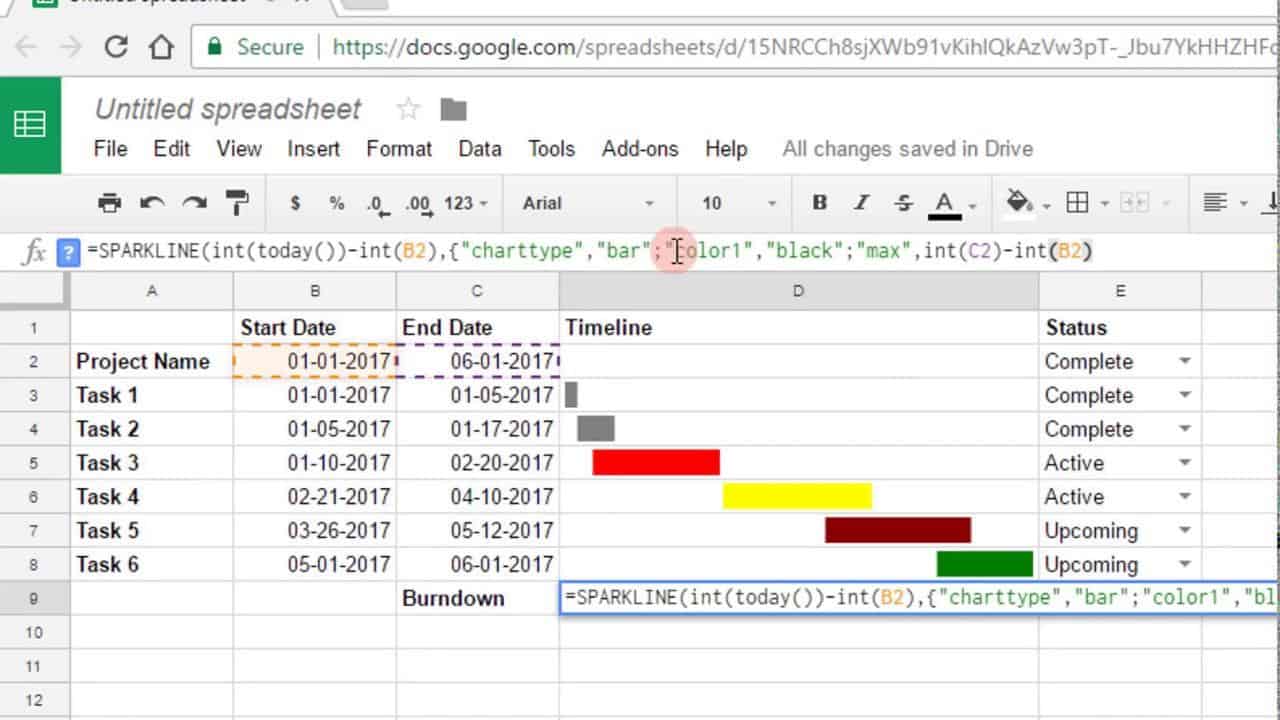
Google sheets are the most efficient way of visualizing the project progress and management nowadays because it provides certain easy methods through which you can manage your required task in a shorter span of time.

google sheets

Like any business owner, it is really important that he visualizes the time and provide the results in a given time. Management of the visualize time is the real goal to success and hence to have positive results you can plan and strategize the whole project.

Most of the business, in this article, we will provide you with all the latest and updated information about the best management and visualizing the proper time frame in order to carry out any required task easily. We will also provide you with the best project management skills through proper time management and resource management.

Not only these we will also tell you the best and proper ways to record your tasks in an orderly fashion using the tools like Google Sheets.

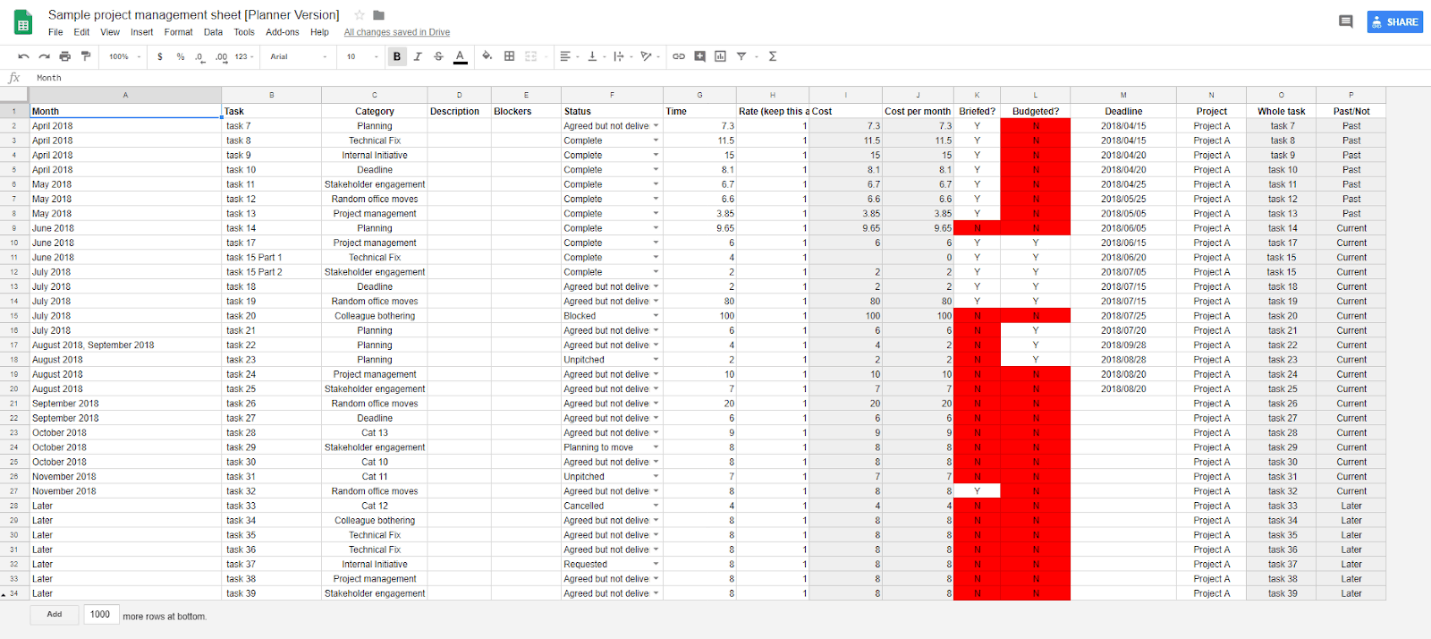
Various templates of the Google sheets have been introduced from which you can choose according to your preference and type of need. There are three basic types of Google sheet templates one is the “Planner version” which has all the information you need to plan a whole project in a minimal time frame. learn some important aspects of google sheets How to Share Only Specific Sheet/Single Tab in Google Spreadsheet.

The other one is the “Stake Holder version” in which there is a more distinct view for the business owner to have the proper overview of the things they have to perform and the third is “What in the Gods name I am doing version” which provides the all in-depth detail about every task and also provide the instruction about the things which you are doing wrong. 

Instructions and Functions of Google Sheets: 

Google sheets is an amazing and utterly useful software which not only helps the users to perform their tasks accordingly and systematically without any interruptions but also provides the option of visualizing the time which would take to carry out the project and help him to manage it properly on a day to day basis.

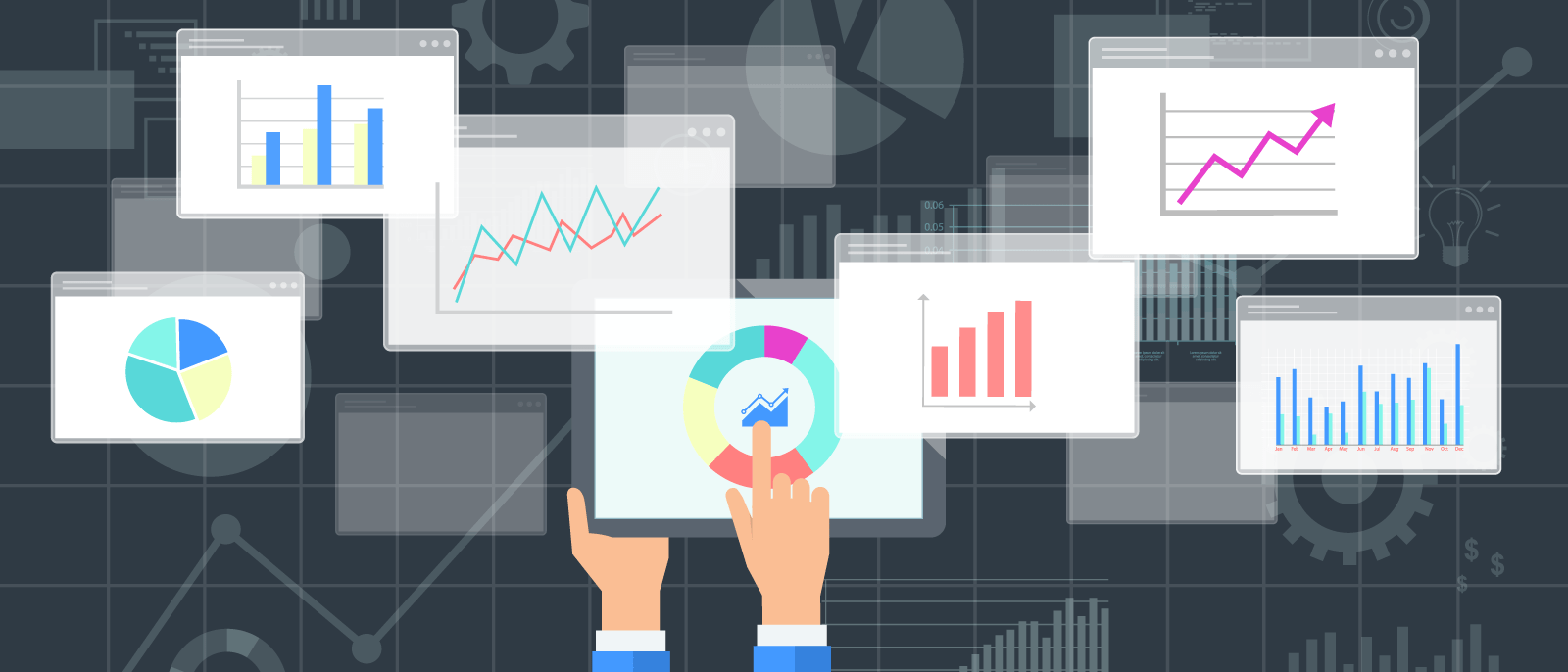
This whole day to day division process of the work can also help in making the task more viable to understand and enables the users to manage the specified work in a limited time frame.

These are all the advantages disadvantages and the solutions of different queries which can help in visualizing the time frame and helping you in the project management due to the google sheets, a software which is efficient in managing such kind of data with ease. 

Reduction of Problems: 

The first and the foremost benefit of using the Google sheets for the project management, to minimize the time frame of executing the specific or assigned task, helps the user to reduce the problems which they are facing while accessing the task to be accomplished on a daily basis. Usually, when assigning the new tasks and editing the previous ones, there is a huge chance that problems could occur.

So, in order to complete this task easily, you should use the nearest possible numbers and word combinations while altering the required information. Secondly, instead of making a new row you can just copy the previous ones if the inserted data is similar.

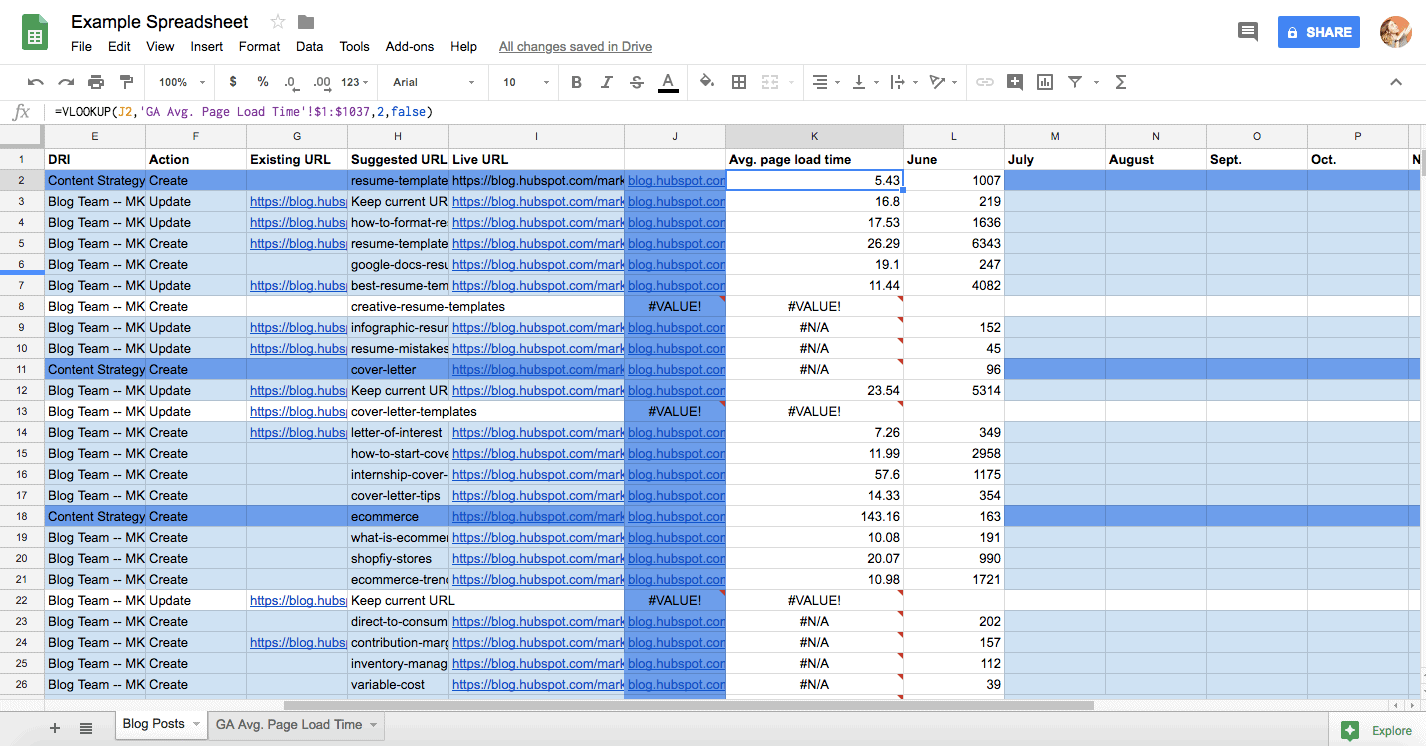
This will result in also coping the specific formulas inserted in each block and reduce your engagement time and effort. It also goes with the columns because if you add more columns it might affect the =query () function applied on the previous column so in order to make no mistakes you should definitely check all the =query functions after the addition. 

Alter Differentiation Between Planner and Stakeholder View: 

In order to Visualize the time frame in a Project Management we use the methods of taking help from the Google Sheets and hence there are two options to view, one for the planner and the other is designed for the employees or the users to monitor and work accordingly through the planner.

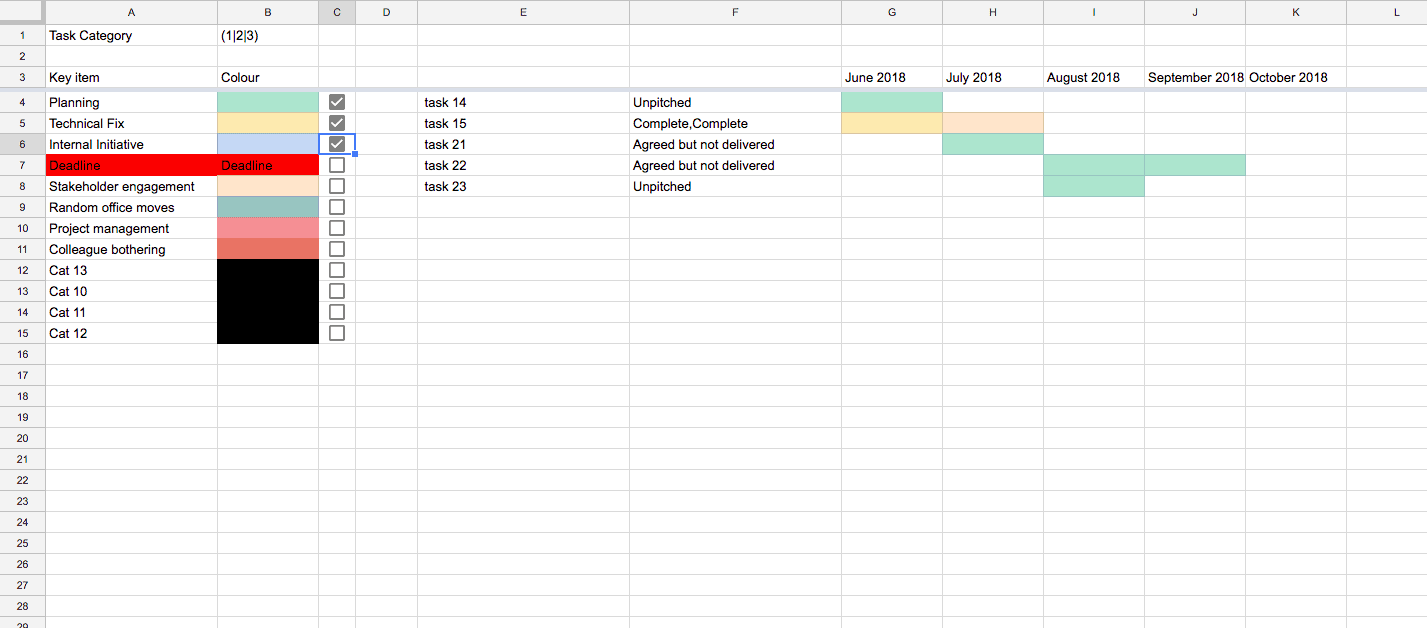
In the Google sheets, any change in the planner’s view should be Email based and the individuals who have access to the stakeholder view can easily gain the URL of the destination of the altered sheet and work accordingly to save time and play a vital role in the management of the tasks. 

Utilizing the Query Functions:

The query functions are the main source of formula implementation in the google sheets which saves a lot of time while planning and managing various tasks because you don’t have to evaluate every time, the same thing, again and again. The Query function does it for you every time you add a certain amount of data at the specified location in the Google sheets. Query functions are amazing in terms of their performance which result in a lot of time-saving tactics and the automation of data can easily be done with these types of function.

There is a minor drawback of the query function and that is it is a little bit slower in terms of the process of a large amount of data every single time.

We there is a solution for everything and it has one too, you can use the Filter function to replace the query function and take faster results through it. This can be done in order to shorten the time frame of the whole task after time visualization and it also aids in the management process.

Use of Is-Blank: 

As there are the functions like filter and query which helps to apply different types of formulas on a large amount of data in order to automate and manipulate it after the time visualization for the project management which could be in the favor of the business.

The functions on the data blocks in the Google sheets can work if the data is inserted but if there is no data in the blocks there will be some kind of garbage value on which the formula will be applied and can give abrupt and uncertain results.

Well, we also have a solution for it too that will save you a lot of time while you are visualizing the time frame for the project management.

There is a function called the Is-Blank function in the Google sheets which you can simply apply of the blank spaces of the selected portion of rows and columns, as there are large spaces in the google sheets which can be occupied by the data this function is really useful to be used in them as it saves loads of time during. 

Dividing the Tasks Into Multiple Time Periods: 

The Google Sheets also provide a wide range of options for the users in order to manage the tasks assigned in the projects and also helps to visualize the time frames of the task assigned.

You can split the tasks easily through different time frames so that you can easily divide the required tasks in a given time and get it done before the deadline of the project so that the whole project can be completed easily and in limited time intervals.

You can join multiple cells easily and can just separate it with commas so that a simple function can easily be applied on it and the time could be saved of the whole working period. This can be done on various time frames as there are a lot of dates of one month but a single function can be applied on the whole month and then can be separated from the new entry by a comma. Hence it will be distinguished as a separate part of a single entity in the cell. 

Summed Up Overview: 

At the end, it is as simple as providing a keystone of a treasure to you. So here is all the information about the best and methods of time visualization and management of the project using simple and efficient software like Google Sheets.

We have discussed all the possible outcomes and the ambiguities which could be faced by you while using the Google sheets and at the end visualizing the time frame to end the task. I am sure you will love this article because of the amazing and engaging content provided in this article.

I hope all the information which provided in this article should be of great use to you and help you in clearing all the doubts which were babbling in your mind for a long span of time but if there is still anything which is left unexplained then there is no need to fret about it.

You just need to contact us and ask anything you deem necessary to know without any hesitation. Till then make good use of the information provided in this article and stay tuned for more informative and intriguing information. 

Finding the right innovative 21st century PCB design software

0

There are many different PCB design software packages on the market and getting the right one for a credible designer is key in order for them to provide the best designed component to their customers.  With technology changing at a significantly fast rate and the voice of the customers increasing, the design teams have a massive challenge in their hands to come up with the best, intelligent but compact PCB design.  Altium is one of these design packages that seems to tick all of the boxes and is well recommended by many specialists. Here are some of the reasons.

Access and Support

There are several options to you in order to access this package with the simplest being downloading onto your laptop or computer.  Once there, then off you go however it is important to continue to refresh the version numbers to ensure that any updates and improvements to the package are captured.  This can normally be done via download from the sites. Not everyone is an expert on these software packages and it is important that you have enough support around you in order to assist if you have problems.  Whether you are a beginner or expert, there is different levels of support in place to ensure that your needs can be met. You can contact them for technical (or account) support via email, phone or maybe even post on one of their forums.

Innovation at Its Best

If you are choosing layers for your rigid PCB then it is a really important execution that designers need to undertake.  Tasks like this is something that Altium is geared up for and helps with the stack up task needed to support this.  Previous versions of design software may not have been capable of completing this sort of activity however this is just one example of how they have taken the needs of the designer and integrated it as best as they can into the software element in order to try and mitigate the need for additional work or even calculations from the designer.  

Simulation Runs

In terms of getting PCB designs right first time, it is important to use any preventative tools you have to support this.  Altium offers the modern and innovative simulation runs to their package where once the design is complete you can give this a run to see if it operates effectively.  It is important to bear in mind that the simulations will only be an indicator of the design success and only when you have manufactured will you actually get the real evidence.

Global Package

Whether you are a small business or a global one, you will want people on your package to integrate together and share and open items in the library storage.  Altium does all of this hassle free and supports integration at ease. Gone are the days where people had to walk around with memory sticks and transfer designs and data.

Amazon Launches Alexa App For Windows 10

1

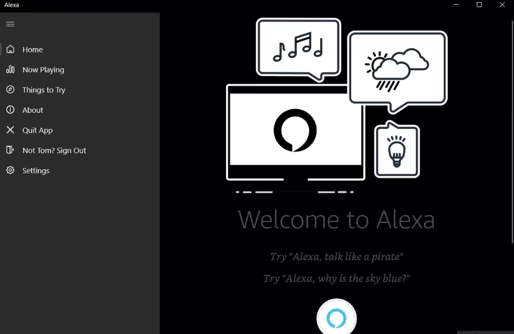
This Diwali Amazon had quite a gift for Windows users! On Thursday(Nov 8) Amazon launched an application of Alexa for all the Windows 10 PCs. Noweveryone who owns Windows 10 can enjoy the benefits of voice commands on Alexaand get things done with much more ease! The ability to use a servicehands-free, and get a load of tasks done is quite a luxury.

Is that not great news! It opens the doors for a whole new world of possibilities on the technology aspect for PC users. Some of the basic things that users can do with Desktop Alexa is, creating a to-do list, getting latest updates on news, get weather reports, set timers and alarms, schedule appointments, play music, control a smart home, set alarms, manage meetings, and much more!

This new step by Amazon, shows that they are freeing Alexa from the Echo speakers and other general home devices. The Alexa for Windows is very similar to Alexa for mobile. It can also be used for more real-time activities like locking the door, checking CCTV footage, get live updates while travelling, etc. Currently it is only available in U.S, U.K and Germany. They are planning to extend it to more locations all over the world soon.

Some of the features that Alexa Windows doesn’t support are Spotify, Pandora, video and communications. This news was followed after the Cortana-Alexa integration which lets a user call Cortana through the Echo speaker and also on the Invoke speakers.

Some PCs have something called ‘Alexa Built-In’ which as the name suggests, is already built in into their systems. The users would be able to speak to Alexa hands-free. Personal Computer and Laptop companies like Asus, HP, Dell, Lenevo and Acer support Alexa Built-in. Alexa was even showcased during the debuts of various PC’s in January of this year. At the events, all these companies revealed their partnership with integrated Alexa voice assistant to their upcoming models of tech.

Highlights:

  • Alexa now available on Windows 10 devices
  • Announced on November 8, 2018
  • Currently available in U.S, U.K, Germany.
  • Features like door locking, setting appointments, traveling, etc are active.
  • Some PC manufacturers get a hands-free Alexa access.

About Amazon Alexa

Amazon first introduced its first virtual assistant in November 2014. This smart piece of technology was first induced in Amazon Echo and Echo Dot speakers developed by Amazon itself. You can use this virtual assistant to schedule your meetings, get quick information and even lock your doors. Users can even extend the use of Alexa by installing a set of skills (which are manufactured by third-party vendors) which will give you access to even more fun features and optimization. To activate Alexa, you have to use a wake word by calling out her name. The languages that Alexa supports currently are English, Spanish, Japanese, Italian, French, and German.  It is said that the real inspiration behind Alexa was the science fiction TV series called “Star Trek: The Original Series.” Another interesting fact about Amazon’s Alexa is that its name was chosen for quite a logical reason. The hard consonant with X which makes it very easily recognizable.

7 Ways AI is Shaping the Drone Industry

0


This drone is checking on a field for a farmer. Drones can now be deployed with chemical sensors and heat map sensors to see if crops need more water, more fertilizer or more pesticides. Remember the days of the hand plow being pulled behind a horse? 


We all love our drones. They’re fun, they’re fast, and they’re incredibly versatile. From playing pranks on friends (think of Darth Vader’s theme being played while slowly flying toward your friend) to carrying messages to property surveillance, drones are here to stay and they are more of a hobby pastime than ever before! 

Thankfully, AI (or Artificial Intelligence) is making them even easier (and more fun!) to use today. Let’s explore some of the ways in which AI is affecting the drone business


1. Construction Site Surveillance 

Construction site managers have the work of an office manager (coordinating people to all work together to accomplish a task), except that they work in dangerous building areas, with people who use heavy equipment, and in a very loud environment. This is an extremely difficult job. 

Regular drone usage allows construction site managers to view the entire site all at once. This bird’s eye view is incredibly helpful when gauging how things are coming along and how “on time” the project is. 

AI can work with this drone camera assessment and power self-driving vehicles. This is a great way for people to be responsible for heavy machinery without also being in the middle of a potentially dangerous job. Employees can manage their equipment one piece at a time, by viewing it through drone surveillance, and then set the AI to perform repetitive tasks. 


2. Surveying Land (especially useful for permaculturists!) 

Land surveyors take a lot of time and effort and precision walking around a property and measuring shape, length, and elevation. Even the slightest elevation is useful to some property owners, especially permaculturists who want to create swales along a horizontal line that curves around the hills of the land. 

Regular drones can take camera footage, elevation footage, and other targeting software to map and survey the land. However, any elevation MEASURING has to be done after the fact, in a computer lab. You might as well just get out there with your plumb bob and do it by hand. 

AI can make this process so automatic that surveying is built into the video taking software, rather than having to be extracted after the fact. AI can also make it easy to identify unseen dips and ditches in the land. This can be incredibly useful when planning a construction site, a home site, or a professional field of any sort. Unseen dips in the land need to be viewed accurately and AI can have the drone take very accurate data about the layout of the land. 


Image Source


Cities can employ drones to keep track of weather conditions at the altitude where things are happening. Tourism agencies can also take stunning panoramic views to boost visits to the city. If you’ve ever wondered where all these amazing cityscapes come from, they’re NOT coming from a guy in a shaky plane hanging out of the door while it flies overhead. They’re being taken by a handy-dandy drone. 

3. Emergency Supplies to Local and Foreign Lands 

Hurricane victims who are trapped by water and rubble may need food and water while they wait for rescue workers. Tornado victims may need thermal imaging to help firefighters identify where they are in all the wreckage. Both local and domestic natural disaster victims can receive medicine and hygiene and food and water through the use of drones. 

Regular drones can act as carriers or parcel messengers between locations. Their range can be limited, and some smaller drones may not be able to fly in particularly windy conditions. 

AI can make this process a 24-7 service which regularly picks up supplies and flies them back to people in the disaster area, identifies people through thermal imaging and drops the packages nearby. This process can be automated to run around the clock until everyone has a package of supplies. AI software can also help the drone avoid particularly windy or stormy areas to increase the chances that it won’t get lost or damaged. AI can assess the air currents and weather around a particular area and choose the safest path. 


AI can program drones to fly at a specific altitude and shoot the target (you or your client) at a specific angle. This can be a great tool for shooting music videos, family reunion videos, your own private version of Bollywood, etc. Remember to wear clothing which is flattering in the wind. 


4. The Ever Ready Military 

Predator drones (which have the most awesome name in the world!) are great at identifying targets, cities, buildings, areas, etc. which are targeted by the military. This can actually reduce civilian casualties by only targeting individuals who match face recognition software which has been uploaded to the drone. 

Regular predator drones have to be programmed individually. This takes a lot of time, man hours, programming skills, and these are larger models which can more easily be shot out of the sky. Fortunately, newer stealth models are being made and tested as we speak. 

AI can make this process simpler and safer by going back and forth with armaments and only targeting those programmed into the drone. Quick dispatches and returns can reduce the risk of being shot down and drones can be sent out instead of people. Unmanned warcraft is far safer for our guys and far safer for the nation’s civilian population. Precision warfare in all of its droned beauty. Remember to not try any of this at home. There is plenty of room of accidents when arming a drone. Only use licenses professionals if you want to explore this further on your own. 

5. Badass Action Shots 

If you are an action-adventure type of person or you do action photography, drones are perfect for you. Whether you are hitting a particularly good wave and need the whole thing on video or you are a downhill skier and need that epic shot of turning the perfect bend, drones can make your life look as good as it is. 

Regular drones can get excellent photography shots and video reels of you or your client doing epic adventure shots. 

AI drones can be programmed to fly at a specific altitude, shooting the video the whole time with high-definition panoramic view so that it gets everything. AI can also be used to program your drone to follow you at a specific distance and shoot your scenes from a specific angle of elevation. This can take your photography and videography to a whole new level. 


Video Here


Want to see something totally badass and cool? The U.S. Military released a swarm of micro-drones from a jet and we get to see the footage AND the computer screen. 

6. Real Estate Beauty Shots 

More and more often, real estate agents want to show bird’s eyes views of a property. This does not just include overhead, long-distance shots, but also closer, slightly overhead views of the house and buildings. This is especially needed in the luxury real estate market with the property in its vast expanse viewed from many different angles and from many different altitudes. 

Regular drones can snap a few long-distance bird’s-eye view shots. This often makes the property look smaller than it is and is not as good for real estate photos, which must be ultra-high-quality and in the right proportions and distance to make the place look massive. 

AI can be adjusted to take a series of photographs from different angles, using the home as the central target on the computer map, at varying altitudes in order to get the right shot at the perfect time of day and not have to take hundreds of shots to accomplish this. 

7. Automatic Internet in Remote Areas 

Facebook is not the only company trying to bring remote-access internet to the rest of the world. Drones can now be used as temporary internet transmitters across any stretch of land in the world. 

Regular drones can hold energy in their solar cells and transmit the internet for one or two hours at a time. 

AI has made everything automatic. Drones can keep track of their own battery power and lower themselves to the charging station when they need a fill-up. AI can also automatically deploy replacement drones to fill the needs of the internet while working drones go back to their charging station to refill. 

Drones are awesome. Artificial Intelligence will take the awesomeness of drones and shoot it to new heights. You not only have your little minions flying around taking over the world for you, but you also have your computer watching carefully over them, making sure they obey your every command. What more could an evil overlord want?

5 Applications of Big Data on Social Media Marketing

1

Big data has left a great impact on many areas and is changing the manner in which people work, from healthcare to retail, and social media marketing is no different. While social media was earlier intended to connect friends remotely, its application seems to have changed big time! Today, social media platforms like Twitter and Facebook are used by companies to expand their customer base through social media advertisements. Scheduling posts can be easily done with help of social media sharing apps like socialbee.

Social media is not only an output for marketing campaigns, but it has also expanded to become a key input for planning your impending social media strategies. From comments, shares, likes to followers and following, you can learn much about your customers and their behavior, simply by accessing their profiles in social media. With the massive quantity of data accessed daily from social media platforms, big data is helping marketers and brands to manage these data in order to get actionable insights.

Application of big data on social media platforms can be your game changer if you are capable of designing consumer preferences that are likely to attract customer leading to sales.

While big data a key milestone in social media marketing, it is important that you backup this data safely to avoid headache of losing such sensitive and crucial data. SSD data recovery techniques will help you with any data recovery options you may need.

There are many ways you can use big data in social media platforms to achieve success.

Benefits of Big Data in Social Media Marketing

The benefits of big data in social media marketing are many. Harnessing the available information from social media platforms as a marketer can:

  • Help predict your consumer reactions to the product offerings and marketing messages
  • Optimize your distribution and production strategy
  • Create an accurate profile of your consumers
  • Create more accurate product assessment measures
  • Personalize those product offerings and marketing messages
  • Retain more a volume of customers less expensively
  • Perfect digital campaign-based and marketing strategies
  • Obtain product knowledge, among other tactics

Here are 5 key applications of big data on social media marketing:

Vision Recognition

When big data is used in social media platform to recognize images available in the pictures, it can help you generate custom classifiers. When you load a photo on social media, the application displays terms that represent the items it has found in the photo such as objects or events. You can train your application on specific image sets such as logos for customized images recognition in real-time. This will greatly help you as a social media marketer to detect those customers that are posting on your social media pages prompting you to engage them.

Personality Insights

Deeper, data-driven customer knowledge is vital to tackling challenges like personalizing campaigns to boost revenue, lowering customer acquisition costs, predicting and avoiding customer churns, and enhancing customer conversion rates.

However, customers today network with companies via multiple digital interaction points such as mobile, e-commerce sites, online stores, social media and more. This increases the variety and complexity of data you have to aggregate and analyze.

Using big data in social media platforms can help you analyze personality attributes generated from posts like social posts and emails to enable you obtain factual insights about people. You will uncover a deeper insight of your customer’s needs, personalities, characteristics and the values that drives personalization.

Outputs from big data can generate a profile with three personalities in the aspect of values, needs and the five key traits that defines how an individual engages with the globe.

Personality information will help marketers to capture a full understanding of the audience using the available social media data and demographic information. When you have a full insight of your customers, you can personalize interaction, hence improving conversion
Promotion

Targeting customers that are likely to buy your products or services is another useful application of big data on social media marketing. With this useful information, you are capable of testing functional messages and adjusting with plan in case you realize they are not working. You may also leverage the data to test and predict the likely reactions from specific consumer messages. This means that you can do headlines with a sample population before sending them to those with a likelihood of opening them. You can then use open rates and click through to qualify leads into your sales funnel.

Placement

Another application of big data on social media marketing is to get the right channel for your products or services. From the social media platform, you can set the correct supply changes and change placement as well if necessary.

Today, there is a big decline in the number of ads published in the newspapers. Many companies are either erecting a paywall or going online to incorporate a paid or free online campaign. Big data can help you determine the right move for placement.

Product

When you want to get the right understanding of your product, it is advisable that you use big data in social media platforms. You will conduct a quantitative and qualitative online market research on your product. Online market survey and video conferencing tools will focus mainly on small groups hence, carrying out quick market surveys. You will see the social media mentions for your consumers and brand. You will analyze and review the data from your social media assets like blogs and pages.

There is a big increase in those consumers interacting with your company locally through social media platforms. You need to make use of big data in social media platforms to track and analyze your client’s behavior from social platforms. Brand interaction with your customers with open up in minutes.

Conclusion

There is a big growth in the consumers interacting with your brands locally through social media platforms. There has been an increase in customer base that are interacting with your company locally via social media channelsYou need to monitor your brand online and track the data through social media analytics tools. You need to apply big data in social media for tracking and  analyzing the behavior of your customers from social sites. Brand interaction with your consumers will open in minutes.

When your social media strategy has been accomplished, analyze it again and use it further to refine the process.

Big data plays an important role in bringing social media marketing technique to the top of all the marketing techniques. Big data plays a vital role in any marketing technique a company may employ. Therefore losing such important data will automatically dent your operations, especially if you do not have a backup. This calls for an SSD data recovery technique to help you recover back your data and resume normal operations.

About Guest Author:

Robin Jago is editor in chief at TTR Data Recovery. He is a data scientist, and has decades of experience in writing posts on big data management and analytics.

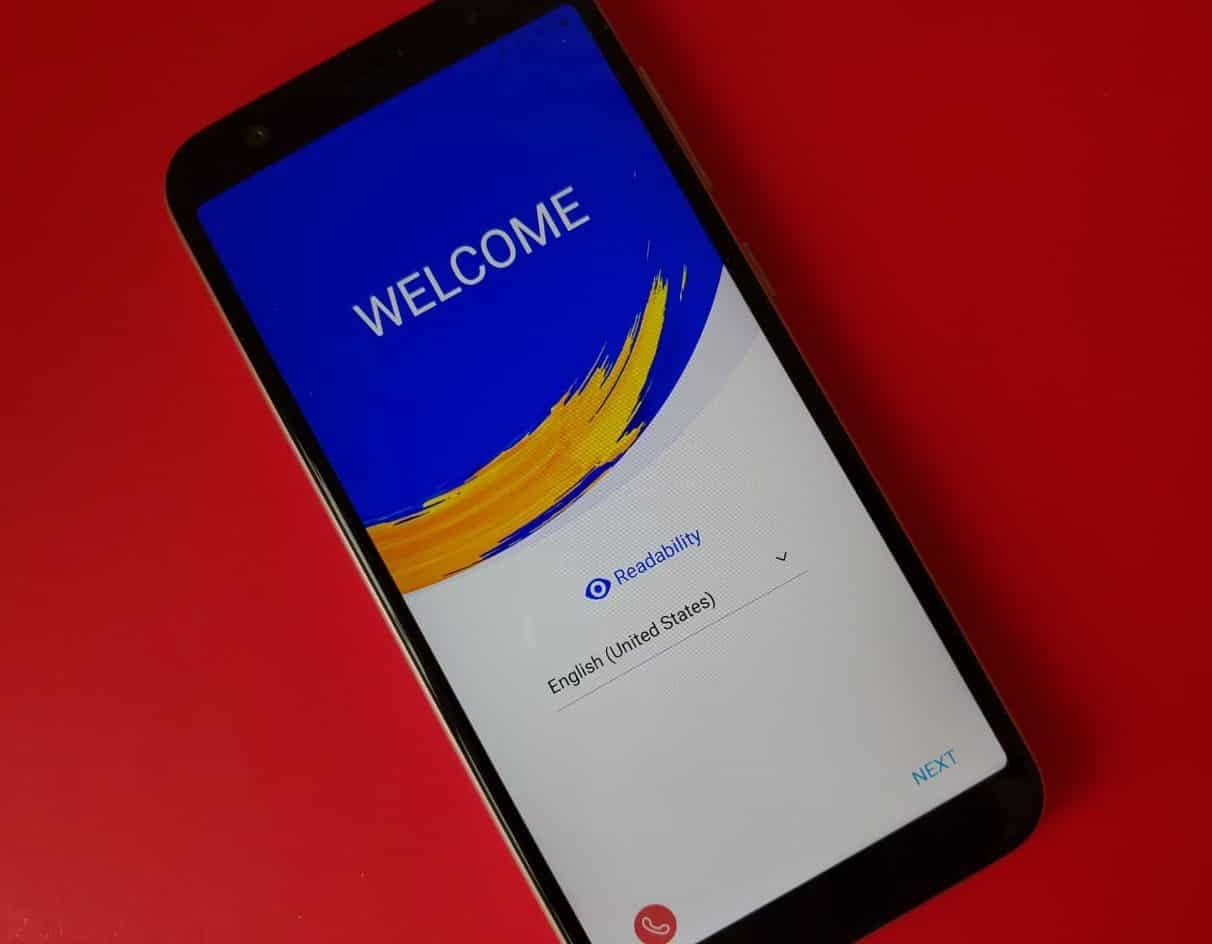
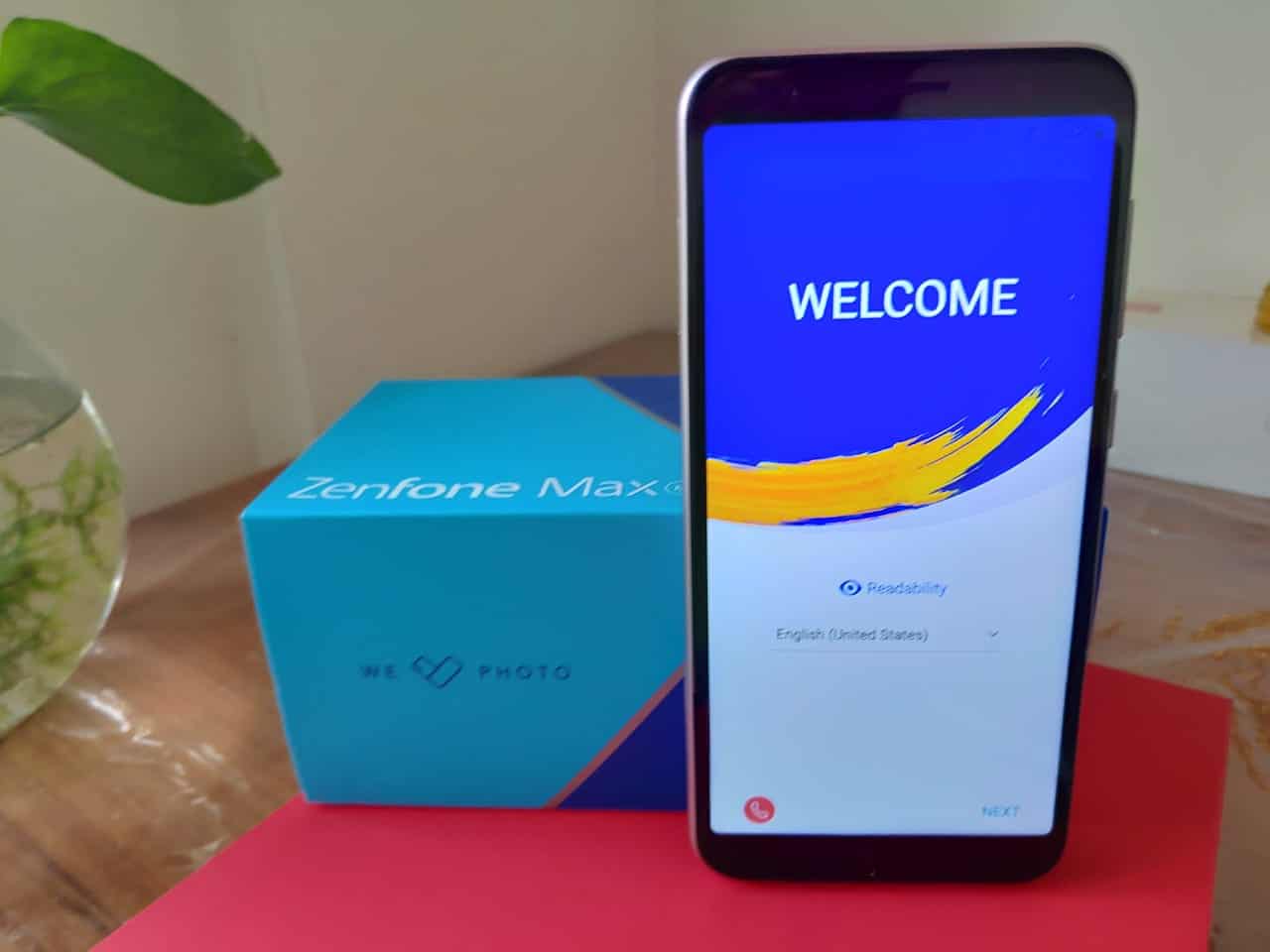
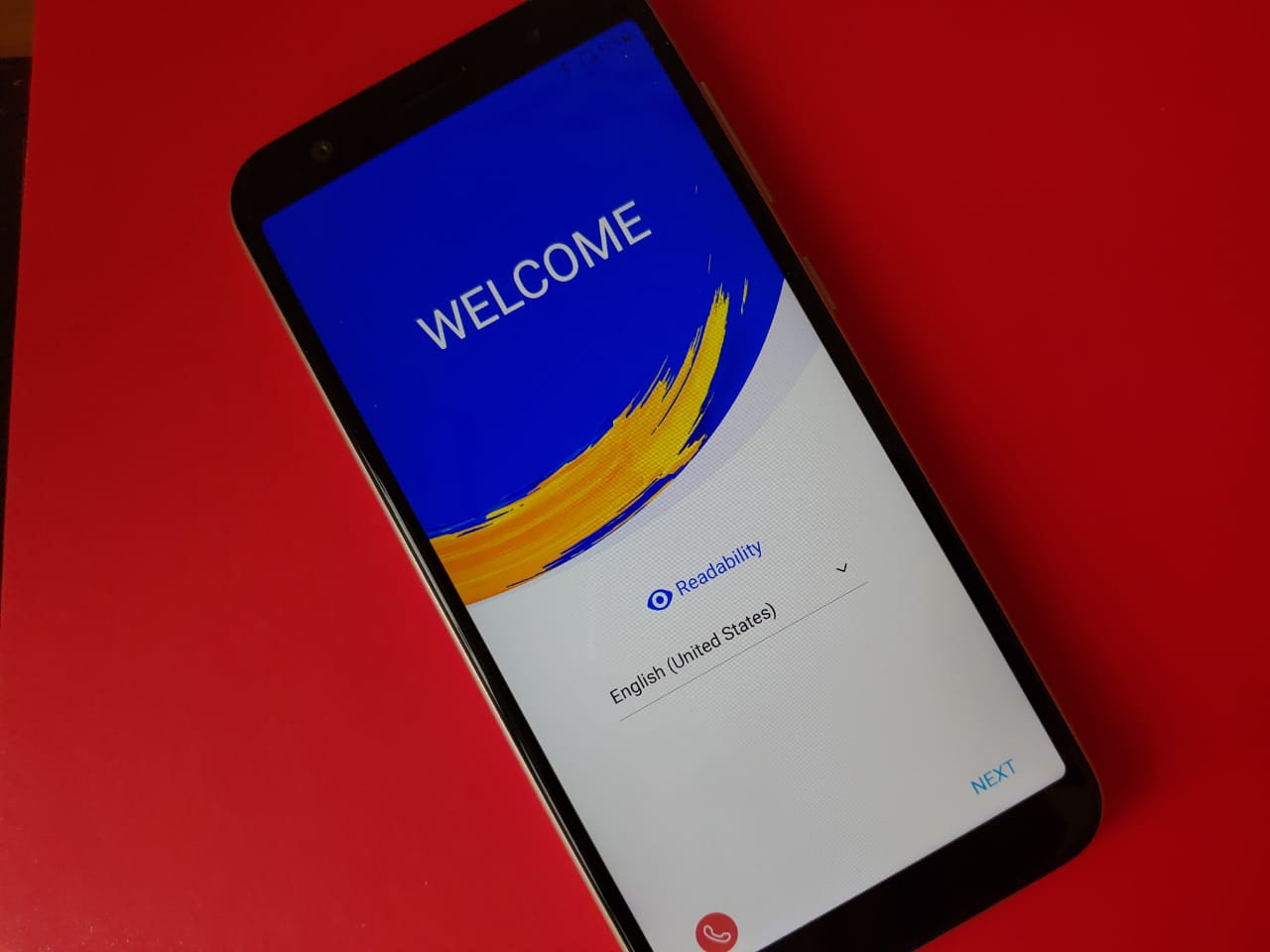
Asus Zenfone Max ZB556KL Review. – A Decent Budget Phone with good battery.

0

It is probably a fair statement to suggest that the Indian phone market has not had as bullish a trend as it currently sees. What we’re seeing right now, are mobiles being launched left, right and center – all of which promise something new or the other.

Moreover, these phones are not restricted to just one brand but almost all the top brands are continuously working rigorously to come up with new design models, better spec backed and appealing smart-phones almost every couple of months.  

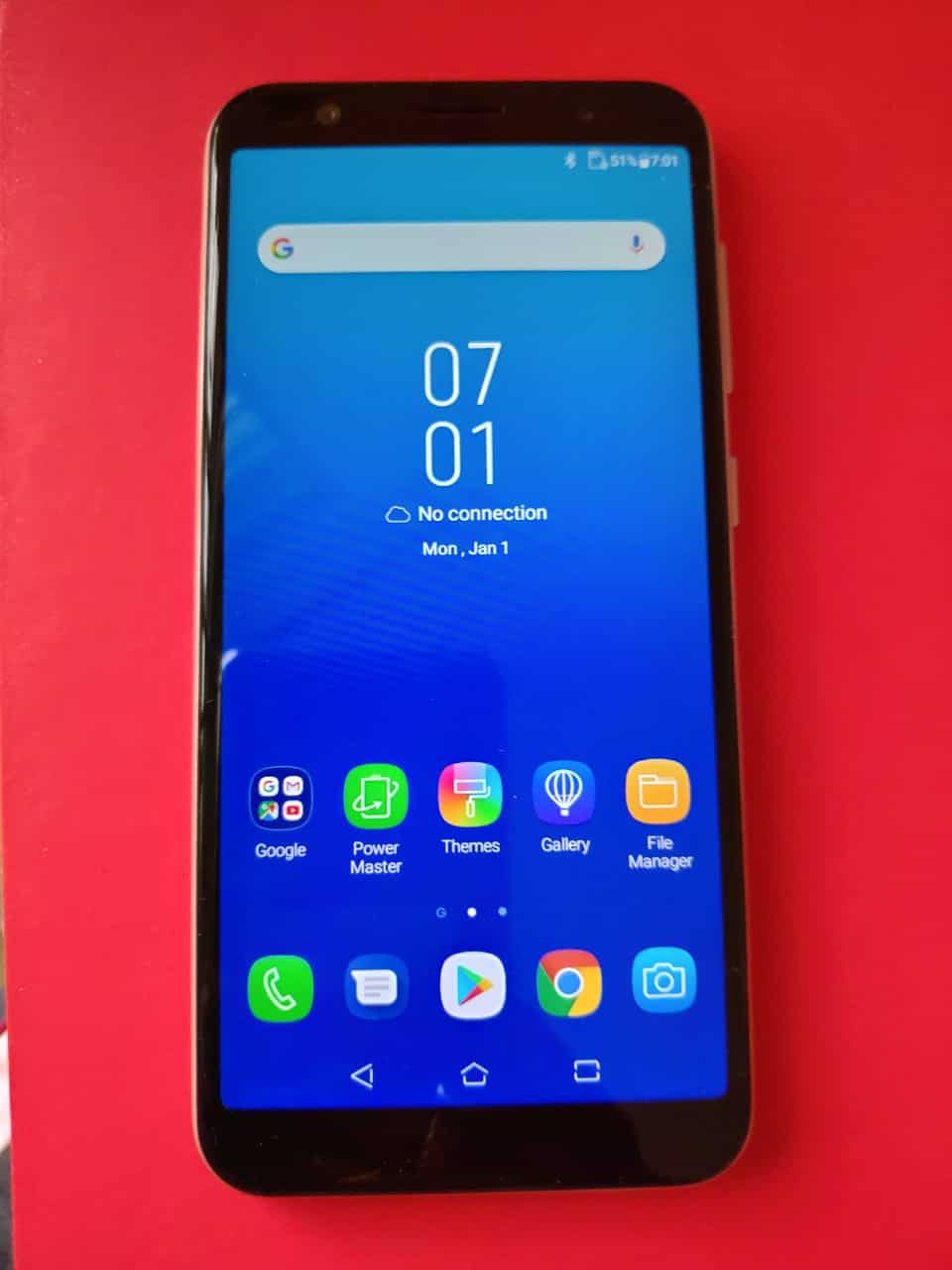
In this review, we look at the Asus Zenfone Max M1 and give our verdict on how the phone does in the mid-price range of 8,000-10,000.

Design

In our earlier review, we looked at how the budget oriented version of Asus Zenfone Max M1 I.e. the Asus Zenfone Lite L1 fails to appeal in terms of design. We weren’t left too impressed since it came with rather ordinary plastic design and didn’t have a posh look, as expected in a budget targeted phone.


The design here is plastic too but it feels slightly better in the hand. The looks of Max M1 and Lite L1 aren’t North and South, so there’s no great difference to note here but a slight improvement nevertheless.

In terms of the screen too, both the phones come with a 5.45 screen size, with 2.5D curved glass. Similarly, the SIM tray is on the left and the power and volume buttons on the right – just as you’ll find in the Lite L1.


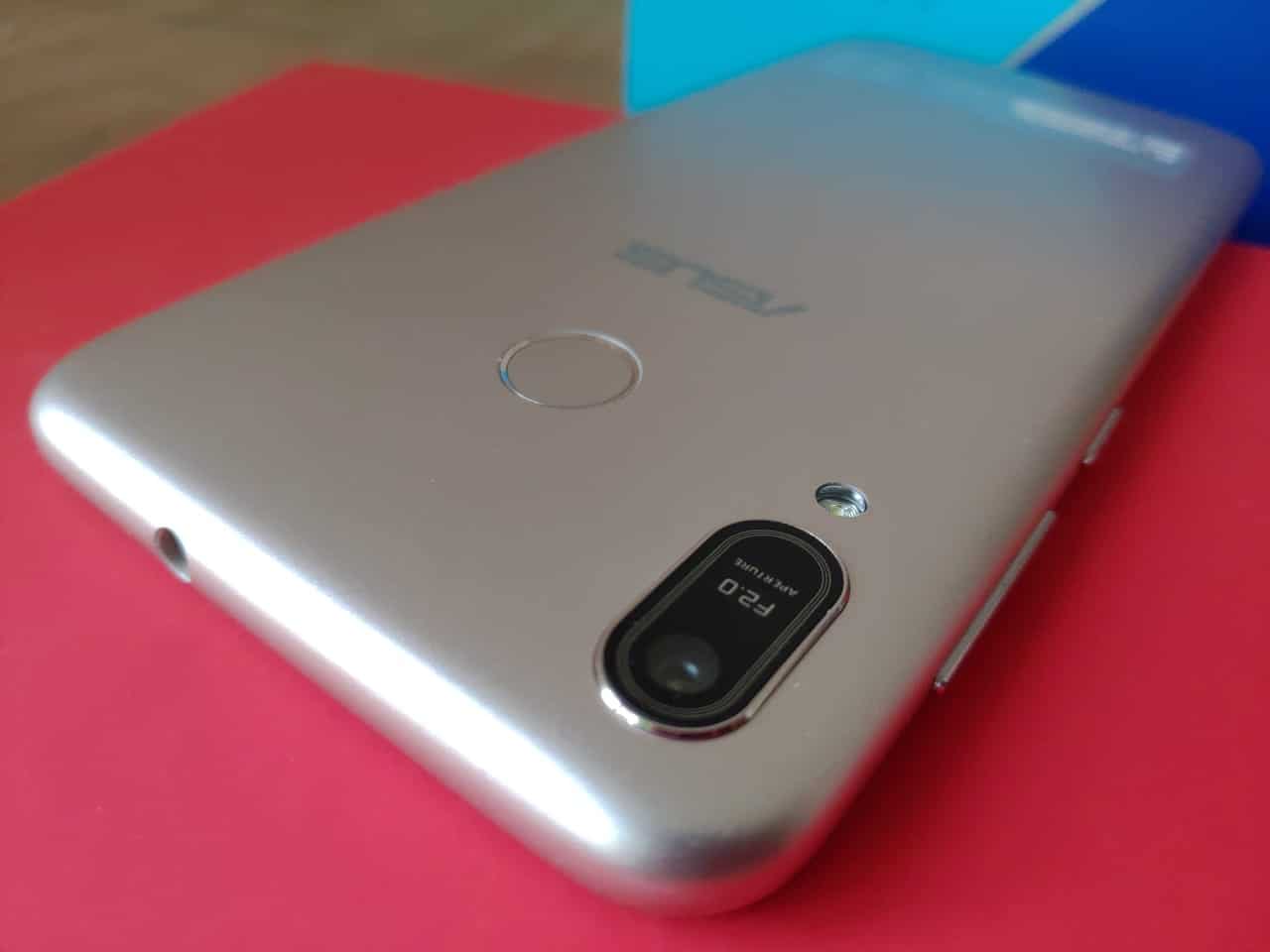
There’s a 3.5 MM headphone jack at the top, while Micro USB port at the bottom. The design part of the Asus Zenfone Max M1 is just about average, there’s nothing exceptional to note in this.

Specs – is there a win-win in terms of the software?

As we mentioned in our review of Lite L1, Asus has backed both of it’s new launches I.e. L1 and M1 with a rather surprising choice processor, which is the Snapdragon 430 SoC. This definitely makes a poor case for the mobile, since most of it’s competitors are using newer and faster processors.

The Max M1 has a 3GB of Ram and 32 GB of storage, plenty to keep your favourite photos and videos stored in the internal memory. If the need be, the storage is expandable upto 256GB via the micro SD card slot. Max M1 is a dual-sim phone which supports 4G Volte on both the sims. Though, at one point of time, only one can connect to the 4G network.

The very word “Max” in an Asus phone signifies that it comes with a strong and long-lasting battery. This is definitely the case with Asus Zenfone Max M1. The phone is backed by a non-removable 4,000 mAH battery – plenty to keep the phone lasting for 1-1.5 days.

Performance of Asus Zenfone Max  ZB556KL

To start off, the Asus Zenfone Max M1 vs Lite L1, the first major difference is that while the latter only supported face unlock, the higher end version which is Max M1 does support finger unlock as well. In our experience, both the finger and face unlocking works wonderfully in the Max M1.


In terms of performance, the story is quite alike with Lite L1. In our experience of playing PubG on Lite L1, the game ran on the lowest settings with a few shutters. While that was fine for a budget oriented mobile, we expected a lot more from the Max M1 – only to be left disappointed. Since both the phones work on the same processor, that was bound to be the case though. However, with a price difference of around 2,000 – there’s very little upgrade in terms of performance.

The battery is a strong point of Asus Zenfone Max M1. Inspite of heavy usage lasting upto a day, the phone still managed to suck in only 60-70% of the battery. This usage consisted of around 30 mins of PubG, day-out usage of whatsapp, with a few videos watched on youtube and occasional net surfing.

We indeed were left impressed by the battery power of the Asus Zenfone Max M1 – and this definitely is a huge upgrade in comparison with budget oriented LIte L1.

Camera

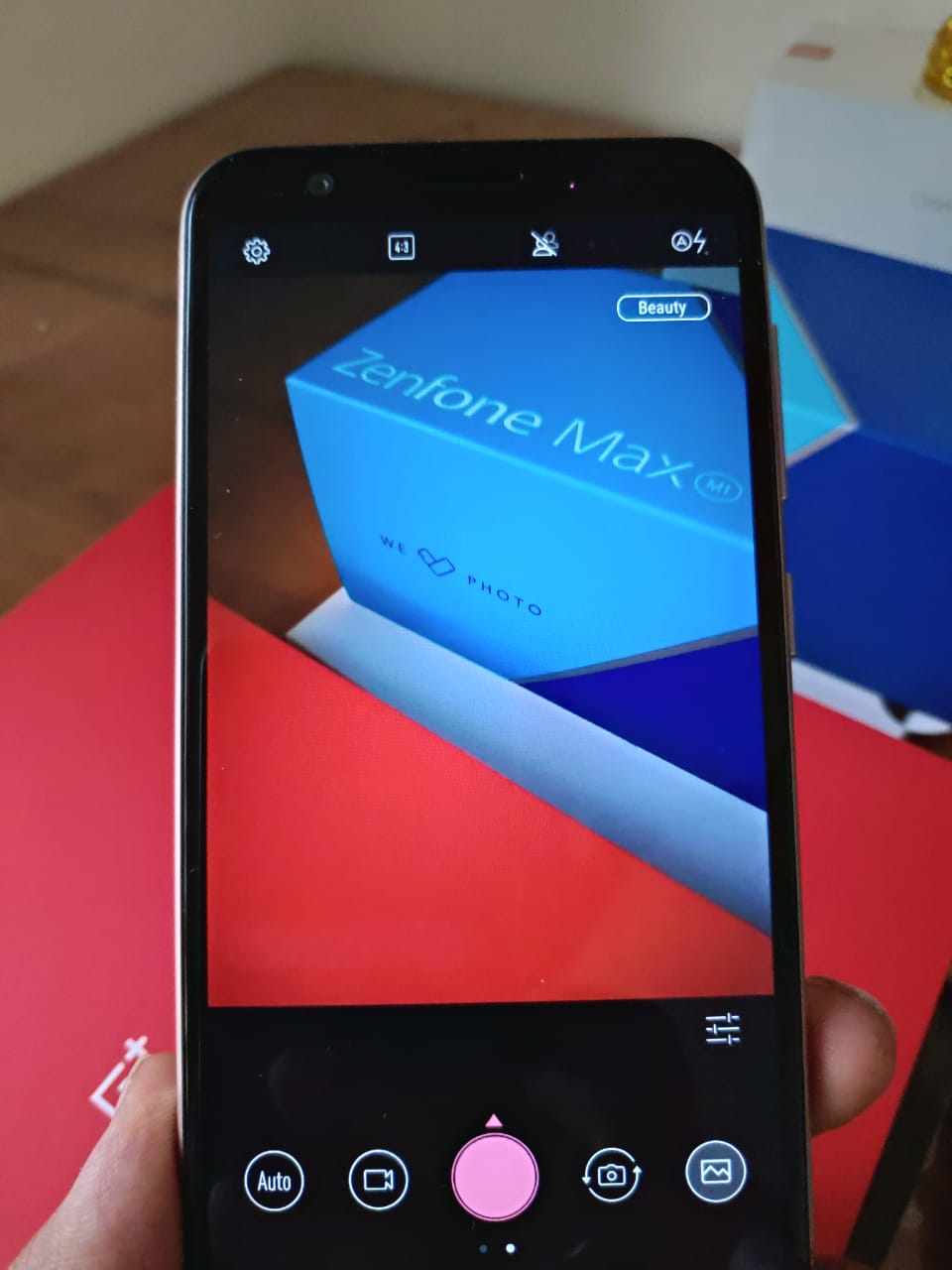
The Asus Zenfone Max M1 is backed with a 13MP camera at the back, with a 8 MP camera at the front. In broad daylight, we found the photos quality to be good, not exceptional but fine to be posted on social media. There was however a clear dip in terms of the photos taken under conditions of low light or even average light.


The front camera however performed better, with selfies coming out good enough for the price range. The video recording on the device can be done in 1080p, which is a good news for the video recording enthusiast planning to purchase the phone.

The camera again, is average but not a huge comparison can be made between the Max M1 and Lite L1.

Verdict

We’ve personally really liked Asus’s other releases in last year, be it the Asus zenfone Pro M1 or the Zenfone 5Z – both of which have gained tremendously positive reviews. In contrast to that, the two new releases in Lite L1 and Max M1 have left us asking for more.

In our view of Lite L1, we felt that the phone was good enough for the price point at which it was targeted. However, we clearly feel that M1 should’ve been a step ahead to it, which it isn’t. With same camera at 13MP, same processor and very little to no changes in terms of specs and design, we aren’t sure whether it’s worth paying additional 2,000 for Asus Zenfone Max M1.

Moreover, there are plenty of solid competitors out there in the range (6,000-10,000). In such fierce competition, we do not believe that the Asus Zenfone Max M1 offers plenty to be considered as the market leader in this price segment. We feel that it’s an average entry into this price range and leaves us demanding for a lot more from Asus, which has done tremendous in Rs10,000+ range.

Top Ten Game Recording Softwares You Should Try

0

The gamer community has been here for quite some time, Gaming is now taken a separate space in the Sports arena. Every average person these days has at least one game in their phone be it a simple board game, or a complex multi-player football game. Especially in the multi-player/community games category, Competition and Strategy play a very important role. And a lot of people like to either share their progress, or educate the masses about certain strategies they can use. While some of them only like to review the game which helps people get a feel of it before they decide to buy or download the game. Youtube channels like the ‘RadBrad’, ‘Markiplier game’, ‘ACG’, and ‘That One Video Gamer’ have made quite a name and a super successful career in the field of Game Streaming.

A very important element of these famous channels is the technology of screen recording which helps you to record the game while you play it. This time, we have for you a sophisticated list of the best game recording softwares that you can try out if you are planning to become the next big gaming channel, or even if you’re just looking to boast in front of your friends. Let’s get started!

1. Open Broadcaster Software

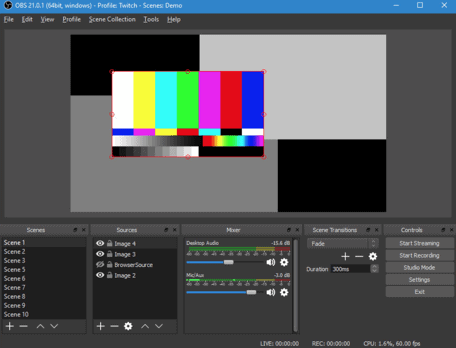
Often abbreviated as OBS is quite a famousgame recording tool that a lot of gamers use. The best part about it is, thatit’s free! It is widely used by both beginners and professionals in the field.The controls are very easy to understand so you won’t have to waste hours justto figure out how to use the software. It also provides its users a livestreaming feature. Above all that, you can use this tool on Mac, windows, orLinux. Their audio mixers are extremely creative; it even has certain filtersthat do a great job in filtering out any excess noise that you do not want in yourvideo. The resource features of the recording can be adjusted really easily.

  • Free
  • Easy to understand controls
  • Compatible for all operating systems
  • Live streaming option available
  • Noise cancellation features

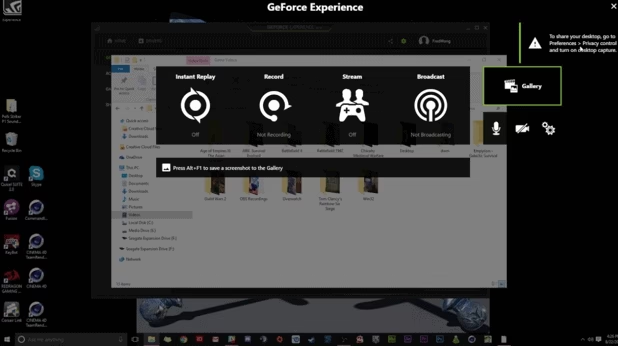
2. Nvidia Shadow Play

Nvidia is quite renowned name in the Gaming Experience department. It designs graphic processing units for gaming, so that itself is enough to make the decision. The brand itself gives a lot of reliability. Like all the others in the list it helps you capture your special gaming moments. It is hardware-accelerated and powered by GeForce GPUs made by Nvidia. It does not give your CPU a hard time because of its smooth GPU i.e.Nvenc which handles encoding.

It is only compatible to Windows. However, there is another software called Nvidia Share which is available on all operating systems. UWP games are not that smooth to work with. But otherwise, it records all the other games well. It also provides Streaming configuration optimization but to a certain extent only. The fact that it is in built comes with its own baggage. But nonetheless, it is a great tool for beginners to try out.

  • Free and inbuilt. (Nvidia card)
  • Compatible with Windows
  • Limited streaming optimization
  • Not suitable for Live streaming
  • No watermarks

3. Windows Game DVR

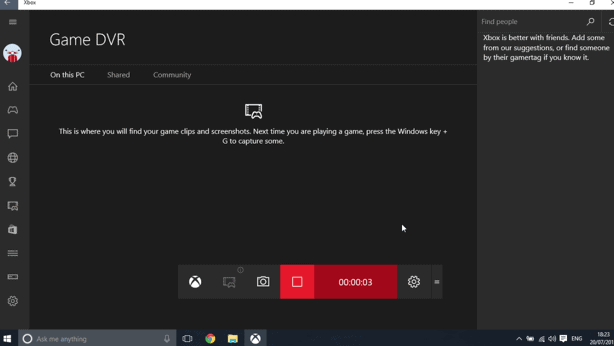
Another friend of Windows. Winx10 users already have it pre-installed in their systems. It also supports UWP games unlike Shadow Play. You can record your game in 30 or 50 fps. The quality of the recording can go from 720p to 1080p. However, the only downside is, it may give your CPU a hard time while recording. Especially if yours is a low-end PC, you may get some pixelated results. It now uses GPU acceleration so that should definitely solve the CPU issue. If you’re into just getting a quick screenshot, then this tool is pretty convenient. If you are looking into professional reasons for recording your game, then you should definitely look into some better-paid options. But if you are looking for a quick fix or a basic video to share with your friends, Windows Game DVR would be the perfect pick for you!

  • Compatible to Windows
  • Winx10 Inbuilt
  • Supports UWP games
  • Not suited for professional use
  • Free

4. Bandicam

Well, speaking of professional purpose. This is the tool for you! Often people run from it looking at the price for it which is $40. But trust me it’s worth every penny. It has a bundle of sophisticated features which are rare in other tools. The interface is smooth as butter, plus you will not take more than a few minutes to understand it’s controls. And the basic element which are present in other software’s like live recording, using custom codecs, etc are obviously a part of Bandicam.

Another quirky feature it offers, is where you can resize the window while recording. Plus, it can also record audio in different streams and then save them as different .wav files while exporting. If you’ve ever had audio balancing issues, you would realize how much of a blessing this feature is. You also have full control on the video files and images so no storage issues.

No tool is all sunshine anyway, so here’s a downside of Bandicam. It offers no overlay, so if you want to change settings on the spot, you cannot. Or you will have to edit out some parts later on.

  • Paid: $40
  • Live Streaming available
  • Resizable recording area
  • Compatible with all OS.
  • Can record audio in separate streams
  • No overlay option
  • 24 hours continuous recording

5. Action

Another great tool for gamers is Action. This software is compatible on all versions of Windows. This tool is known for its HD quality of recording. Like other tools it can help you to record you game, stream it, capture screenshots and even record music. You can easily record benchmark results as the average frame rate is constantly recorded. Live streaming is another asset of this platform. Once done recording you can share your gameplay with platforms like Facebook, Youtube, Aliez, Hitbox and more. All your recordings can be exported very easily in different file formats. The quality of the recordings can go upto 4K (3840×2160) which is a huge plus.

It also uses GPU acceleration in the most optimal way so that your CPU can take a break. It is a very gamer-centric tool, so if you are considering this professionally you should definitely go for Action!

  • Paid- 1 month free trial
  • Webcam support
  • Live Streaming available
  • HD Recording- 4K
  • Low CPU usage
  • Simple User Interface

6. Go Play (a.k.a Smart Pixel)

Another good one in the market. The Go Play editor is a sure shot way of recording live footage of a game you’re playing on the PC. It offers a lot of recording customization options and features that can help you edit and modify recording based on your needs. This is a great friend of Storage because it records all the games in a very small size. It appeals to a much larger audience as they offer the software in 52 languages. so no hiccups while understanding the controls of the game. It also lets you add a mouse click effect while recording, so if you are making a game tutorial this can be a great feature to use. It does not support Live Streaming which can be considered as a big con for some users.

It is compatible with Windows. There are both paid and free versions of GoPlay. The free one comes with a baggage like, watermarks, less speed, less recording time etc. Their paid plans start only from $14 for 3 months.

  • Compatible with Windows
  • Offered in many languages
  • Takes less storage
  • Does not support Live Streaming
  • Free & Paid

7. Quick Time

This ones for all our Mac users.And it is quite popular already. One of the stand-out features of this tool isthat you can add active narrations to your recording very easily. Like everyother tool in the list it can record, edit, play and share your screencast. Itprovides the user with a lot of cool playback features like one can adjust thevolume of the recording, or rewind it, fast forward it, flip it, rotate it,trip it, and more. So it acts as a complete package. You can ever post yourvideo directly on your social channels like Youtube and Facebook. Because thistool represents the Mac family, you have the privilege to directly streamvideos to your Apple TV. Plus, it’s free so there’s nothing to lose here.

This ones for all our Mac users. And it is quite popular already. One of the stand-out features of this tool is that you can add active narrations to your recording very easily. Like every other tool in the list it can record, edit, play and share your screencast. It provides the user with a lot of cool playback features like one can adjust the volume of the recording, or rewind it, fast forward it, flip it, rotate it, trip it, and more. So it acts as a complete package. You can ever post your video directly on your social channels like Youtube and Facebook. Because this tool represents the Mac family, you have the privilege to directly stream videos to your Apple TV. Plus, it’s free so there’s nothing to lose here.

  • It’s free
  • Compatible to Mac and Windows
  • Can add active narrations
  • A lot more advanced controls

8. Fraps 

Fraps is quite a popular one on the list. It uses the help of OpenGL and DirectX graphics which is a big USP. Specially with their latest version, they have introduced a whole new round of features which maximizes your game recording experience. A lot of professionals in the market have confessed on using this tool, because of how easy it is to use. This tool provides the user a lot of FPS details before starting the recording. It is very real time in nature as it can capture both audio and video at a very high quality.

However, one of the cons is that it does not provide flexible compression options which makes the size of the file large. Just to give you a vague idea of the same, a recording of 2 minutes takes up to 3.95 Gib on disk. If you don’t want your game to lag, it is highly recommended to use an extra hard drive before recording. It offers a maximum resolution of 7680×4800. Another downside to Fraps, is that it’s last update was in 2013, and since then a lot of advanced tools have entered the market. They have both free and paid versions, but the free one allows you to record only 30 seconds at a time. So you’d much rather go for the paid one which is for $37.

  • Free and paid both
  • Compatible with Windows
  • HD videos
  • Last updated in 2013

9. Loilo

The best part about Loilo here is how light-weight it is. If you want a perfect blend of professional and casual use then you should go for this. You can record your on-going game smoothly and then customize the video as per your needs. It is also a free program with unlimited recording time. You can share your video on social platforms and it also has a very easy to understand interface. Users also have mentioned that this tool does not affect their performance at all. It is indeed quite a complete package. The only drawback here is that it does not support Windows Vista and XP.

  • Compatible to all Windows devices except Vista and XP
  • Free
  • Unlimited recording time
  • Better user performance

10. Gecata

Gecata by Movavi is the last one on our list, in no particular order. It is your standard screen recorder. They stand out because of the cool features they offer. The Gecata can record your game at a speed of 60 frames per seconds which is quite a privilege. They have certain benchmark settings which allow you to adjust the settings of the video and save formats. It is known to record in high definition and in multiple formats. The con would be the watermark monster, if you opt for the free version there will be a watermark on the video.

Like Bandicam, it can save audio files as different files in a AAC format, so you can easily cut out all the unneeded parts of the video. It also gives you the option for Webcam video recording. So that if you run a streaming channel on Youtube and the game is on a very spicy turn, your users can see the rage and excitement on your face. It just adds value to your video. You can also take screenshots with a click of the button.

  • Free and paid
  • Compatible to Windows
  • Watermark on free version
  • Webcam Recording
  • Can record audio streams separately

Conclusion

So there you have it! Our list of the top ten game recording softwares you should try out. Now, if you want to record a game to show your friends, create a tutorial, or start a successful YouTube streaming channel, you have all the information about the best tools in the market! All of them are great in their own stance, you can pick and choose something that fits your needs and pockets too! Is there a game recording software that we missed out on? Let us know in the comments!

Exit mobile version