Home Blog Page 144

Best Budget Gaming Headsets You Can Buy Online

0

Are you looking for a new gaming headset which will not dig a big hole in your pocket? Well, you don’t need to compromise on the features and sound quality for a cheaper gaming headset. There are various kinds of headsets available for gamers in every budget which will let you enjoy the gaming process to the fullest.

Here are the best gaming headsets that we have found at a number of price points.

Bengoo G9000

Check price on Amazon

A perfect combination of comfort and style, Bengoo G9000 comes with incredible design for good air permeability and volume controller to adjust sounds. The headset is compatible with several devices and the soft air cushions make it comfortable to use for a long time.

It features the stereo subwoofers to clear sound operation and 40mm high precision magnetic driver to give you the shock feeling and sound clarity.

Pros:

  • Low cost and easy installation
  • Light weight
  • Noise isolating microphone
  • Made of eco-friendly materials

Cons:

  • Surrounding sound mechanism isn’t up to the mark

HyperX Cloud Stinger

Check price on Amazon

HyperX Cloud Stinger has a very sturdy design with large ear cups which has very soft padding designed for comfort. The headset is cheap as compared to other brands which offer similar features. The on air audio control in HyperX Cloud Stinger is an intuitive slider which is very simple to use while wearing it. The microphone mutes automatically if you slide it up all the way.

Pros:

  • Easily compatible with various devices
  • Simple set-up process
  • Noise cancellation microphones

Cons:

  • Audio blows out at high range
  • Mic is not detachable

Logitech G230

Check price on Amazon

Logitech is a well-known reputable brand and this headset will not disappoint you. The headset comes in a sleek black body and is pretty lightweight.  The sound quality is amazing and you get a powerful 40mm driver set.

For long gaming sessions, Logitech G230 gives comfort with the breathable clothing that can reduce the moisture and heat build-up.

Pros:

  • Folding noise cancellation microphone
  • Easy to use controls on the cable
  • Frequency response of 20-200000 Hz

Cons:

  • Not wireless
  • Pricey

Corsair HS70

Check price on Amazon

Corsair HS70 is a highly affordable gaming headset which gives you the freedom of movement and comfort with the plush foam ear cups. This headset uses a Wireless USB transmitter to work. It is equipped with 2.4GHz wireless signal with a range that extends up to 40 feet and you can use Corsair iCue software for customizations. The soundstage is wider and dynamic with representation from all the angles which gives a 3-dimensional feeling.

Pros:

  • Long battery life
  • Detachable mic
  • Loud bass

Cons:

  • No option to turn the sound on/off for consoles

Astro A10

Check price on Amazon

Astro A10 has a slick design similar to other premium headsets in the same brand. You get a sturdy design with soft memory foam ear cushions. With the decent price Astro A10 is ideal for people who are looking for great sound quality with crisp highs and lows, without spending too much money.

Pros:

  • Flip to mute mic
  • Comfortable and cheap

Cons:

  • No surround sound

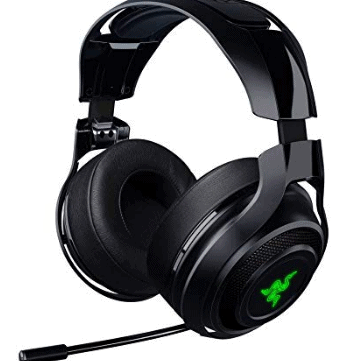
Razer ManO’War

Check price on Amazon

This headset is perfect for your gaming laptop ultrabook.Living up to its standards, Razer ManO’War is slightly on the bulky side for headsets. However, it is extremely user friendly and designed primarily for surround sound gaming. The sound quality is decent and will keep you immersed in the game. The headset’s range can extend up to 14m using the given USB extender and the battery can go on for many hours.

Pros:

  • Great surround sound
  • Multi colour lighting
  • Easy installation

Cons:

  • A bit heavy

That is it! We hope this post made the selection for a new gaming headset easy for you.

Why Your SaaS Business Needs Chatbot Software

0

Before going any further, let’s talk about bots in general. Bots, which is short for web robots, have been around since the late 1980s. Bots were developed to take over repetitive structured tasks, allowing many different internet processes to be completed much more quickly. The bots themselves began to run faster and more effectively as programming methods, techniques, and tools empowered them even more.


There are several types of bots on the internet. Crawlers, better known to some as spider bots, are used by search engines to fetch information from web servers. There are trackers, which are used to track down URLs that are accessing websites. They are primarily used in targeting marketing. Monitor bots, sometimes called checkers, are used to monitor the performance of website parameters such as download speed or downtime. Then there are bad bots, which are used by hackers for malicious purposes.

Unlike the bots we just discussed, which primarily interact with servers, chatbots are designed to interact with human beings.  Instead of communicating exclusively with web servers, chat robots communicate with web users.

The most basic type of chatbot out there is known as the “close-ended” bot. These bots will provide some predetermined options that are going to be based off a links archive. With this type of bot, users will fill out a short query form or click on an option, then the chatbot will guide them to one of the linked solutions. These are the most basic of chatbots, and they do not have AI and they are not the type of chatbots that we are discussing here.

1. Chatbots successfully mimic human interaction.

Chatbots powered by AI (artificial intelligence) can make their communication style almost indistinguishable from that of a person. The level of AI used in their creation controls the chatting prowess of the chatbot, with those created with the most use of AI will seem the most human. This is because AI allows technology to simulate how the human mind processes and reacts to information, allowing it to simulate human thought processes. This technology, thus empowering a chatbot to make reasonable assumptions, interpret communications that may not always be well structured, and, in the case of much more advanced chatbots, work outside their narrow presets. In addition, the artificial intelligence allows the chatbots to learn from their interactions and thus continuously improve.

2. Chatbots support interaction with web visitors outside of normal business hours.

Chatbots support an interactive platform page that users can converse with any time of day, including outside of normal business hours. They can be programmed to help visitors with questions about products or services, schedule appoints, or even troubleshoot. What type of interaction a chatbot provides is wholly dependent on you.

3. Chatbots are a necessity for modern business owners and SaaS providers.

If you try to offer SaaS without a basic program for interaction, you will be at a major disadvantage. And as far as SaaS is concerned, chatbots aren’t just for their webpage or social media:  chatbots are being included as part of their software. This is due, in part, due to the development of better, more economical chatbot AI tools. In fact, most SaaS companies are going beyond the basic chatbot capabilities with their apps, choosing rather to implement advanced chatbots with powerful AI capabilities to make their software highly interactive.

4. Developing a chatbot does not require traditional coding

In the past, creating a bot required many lines of detailed code to be functional.  However, thanks to chatbot development tools, you don’t have to be able to write code in order to have your own chatbot.  These creation tools include the Facebook Messenger Platform, API.ai, Chatty People, Meokay, Botkit, Smooch, Telegram Bots, FlowXO, Chatfuel, and Beep Boop. You do need to be aware, however, that these creation tools have limitations.  If you are looking for highly advanced, novel features, you may have to develop your own bot from scratch.

5. Chatbots are being used for all types of online interactions.

Chatbots can be used to answer general questions about services or products, such as “What kind of warranty comes with this model?” or “What are the eligibility requirements for life insurance.” Another way that chatbots can prove especially useful is by offering additional details or explanations about products based on what the customer intends to do with it, or, in the case of services, what the customer is trying to accomplish. They can also guide the conversation, which can be especially useful for online purchasing. A typical interaction might take the form of a multiple-choice prompt, such as “Are you interested in buying a bicycle or scooter?”

Chatbots can be a powerful tool after the sale has been made, too. They can provide prompt users to rate the company, offer service tips, announce discounts, and similar marketing techniques. This makes customers and clients feel more supported and makes it clear that the business care for them beyond just profits and sales.  

They can also provide some help with troubleshooting. In addition, chatbots can send a message or notification when a real human becomes necessary during an interaction of any type.

6. E-Commerce and Messaging Websites Use Chatbots Extensively

Groups and businesses involved in e-commerce rely heavily on chat-based features for their websites. They typically make this available on a portion of their page, or dedicate an entire portal or app to this. Using chatbots in connection with these portals allows their customers to feel like they are instantly connecting with them. Even social platforms like Skype and Facebook are using chatbots to interact with customers.

In some cases, the bots send proactive messages about external events. Shopify does this, providing bots to automatic routine tasks and optimize the store. For example, these Shopify bots can create social media marketing content for Pinterest and Twitter every time a new product is added to the store. They can remind customers to return to the site if they left items in their cart, or offer special discounts. And the bots can be used to interact with shop owners by providing reports on things like average basket prices and conversions.

7. Chatbots Are Well Adapted to On-Demand Service Support Apps

On-demand service apps like taxi cab services can really benefit from a well-designed chatbot – and many are already using them. They are designed to be very chatty (almost like a human on the other end, of course). Companies can also have their chatbots designed with varying levels of interaction in addition to the already human-like communication style.

Here’s an example of how a chatbot for a cab service would work: the user specifies the basic info (pick up and drop off, shared or solo, mini/micro/SUV), and then the chatbot will inform them of the fare information and, once the cab is  booked, it will provide the confirmation, driver contact, car details, and when they can expect to be picked up.

These types of apps can be used for just about any type of booking service, including hotel rooms, restaurants, and even movies. There are many apps and online portals, such as Book my Show or Trivago, that are already implementing chatbots to a great degree of success.

8. Chatbots Don’t Have to Be All Business

Chatbots, like some other bots, can be used in connection with online gaming. For example, AI chatbots can be used to create character interfaces that can talk with a gamer beyond a tightly controlled script. We used this very type of AI chatbot technology in the development of an online version of the classic Ouija board, where it simulates conversing with someone on “the other side” to a disturbing degree of reality. Ouija boards have remained popular to varying degrees ever since their introduction to the public as a board game, and periodically experience a resurgence in popularity that is often tied to horror movies. Now fans of the Ouija board can play Planchette either solo or in groups, getting interesting answers from AI “spirits.”

9. Professional Chatbot Developers Are Out There

A professional chatbot developer will begin the design process by taking input from the target business and then begin investigating the types of interactions that online visitors and customers are likely to engage in based on typical questions and queries. In the case of a SaaS-based business, marketing teams and customer service will collect feedback from real customers and add their own thoughts on what kind of questions to expect, then pass that information on to the chatbot development team.

From that point on, here is what you can expect:

  • Sort the typical user questions into categories
  • Workout the structure of interactions, including the overall flow, for a particular category of questions and answers
  • Determine the most appropriate tools to use and develop the chatbot
  • Provide automated links to answers and solutions
  • Provide a means of accessing a human for situations that the chatbot is unable to satisfactorily handle

In addition, developers may include inline bots. These are inline query boxes which can be filled out by users in order to ask a more specific question or to share. With sharing, these inline bots can be designed with privacy control features and selective sharing. In addition, they are designed to support not just text content but also audio and video.

Conclusion

The latest research clearly shows that users are going to buy 65% more from an interactive web platform. These values are driven, at least in part, by chatbots which provide a far more human-like interaction than an FAQ. And from the customer service side, these chatbots free up representatives from being forced to follow repetitive, structured scripts that may not even truly address customer needs and allows them to focus on bigger problems. Chatbots save time for users, too, and allows for a much richer experience. This is why your website of SaaS product needs a chatbot.


SEO Strategies for Guest Post: 5 Tips for Success

0

Guest posting is the digital marketing practice of being a contributor to another individual or entity’s blog. This way, you connect with people who have established a following and provide exposure for your brand. Moreover, being associated with key leaders in your industry or niche boosts your authority and credibility on a particular subject. Keep in mind that the success of an SEO strategy can’t be determined by looking at the performance of one single metric and you’ll need to track a variety of important marketing KPIs

Here are a few tips on how you can maximize your guest post for SEO success:

1. Know Your Target Audience

It’s imperative that you spot the people who are most likely to be interested in your content and, ultimately, your products and services. With this information, you can ensure that you create compelling blog posts that will attract more and more customers to visit your site. You can pinpoint your target market by looking at your current customer base and identifying their demographics.

Other ways to know your target audience include:

  • Checking Your Competitors – Try to get an idea of who they’re targeting and who their current customers are. However, don’t aim for the same market. Instead, examine the niche that your rivals may be overlooking and go for them.
  • Scrutinizing Your Product or Service – Take note of the features of your product or service and list the benefits that customers will get beside each characteristic. Afterward, write down the people who would gain from each one. If you’re selling an electric hand mixer, you can target mothers, bakers, and even school cafeterias.
  • Understanding Your Customers’ Preferences – Aside from identifying the demographics of your target audience such as gender, age, and location, you must consider their values, hobbies, and lifestyles. This way, you can create meaningful content that caters to their interests.

2. Know Where to Post

You must find a blog that has an engaged following. It’s not mainly about how many people visit the site, but more on the number of subscribers who comment and like the posts as this shows engagement. The blog owner should also be active in replying to the comments because this is a sign that they care about interacting with their audience and in keeping the community connected.

These are the things that you can do to find guest post targets:

  • Google Search – Type your keyword plus the phrase “write for us” on Google’s search bar, and you’ll get several sites that accept guest contributors. Other common phrases you can use include “guest post,” “contributing writer,” “submit blog post,” “become a guest blogger,” and “contribute to our site.”
  • Twitter Search – If you’re looking to start at a smaller or more unique niche, you can go to Twitter and use the same formula above. You can find high-quality sites that accept guest posts on the microblogging platform.
  • Reverse Engineering Backlinks – A more technical approach is looking at where your competitors get their backlinks. Take their homepage URL and have it analyzed using backlink research tools like Ahrefs. This is ideal in discovering sites that don’t openly promote their guest posting feature.

3. Read the Blog First

After finding target sites for guest blogging, you must allocate time to read their content first and familiarize yourself with the topics that the readers enjoy. Plus, being a blog reader first also gives you an idea of the style and tone of writing that works for that particular audience.

4. Know What to Post

Never submit an old article on your blog as a guest post somewhere. This practice won’t help the SEO campaign for your website. Always create original content that follows the blog’s posting guidelines and standards. Moreover, come up with a fresh, relevant concept that provides value to your partner site’s readership and write it well.

5.  Incorporate Links in Moderation

One of the primary purposes of guest posting is link building, which is the practice of having another site direct visitors to your website. It’s an integral part of any business’ SEO campaign as it informs Google that your domain is a credible source of a particular topic, which can increase your ranking on the search engine results page (SERP).

However, you should be careful of the number of hyperlinks you place in a guest post. Limit it to one or two links, and even then, these should send visitors to a landing page with content that’s relevant to what you were talking about in the article they came from.

Conclusion

Guest posting allows you to establish significant relationships with key people in a particular industry or niche. Being associated with them boosts your credibility and authority. Link building also benefits your website greatly as being a quality contributor to another site ensures that you get a backlink to your domain.

Business Agility Isn’t Just About Tech – It’s About How You Use It

0

Most businesses will continually be adapting and changing depending on the market conditions and the state of the world outside. Business agility has especially been a buzz word over the last year, as companies have been forced to quickly adapt to pandemic working conditions. But what exactly is business agility?

What is business agility?

Agility is the ability to move quickly and easily. Business agility is defined as the rapid, continuous and systematic evolutionary adaptation and entrepreneurial innovation directed at gaining and maintaining a competitive advantage. In other words, a business is agile when it can continue to adapt when markets and environments change. 

One environmental factor which is seemingly always changing in the modern era is technology. Changes in technology have majorly affected businesses and business activity in all sectors over the years. To stay relevant, a business has to have the agility to continually adapt to these technological changes.

However, as well and good as it is to keep updating your technology, it’s not always that simple. In fact, new technology is useless if you don’t use it right. This is why business agility isn’t just about the technology you use, but how you use it. 

People, not machines

Technology is great – automated bots and algorithms are fantastic for taking pressure off your employees, but machines can’t make judgement calls. Judgement calls takes highly skilled businesspeople to analyse the data collected by machines in order to come to a decision. 

Yes, the technology is important but without good business skills and management this would just be a pile of data. Therefore, even though automation is looking like the future, it is still important to invest in our workforce and their skills. 

Integrate communications 

Having multiple fancy communications software can be great, but it can take a long time to get the information you need, or just find the right programme to message the right person. Instead, consider an integrated communications solution such as voice, data and mobile services by Gamma.

An integrated solution is more efficient and productive for its users, allowing you to operate multiple communications tools through one streamlined package. This will also improve your customer service experience, which can also be used to inform future decisions. 

Listen to your customers

In order to be agile, a business must be able to adapt to what customers are saying. To do so, firms must listen to customer feedback, gather this data, analyse it, and then implement it. Analytics are therefore key to adapting to the ever-changing customer environment.

This could be done by categorising and tagging queries. New technologies might be able to automatically do this, but sorting via keywords isn’t always accurate. Instead, technology and humans must work side by side to create the most effective customer service experience. 

Overall, changing technology is simultaneously one of the changing environments businesses are required to adapt to, and something that can help business agility. When it comes down to it, it’s not just about the technology, it’s about how you use it.

10 Reasons How Internet Leased Line Benefits SMEs

0

If you’re already running a small-scale business or planning to start one in the future, there are chances that your business will probably have some functioning of it involved over the internet. In this world of technology, the internet has become a major part of businesses – be it for promotional purposes or just using it as an extension of spreading the business to customers.

Equally, the problems relating to internet connectivity and the inapt net quality to match the growing needs of SME’s is a cause of concern. To simply decode this problem, we are giving you the top 10 reasons how internet leased line will benefit all the SMEs out there:

1) Upload speed:

Not every business is about downloading stuff from the internet. Infact, businesses require uploading more than they require downloading. In such a scenario, internet leased line benefits SME’s as the upload speeds are actually quite satisfactory. In broadbands, download speeds are much higher as opposed to upload speeds but that’s not the case with internet leased line – where both are quite similar.

2) Cloud storage:

Cloud computing has become quite popular among businesses in recent times. With features like customer relationship management (CRM) – cloud computing is definitely very useful to businesses of all sizes. Cloud computing does require reliable speed internet – which is the case with fibre leased line connectivity. Thereby, if you’re planning to spread your business data to cloud storage, you can place your trust in an internet leased line.

3) Higher security:

Cable tapping is a very common way for hackers to get access to crucial data concerning your business. However, with internet leased line – you get enhanced protection. Any remote possibility of penetrating through the fibre line is to cut through it physically – which causes the signal to disappear – making it much more safe and secure.

4) Dedicated internet connection:

Internet leased line is completely devoted to you and other small businesses cannot share your leased line connection. Due to this, there’s no sense of fluctuation in your internet usage – as is the case with broadband networks. Regardless of what hour you’re using the net (even at the peak hours) – you won’t experience net lags.

5) Cost-efficient:

One of the biggest advantages of an internet-based leased line is it’s ability to keep running, inspite of the natural concerns leading to internet failure for other types of networks (namely broadband). Internet leased line is known to provide very little to no downtime – this can help a business to stay online all times and henceforth not lose out on crucial business deals.

6) Signal strength:

Traditional broadband connections tend to work on the DSL (Digital Subscriber Line). The strength of these signals is very limited and fluctuates a lot. With fibre-based internet, you can be assured of no lag whatsoever is your internet usage. The distance covered by internet-based leased line is much more than broadband-based connection.

7) Reliability:

If we directly compare the two forms of internet lines in fibre vs standard copper, the former is much stronger. Due to this very reason, fibre connection is more reliable in times of natural trouble outside your office or home – be it rain or snow, fibre connection will not let you down. Moreover, the copper wires are much prone to damages from such extreme weather conditions, whereas the only damage to fibre cable can be caused by human touch.

8) Cost-effective:

If you consider the cost savings factor that an internet leased line offers, you’re in for a great deal. An internet leased line ensures no downtime to businesses and thus you save-up on losing crucial business deals. As per a survey by Virgin Media, a poor internet connection can cause 15 minutes of work delay, every day, to an individual employee.

9) Video conferencing:

Gone are the days when you had to visit your brand offices individually for a meeting. Today, video-calling allows the branch offices to gather together on a virtual network at same time. Saying which, a bad internet connection can make this meeting miserable. Intra office communication without a good internet is just impossible. This is where a strong signaled internet leased line connection allows your business to be connected via VOIP calling.

10. Consistent Download speeds:   

Internet usage at workplace should be consistent while there are concurrent sessions. That’s where leased line perform well compared to your home internet connection.

The 7 Best Text Editors for Mac

0

Today we explore best text editors for Mac. A good text editor is a primary need for every developer. With so many new editors being launched, it becomes confusing to choose one because what may work for one person might not be suitable for another. There are many best text editors for Mac that you can get for free and if you prefer something in the premium range than you can go for paid text editors.

Even though choosing the best out of so many options is challenging, but we have gathered our list of best editors for Mac that might make your decision easy.

Atom

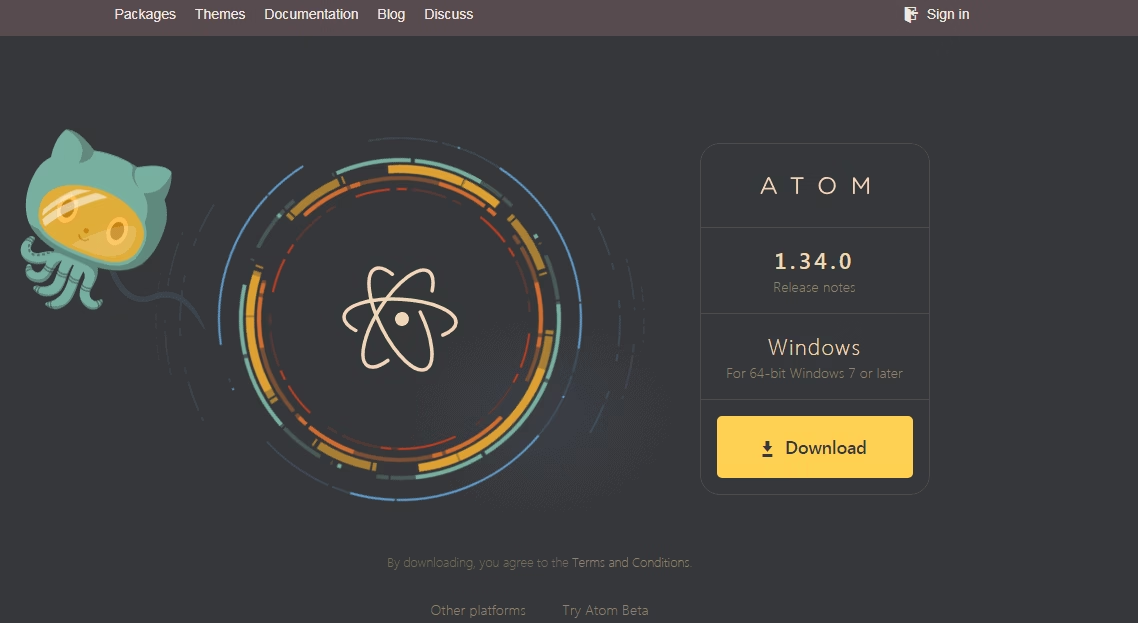
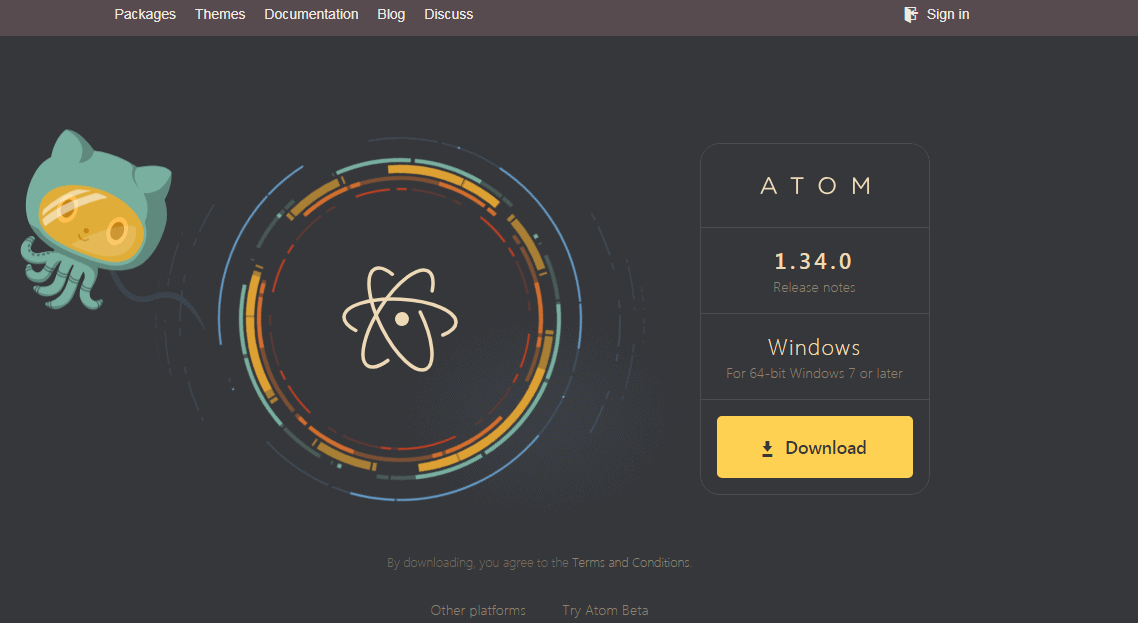
Atom is an open-source software which doesn’t cost you anything. It is built on HTML, Python, PHP, HTML, XML, Ruby, Node.js, CSS, JavaScript and work fully in Electron.

It is modern, approachable and rich in features. Some of the features include multiple panes, auto completion, navigation options and system browser.

On top of that, you can install any of it multiple open source packages for added functions. Also, you can customize the software and change the looks with various themes and CSS.

UltraEdit

PIC: best text editors for mac

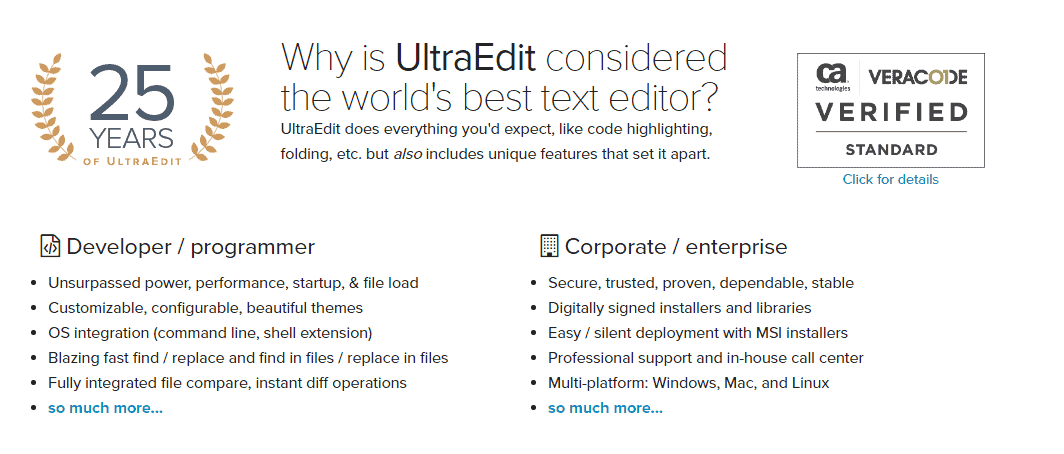
UltraEdit has been used since the 90s as commercial software. It has been used since 25 years, so reliability is not a concern.

It provides support for many languages and is optimal for coders to use JavaScript, Pearl, PHP, XML, Etc. UltraEdit comes with loads of features including many editing tools like code folding, syntax highlighting, automation via scripts, column edit mode and file type conversions. It also has functionality for file encryption and decryption, project management and comparing files. For more features, you can buy with UltraEdit Suite, UltraFinder and UltraCompare.

You will get a free trial period of 15-30 days and then you have to buy the software.

Brackets

Brackets was initially created by Adobe Systems but now it is being maintained on GitHub. It focuses primarily of the web design. You can access this text editor for free.

It is an open source software which is written in CSS, HTML and JavaScript.

You can get a lot of functionality options with Brackets such as Quick Edit and Line Preview which helps one in seeing the different forms of changes they make. Brackets allow you to a toggle between your browser view and source code. It also comes with an in-built extension manager.
Sublime Text 3

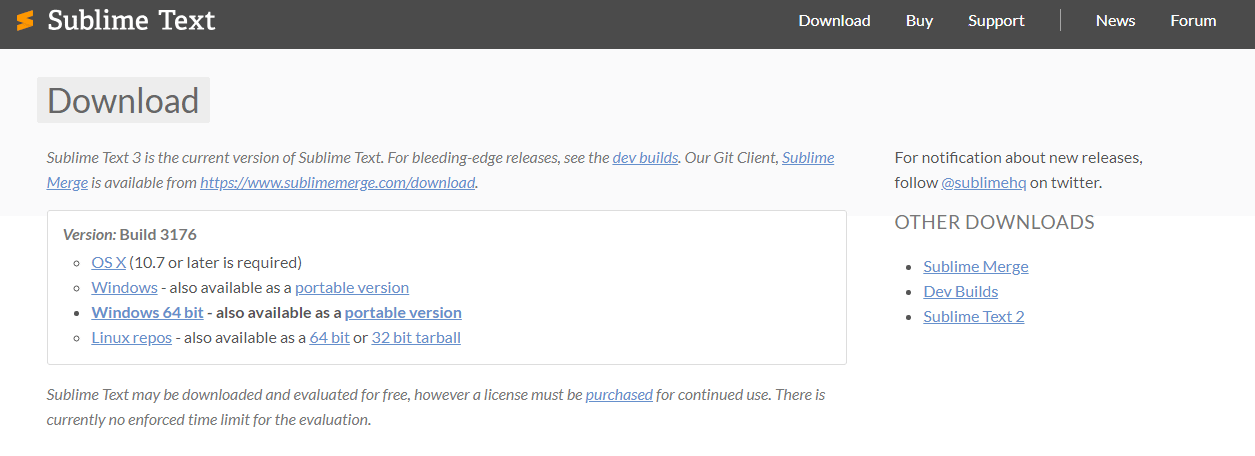
Definitely, one of the best text editors for Mac, Sublime Text 3 offers the most amazing features which include simple navigation, high level of customization, multiple selections, strong API, syntax highlighting and folding, etc.

The ‘Goto Anything’ features in Sublime Text 3 lets you to jump to lines, words and symbols which you are looking for. This feature can be implied simply by hitting on the keyboard shortcut.  Sublime Text 3 is packed with powerful features but the only drawback is the premium price that you have to pay to access it.

Visual Studio Code

PIC: best text editors for mac

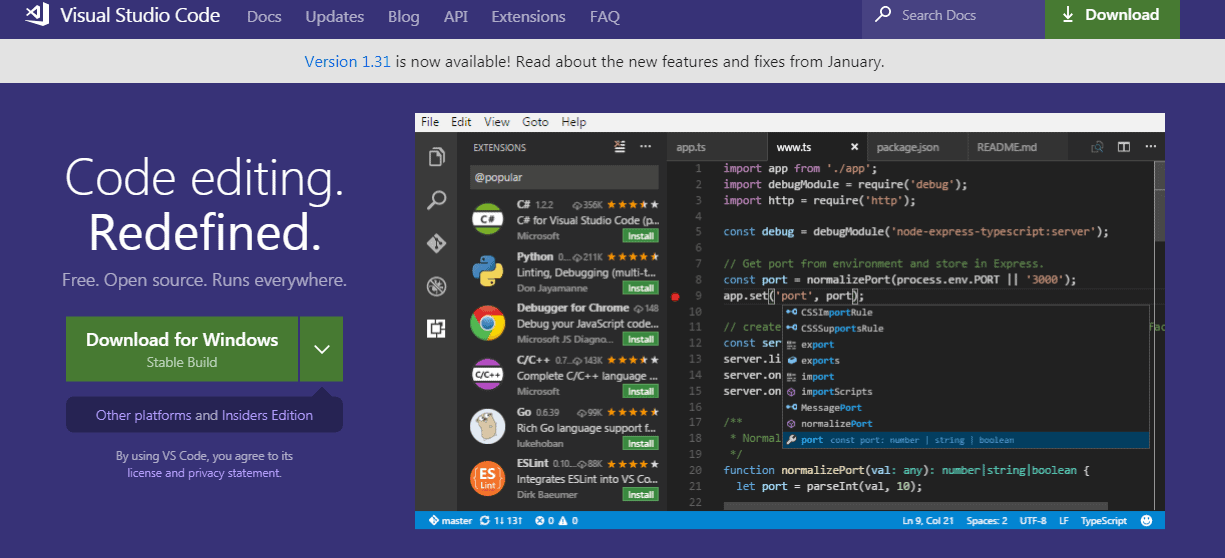
Visual Studio Code is a newcomer when compared to other text editors in the market and stand firm on the list of best text editors for Mac. It is an open-source editing software which was developed by Microsoft. Even though it is a lightweight script and text editor, but you will get incredible features. It offers JavaScript IntelliSense support and various plug-ins to enhance the functionality. Visual Studio Code also gives in-built support for Node.js, TypeScript and JavaScript.

You can get plugins to write and run shell scripts in Code and writing AppleScript. These plug-ins make the software highly responsive from the start and you don’t have to waste your time on features that you are never going to use.

Komodo Edit

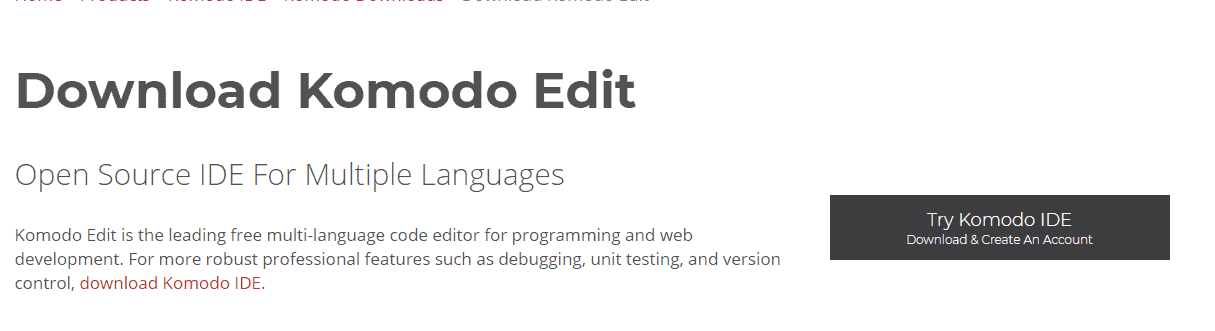
Komodo Edit is another open source text editor with excellent user interface that stands out. It is an awesome tool to write codes and carry out other operations. Komodo Edit has inbuilt FTP and supports Vim mode. It lets you do debugging, code refactoring and unit testing.

The software uses several professional tools for editing which includes autocompleting, markdown viewer, capacity to track changes and skin and icons sets. This multi-language editor easily integrates into the desktop environment. The only drawback is that includes project files to project code. Hence it is the best text editors for mac

BBEdit 12

PIC:best text editors for mac

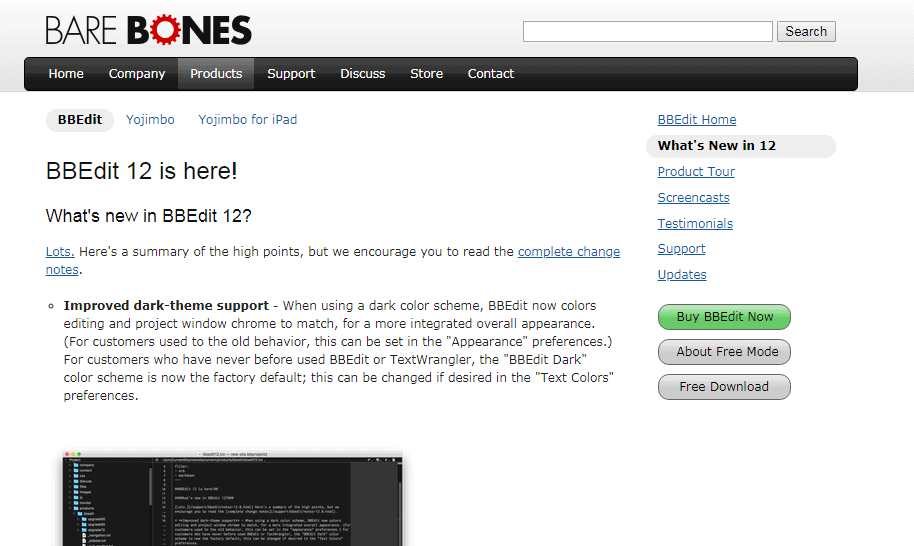
This is probably one of the oldest and most trusted software developed by Bare Bones software. It is a powerful text editor which prioritizes reliability and performance above everything else. BBEdit 12 offers many features such as searching, editing, manipulating source code and textual data. It is built solely for macOs; therefore the average Mac users will be able to understand the many keyboard shortcuts.

The most premium features of this software include customization options, Hard Wrap, text manipulations, correct markup and syntax coloring support for various built-in languages. It is perfect for HTML and text editing with extra support for remote editing via SFTP.

Well, this was the list of our best text editors for mac in both free and paid versions. As most of these editors are available on free trial first, you can check them out first before buying them.

YouTube to WAV Converter: 7 Tools to Convert YouTube video to WAV in 2022

0

We are going to discuss best YouTube convert to WAV in 2020, so let’s begin.YouTube is certainly the most popular video streaming platform right now where you can view, upload and download videos for free.

YouTube supports videos in all formats such as MP4, WMV, WebM and AVI however, it doesn’t support audio format WAV which means that you cannot download wav from youtube. The video content in YouTube is encoded in FLV files and in order to get the audio from any video, you have to convert the FLV (Flash Video) file into WAV file.  Also, WAV files are more preferable when it comes to YouTube videos because they can be played on any sound player and their sound is as good as CD quality.

Additionally, when you convert the YouTube video into WAV format and can download youtube wav video without compromising the quality of the recording at all. Even you can convert youtube audio to wav or convert youtube video to audio

That is why you need youtube wav downloader which will allow you to download videos in WAV format.

How do I download a video on youtube to Wav?

Here is a list of best YouTube Video Downloader and Converter tools to convert YouTube to WAV.

5KPlayer

5KPlayer is an extremely user-friendly YouTube to WAV converter for both MAC and Windows. You can directly download video content from YouTube and convert them into WAV files.

This converter is highly reliable and you do not have to worry about any viruses or spyware. Apart from WAV, 5KPlayer will also allow you to convert YouTube videos into MP3 and MP4 formats.

XY Downloader

XY Downloader has received the best rating among other YouTube to WAV converters. It also lets you convert video files into MP4, MVK and various other formats.

You can simply download a video in your desired format with just one click from either YouTube or any other webpage where the video is uploaded.  This youtube video to wav converter is very easy to access and the conversion rate is also pretty quick.

Online Video Converter

YouTube to WAV

Online Video Converter allows you to extract and convert audio files from youtube to .wav. You can simply insert the video link and select the format that you want it to convert to. This will give you the download link and the conversion rate is very fast. Another good thing about this converter is that you don’t have to waste any time on registration and you get to convert unlimited videos.

iTube Studio

iTube Studio allows you almost 3 times faster conversion and download of videos on YouTube absolutely free. One you have download the video, the change feature in this tool lets you to convert the download file into WAV format.  You can use this tool for Mac and Windows both.

This tool is also helpful in extracting audio file from a video. With quick downloading and fast conversion process, iTube Studio is one of the best conversion tools.

Bender Converter (youtube to wav downloader mac)

Bender converter can convert any youtube to wav and other formats as JPEG, GIF, MPEG, etc easily. This tool is really portable; you can use it on your mobile phones and tablets as well. The converted files can be played on iPod, iPad and Mac.

YouTube-Wav

This conversion tool is specifically designed to convert videos into WAV format. It also supports conversion of Facebook videos. Apart from WAV, this tool also supports formats like AVI, MP4, AAC, OGG, etc. You can convert as many videos as you want and the conversion rate is really fast.

Files Conversion

File conversion tool not only allows you to convert and download YouTube videos to WAV format but also lets you select the quality and size of the file to download. The tool is extremely flexible and supports many other formats like MOV, ASX, WMV, AVI, etc and let you download youtube videos as wav. The wav downloader tool requires installation and you have to pay a fee to get access to its features.

I hope after reading this article you will get the answer of all your question related to how do i convert a youtube video to a wav file? How to turn a youtube video into a wav file?

The Youtube video to wave converter tools that we tell you above you can easily download youtube video as wav format without compromising on the quality of the content. We hope this guide was helpful for you.

Exit mobile version