Home Blog Page 138

How Wireframing Can Save You Time

Saving time on any project is the key to making the project as efficient as possible. Efficiency is essential to the production process, and at the end of the day, it’s going to save you money. When you’re designing a website, app, or software application, it’s important to use a good wireframing tool to save you time on the design process. Here’s how a wireframe can help.

1. Setting The Groundwork

Any building project starts with one very important item: a blueprint. Buildings, bridges, and even roads all start with a design on paper. This helps the designers iron out the details and get things just right before moving to the building phase.

A wireframe can act as a blueprint for your web or app design project. By using a wireframe, you’ll be able to map out important details before you begin designing, ensuring that everyone on the team is able to see your design first hand before they add their own details.

With a roadmap of how you want the design to look and function, the later details such as graphics will be more easily added, thus saving the team time and making the entire project more efficient and cost-effective.

A roadmap for your projects will increase the team’s productivity and cooperation, and ensure that the team is aware of client expectations and what the project should look like once it’s completed.

2. Client Satisfaction

When clients are unsatisfied with your work, you have to go back and edit to make the changes they are asking for. That means taking an already completed project and spending more time on it because specific edits have been requested by the client.

Edits are not cost-effective. Every minute spent on editing is money falling right out of your pocket. That’s what makes wireframes such great tools for ensuring client satisfaction. You can keep the client informed throughout the design process and edit on-the-fly.

Be sure to include your clients by showing them your wireframe at each step of the design process. Once your wireframe is completed and you’re ready to move on, be sure to sit down with the client and explain the functionality of the website or app via the wireframe.

Be sure the client is satisfied with the organization of site elements and how the site navigates before moving onto the next step in the process. Remember that a happy client is much easier to work with and can save you those costly edits later on.

Let’s be honest, sometimes clients expect quite a lot from their projects, and while we admire their ambition, it can be difficult to keep up with their demands. Using a wireframe puts you ahead of the game by keeping the client just as informed as the rest of the team.

3. Exploring Multiple Options

The great thing about wireframes is their versatility. Think of a wireframe as a sort of sketch for your project, that you can edit as you go. This allows you to explore different design and functionality options. You may even find a certain element that you can utilize to save time in the entire process.

Exploring different options is always a good idea, because even though the old adage “if it isn’t broken, don’t fix it” holds some truth, sometimes the “old” way of doing things can become time-consuming as technology advances.

Don’t be afraid to explore different design options via wireframe. The best wireframe tools offer drag and drop interfaces, so trying something new is as simple as dragging a new element onto the project, and then deleting or saving it once you decide if it works for the project.

4. User Experience

When you’re designing any sort of digital medium, user experience should be your first concern. The users will want a simple interface that’s easy to navigate, read, and the tools the website or app offers are easy to use.

A wireframe helps you focus on UX early on in the design process, thus saving you time later on. Updates can be as costly as edits, so it’s important to remember UX when you’re designing. The less you have to update or change a project, the more time and money you’ll save.

5. Responsiveness

As websites are accessed through different mediums (tablets, phones, desktops) the site’s responsiveness can change. Sometimes a very responsive desktop site isn’t quite so responsive on a phone or tablet.

Using a wireframe can allow you to design and test a website across different mediums, and iron out the details on the site’s responsiveness before moving to the next step of the design process when it can become costly to redo.

Responsiveness is a big part of UX and can either entice customers to come back to the app or site or become frustrated and simply leave the site.

Conclusion

Saving time on a project can mean saving money as well. Keeping the client happy, remembering UX, and creating a roadmap for the entire project are some of the many benefits a good wireframe can offer. Remember that a wireframe is always easier to edit than your final design, and it’s better to make edits on-the-fly than after the project is finalized in terms of cost.

Time is money! Clients can be demanding, but always remember that they’re the ones paying for the project, and if they’re not satisfied with your work, you could lose valuable contacts. Use a wireframe to both keep the client informed and gain a better understanding of what they want in future projects.


Ten Tips for Workplace Emergency Response Plans

An emergency situation happens when we least expect it, and if we don’t know how to address it, it could lead to more significant problems later on. That’s why it’s essential for facilities and companies to come up and implement an effective emergency plan that would protect the workers, contractors, and most notably, visitors.

It doesn’t matter if the company plan is under a corporate policy or being controlled by regulated industries. What’s important is that it’s widely accessible as it’s the only way for you to enjoy excellent response and lessen the dramatic impact on your employees during an emergency situation.

As we tackle emergency response plans, you should first have a basic understanding of the management process, and included in this would prevention, protection, mitigation, response, and recovery.

Prevention includes being able to avoid and stop any forms of actual act that could possess a threat to the company. Protection would be protecting the citizens, employees, visitors, and residents against any types of threats and hazards. With mitigation, it aims to reduce the loss of life and property by lessening threats, risks, and impacts.

With appropriate responders, you have to be able to act right away to save lives, protect the environment, and the property. Through this, you’ll also be able to address the human needs after an accident. Lastly, with recovery, it’s essential to have an emergency responder kit that contains road flares, fire extinguishers, first aid kit, and other materials that could help you during emergency situations.

For corporations and companies that have multiple sites, it’s highly recommended to utilize an enterprise-wide template capable of streamlining formats and function as an outline for company-mandated information, together with the regulatory compliance content.

Keep in mind though, each location plan should have site-specific details that are unique to the area, as this would have an impact on your response plan, We also suggest creating a customizable, secure web-based template that has a database containing some of the most common company planning details.

To give you a better idea, we’re here to discuss how you could create an effective plan.

Tip #1: Know Your Objectives

Take a moment to assess the preparedness and response planning performance objectives talking about your company’s program. Included in this are the hazard prevention/deterrence, regulatory compliance, emergency response, risk mitigation, and many more.

Tip #2: Determine Response Resources

You also have to determine the availability, as well as the capabilities of resources that you can use to stabilize the situation. This can include systems, equipment, and people within the facility.

Tip #3: Carry Out a Risk Assessment

Pay attention to the threat scenarios and hazard identified while you were assessing the risk.

Tip #4: Create an Incident Management Team

Response plan knowledge is essential for this, as well as role-specific training that would ensure an effective synergy among your team members.

Tip #5: Work on Applicable Regulations

It’s crucial that you try to analyze and determine the response planning regulations that you are going to use for your facilities.

Tip #6: Have a Hazard-Specific Response Procedure

This would depend on your response planning structure, and that means the required content is also part of this. As for the hazard-specific information, you have the option to include it in your response plan, or if you want, come up with a separate stand-alone plan for it. This would be dependent on your needs.

Tip #7: Create a Protective Action Response Procedure

Work on evaluating and try to include life protective action with your procedures. Part of this would be the shelter, evacuation, and many more.

Tip #8: Work with Public Emergency Services

Some of the most common emergency services include the police, fire, HAZMAT team, and emergency medical services. It’s vital that you work with them, and familiarize yourself with how to stabilize an emergency in such a case that a similar situation arises.

Tip #9: Emergency Response Training

Training is essential, and everyone on the site should know what to do during an emergency situation.

Tip #10: Be Responsive to Drills and Exercises

Make sure that you are prepared at all times and know how to handle a drill effectively. This should be part of your response plan, and that means one of your duties include being responsive at all times.

Mount Cloud Storage Like Local Drive With CloudMounter Reviews

0

Developed by Eltima Software, CloudMounter is an application for Mac which allows you to upload and encrypt files on Dropbox and share files on Google Drive from Mac Finder without having to keep any local copies in your Mac. A lot has changed in the application since it was first released in July 2016. CloudMounter assembles all the cloud accounts and places them in the sidebar of the Finder which appear similar to any connected drive. This tool is particularly useful for those who you laptops and PCs with low capacity SSD- drives. With this app, you can ensure that all your important data is protected with end-to-end encryption and no information can be hacked even if someone steals your laptop.

How to use CloudMounter

The developers offer a fully function 15- day trial period to use CloudMounter. After installing the application and logging into the account, the remote store will appear as an icon on your desktop. The user interface is indeed simple to understand. The tool uses almost every kind of online storage option and the connections are absolutely simple to set up.

On the left-hand side of the CloudMounter window, you will be presented with a list of cloud storage services. Here, you just have to setup the cloud storage services one by one. You will need to allow access to the CloudMounter app to your Google Drive, Microsoft OneDrive and Dropbox.

The application also supports the following services:

  • Microsoft OneDrive
  • Google Drive
  • Amazon S3
  • Dropbox
  • WebDAV
  • Backblaze
  • Box
  • OpenStack Swift
  • FTP/SFTP/FTPS

Eltima is steadily working to add more services and as the license is for a lifetime validity, users do not need spend on anything extra to revel in the future inclusions.

You can name the drives as per your preference and select one drive letter for each account. Upon mounting a particular account, you will be able to access it through the explorer and browse your files and folders just like they are locally stored. Dragging files to and from the drives feel seamless and uploading them almost no time. The process is so straightforward, that it will hardly take a few minutes.

Key features of CloudMounter:

Cloud data encryption

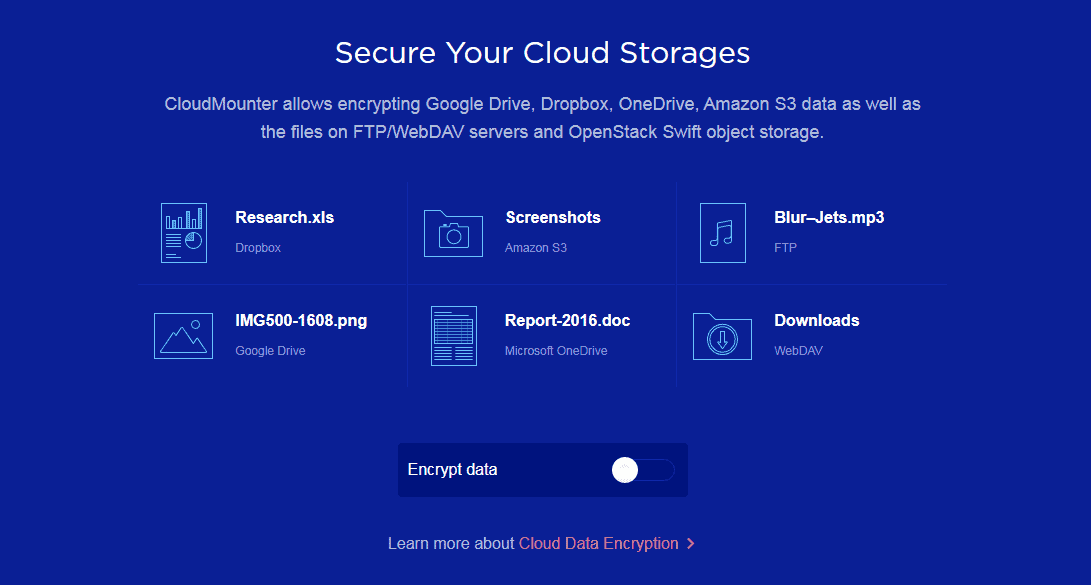
Users can easily encrypt their files for better security and secure the cloud storage to access them exclusively from CloudMounter. The application operates the most common and widely used Advanced Encryption Standard with 256 key lengths. All the important information that a user stores in the cloud service is securely protected and is accessible to only those users who have the decryption key.

Integration with Finder

CloudMounter integrates with the Finder which makes it extremely easy to handle the files. The application will display status icons in the Finder to allow the users to see which files are getting downloaded or uploaded. Users can also find mounted cloud volumes in the sidebar of the Finder, without the need to manually add them. The tool doesn’t save the login details of the connections and passwords are kept in the macOS Keychain.

Constant updates

The CloudMounter team is always working on better and advanced ideas which are carried out in the newer versions regularly. Users get full support from the team for any queries.

Performance

The performance of the tool is primarily dependent on the speed of the network. With a fast network, files can be transferred within seconds. However, it can take a longer duration to transfer encrypted files.

Final Thoughts

Eltima Sofware’s CloudMounter is an absolutely safe, all-inclusive and comprehensive tool that supports a huge range of cloud services and protocols. It is simple to use and add functionality, which is not generally offered by other cloud storage services.  You can try the free version, to get a real experience of the application. However, with the free trial version, you will only get support for Google Drive, Dropbox and Microsoft OneDrive accounts with encryption.

How the Internet of Things is Revolutionizing Smart Farming

The Internet of Things has become a byword for how interconnected devices will form the future of technology. Beyond smartphones, tablets, and computers, devices such as thermostats, refrigerators and integrated automotive tech are becoming ever more embedded in the public sphere.

For the general public, the IoT is still relatively novel rather than useful. However, various industries have identified practical applications, leading companies towards some extraordinary innovation. Of these industries, agriculture is making some huge movements towards integrating this technology.

Analysis

First and foremost, farms which have connected to the IoT have greater access to accurate analysis of their stock and crops. Smart sensors on everything from automated tractors to cattle tags can offer minute by minute, unit by unit analysis of how each crop or stock is doing. At the click of a button, users can take a long view of the climate, soil density, and crop or livestock growth.

“Through automation, these analyses can enable users to project yearly reports and predictions, optimizing yield and quality,” writes Melanie Philpott, an author at Researchpapersuk and Lastminutewriting. “For farmers, the detailed analysis that these smart sensors can bring will revolutionize the industry.”

Product control

One of the major benefits of adopting interconnectivity in smart farming is the ability to control production and quality to a greater extent. With a detailed understanding of the data yielded by intelligent farm equipment, farmers can ensure they are making the best of their holdings, and diversify or optimize their land usage in response.

With close inspection, they can see the health of plants or livestock and make better informed land-management decisions. This system of machine-aided analysis and decision making brings a whole new level to the term ‘precision-farming.’

Ecological impact

Another factor that is becoming increasingly more important is the ecological impact that the IoT can make to farming. More than ever, farmers are concerned with the sustainability of their holdings, and what wider impact they may be having on the surrounding area ecologically.

Climate scientists agree that farming can have a hugely detrimental effect on our global ecology. This means that new methods, augmented by IoT, can not only optimize maximum yield but minimize the impact of potentially hazardous or detrimental chemicals.

This is done through a system called Convolution Neural Networking. Smart Sensors monitor key indicators of plant and livestock health and target treatment or pesticides only to those areas that specifically require it.

Technology

Monitoring technology is an important resource in smart farming. Along with analysis and report generation, it brings, it enables real-time understanding of growth or loss. But it’s not the only automated tech available for farms.

“Some of the tech now available were in the realm of science fiction thirty years ago,” says Edward Aires, a regular contributor to Draftbeyond and Writinity. “Smart drones are available for precision crop spraying or planting, reducing carbon emissions from crop dusters. There is autonomous and robotic labor designed to cut on labor costs and reduce potential hazards associated with human labor. There are even now Driverless tractors which remove the human hazards altogether, and automatic irrigation and watering systems.”

Widespread adoption

For now, much of this still seems far-fetched and in some respects a novelty. But once adopted by the big agricultural companies, there is the likelihood that the costs of this tech will begin to fall. This is where we are likely to see the real benefit of the tech, as smallholders and farmers in developing countries adopt the technology.

Not only can it potentially begin to reverse the effects of widespread food poverty, but also re-enforce ecologically friendly practices across the globe.

About the Guest Author:

Cornelius J Johnson writes for Lucky Assignments and Gum Essays on a wide variety of subjects to do with business. As an expert on entrepreneurship, he loves to write and advise on matters relating to finance, start-ups and all aspects relating to digital marketing.

IaaS – Security Considerations

0

IaaS, the initials by which infrastructure is known as a service, is the traditional model of cloud provided by suppliers such as VMware, Microsoft Azure or Amazon AWS, among others. Under this approach, virtual teams or computer services without a server are offered.

Do you want to learn AWS and become an AWS certified professional? Then the Intellipaat AWS Course is for you.? Intellipaat is a very popular e-learning platform who provides an online training course on Python, Big data, AI and Data Science and DevOps Course for IT professionals authored by industry experts.

One of the advantages of IaaS is that there are very few limitations on what applications can be run on the infrastructure or what tools can be used to run the applications. In addition, many service providers also offer databases or storage in the cloud, as a complement to the infrastructure.

However, security services are one of the necessary additions to the IaaS equation since, in this type of platform, several problems may arise that require a good solution. Aviatrix offers many information on this and similar topics.

Security in Cloud Services

The security of any service that runs in the cloud depends on the level of protection that the cloud infrastructure can guarantee, as well as the vision of the user company to avoid the threat by making the best choices. In general, the risks of this type that affect the infrastructure represent an important security concern, which goes beyond those that affect traditional servers. Among the most notable, are the following.

Internal Threats – employees of the cloud service provider have direct access to hardware and networks, and many have access to hypervisors, provisioning systems, and authentication infrastructure. Therefore, they pose a potential threat due to their privileges. The way to prevent this type of situation is by focusing on the choice of reliable IaaS providers.

Escape of virtual machines, containers or sandboxes – once in a hypervisor, the attacker would have the possibility to modify the code, steal secrets and install malware in any instance of the same hardware. The risk of such breakdowns can be reduced by minimizing the number of virtualization drivers and other functions compatible with the hypervisor and intrusion detection tools.

Illegal obtaining of authentications – access to the accounts used to provision the virtual machines and other services in the cloud allows the attacker to simply use the API or user interface of the cloud service to destroy the services or grant additional access as desired. Credentials to access the cloud service can be obtained, for example, by installing a keylogger on an administrator’s desktop as part of a wider breach in the internal network.

Encryption

Vulnerability of encryption – one way to get access to the cloud is to break the encryption. Most cloud services and APIs are protected by the TLS protocol, which in turn depends on PKI for authentication. The typical way to break the cipher is to break the PKI. A PKI generally provides a good level of security against occasional attackers, however, it can be compromised by obtaining a CA certificate from any of the certification authorities. The way to avoid this threat to the integrity of the IaaS is to ensure the cloud service provider to keep its infrastructure properly patched and configured properly.

4 Genius Ways To Skyrocket Your Blog Traffic

I started blogging out of personal interest. The idea was simple — create a personal space in the web universe where I can share my expertise and experience to the world at large.

So one fine July evening in 2016 I set out to write my blog. I drew my curtains, made a fine cup of coffee, switched off my phone and worked on blog meticulously for hours. I couldn’t finish my blog in the first day. I had to set out specific hours in the following days to finish it. Must say, the effort I put in was nothing but a trek uphill.

Five days later, with great hopes, I hit the publish button on WordPress. My blog was finally out on the web. Well, being a practical person I knew the floodgates of traffic was not going to burst open immediately. So I gave it a day for the traffic to kick in.

Next morning I check my Google analytics, and…nothing…crickets. Zero visitors. No activity. Just deafening silence. Well, there was one user in real-time audience — that was myself. Sigh!

Image resource: https://imgflip.com/i/1bhnqv

It was as if the internet was too busy with cat videos, bursting pipes, funny kids, GoT memes, and everything else but, not my blog. The pain was real.

And, then I set out to work. I did some genius (among many other non-genius things) that skyrocketed my blog traffic.

And today, I want to share those genius tricks with you. You could be a college kid trying to make it as a blogger, or an experienced veteran trying to get into the league of extraordinary bloggers — irrespective of your motive, what I am going to say further will help you achieve that.

Create killer content

If there is one things that tops the list as a key to blogging success, it is killer content. Be it Google’s bots or humans who use the Internet, compelling content is what everyone loves.

When I say killer content, I mean content that meets at least one of the following criteria:

  • It solves a problem for your blog visitors. It could be relarted to life, technology, education, cooking, dating, plumbing — or anything.
  • It imparts knowledge. If a visitor stumbles upon your blog as an amateur, by the time they finishing a your blog they must feel like an expert. It should be a learning experience.
  • It should be diverse in nature. The truth about human beings is that we are all visual beings. Too much of text content can irk us. Hence the need to create your blog in several forms including infographics, presentations, podcasts, eBooks, etc.
  • It has long-form evergreen content. Blogs that run into 1500 to 2500 words mean they have real stuff that will be useful for visitors. Such kind of content will have a long-life and will help bring traffic in the long run.

Win the social media’s favor

If you are a blogger, social media is your ally. It is the platform where you share your blog content and also spread it virally amidst the masses. That said, be informed that Facebook is not yet dead. It is still a great place to find, meet and engage new blog subscribers. Also you can find several Facebook groups where people related to your interest could be hanging out.

Begin by making introductory posts. Create a buzz in the group and then follow it up by sharing your blog posts. Make sure you are not spamming it with too much of your own blogs. Do give space for others to participate as well.

Run contests

If there is one thing which grabs someone’s attention by the collar it is a contest. Today, a vast majority of the contests happen online through social media forums and websites. Your blog could also play the role of a platform. In fact, you can run your own contests like best hashtag, the best book I have read, write a tagline and so on.

This will help turn your passive readers into active and engaged readers. Furthermore, it also helps spread the news about your blog’s existence in the internet universe. Who knows, perhaps all it takes is a contest to bring torrential traffic to your blog.

Offer freebies

Do you know what is the most underrated joy for your blog visitors? Freebies.

Image source: https://www.funhappyquotes.com/happiness-is-free-stuff/

Of course, everybody can afford to buy most of whatever they want. But, getting something free of cost, online is a different deal. As a blogger trying to increase your traffic volume, you can use free book giveaways, t-shirts, coffee mugs and the likes to win the attention and fancy of your target audience.

And, you don’t have to actually give it away for ‘free’. You can always collect the mail ids of your blog visitors and use it for future drip campaigns. While collecting user email ids and other such sensitive information, ensure that you are playing by the rules set by GDPR. To comply with GDPR you must put in place proper safety measures that will safeguard your visitor data like their email ids.

The first step to doing that is to buy cheap price SSL certificates that will encrypt any information exchanged between users and your blog. In a way, just how traffic is essential for the existence of any online website or blog, a SSL certificate is also most important thing for data safety of its users.

There is no single formula or shortcut to turn on the tap of traffic to your blog. In my own experience, it takes time, perseverance and a lot of hard work to make it happen. If you are someone who has just stepped into the Blogger’s street, my points should help you. They will help you increase your blog traffic the right way, the ethical way.

Analyse These Questions Before Hiring a Digital Marketing Agency

From a newly opened startup to a huge corporate organisation, everyone needs to expand their marketing efforts. However, while increasing your brand visibility through various digital marketing channels, you need more hands on deck to handle the work. From analysing user needs, forming a strategy to successfully executing it, everything needs expert guidance.


Many organisations seek this expert guidance from a digital marketing agency. However, everyone struggles to ensure that digital agency that they are going to hire will generate more leads. They will promote social media presence, optimise digital campaigns, and improve ROI by enhancing brand value across various channels. 

In this article, we will discuss some questions that can help you analyse whether your marketing agency has all these capabilities or not. 

Which Questions Should You Ask?

Suppose, hiring a Boston based digital marketing agency for marketing deliverables and end-to-end working can enhance your company’s ROI. Contrary to in-house functions, a digital agency in Boston can achieve the task in much less time as they have expert resources.

However, since digital marketing is one of the essential functions for any business, selecting the right outsourcing partner is a truly difficult task. You can end up hiring a wrong one and reducing your outreach instead. Hence, to ensure you ask some unique questions so that the actual capability of the digital agency  can be judged, we have prepared a list of questions. Let’s dive in and see what these questions are:

How do you prepare a marketing strategy?

Instead of asking what, ask them how. Gain a little insight into the details of the procedure and strategies they follow. 

How many clients have you had from our core industry?

Anyone would quickly tell you that they can deliver anything from SEO to PPC. Don’t be too rapid in making a decision. Ask them about the clients they have in a particular domain such as PPC.

What type of marketing strategies have you used in the past?

Before judging anything else, you need to figure out their marketing strategy. Being a digital marketing firm, they should be executing their marketing tasks effectively. 

How do you plan to get involved?

You need to know the involvement.

Will they work in collaboration with your team, give you details and your team will take care of the rest, or do as you like.

Additional Questions to Ask

  1. Do you have customers in our industry?
  2. How much industry experience do you have?
  3. How would you define the success of a digital strategy?
  4. What are the terms of the agreement?
  5. Where is the team located?
  6. What tools do you use for PPC management?
  7. What metrics do you use in the reports?
  8. Do you operate with PPC platforms other than AdWords?
  9. Do you know about Google Webmaster guidelines?
  10. Can you give us some samples relevant to our industry?
  11. How will you measure the ROI generated by a digital campaign?
  12. What process do you follow across various channels?

Clear All Your Doubts

When you are finalising a digital marketing agency, ask as many questions as you can. You should focus on the success of your business along with increased brand value. To achieve this, your marketing agency should know what they are doing. You can only evaluate this by asking more questions relevant to your requirement.

Exit mobile version