Home Blog Page 135

7 Best Android Media Players

0

With the smartphone evolution where large screen are common and HD content is getting ubiquitous, it has become easier than ever before to turn your Android device into a compact theatre. However, the default gallery application is often ineffectual in playing a video or audio in a desired format.

Here come the Media Player apps that can add life to an Android device. There are many options when it comes down to media players for Android, so we have gathered a list of 7 best media players ranging from handy to highly configurable ones that you can start using today.

Best media players for Android

MX PLAYER

MX player stands apart as high-quality application when it comes to media players for Android. It supports most video formats and does it very smoothly which saves you a lot of time that usually goes in converting videos.

  • The app’s hardware acceleration and multi-core decoding work decently on devices with enough RAM which provides an unhindered playback experience even for lengthy videos.
  • The touch friendly interface allows you to rewind, fast-forward, swipe and pinch to zoom in that makes the player great for re-watching videos from the closest point where you last stopped.
  • There are vertical scrolls on both the sides to adjust the volume and brightness.

The minimal interface and all the handy features allow you to customize your viewing experience. Even though the app is available for free, but you will get a few ads. And, if you wish to completely get rid of these ads than you can but the affordable pro version.

VLC MEDIA PLAYER

VLC is probably the most popular video player in this list. It is a free and open source cross-platform multimedia player which plays various media formats including mkv, mp4, flv, and more. The app plays both audio and video files in Android; however, audio files need a bit of refinement when it comes to widget department. Other than that, the app serves the purpose for those who prefer to watch the videos on the go. The user interface is similar to that of Google Play Music, so it doesn’t take much time to figure out the application. VLC media player has a slew of some unique features such as:

  • Ability to stream videos with the URL
  • Built-in codecs
  • Subtitle support
  • Full media support
  • Multi-track audio

LISTENit

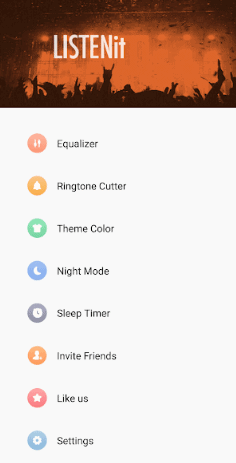
Created by SHAREit Technologies Co., LISTENit comes with an awesome user interface. This tiny media player with over 12,000,000+ users across the globe can fulfil all your need for Local music playing. You can browse Local music on your Android device faster and have the best music experience with high-quality sound.

The features include:

  • Profession equalizer with Bass Boast, 3D reverb effects and 23 equalizers presets based on various music genres such as Pop, Jazz, Heavy Metal, Country, Rock, Hip-hop, Classical, Piano, etc.
  • Multi-format support including MP3, MP4, FLAC, AAC, and more.
  • Option to cut any audio to make a personalized ringtone
  • Customizable theme color
  • Night mode
  • Headset control support

The best part is that you can command your application to stop playing after a certain time which is very helpful for those who like to sleep with their favorite track on.

BSPLAYER

BSPlayer is an old media player application which has been around in various versions for some time. It is still counted among few of the best video and media payers that you can get out there. You can get all the features in the free version of this tool, however it does have ads. To get the full version, you have to pay $5.99. The tool comes with a lot of options and many useful specializations. The features include:

  • Multi-core hardware decoding
  • Support for streaming from network devices
  • Hardware accelerated playback
  • Subtitle support
  • Ability to play files from compressed formats
  • Additional plug-ins

KMPLAYER

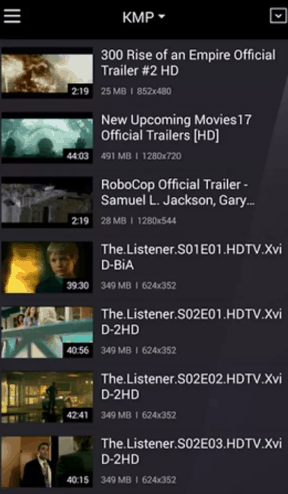
An immensely popular app, KMPlayer is a multimedia player that can play music, movies, and more with an approximate 1.5 billion plays per month. KMPlayer has a very slick user interface and comes with various customization options. The application can play a variety of multimedia files and you get to adjust the size of the screen and sound with the image processing functions.

The key features of the tool include:

  • Diverse format support  for AAC, MPEG1, MPEG2, WMA7, WMA8, and more
  • Option to download videos from Instagram, YouTube, Daily Motion, and other platforms
  • Support for 24 languages for worldwide users
  • Subtitle support in ASS, PSB,SUB, TXT, SMI, and other formats
  • Option to capture screen and audio in the desired format

VIDMATE

VidMate allows you to download the latest videos and music from hundred of websites. The user interface is a bit similar to that of MX player and you can control the different parameters of the video with a single swipe. Apart from downloading stuff, you can also make funny memes, get latest games and encrypt files out of site with this tool.

VidMate has a lot of exciting features that include:

  • Search, view and download HD videos from hundreds of platforms including YouTube, Instagram, Daily motion, Vimeo, Facebook, and more.
  • Download unlimited number of movies in different formats and quality.
  • Support for over 300,000 high-quality songs
  • Supports multiple downloads, background download and pause/resume
  • Support for Live TV channels

Shuttle+

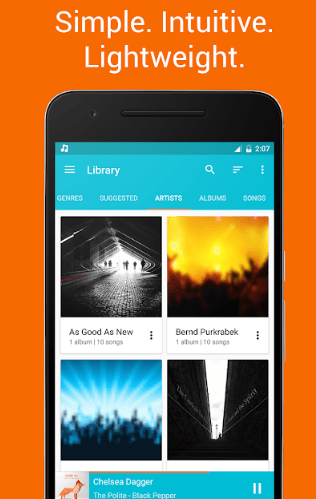
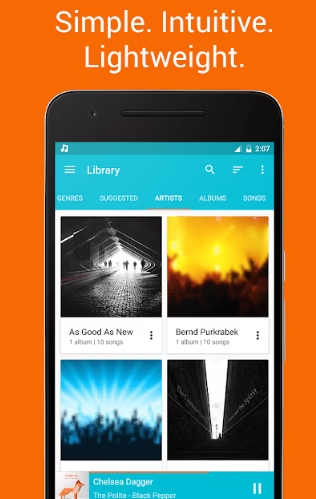
This one is an uncomplicated, lightweight and powerful music player for Android. Both the free and paid versions of the application are enjoying immense popularity. Shuttle+ has a clean user interface that looks identical to Google that fits perfectly within Android.

The Features include:

  • Built in 6-band equalizer
  • Embedded lyrics
  • Various themes including light and dark mode
  • Gapless playback
  • Sleep timer
  • Option to Chromecast to your television
  • Customizable widgets
  • Automatic artwork downloading
  • Option to scrobble music to Last.fm

Wrapping up

The media players mentioned in this post are a mix of ease of use and powerful features. If you are looking for an all-in-one adaptable media player then you can give VLC a spin. However, the other media players listed here would provide a good balance of features and multi-media support.

10 Best Games Like Pokemon GO

0

Niantic’s Pokemon Go became a huge success ever since its release and now has become a global phenomenon. Built in Niantic’s Real World Gaming Platform, Pokemon Go takes players to a new world to discover Pokemon using real locations such as Hokkaido and Kanto regions of Japan, New York and Paris.

Seeing the immense success that Pokemon Go has achieved in such a small frame of time, several game developers have created similar games.

So, if you are getting bored with Pokemon Go, there are other similar games that you should check out.

List of BEST GAMES LIKE POKEMON GO

INGRESS

Another popular game developed by Niantic, Ingress has over 50,000,000 downloads. This games similar to pokemon has won the grand prize in the Japanese Media Arts Festival back in 2015.
It is a near real-time augmented reality multiplayer game where you have to play in a virtual world which is filled with mystery and competition. The game is all about an unknown energy which can control others. In the game, there are two factions- The Enlightened (represented in green) and The Resistance (blue). One faction seeks to use the energy while the other counters it. Your goal is to stop the forces that are trying to take over the world.

You get to play with the players from any part of the world and as the game is location based, you have to make strategies to attack an opponent. You can also see the progress of other players from any part of the world.

ALIENS ON THE TABLE

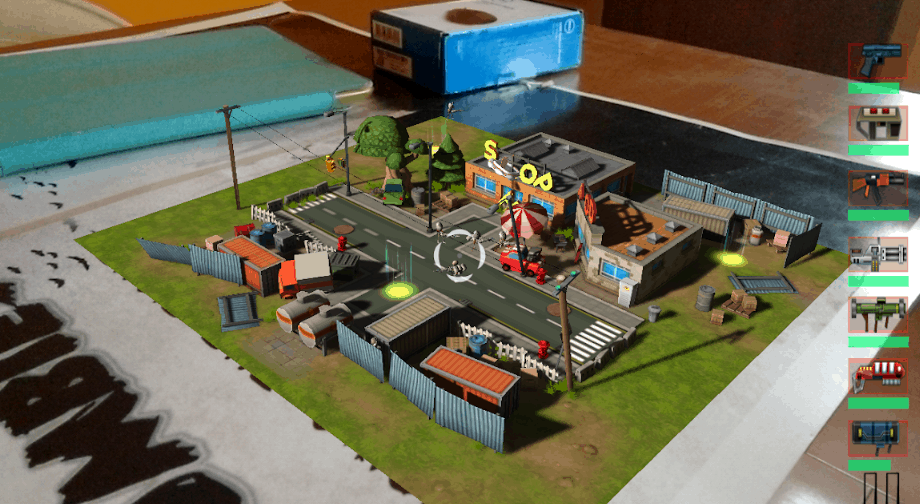
Aliens on the table is the games like pokemon go and it is an enlarged reality amusement game where you need you stop an alien attack in an over the head shooting gameplay. Your goal is to stop the intruders from contacting home by annihilating the gateway which they are trying to create.

The game is played by more than 50,000 players from all over the world. So, if you loved playing Pokemon Go, then this game will definitely spark your interest.

JURASSIC WORLD ALIVE

Jurassic World Alive is the games like pokemon go and basically it is an augmented reality mobile version of Jurassic World.  Your goal is to travel around and collect as many dinosaurs as possible. When you begin with the game, you will get a map which is filled with creatures and various points of interest which is similar to games like pokemon go. In the game you have to fire needles at the dinosaurs with a drone to collect their DNA.

To progress in the game you have to get the epic dinosaur DNA and use a laboratory to create hybrid dinosaurs. The game is location based, so you have to explore and collect dinosaurs. You can unlock the battling mode once you have collected for dinosaurs. Even though the game is available for free, but those who buy the membership can have a lot of advantages.

ZOMBIES RUN

Definitely one of the most popular games like pokemon go in the category with a 4.9 rating on the Apple App Store, Zombies Run will get you off your couch. Just like Pokemon Go, this game is a highly immersive where you are taken to a world full of walking dead.

To survive you have to keep running, collect supplies and unlock the daily missions. The game is surely thrilling and the amazing sound effects add up to it. With the immersive audio drama, when you are running, you feel like you are escaping the zombies.

FATHER.IO

The game play in Father.io is precisely similar to games like pokemon go. It is the second game in its class which has included association with the present reality in the real world. Even though the game is only available in its beta rendition, but gamers are still enjoying it. This games similar to pokemon go has more than 12,000,0000 real locations from various parts of the world. Give this amazing game a try, you won’t be disappointed.

MOBBLES

Another similar games like Pokemon Go, Mobbles is mostly identical in terms of gameplay but the creatures are different. Mobbles are the monsters living around you and you need to scan your neighbourhood in order to catch them.

You can move around and trade with other players from across the globe to catch these mobbles. There are 250 Mobbles around, which you have to collect. Players also get to raise the Mobbles like virtual pets by feeding them and participate in battles with others which is similar to games like pokemon go.

LANDLORD REAL ESTATE

Landlord Real Estate is also a similar games like pokemon go that lets you become a billionaire tycoon.  However, you cannot create a home overnight as you have to continuously counter storms, catastrophes and many other battles on your way.

You need to make strategies and plan wisely to get the most out of your ventures and decide which area will give you the most of the benefits. The game is location bases, where you need to play on a map and fight against the shrewd landlord real estate tycoons. There are several real-life situations such as buying and selling properties, building schools, hotels, and other buildings. You have to participate in all these activities for faster income and making yourself stable. This is a game that you would love if you had been playing Pokemon Go.

DRAGON MANIA LEGENDS

As the name implies, this games like pokemon go will take you to a Dragon land. You will play as a villager whose aim is to save the sacred land of dragons from the enemies. The game has a very similar gameplay like Pokemon Go.

In the dragon land, you will get to train various kinds of dragons with different skills like air, fir, rock, etc. and even hybrid between them to create a stronger species. New dragons hatch from the eggs and you can train them to fight and defeat the enemies. With good graphics, the game deserves a try as it is similar to games like pokemon go.

GENESIS AUGMENTED REALITY

Genesis Augmented Reality has a real-time gameplay and each character has a specific skill set. You can either play solo or with friends to make solid companionship to fight against the best world players.It is much similar to games like pokemon go. All the characters in the game are awarded with mystical, brutal and various attacking skills. In order to collect the rewards, you have to go through various expanses of cosmos and battle. If you like Pokemon go, this is the best alternative that you can get.

ZOMBIES EVERYWHERE

A game almost similar games like pokemon go, Zombies Everywhere has the same mechanics; just here you have to kill the walking dead. To get the best experience out of the game, stand in an open and look through your smartphone’s camera. You will see zombies attacking people, coming out of the ground and almost everywhere. There are various weapons similar to games like pokemon go, which you can use to kill the zombies. You get two modes- safe mode and survive/die mode, stunning graphics and a highly immersive augmented reality. Games who like zombies motion pictures, would find this game very interesting.

TEMPLE TREASURE HUNT GAME

This interactive games like pokemon go use your current location to convert the world around you into a temple which is full of hidden artifacts that you have to find. The developers have blended augmented reality with location tracking treasure hunt game to create an ideal environment to bring conventional treasure hunting in a mobile application.

In the game you can either choose to be a protector or a treasure hunter. While playing with your friends, you can share the treasure trails and hunt together as a team.

That’s it! Pokemon Go is one of the rare games with excellent AR capabilities. However, these games mentioned in this post serve as good alternatives for Pokemon Go as they are much similar to games like pokemon go.

Best Download Manager for Windows PC, macOS and Android

0


Even though downloading movies, images, music, games, shows, and more from the internet is a common practice, still few of us are using the browser to download such files. Well, if you are one of those who are using this conventional and ineffective method, then it’s time for an upgrade to an efficient and best download manager for pc.

Download manager

Here best download manager for pc can help you accelerate the downloading process and allow you to pause and resume a download whenever you want. Moreover, if you have a weak internet connection, then the download will continue from where it was left off. You get a plethora of options with the download manager and you can choose any depending on your preference.

Here, we have listed some of the best download manager for PC (Windows), iOS and Android

BEST DOWNLOAD MANAGER FOR PC (Windows)

JDownloader

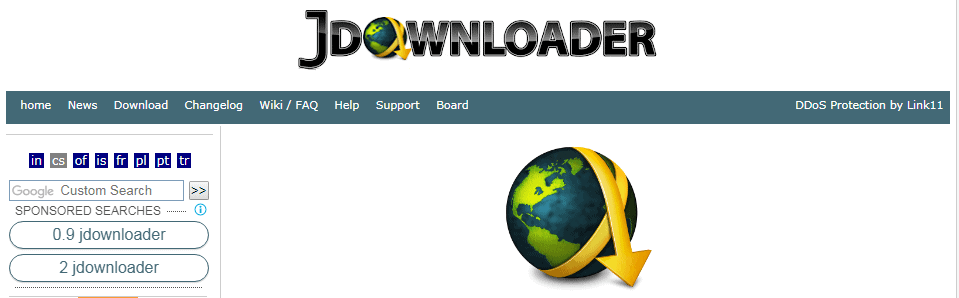
Loaded with lots of features, JDownloader is an open-source best download manager for PC which is available for free. The tool has a massive developer community. It supports over 300 decryption plugins, automatic RAR extraction and password list searching. The user interface may appear a little dull but it is very easy to use.

One of the best features of this best download manager for pc is that it changes the IP address while a certain files is being downloaded which is helpful if the downloading service has blocked the original IP address from downloading at high speed.

The only downside of the tool is that the installation process includes adware. Otherwise, JDownloader is a fantastic option for power users who are looking for best download manager for pc to speed things up.

Pros:

  • Supports 300 plugins for advanced features
  • Option to download multiple files at once
  • Free without ads

Cons:

  • Installer has adware and bundleware

Internet Download Manager

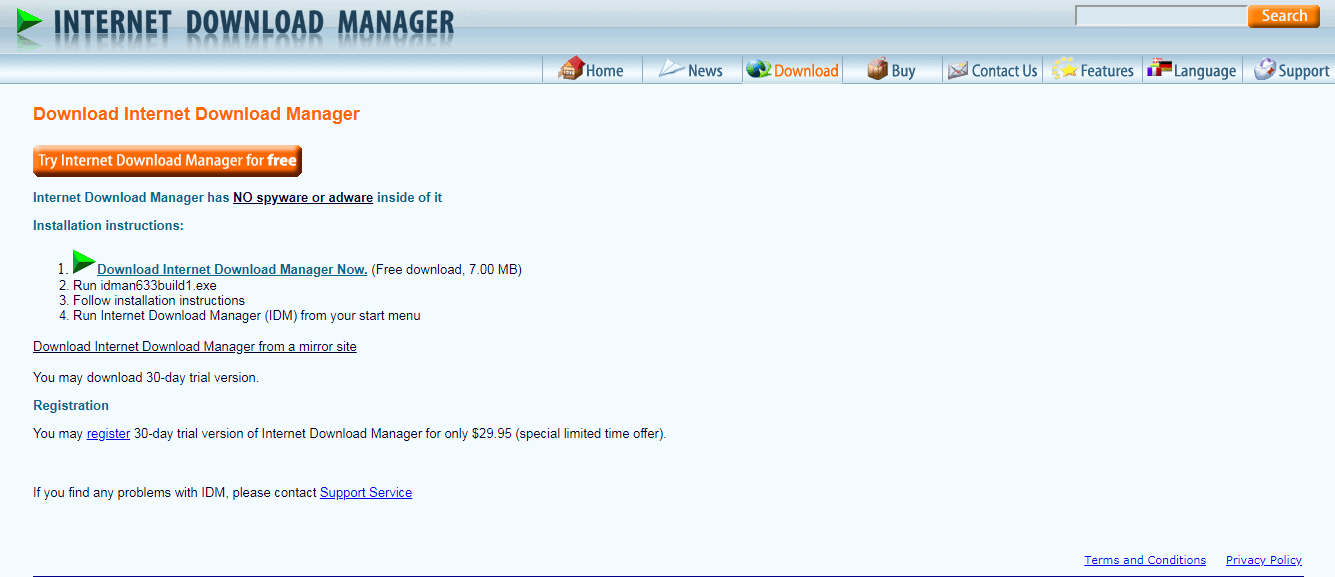
One of the most in-demand and best download manager for pc, this tool stands out as it can be easily integrated with almost all the browsers. The Internet best download manager for pc easily intercepts the download links which allows you to download a file using the tool’s service instead of the browser’s default downloader. You can download big files with ease, download torrent, and pause/ resume any download as per your convenience. This best download manager for PC comes with a smart download logic accelerator which allows multipart downloading to increase the speed of the download.  It supports FTP and HTTP protocols, cookies, proxy servers, firewalls, and more.

The only downside with this tool is that it is not available for free. You can use it for a free trial period of 30 days, post which you need to pay a small amount to get lifetime licence for the software.

Pros:

  • Support for multiple file download
  • Fast download speed

Cons:

  • Not available for free

Ninja Download Manager

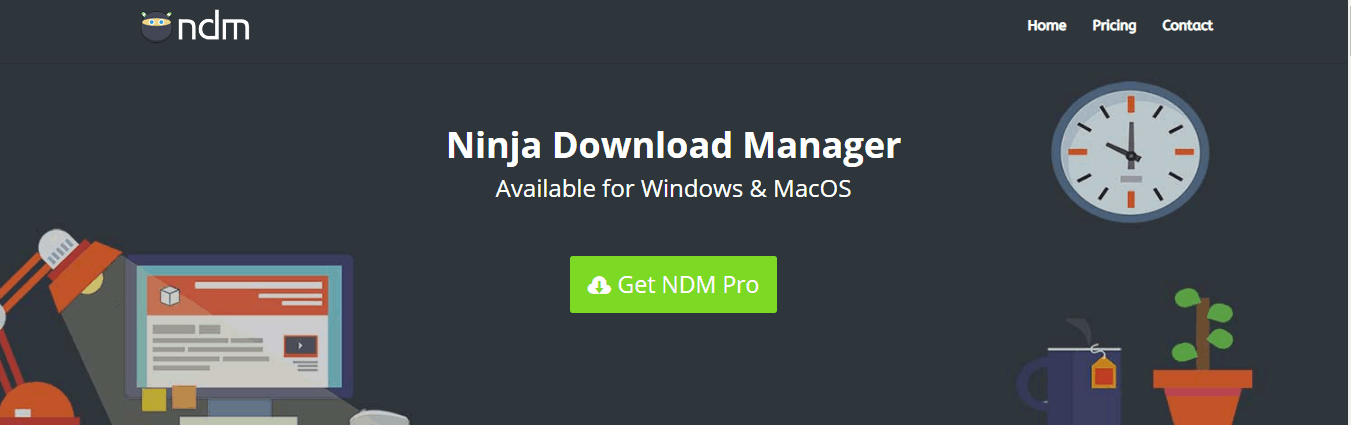
Ninja best download manager for pc is a relatively new application in the download manager category and has a rather modern-looking user interface which blends seamlessly with the Windows. Apart from the good looks, it is also one of the fastest and best download manager for PC available at the moment. The application is really simple to use and comes with various features such as a scheduler, pause/resume, multiple downloads, a download accelerator, queuing downloads, and more. The tool uses multiple connections at a time which splits a big file into small parts and uses various server points to download those small parts which speed up the download exponentially.

With the video preview, you can check the quality of a video before downloading it which is very helpful if you are using an unknown source for the download and ends up with you saving a lot of data.

Pros:

  • Video preview mid-downloads
  • Fast downloads

Cons:

  • Media parsing for non-popular websites is not supported

Free Download Manager

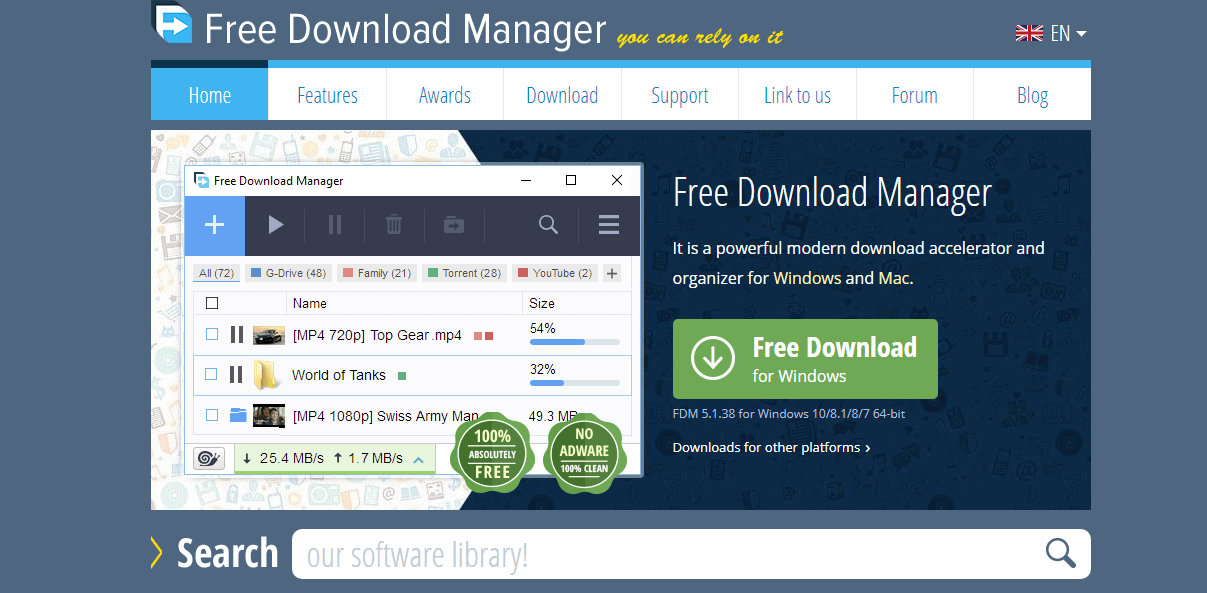
As the name suggests, it is a free best download manager for PC especially for Windows is exclusive for those who like to download a lot of movies and music. Additionally, this tool includes its own torrent client which comes really handy at times.

Free Download Manager is also one of the best looking best download manager for pc with a modern and clean user interface. The best thing about the tool is that you can schedule your downloads for quiet periods so that you do not consume all the bandwidth. With the smart file management, you can pretty easily organize all the downloaded files by their types. Also, you get to remote control all downloads using your phone when you have an active internet connection. Similar to another download manager, this tool too helps in downloading the files faster by splitting those files into various parts. FDM also supports pause and resume of downloads in case if there is an interruption. It is indeed a powerful, best download manager for PC and the fact that it absolutely free to use without any ads makes it worth giving this tool a try.

Pros:

  • Modern user interface
  • Smart file management
  • Bandwidth monitoring
  • Torrent download support
  • Remote control
  • Free to use and has no ads

Cons:

  • Often gets slow to parse the links

Eagleget

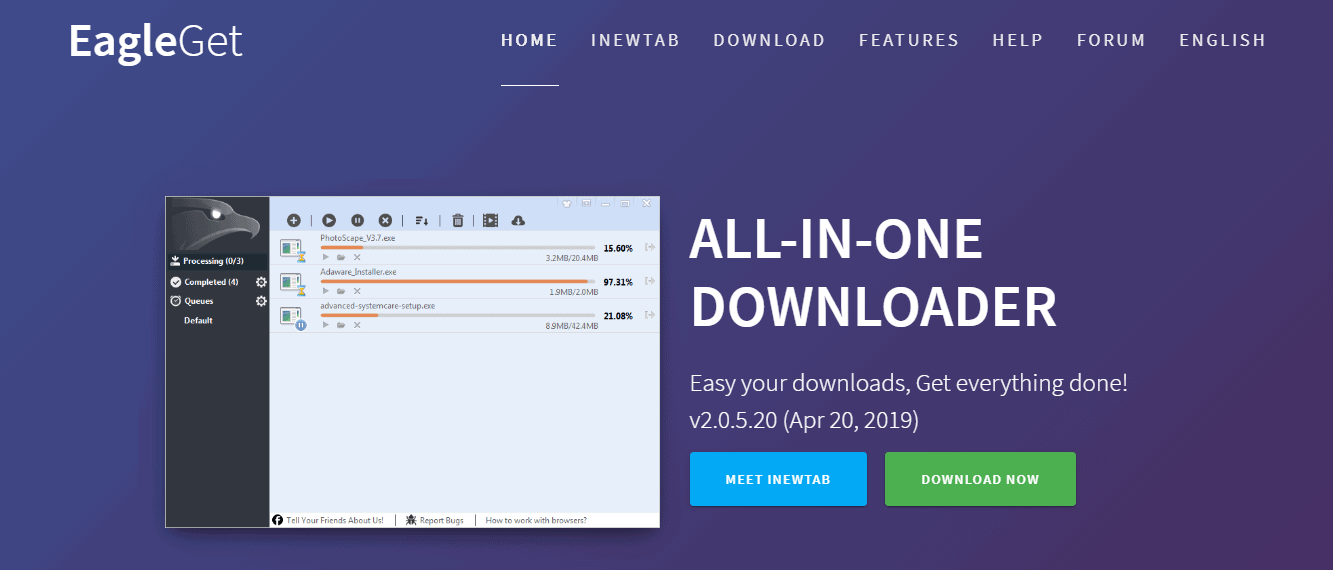
Yet another best download manager for pc that use Windows, Eagleget is rather new in the category but does a good job in handling downloads. It can integrate with most of the browsers including Chrome, Firefox and supports HTTPS, FTP, MMS and RTSP protocol.

This best download manager for pc can split files into smaller chunks, pause/resume, check downloads for any kind of malware, prioritize downloads, allocate bandwidth, and use multiple download sources. The tool features a multi-threaded technology to accelerate the connections for even speedier downloads.

Even though the application is free to download, however, the only issue is that you have to give consent to see ads or share your bandwidth with other users. For those who are looking for a lightweight and best download manager for pc with a customizable user interface, Eagleget would be an ideal choice.

Pros:

  • Check malware
  • Speedier downloads

Cons:

  • Contains ads

BEST DOWNLOAD MANAGER FOR MACOS

iGetter

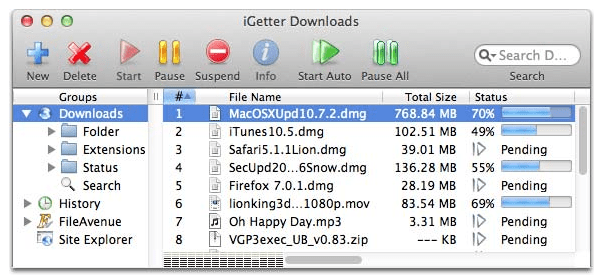
A powerful and fully-featured download manager, iGetter provides Mac users high speed of downloads by using segmented downloading. The Application is completely free and integrates easily with the device. Even though the user interface isn’t that modern but in comparison to other free download manager, iGetter offers more features and does a decent job.

The tool allows resume on broken downloads, schedules download for low traffic periods, auto redials on broken connections, and a lot more.

The application is available for free download, but you will get a splash screen for a few seconds whenever you launch the app. In order to get rid of this splash screen, you have to buy the full version.

Pros:

  • Easy integration
  • Fully-functioning basic version

Cons:

  • Not a very intuitive user interface
  • Splash screen in the free version

Download Shuttle

Download Shuttle is another free download manager for Mac which is a remarkably fast download accelerator and manager. The tool splits each file into smaller segments which are later downloaded together. This makes sure that the download speed is fastened and your bandwidth is maximized. The tool has browser extensions for Safari and Chrome which add on some additional options in the browser’s menu. Download Shuttle may not be extremely feature-rich download manager out there, but if you consider support for web browser integration, it would be an ideal choice for people who are looking for a simple yet intuitive user interface.

Pros:

  • Supports URLs that require authentication
  • Drag and drop for download links
  • HTTP/HTTPS support

Cons:

  • Doesn’t support YouTube download
  • Can’t download multiple files at once

Folx

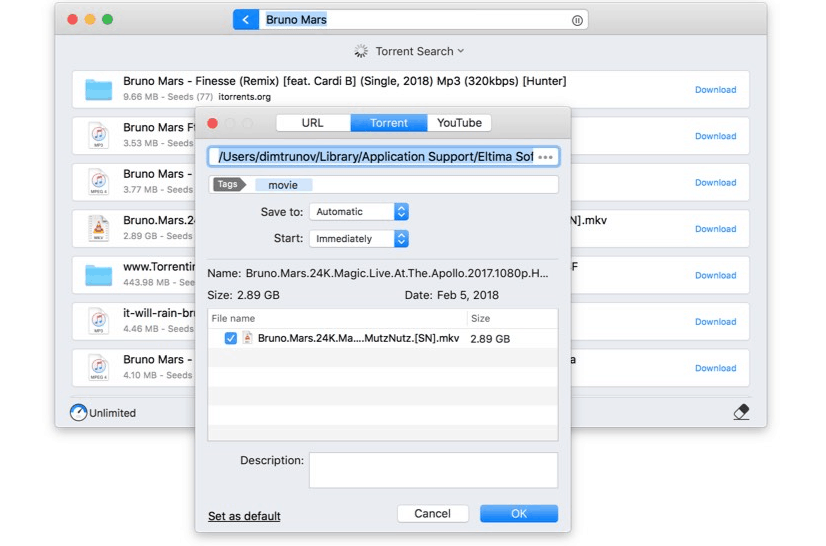
With a user interface that easily blends with MacOS, Folx is another free download manager that allows easy downloads with flexible settings.

The tool supports resume of interrupted downloads and speeds up the downloading process by downloading simultaneously from various connections at a time. It can easily integrate with Chrome, Safari, Opera, and Firefox by using Folx Agent and browser extensions.

You can download a file using magnet links which means that you don’t need a separate file before you begin the actual download. Also, you get to control the speed of downloading either manually or letting Folx do it on its own for optimal traffic allocation. With the Pro versions, users get access to torrents search directly from the app and download videos from YouTube. The free version offers most of the standard features, however to get all Pro features you have to pay $19.95.

Pros:

  • Supports torrent
  • Catches download links in a page automatically

Cons:

  • Need to but Pro version for advanced features

Progressive Downloader

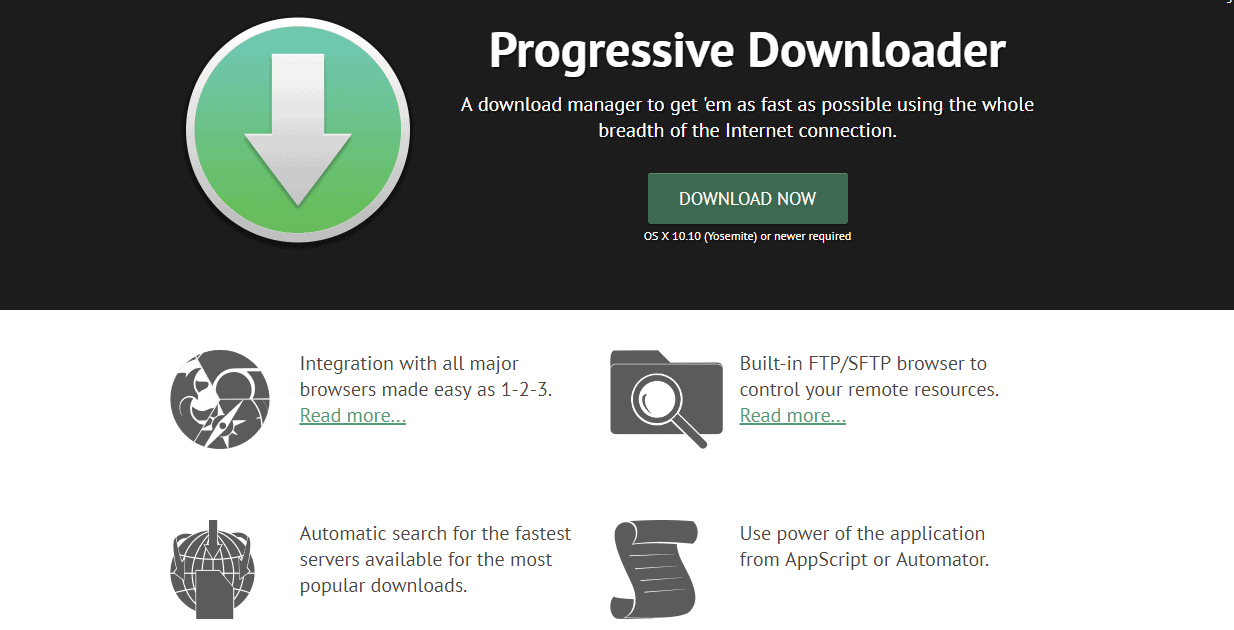
Progressive Downloader is a full-fledged tool with almost all the features that you can think of. It supports resume of interrupted downloads, download sorting, multi-threaded downloading, browser integration, and more. The built-in mirror features allows the application to search for mirrors for larger files. Progressive Downloader supports integration with all major browsers including Chrome and Safari.

However, the drawback of the application is that it can only download a specific file from three simultaneous threads which is why download acceleration is not as good as other similar download managers. You can download the app from the official website for free and if you want to support the developer than you can buy a copy from the Mac App Store.

Pros:

  • Easy integration
  • Full-featured and simple user interface
  • Automatic search for the fastest servers 

Cons:

  • Speed acceleration is a bit disappointing

BEST DOWNLOAD MANAGER FOR ANDROID

Download Accelerator Plus

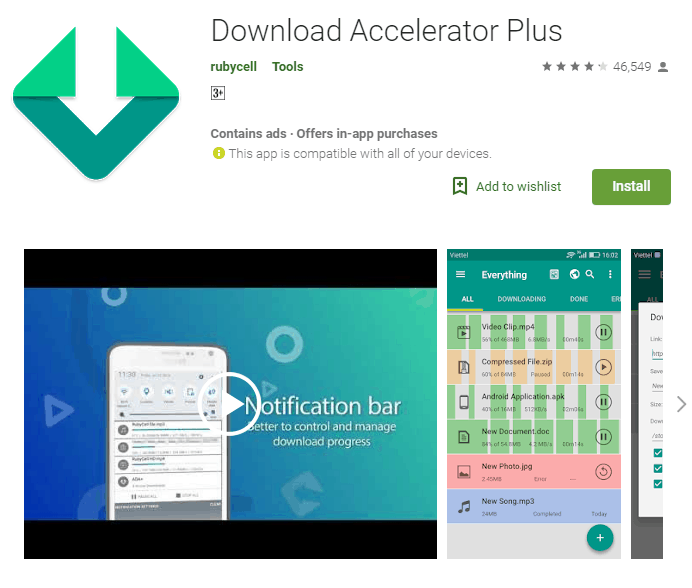
Download Accelerator Plus gives you more of a clean and up to date user interface. It features auto-resume for interrupted downloads, multi-threading support, auto-caching of links, and has a built-in browser. You will be able to download anything that you want from videos to documents and all the downloaded files can be accessed from the sidebar. You can also login to your Google account and back up your downloaded files.

The app is available for free download; however you will get a lot of ads. In order to get rid of them, you can buy the premium version which will also let you schedule downloads.

Pros:

  • Smart error handling
  • Supports all major browsers

Cons:

  • Free version contains ads

Advanced Download Manager

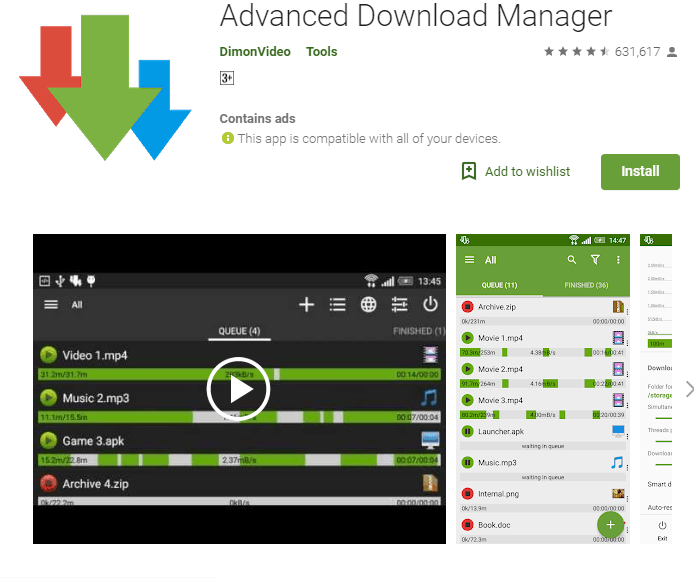
Advanced Download Manager allows you to download any type of file and up to three files at once in your Android device. The application recognizes the download links from the default browser automatically and increased the download speed by using a maximum of 9 multi-threading instance.

It supports all the major browsers including the OEM browsers that come with the Android phones. The app has a built-in browser named ADM which supports multiple tabs and provides advanced media download options. In comparison to other similar apps, Advanced shows lesser number of ads, but if you prefer a completely ad-free interface, then you can purchase the Pro version which offers better control too.

Pros:

  • Automatic recognition of downloadable links
  • Supports all browser

Cons:

  • Have to buy pro version to get rid of ads

Wrapping up

There are plenty of download managers available out there for different operating systems. To increase your productivity and the download speed, getting a specific download manager is no brainer. The best part is that most of these best download manager for PC are available for free.  You can pick any app depending on personal preferences.

LambdaTest – The Powerful Cloud-Based Cross Browser Testing Tool

Web applications are one of the most widely used ones, and you would need to have access to cross-browser compatibility for your applications. Checking the web applications for a cross-browser performance and compatibility is quite essential to check the functionality of your apps.

So, is it so essential to check the cross-browser compatibility of the web applications? LambdaTest Cross border testing platform is one of the best options that would be helpful for your needs.

What is LambdaTest?

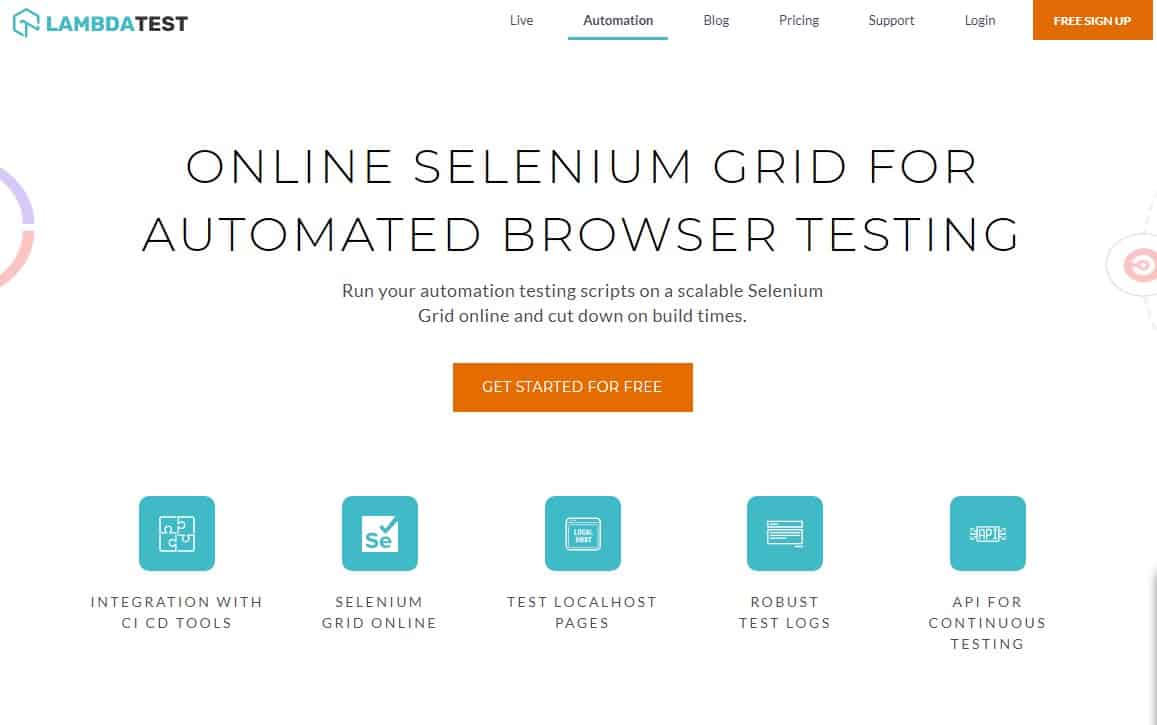
LambdaTest is a powerful cloud-based cross-browser testing tool that lets you check the cross border compatibility of your web applications. The application lets you check the compatibility of your web applications across 2000 browsers and operating systems. The tool lets you perform both manual and automated cross-browser testing with ease.

In fact, manual cross-browser testing may not be an easy task. You cannot go on installing thousands of browsers on your local machine. This is exactly where a tool like LambdaTest Selenium Automation comes to your rescue. This will help you execute a remote and automated cross-browser compatibility test in the cloud.  

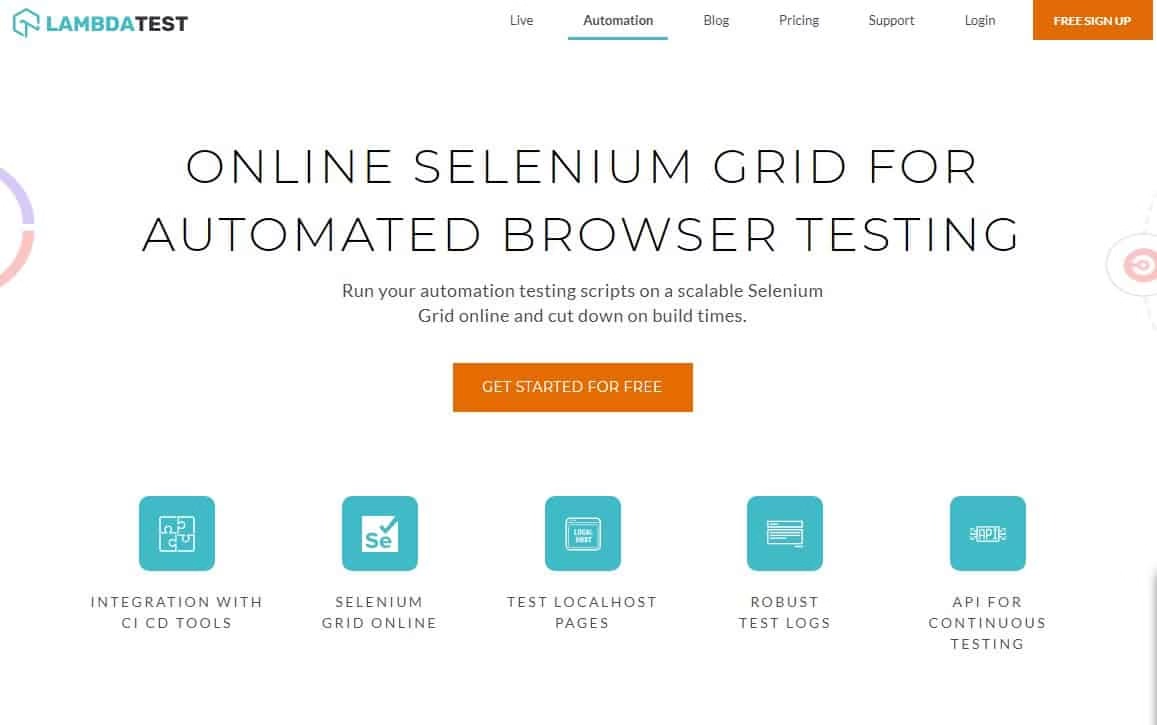
The LambdaTest Selenium Automation Grid is a cloud-based selenium testing platform that should assist you in running your automation scripts across 2000 browsers and operating systems.

Also Check: Mount Cloud Storage Like Local Drive With CloudMounter Reviews.

What makes it a good option for cross-browser testing?

Well, there are several features that would make it a great tool quite one too many. We will outline a few of them here in this compilation.

Browser Compatibility testing

LambdaTest lets you perform the cross-browser compatibility test with the use of live selenium grid. The automated testing with the help of selenium grid can be achieved across multiple areas of interest. The testing can be conducted across multiple platforms that include browsers, browser versions, resolutions and operating systems. You can even have real-time browser compatibility updates through screenshots and recordings.

A Reliable Support channel

Enhanced technical support is what would make it a perfect choice for all your needs in a reliable cross-browser compatibility testing. You can be assured of a 24 x 7 support for any of your queries and doubts. The level of expertise of the support team is evident enough in the form of the support services provided by them.

Issue Tracker

The LambdaTest cross-browser compatibility test comes with an issue tracker that comes built within the software. If your web application does have any issues, the software can easily detect it and list out the bugs effectively. The Issue Tracker can perform a host of tasks with the bugs found in the web applications. It can export them to the PDF format, send it to the users specified, assign and track the issues and manage them efficiently.

Chrome Extension

The software also comes with an exciting degree of performance enhancement through several easy to use applications. One of the best examples of this functionality would be the Chrome Extension that comes as part of the software. The extension lets you take a full screenshot of the web pages across multiple browsers. This can be quite helpful in fast-tracking the compatibility and resolve any issues you may be having with your applications.

Collaboration during testing

Unlike other options for cross-browser tools which may not allow you to collaborate while on the browser compatibility testing, you should be able to have a complete collaboration even while on your test. In fact, it is a cloud-based tool, you would find it extremely useful and practical for most of your needs. LambdaTest lets you log and share the issues if any via multiple applications like email, slack and other tracking tools.

Apart from those specific improvements and enhancements observed on the LambdaTest cross-browser compatibility testing tool, a few other features that should interest you should include integration with high-end integration tools like Jenkins, Buildbot, Circle CI, Codeship, Continua, Cruise Control, and Bamboo, compatibility with over 2000 browsers, testing of locally hosted web pages and support for multiple frameworks that include  Python, Java, Javascript, CSharp, Ruby, and PHP.

How is LambdaTest Selenium Grid help you in Cross Browser tests?

Well, while there may be a handful of browsers that most of the users may be using. Prominent among them include Chrome, Firefox, Opera and IE. However, there are plenty of other browsers that are being used by hundreds of users across multiple operating systems on mobile, desktop, laptops and a host of other devices.

With that background, your visitor can visit your website from any of those 2000 odd browsers. So, what if even a handful of those browsers fail to launch your web applications? That is where a cross-browser compatibility test assumes importance. This ensures that your website is accessible on any of those browsers.

LambdaTest is a cloud-based online selenium grid and can help you perform those browser compatibility tests across its list of over 2000 browsers and operating systems. In addition, to help you check your web applications for cross-browser compatibility, it can also double up as a debugging tool for your application across mobile and desktop platforms. You can opt for the debugging version for any of your preferred browser and browser version.

The Parting Thoughts

Cross-browser compatibility tests are what you can term as a necessary evil and thus having the ability to running selenium scripts can assist you in an enormous manner. This can go a long way in helping you save both time and efforts to a greater extent. In fact, the manual option of cross-browser compatibility test can be both expensive and time-consuming beside being prone to errors.

LambdaTest offers you a simplified and easier option to go with the task without having to worry in any manner while performing your browser compatibility tests across multiple browsers and operating systems. The automated test platform that it provides you should make it extremely enchanting option in more ways than one.

Commander One File Manager: The Complete Review

0

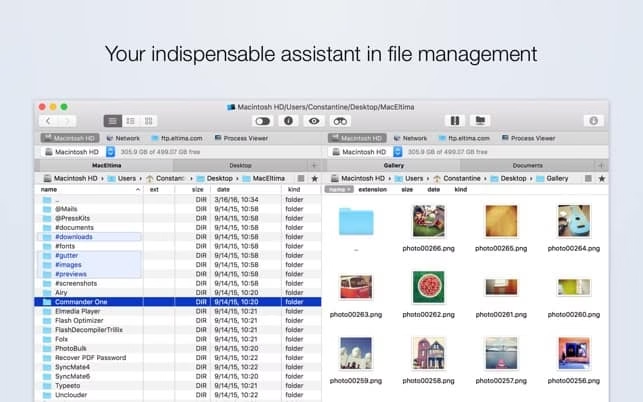
Commander One for Mac brings a lot of functionality and a ton of handy features which are not just limited to file management. If you ever wished that Apple’s Finder had some extra features, then Commander One may the tool that you have been looking for. With an innovative interface and numerous dynamic features, this standalone application can help you be more productive.

Developed by Eltima, Commander One is a dual-pane file manager with extensive user-friendly features that you can use to manage several files at a single go in your Mac operating system. The application lets to see the hidden files instantly. The essential customization options let you have absolute control over your files and folders which can save a lot of your time. It is written in the new Swift Programming language which acts as a Mac Finder alternative for power users.

As this tool has a dual-pane window, you copy files from one place to another, rename the files while moving them and work with local and network drives. The other features include an advanced search to locate files quickly using the name, multi-tab browsing, file operations queuing, ZIP support with compressing and preview multiple types of files.

With the Brief Mode, you will be able to see and manage multiple files at once. You can use regular Expression to search the files. The tool allows you to specify the number of subdirectories to search in. Also, you can search with Spotlight inside the tool. You can also preview the files without having to open them and the tool supports file types such as hex and binary. Furthermore, the tool has a built-in Terminal emulator with all the necessary features.

USER INTERFACE

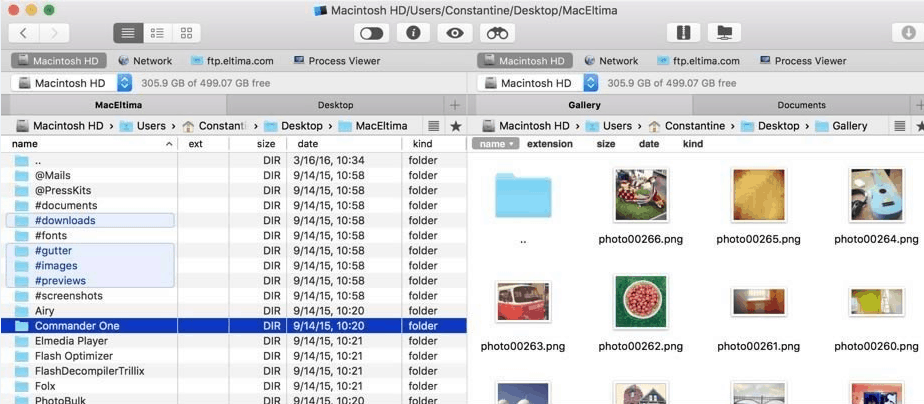
Similar to other applications developed by Eltima, Commander One has a comprehensible, well-designed and beautiful interface. It also has a drag-and-drop facility and batch import and export option. Upon activation, you will get six separate areas which are Command Line, Buttons, Disk List, Disk Info, Selection Info, and Path Bar. You can use the “View in the menu bar to filter and uncheck the details that you do not need.

You will get options such as Network and Process Viewer on the top left corner of the window on both sides. Below that you will find several directories which can be used to find any file or folder. The welcome panel shows that you can change the display mode from full, brief to the thumb, get an easy toggle to reveal hidden files and open as many tabs as you like to view and manage active file operations. The tool adds plenty of keyboard shortcuts to make moving files and folders less painful.

As Commander One comes with a load of features, it may seem daunting in the beginning, but as you get a hang of it you will find the application less intimidating and extremely easy to use.

Dual Pane Mode

The dual pane mode makes it extremely easy to move files and folder around which is helpful for those who like multitasking. It makes the workflow very smooth and responsive. Even though neither of the two panes can be closed off at a time, but you can resize them and also open an unlimited number of tabs at once on each of the panes.

Hotkeys Support

The most appreciated part about the interface is the support for hotkeys. Commander One allows you to view, edit, copy, delete and more using hotkeys. To make things even better, you get to assign any desired action to a hotkey and create your own combo.

FEATURES

At first glance, Commander One looks pretty shiny, let’s have a quick look at the some of the best features that it comes with:

High speed

When speed is considered, Commander One performs brilliantly. Moving and editing files, and even complex operations can be done instantly.

FTP capabilities

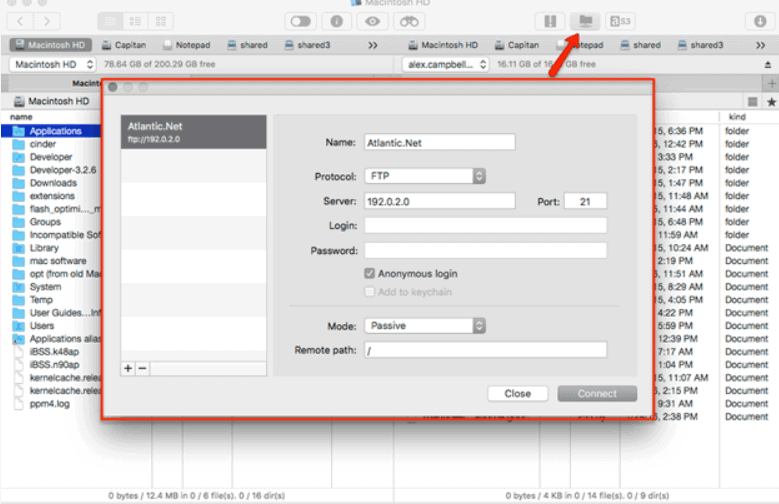
Commander One lets you connect to remote servers via FTP, FTPS, and SFTP. This allows file transfer with higher security and more reliable data transfer.

Unlimited tabs

It is common to open multiple tabs at once and work. With Commander One, there is no limit to the tabs. You can open an unlimited number of tabs at one and these tabs will contact specific information about each and every folder.

PRO VERSION

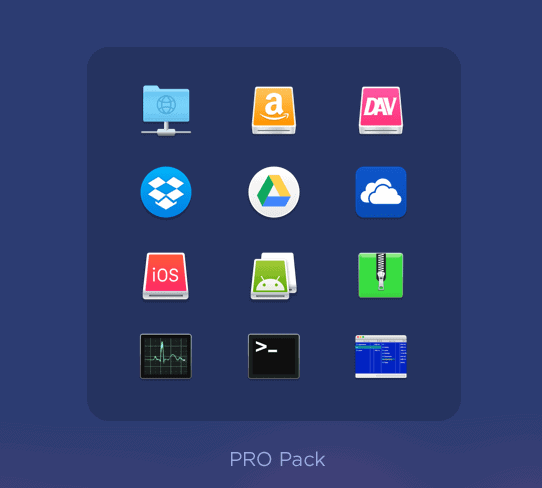
Commander One with basic functions is available for FREE. However, if you want the PRO Pack, then you can buy it for $29.99. The pro version comes with:

  • Built-in FTP, SFTP, FTPS remote client managers
  • Access to Dropbox account
  • Option to mount as many Google Drive accounts as required
  • Option to connect Microsoft OneDrive account
  • Terminal Emulator
  • WebDAV support
  • Option to connect and manage files in Amazon S3
  • Mount iOS devices
  • RAR support
  • 7zip with compressing

To create a unique appearance you can use the various color themes and personalize your Commander One. In case if you are hesitant in trying the paid version, then you can go for the free trial period of 15 days.

How to use Commander One?

It is very simple to install and use Commander One. Just follow these steps:

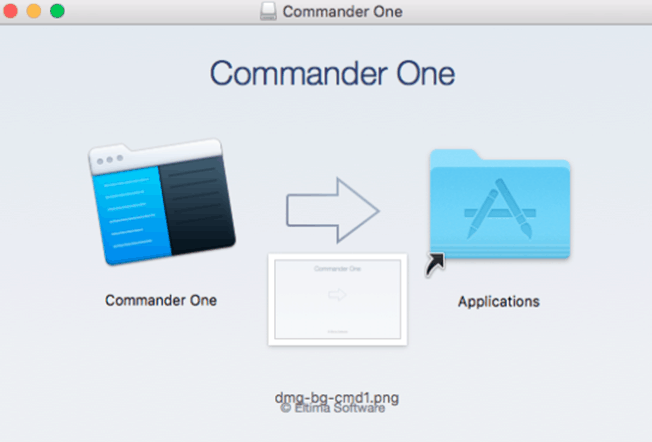
  • Post download, proceed with the installation.
  • When you are done with the installation, rub it and you will be taken to this window
  • Now you can either chose Commander as MAC Finder or as FTP Client
  • If you prefer to go with FTP Client, you will get the following screen
  • On the other hand, if you go with MAC Finder, you will get less complicated menus.

Pros:

  • Powerful features
  • Comprehensive Interface
  • Support for hotkeys
  • Various customization options
  • Granular control over file transfer

Cons:

  • Can’t use a single pane view

Wrapping up:

You must be wondering if the application is worth giving a try. Well if you feel that the default file explorer in your Mac is not granular when it comes to controlling then, Commander One is the ideal alternative for those who are seeking for a powerful dual-pane file manager. The application will definitely make it easy to slide digital files across your workstation. Even the free basic version comes with all necessary features to successfully edit and transfer your files. Moreover, as Commander One is one of the best tools in the file manager category for MacOS operating system, the technical support is fantastic.

Best 5 Radon Gas Detectors and Monitors Review

0


What is Radon Gas?

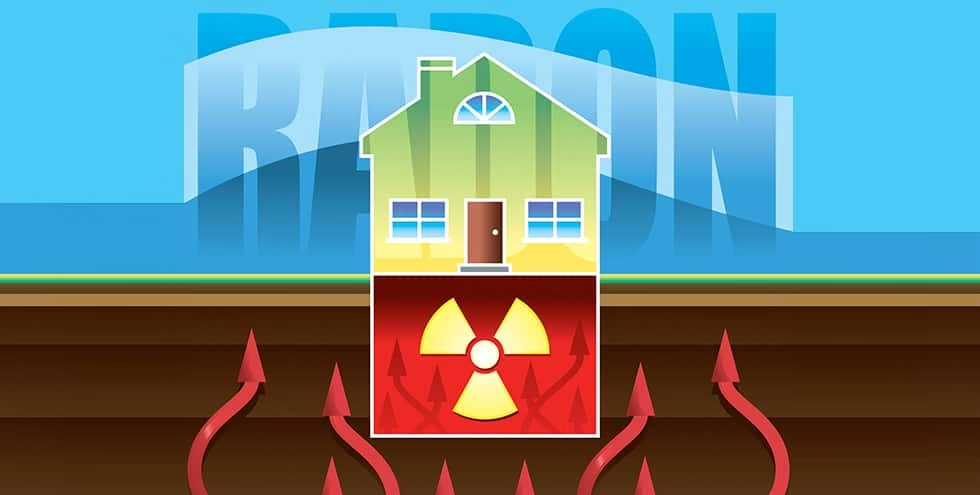
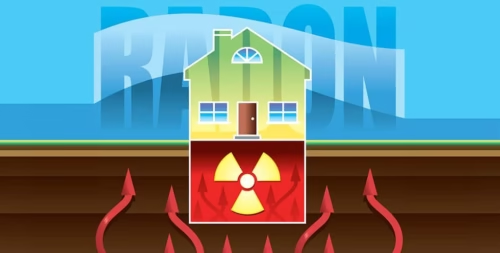
Radon is a radioactive gas which is colourless and odourless. Uranium, which is a heavy metal found in the soil, rocks and water, gets decayed and turns into radium. Eventually the radium breaks down and turns into radon. This hazardous gas becomes the part of the air and even a very small amount can be lethal for your health.

Health Hazards of Radon Gas

The gas is found mostly in homes that out built over natural soil with uranium deposits. Radon gas can enter through floors, walls, pipes, electrical wires, etc into the house. This gas gets into the lungs and produces radiation which over time can damage the cells and result in lung cancer. And, it has been found that this radioactive gas is the second biggest cause of lung cancer outside of cigarette smoking. Unfortunately, radon poisoning doesn’t give away any symptoms in the beginning, which makes it even more lethal.

As per the Assessment of Risks from Radon, The Environmental Protection Agency (EPA) has revealed that one out of every fifteen houses in US has high levels of radon. Also, lung cancer caused by exposure to this radioactive gas leads to more deaths than drowning, fires and carbon monoxide poisoning. Radon inhalation induces almost 15000-20000 lung cancers deaths every year.

Radon Gas Detectors

As you cannot see or smell radon gas, it is not possible to find out if your place is contaminated unless you use a radon gas detector. When it is a concern of your safety and health, it is important that you are aware of this hazardous gas. Radon gas detectors are as important as any other smoke detector.  It doesn’t matter if you have just moved in to a new house or had been living in a house for a long time, testing the level of radon is crucial. If you find that the levels are high, then proper steps for remediation can be taken. There are many radon gas detectors which have been time-tested, and we have accumulated the list of the best products which will make the decision to buy easy for you.

Types of Radon Gas Detectors

Even though all the detectors serve the same purpose, but there are various types of radon gas detectors that you can find in the market today.

Short Term

As the name implies, short term radon gas detectors are ideal for those who want to know the radon estimate in the house at the earliest. These detectors are cheap in comparison to other detectors. However, the result and information may vary with short term radon test kits.

Long Term

These detectors have a broad result range and can take up to 2-90 days to show results. The results in long term detectors are precise to the extent that you can get information on radon gas level in different seasons, temperature and weathers.

Long term radon gas detectors provide an average as radon gas levels can vary from day to day. This feature makes them better than short term detectors.

Alpha-Track Radon Gas Detectors

Right now, alpha-track radon gas detectors are undoubtedly the best kits available out there. These are the long term solution to all your radon gas issues.

These detectors use a polycarbonate plastic sheet and this sheet collects the air particles. When the alpha particles come in contact with this polycarbonate sheets, they leave small marks. A lab technician can analyze these marks which gives the level of radon gas in the house.

Check price on Amazon

Charcoal Radon Gas Detectors

These are very short term solutions to detect radon gas levels and are ideal for those who are looking for some cheap options.

The charcoal absorbs radon gas from air and then it is sent to the lab for assessment. The level of radon gas is determined by the speed in which the charcoal absorbs the gas from the air. These detectors provide accurate information but it can take anywhere from 3-7 days to show the results.

Check price on Amazon

Digital Radon Gas Detectors

If you are looking for a detector which can give you result continuously and steadily, then digital radon gas detector would be the best choice for you. With these detectors, you do not need to take the samples to a lab. You can get both long-term and short-term results.

Also, digital radon gas detectors can determine the effectiveness of a radon mitigation system. The detector allows you to know the levels of radon gas in your house within a day.

Check on Amazon

BEST RADON GAS DETECTORS 2019

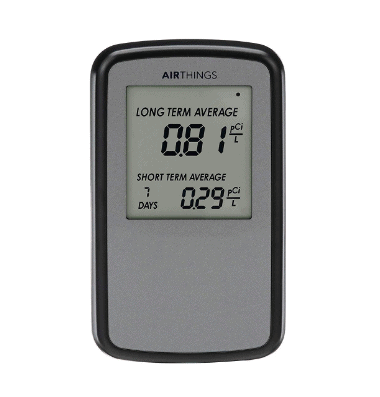
Corentium Home Radon Gas Detector by Airthings 223 

Check Price on Amazon

This is indeed the best tool to detect radon gas levels in the house. Corentium Home Radon gas Detector is popular choice among users and there are several positive reviews online.

The LCD screen in the detector gives easy interpretation of both short-term and long-term radon gas levels which makes it easy to take an informed decision.  As the radon gas levels can fluctuate from day to day, it is imperative that you access the levels in real time in order to take necessary steps and avoid potential health hazards.

The detector is highly resistant to external factors such as weather, humidity, dust and other environmental changes. With this detector you can easily take measurements in all the rooms individually to get an overview and accurate measurement of the level of radon gas within your house, workplace or any location. You can use this tool while inspecting property or while checking the operation of a radon mitigation system.

Designed by scientists, Corentium Home Radon Gas Detector has an internal design which comes from advanced technology usually reserved for high-end commercial detectors. Even though the price of this kit is a little at the higher end, but all the features make it worth spending up on.

Pros:

  • Precise and instant results
  • Lightweight and easy to use
  • Both long-term and short-term results
  • 2 years of battery life

Cons:

  • Quite pricey

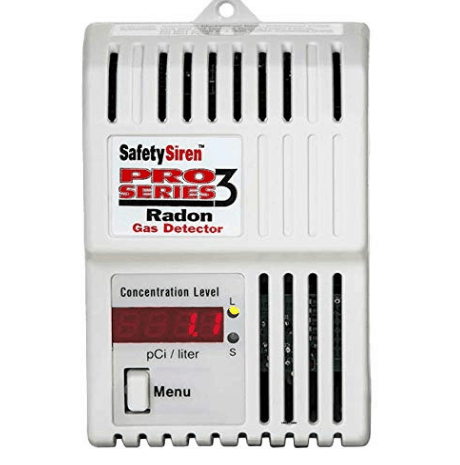
Safety Siren Pro Series3 Radon Gas Detector – HS71512

Check price and specs on Amazon

At first glance you may find Safety Siren Pro Series3 Radon Gas Detector as a complicated machine. However, this tool from, Family Safety Products, Inc is designed with the sole purpose of giving accurate results without hurting your pockets. The brand’s name is highly trusted in the market, so it is assured that the quality is never compromised.

The tools gives both short-term and long –term readings which can be easily read on the LED panel. If you are looking for more precise results than you switch from short-term to long-term readings with just a button press. You can get the radon test results within the first 48 hours post installation, which makes the detector perfect if you have any upcoming inspection.  It also updates the air sample in every 24 hours to enhance the accuracy if the readings.

The only issue with the detector is that it is not portable at all; it has to be plugged into a wall socket. You can’t take it outside with you as it is not supported by the battery power. Other than that, the performance and precision of the tool is amazing. The tool is ideal for domestic usage but not for industrial or professional purposes.

Pros:

  • Daily self-testing every 24 hours
  • Numeric LED display
  • Easy to use
  • Standard accuracy

Cons:

  • Old design
  • Non portable

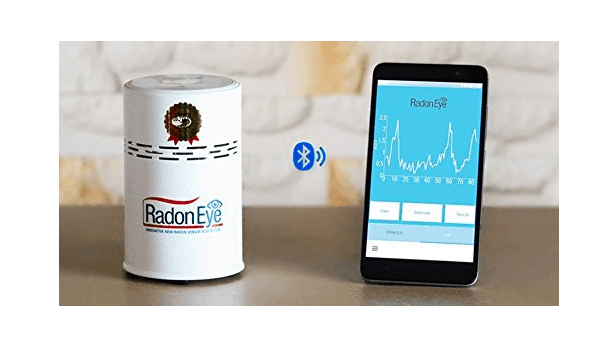
Radon Eye RD200 Smart Radon Gas Monitor and Detector

Check reviews and price on Amazon

Another top choice in the market and one of the most advanced radon test kits, Radon Eye RD200 Smart Radon gas Monitor Detector is 20 times more sensitive than any other average radon testing kit. This highly accurate detector has dual structured mechanism with pulsed ionization that incorporates the state of art technology.

The detector is extremely fast and you can get results within 60 minutes. The kits boasts LED screen graph display for convenient analysis, Bluetooth support and alarm settings.

You can get accurate results using this kit, irrespective of the location which usually is a common problem with other detectors in the market now. As source, it is an active detector, it needs constant power. You will get a 12 volt DC adapter and an internal battery with the kit. To start the detector, you just need to locate it in a place and turn it on. The LCD will display the level of radon in the room, however, for more detailed readings; you have to connect your smartphone.

Pros:

  • Absolutely accurate results
  • Convenient data logging

Cons:

  • No wall mounting

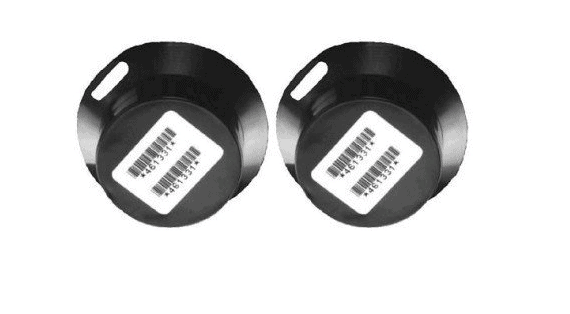
Accustar Alpha Track Radon Gas Test Kit AT 100

Check reviews and price on Amazon

Accustar Alpha Track Radon Gas Test Kit has been rated number 1 by a leading National Consumer Advocacy Company. This is a long term detection kit that can be used only for a period of 3 months to a maximum of one year. However, the Accustar Alpha Track Test Kit isn’t as time sensitive as other short-term test kits. You can get a better overall estimate of the radon levels in your house. This kind of detector is perfect for places where radon gas is not a constant problem. With the hemispherical base design, the detector gets maximum sensitivity and creates a constant track distribution for precise counting statistics.

To use the detector, you just need to remove it from the packaging and lay it out at the location. The tool detects the gas on the basis of diffusion by filtering radon scion through a structural filter. When the time is up, you have to send to the lab in a pre-addressed postage paid envelope for the assessment. This way you will get to know pretty fast if you need a professional for radon testing.

Pros:

  • Very simple to use
  • Two kits in the packaging
  • Kit includes test results and prepaid return shipping to the lab

Cons:

  • A bite expensive for a short-term kit

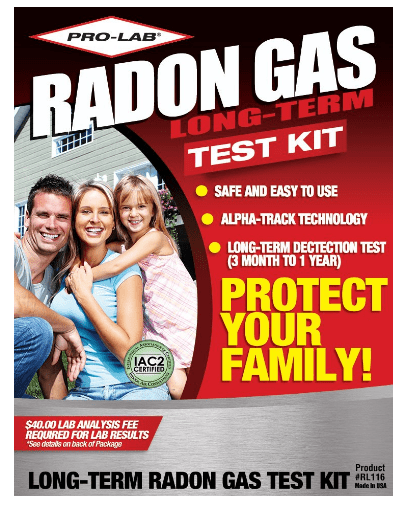
PRO-LAB Long-Term Radon Gas Test Kit RL116

Read Reviews and price on Amazon

Another long –term test kit PRO-LAB Long-Term Radon Gas Test Kit uses Alpha Track technology which last for 3-12 months. The kit is extremely simple to use, all you need to do is remove the cap and place it in the preferred location for maximum of one year.

Post completion of the test you have to put the cap back and fill the data card to send it to the lab for the results. You will get the information on the radon levels in your house within 72 hours post once it is received in the lab for assessment.

Pros:

  • Alpha Track Technology
  • Prepaid envelope

Cons:

  • Additional lab testing fee of $4o

Wrapping up:

These are few of the best radon gas detectors in the market; however, this list is definitely not exhaustive.

Make sure that you carry out radon gas tests every two years in your house to ensure that you are living within the radon levels that have been approved by EPA

Infinix Smart 3 Plus Review- Best Smartphone under Rs 7000 in India


Transsion Holdings’ sub-brand Infinix has launched the latest value-for-money smartphone Infinix Smart 3 Plus as a successor to Smart 2 which was released last year. Smart 3 Plus is the first ever phone in the 7k sub category to offer a triple camera module on the back and a 6.2-inch waterdrop display. The device boasts the Android v9.0 (Pie), a dedicated microSD card slot and a fingerprint sensor at the back. With a decent camera, latest design and huge display, Infinix Smart 3 Plus wouldn’t disappoint you. To know if this budget smartphone lives up to the expectations, keep reading our review of the Infinix Smart 3 Plus.

Highlights:

  • 6.21 Inch HD+ Display
  • 2GHz Quad-Core Helio A22 Processor
  • 2GB RAM
  • 32 GB internal storage
  • 13MP + 2MP + Low Light Sensor Triple Rear Camera
  • 8MP Front Camera
  • 3500mAh Battery
  • Fingerprint Sensor
  • Face unlock
  • Micro-USB Port
  • Dual SIM
  • Bluetooth 5.0 and WiFi
  • Dimension- 157 x 76 x 7.8mm
  • Weight- 148 grams

Infinix Smart 3 Plus Price and Availability

This Flipkart exclusive smartphone will be available from April 30 at Rs 6,999 in Midnight Black and Sapphire Cyan colours. The device comes with supplementary benefits worth Rs 4,500 for Jio users.

Infinix Smart 3 Plus Specifications

DISPLAY AND DESIGN

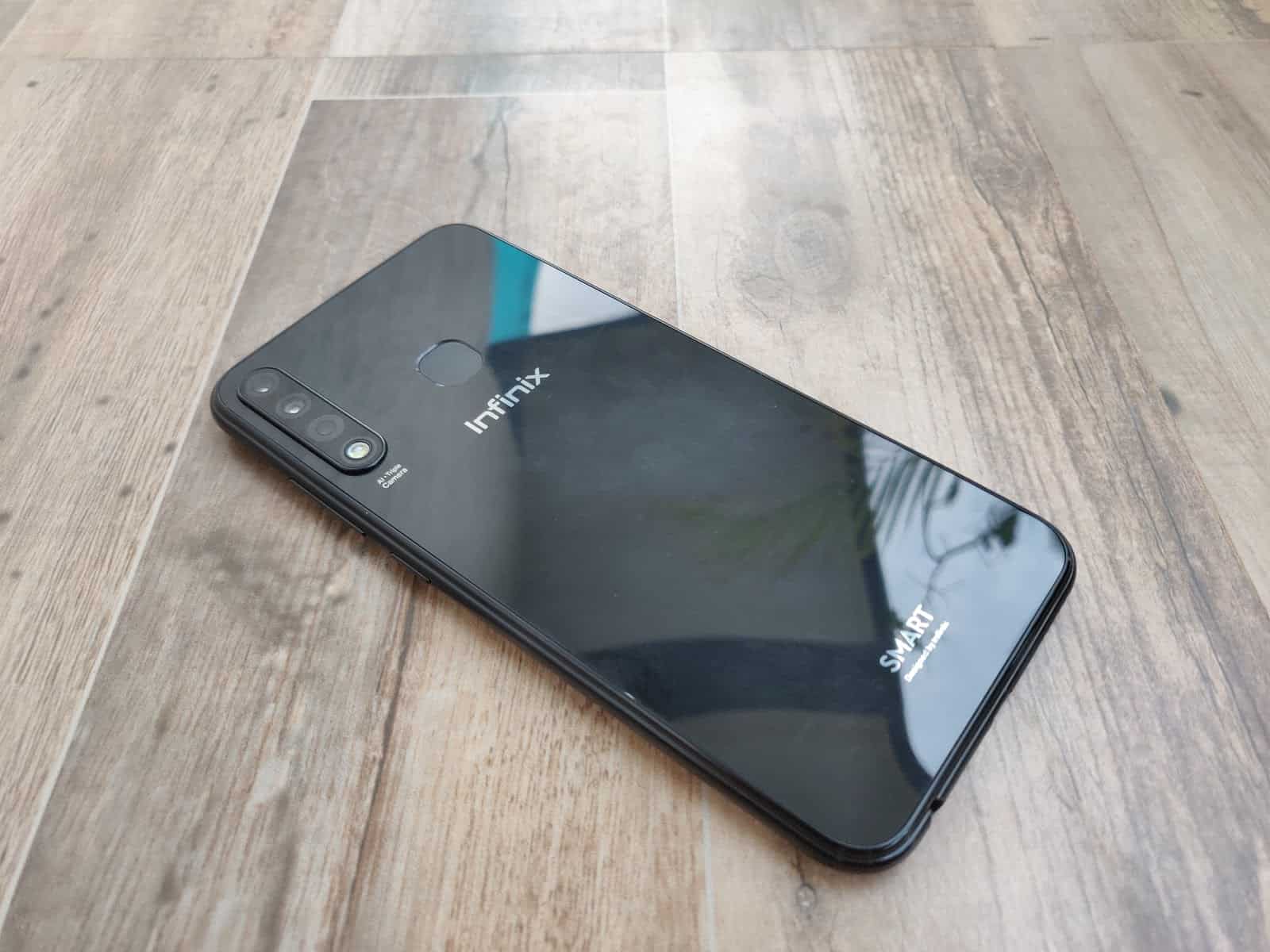
Infinix Smart 3 Plus, looks like it is made of glass, but the body is actually made of plastic. The phone flaunts a modest design with an almost bezel-less 6.2-inch display IPS type screen, resolution of 720 x 1520 pixels, 24 bit, waterdrop style notch and a slight chin at the bottom. The back of the phone has mirror-finishing which gives it a premium look, setting it apart from the other phone in the same budget. The buttons for volume and power are placed at the right edge of the device. The left side of the phone is equipped with a SIM slot that serves to hold the dual-SIM and microSD card slot. You can find a micro USB port, a speaker grille and a 3.5mm audio jack at the bottom of the device. The fingerprint sensor in the back, is easy to reach.

The 500 nits brightness provide a stunning display to the device. Smart 3 Plus definitely scores in the looks department in this segment. With the glossy plastic body and sleek glass-finish at the back, the phone looks premium considering its low price.

HARDWARE AND SOFTWARE

Smart 3 Plus is powered by MediaTek’s Helio A22 quad-core chipset with a RAM of 2GB and 32GB inbuilt storage with the option to expand up to 256GB by adding a microSD card. The smartphone has a face unlock feature and a fingerprint sensor on the back; both of which do a pretty fast job to unlock the phone.

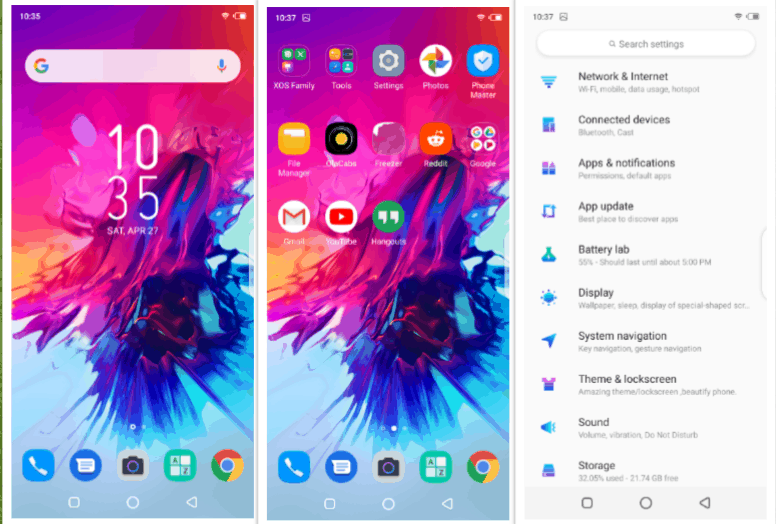
In terms of software, the device runs Android 9 Pie-based XOS 5.0. The user interface in Infinix Smart 3 Plus is loaded with some amazing features. If you swipe the screen from left to right, you will get a landing page which will show all the information about your contacts, applications and more.

CAMERA

The main highlight of Smart 3 Plus is the triple rear camera which has a 13-megapixel primary sensor along with a 2-megapixel depth sensor and a low light sensor. The device also boats an 8-megapixel selfie camera equipped with AI-driven beauty mode, screen flash and AR stickers.

The camera supports Artificial Intelligence framework which enables Auto Scene detection from 8 different scenes and adjusts the frame settings accordingly.  Further, you will get Video, AR Shot, Night, Sports and Bokeh Mode which are customizable. The smartphone can capture nice pictures in daylight and the performance of the front camera was pretty good too.

BATTERY

Fuelled by a 3500 mAh Li-Polymer non-removable battery, the smartphone has 4G talk time of 25 hours. For usage that involves music streaming and social media, you can expect the battery to last all day long.

And, with the 5V-1.2A charger, you can charge the phone to 100% within 1 hour and 50 minutes. The low resolution display along with the competent hardware makes the phone last a whole day of usage.

CALL AND SOUND QUALITY

The in call sound quality is decent in Smart 3 Plus. However, the phone speaker is not that loud and you may prefer to use earphones.

Final Thoughts

Loaded with premium features at such low price, the Infinix Smart 3 Plus gives a solid competition to other smartphones in this range. Our initial experience with the device is absolutely impressive; however the whole performance has yet to be tested. Stay tuned for more!

Exit mobile version