
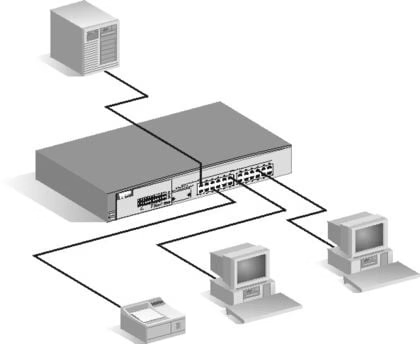

Many a times it happens so that we have more than one computer or laptop, in our home, however it is not in the benefit of the user to take multiple internet connection for each of the computer. So we would require to share the same internet connection with n no of computers. It might be a very easy problem to solve for a technical problem. However I have worked for one of the topmost software company, in which users of its operating system would used to come to solve their problems which are much easier than this. Trust me, I had even helped person who was unable to create a desktop shortcut for IE on his computer.
There could be two ways of making connection or LAN between two computers, either wired or wireless.
How Do I Set Up Wired LAN Between Two Computers And Share Internet Connection?
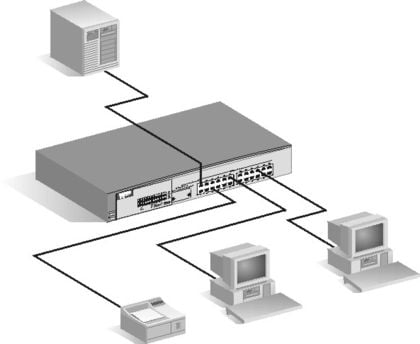
Setting up a wired LAN connection is the simplest of all. However to do this you would need to purchase a Switch. (A switch is a device which actually splits the internet bandwidth among all the connected 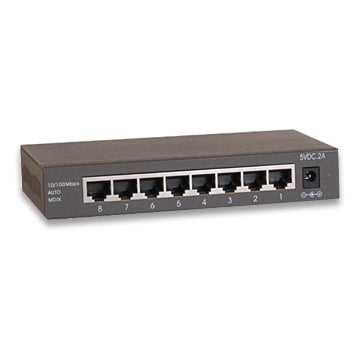


How Do I Set Up A Wireless LAN Network And Share Internet Connection?
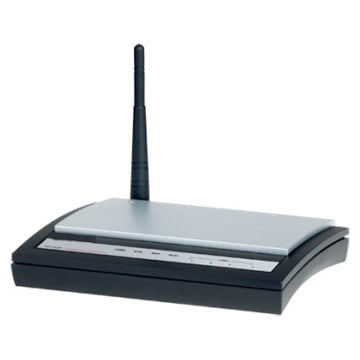
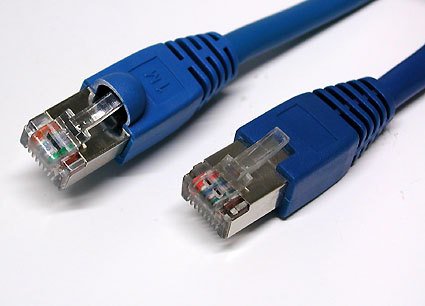
To set up a wireless LAN network you will require a wireless router. Now after you purchase the wireless router you will need to connect the RJ-45 jack to the input port of the wireless router. Now you need to go to the control panel of the wireless router by entering the gateway address of the router in the address bar of the browser you are using. It will be now asking for your router user name and password. Enter the user name and password as admin and admin respectively unless you have changed it. In case it doesn’t take that refer to the router manual. You can always find your manual online.
Once you enter the control panel you may get options to turn on the wireless network. Turn it on, now it would be broadcasting the signal and is available for the laptop to pick it up.
Now go to control panel and click on “Network And Internet”. Then click on connect to a network form your laptop and it will show you the signal of your just set up router. Click on the signal which is yours and continue the steps as mentioned from each of your laptop and the wireless LAN would be setup.
To know how to protect your Router from getting hacked click HERE
how would u share internet connection if u had 2 routers, 2 usb modems 2 24 port switchs and 40 computers
Hi Anubhab,
I am using a Tata Photon data card to connect to internet. Is it possible to connect an another laptop to my laptop through LAN (or WIFI) and make the second laptop also access internet? I am not able to do that.
Please help.
Hi there,
You can share your internet by sharing Wifi on your laptop with help of Connectify. Download it here: http://www.connectify.me/download-lite/
We’ll write a tutorial on this soon.
Cheers,
Sreejesh
Fu#in old method
i have four computers in my office connected in lan ,so that they can use common laser printer. i have two internet connections . one connection is shared by three comps and one connection by single comp. so is there any way in which two internet connection be shared by two comps without disturbing the current lan config
Thanks to both Kevin & vee pee
good one Mr. Anubhab you have a very simple way of teaching as you mentioned reading your article is worth of time and for knowledge
Thanks so much it really worked
@ Gojeg you can use adhoc connection in the case u do not have a switch
Hi, how can we share a internet conectio between 2 computers or more without a switch? Not all people have a switch. 😀
Genial fill someone in on and this fill someone in on helped me alot in my college assignement. Thanks you on your information.
Thanks robin…I will reflect it in my new posts
Great guide bro.. 🙂 next time try giving some ppts to use more pics. 🙂
THanks
– Robin