 Ever wanted to schedule a message for a period of time to be sent as an Email, Text message, or Tweet? Then here’s the answer for you. Futuremessage.org. This website allows you to send a your message into the future for Free! Yeah I’m right. This service is absolutely free for you.
Future message stores your messages for a period of time and then sends them as you set it as an Email, Text (SMS), or Tweet. To schedule your message in the future, just type in your message in Futuremessage.org and set a date. Then, select your option: Text, Twitter, or Email. The SMS option is only available for U.S residents at the moment. This service will surely help those who like to greet their friends in happy occasions or for people who are busy. Interesting thing is that you need not register here to send a future message
Dan Silver is the man behind Futuremessage.org. he is a high school student and an upcoming web developer. This is what he says:
Send Emails, Texts, and Tweets into the Future! You write it now and we will send it when the time comes!
Here’s a brief about upcoming features in Futuremessage.org:
Some of the future plans are:
- Adding the ability to send to a specific time.
- Multiple recipients.
- Log in to manage your messages and really far off is the ability to send repeating messages.
- Random feature to let people specify a range of dates to send it in (For example, a message could be sent within the range of 2015-2020 if someone wanted).
- And much more coming!!!..
So how would you start sending messages into future?
Step1.
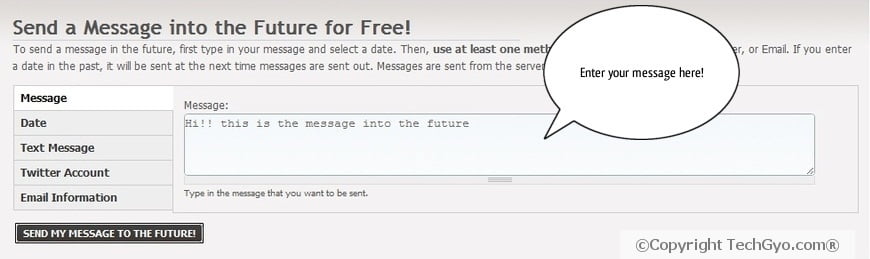
Step2.
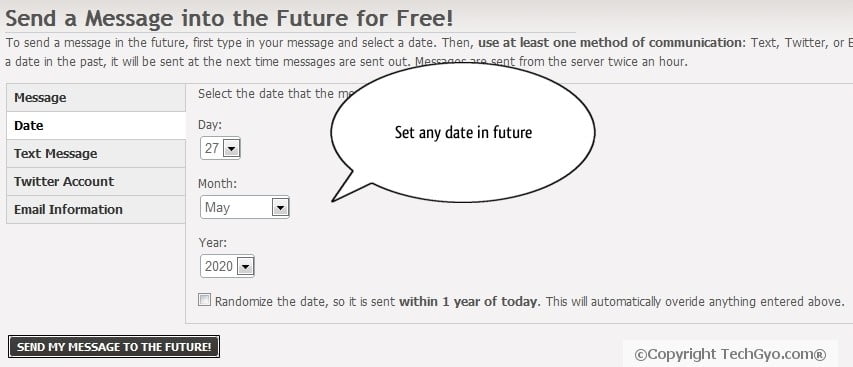
Step3.
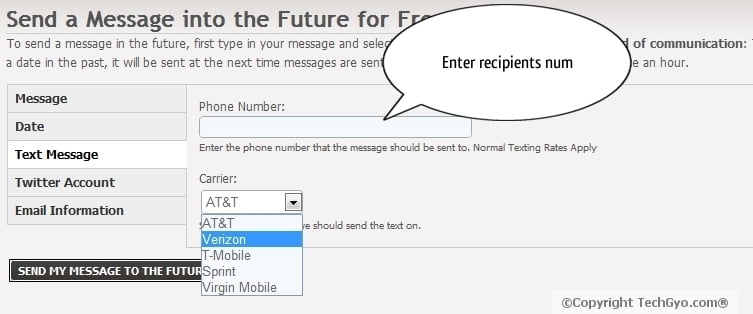
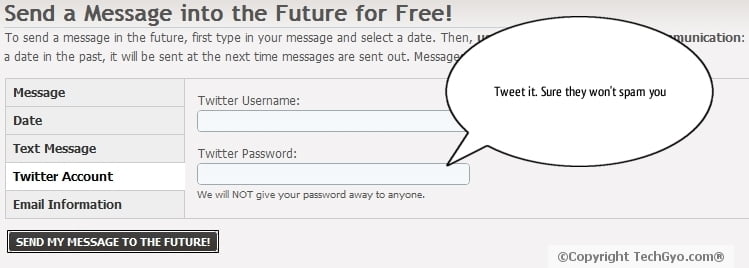
You have three options here: You can either set the message as SMS(US only), Email or Tweet message.
To send SMS message, just enter a valid number of your recipient and select the service provider. If you don’t know who is the service provider just enter the first 4 digits of the number in Google and search for the service provider. (Ex: 8945 service provider in U.S)
And if you want to Tweet message into future. Then enter your twitter username and password and they’ll do what you need.
Or if you want to set the message sent as Email then straight away enter the email id of the recipient.
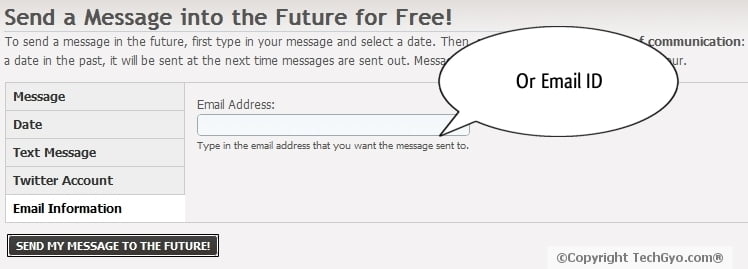
Step4.
That’s it! when you are done, just click on the “SEND MY MESSAGE TO THE FUTURE” button and they’ll deliver your message into future.
Also read how to add speech bubbles to the images like I’ve done above.
[ Link: Futuremessage.org ]